https://github.com/dontizi/rlama
A powerful document AI question-answering tool that connects to your local Ollama models. Create, manage, and interact with RAG systems for all your document needs.
https://github.com/dontizi/rlama
Last synced: 5 months ago
JSON representation
A powerful document AI question-answering tool that connects to your local Ollama models. Create, manage, and interact with RAG systems for all your document needs.
- Host: GitHub
- URL: https://github.com/dontizi/rlama
- Owner: DonTizi
- License: apache-2.0
- Created: 2025-03-05T04:03:37.000Z (over 1 year ago)
- Default Branch: main
- Last Pushed: 2025-03-23T04:50:47.000Z (over 1 year ago)
- Last Synced: 2025-03-23T05:24:47.572Z (over 1 year ago)
- Language: Go
- Homepage: https://rlama.dev/
- Size: 48.1 MB
- Stars: 867
- Watchers: 15
- Forks: 56
- Open Issues: 16
-
Metadata Files:
- Readme: README.md
- License: LICENSE
Awesome Lists containing this project
- StarryDivineSky - dontizi/rlama
README



# RLAMA - User Guide
> **⚠️ Project Temporarily Paused**
> This project is currently on pause due to my work and university commitments that take up a lot of my time. I am not able to actively maintain this project at the moment. Development will resume when my situation allows it.
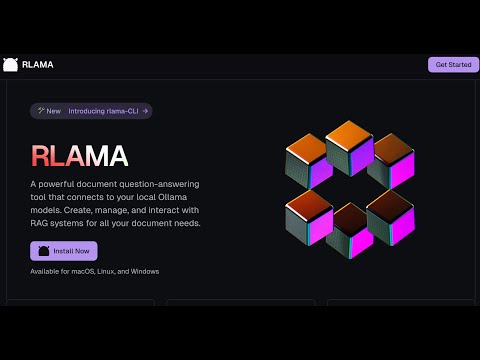
RLAMA is a powerful AI-driven question-answering tool for your documents, seamlessly integrating with your local Ollama models. It enables you to create, manage, and interact with Retrieval-Augmented Generation (RAG) systems tailored to your documentation needs.
[](https://www.youtube.com/watch?v=EIsQnBqeQxQ)
## Table of Contents
- [Vision & Roadmap](#vision--roadmap)
- [Installation](#installation)
- [Available Commands](#available-commands)
- [rag - Create a RAG system](#rag---create-a-rag-system)
- [crawl-rag - Create a RAG system from a website](#crawl-rag---create-a-rag-system-from-a-website)
- [wizard - Create a RAG system with interactive setup](#wizard---create-a-rag-system-with-interactive-setup)
- [watch - Set up directory watching for a RAG system](#watch---set-up-directory-watching-for-a-rag-system)
- [watch-off - Disable directory watching for a RAG system](#watch-off---disable-directory-watching-for-a-rag-system)
- [check-watched - Check a RAG's watched directory for new files](#check-watched---check-a-rags-watched-directory-for-new-files)
- [web-watch - Set up website monitoring for a RAG system](#web-watch---set-up-website-monitoring-for-a-rag-system)
- [web-watch-off - Disable website monitoring for a RAG system](#web-watch-off---disable-website-monitoring-for-a-rag-system)
- [check-web-watched - Check a RAG's monitored website for updates](#check-web-watched---check-a-rags-monitored-website-for-updates)
- [run - Use a RAG system](#run---use-a-rag-system)
- [api - Start API server](#api---start-api-server)
- [list - List RAG systems](#list---list-rag-systems)
- [delete - Delete a RAG system](#delete---delete-a-rag-system)
- [list-docs - List documents in a RAG](#list-docs---list-documents-in-a-rag)
- [list-chunks - Inspect document chunks](#list-chunks---inspect-document-chunks)
- [view-chunk - View chunk details](#view-chunk---view-chunk-details)
- [add-docs - Add documents to RAG](#add-docs---add-documents-to-rag)
- [crawl-add-docs - Add website content to RAG](#crawl-add-docs---add-website-content-to-rag)
- [update-model - Change LLM model](#update-model---change-llm-model)
- [update - Update RLAMA](#update---update-rlama)
- [version - Display version](#version---display-version)
- [hf-browse - Browse GGUF models on Hugging Face](#hf-browse---browse-gguf-models-on-hugging-face)
- [run-hf - Run a Hugging Face GGUF model](#run-hf---run-a-hugging-face-gguf-model)
- [Uninstallation](#uninstallation)
- [Supported Document Formats](#supported-document-formats)
- [Troubleshooting](#troubleshooting)
- [Using OpenAI Models](#using-openai-models)
## Vision & Roadmap
RLAMA aims to become the definitive tool for creating local RAG systems that work seamlessly for everyone—from individual developers to large enterprises. Here's our strategic roadmap:
### Completed Features ✅
- ✅ **Basic RAG System Creation**: CLI tool for creating and managing RAG systems
- ✅ **Document Processing**: Support for multiple document formats (.txt, .md, .pdf, etc.)
- ✅ **Document Chunking**: Advanced semantic chunking with multiple strategies (fixed, semantic, hierarchical, hybrid)
- ✅ **Vector Storage**: Local storage of document embeddings
- ✅ **Context Retrieval**: Basic semantic search with configurable context size
- ✅ **Ollama Integration**: Seamless connection to Ollama models
- ✅ **Cross-Platform Support**: Works on Linux, macOS, and Windows
- ✅ **Easy Installation**: One-line installation script
- ✅ **API Server**: HTTP endpoints for integrating RAG capabilities in other applications
- ✅ **Web Crawling**: Create RAGs directly from websites
- ✅ **Guided RAG Setup Wizard**: Interactive interface for easy RAG creation
- ✅ **Hugging Face Integration**: Access to 45,000+ GGUF models from Hugging Face Hub
### Small LLM Optimization (Q2 2025)
- [ ] **Prompt Compression**: Smart context summarization for limited context windows
- ✅ **Adaptive Chunking**: Dynamic content segmentation based on semantic boundaries and document structure
- ✅ **Minimal Context Retrieval**: Intelligent filtering to eliminate redundant content
- [ ] **Parameter Optimization**: Fine-tuned settings for different model sizes
### Advanced Embedding Pipeline (Q2-Q3 2025)
- [ ] **Multi-Model Embedding Support**: Integration with various embedding models
- [ ] **Hybrid Retrieval Techniques**: Combining sparse and dense retrievers for better accuracy
- [ ] **Embedding Evaluation Tools**: Built-in metrics to measure retrieval quality
- [ ] **Automated Embedding Cache**: Smart caching to reduce computation for similar queries
### User Experience Enhancements (Q3 2025)
- [ ] **Lightweight Web Interface**: Simple browser-based UI for the existing CLI backend
- [ ] **Knowledge Graph Visualization**: Interactive exploration of document connections
- [ ] **Domain-Specific Templates**: Pre-configured settings for different domains
### Enterprise Features (Q4 2025)
- [ ] **Multi-User Access Control**: Role-based permissions for team environments
- [ ] **Integration with Enterprise Systems**: Connectors for SharePoint, Confluence, Google Workspace
- [ ] **Knowledge Quality Monitoring**: Detection of outdated or contradictory information
- [ ] **System Integration API**: Webhooks and APIs for embedding RLAMA in existing workflows
- [ ] **AI Agent Creation Framework**: Simplified system for building custom AI agents with RAG capabilities
### Next-Gen Retrieval Innovations (Q1 2026)
- [ ] **Multi-Step Retrieval**: Using the LLM to refine search queries for complex questions
- [ ] **Cross-Modal Retrieval**: Support for image content understanding and retrieval
- [ ] **Feedback-Based Optimization**: Learning from user interactions to improve retrieval
- [ ] **Knowledge Graphs & Symbolic Reasoning**: Combining vector search with structured knowledge
RLAMA's core philosophy remains unchanged: to provide a simple, powerful, local RAG solution that respects privacy, minimizes resource requirements, and works seamlessly across platforms.
## Installation
### Prerequisites
- [Ollama](https://ollama.ai/) installed and running
### Installation from terminal
```bash
curl -fsSL https://raw.githubusercontent.com/dontizi/rlama/main/install.sh | sh
```
## Tech Stack
RLAMA is built with:
- **Core Language**: Go (chosen for performance, cross-platform compatibility, and single binary distribution)
- **CLI Framework**: Cobra (for command-line interface structure)
- **LLM Integration**: Ollama API (for embeddings and completions)
- **Storage**: Local filesystem-based storage (JSON files for simplicity and portability)
- **Vector Search**: Custom implementation of cosine similarity for embedding retrieval
## Architecture
RLAMA follows a clean architecture pattern with clear separation of concerns:
```
rlama/
├── cmd/ # CLI commands (using Cobra)
│ ├── root.go # Base command
│ ├── rag.go # Create RAG systems
│ ├── run.go # Query RAG systems
│ └── ...
├── internal/
│ ├── client/ # External API clients
│ │ └── ollama_client.go # Ollama API integration
│ ├── domain/ # Core domain models
│ │ ├── rag.go # RAG system entity
│ │ └── document.go # Document entity
│ ├── repository/ # Data persistence
│ │ └── rag_repository.go # Handles saving/loading RAGs
│ └── service/ # Business logic
│ ├── rag_service.go # RAG operations
│ ├── document_loader.go # Document processing
│ └── embedding_service.go # Vector embeddings
└── pkg/ # Shared utilities
└── vector/ # Vector operations
```
## Data Flow
1. **Document Processing**: Documents are loaded from the file system, parsed based on their type, and converted to plain text.
2. **Embedding Generation**: Document text is sent to Ollama to generate vector embeddings.
3. **Storage**: The RAG system (documents + embeddings) is stored in the user's home directory (~/.rlama).
4. **Query Process**: When a user asks a question, it's converted to an embedding, compared against stored document embeddings, and relevant content is retrieved.
5. **Response Generation**: Retrieved content and the question are sent to Ollama to generate a contextually-informed response.
## Visual Representation
```
┌─────────────┐ ┌─────────────┐ ┌─────────────┐
│ Documents │────>│ Document │────>│ Embedding │
│ (Input) │ │ Processing │ │ Generation │
└─────────────┘ └─────────────┘ └─────────────┘
│
▼
┌─────────────┐ ┌─────────────┐ ┌─────────────┐
│ Query │────>│ Vector │<────│ Vector Store│
│ Response │ │ Search │ │ (RAG System)│
└─────────────┘ └─────────────┘ └─────────────┘
▲ │
│ ▼
┌─────────────┐ ┌─────────────┐
│ Ollama │<────│ Context │
│ LLM │ │ Building │
└─────────────┘ └─────────────┘
```
RLAMA is designed to be lightweight and portable, focusing on providing RAG capabilities with minimal dependencies. The entire system runs locally, with the only external dependency being Ollama for LLM capabilities.
## Available Commands
You can get help on all commands by using:
```bash
rlama --help
```
### Global Flags
These flags can be used with any command:
```bash
--host string Ollama host (default: localhost)
--port string Ollama port (default: 11434)
--num-thread int Number of threads for Ollama to use (default: 0, use Ollama default)
```
**Performance Optimization:**
- Use `--num-thread 16` (or your CPU core count) to potentially improve processing speed
- Ollama often uses half the available cores by default
- Setting this to your full core count can significantly speed up text generation and embeddings
**Usage Examples:**
```bash
# Use 16 threads for better performance
rlama --num-thread 16 run my-docs
# Create a RAG with optimized thread usage
rlama --num-thread 16 rag llama3 documentation ./docs
# Run with custom host and thread settings
rlama --host 192.168.1.100 --port 11434 --num-thread 16 run my-rag
```
### Custom Data Directory
RLAMA stores data in `~/.rlama` by default. To use a different location:
1. **Command-line flag** (highest priority):
```bash
# Use with any command
rlama --data-dir /path/to/custom/directory run my-rag
```
2. **Environment variable**:
```bash
# Set the environment variable
export RLAMA_DATA_DIR=/path/to/custom/directory
rlama run my-rag
```
The precedence order is: command-line flag > environment variable > default location.
### rag - Create a RAG system
Creates a new RAG system by indexing all documents in the specified folder.
```bash
rlama rag [model] [rag-name] [folder-path]
```
**Parameters:**
- `model`: Name of the Ollama model to use (e.g., llama3, mistral, gemma) or a Hugging Face model using the format `hf.co/username/repository[:quantization]`.
- `rag-name`: Unique name to identify your RAG system.
- `folder-path`: Path to the folder containing your documents.
**Example:**
```bash
# Using a standard Ollama model
rlama rag llama3 documentation ./docs
# Using a Hugging Face model
rlama rag hf.co/bartowski/Llama-3.2-1B-Instruct-GGUF my-rag ./docs
# Using a Hugging Face model with specific quantization
rlama rag hf.co/mlabonne/Meta-Llama-3.1-8B-Instruct-abliterated-GGUF:Q5_K_M my-rag ./docs
```
### crawl-rag - Create a RAG system from a website
Creates a new RAG system by crawling a website and indexing its content.
```bash
rlama crawl-rag [model] [rag-name] [website-url]
```
**Parameters:**
- `model`: Name of the Ollama model to use (e.g., llama3, mistral, gemma).
- `rag-name`: Unique name to identify your RAG system.
- `website-url`: URL of the website to crawl and index.
**Options:**
- `--max-depth`: Maximum crawl depth (default: 2)
- `--concurrency`: Number of concurrent crawlers (default: 5)
- `--exclude-path`: Paths to exclude from crawling (comma-separated)
- `--chunk-size`: Character count per chunk (default: 1000)
- `--chunk-overlap`: Overlap between chunks in characters (default: 200)
- `--chunking-strategy`: Chunking strategy to use (options: "fixed", "semantic", "hybrid", "hierarchical", default: "hybrid")
#### Chunking Strategies
RLAMA offers multiple advanced chunking strategies to optimize document retrieval:
- **Fixed**: Traditional chunking with fixed size and overlap, respecting sentence boundaries when possible.
- **Semantic**: Intelligently splits documents based on semantic boundaries like headings, paragraphs, and natural topic shifts.
- **Hybrid**: Automatically selects the best strategy based on document type and content (markdown, HTML, code, or plain text).
- **Hierarchical**: For very long documents, creates a two-level chunking structure with major sections and sub-chunks.
The system automatically adapts to different document types:
- Markdown documents: Split by headers and sections
- HTML documents: Split by semantic HTML elements
- Code documents: Split by functions, classes, and logical blocks
- Plain text: Split by paragraphs with contextual overlap
**Example:**
```bash
# Create a new RAG from a documentation website
rlama crawl-rag llama3 docs-rag https://docs.example.com
# Customize crawling behavior
rlama crawl-rag llama3 blog-rag https://blog.example.com --max-depth=3 --exclude-path=/archive,/tags
# Create a RAG with semantic chunking
rlama rag llama3 documentation ./docs --chunking-strategy=semantic
# Use hierarchical chunking for large documents
rlama rag llama3 book-rag ./books --chunking-strategy=hierarchical
```
### wizard - Create a RAG system with interactive setup
Provides an interactive step-by-step wizard for creating a new RAG system.
```bash
rlama wizard
```
The wizard guides you through:
- Naming your RAG
- Choosing an Ollama model
- Selecting document sources (local folder or website)
- Configuring chunking parameters
- Setting up file filtering
**Example:**
```bash
rlama wizard
# Follow the prompts to create your customized RAG
```
### watch - Set up directory watching for a RAG system
Configure a RAG system to automatically watch a directory for new files and add them to the RAG.
```bash
rlama watch [rag-name] [directory-path] [interval]
```
**Parameters:**
- `rag-name`: Name of the RAG system to watch.
- `directory-path`: Path to the directory to watch for new files.
- `interval`: Time in minutes to check for new files (use 0 to check only when the RAG is used).
**Example:**
```bash
# Set up directory watching to check every 60 minutes
rlama watch my-docs ./watched-folder 60
# Set up directory watching to only check when the RAG is used
rlama watch my-docs ./watched-folder 0
# Customize what files to watch
rlama watch my-docs ./watched-folder 30 --exclude-dir=node_modules,tmp --process-ext=.md,.txt
```
### watch-off - Disable directory watching for a RAG system
Disable automatic directory watching for a RAG system.
```bash
rlama watch-off [rag-name]
```
**Parameters:**
- `rag-name`: Name of the RAG system to disable watching.
**Example:**
```bash
rlama watch-off my-docs
```
### check-watched - Check a RAG's watched directory for new files
Manually check a RAG's watched directory for new files and add them to the RAG.
```bash
rlama check-watched [rag-name]
```
**Parameters:**
- `rag-name`: Name of the RAG system to check.
**Example:**
```bash
rlama check-watched my-docs
```
### web-watch - Set up website monitoring for a RAG system
Configure a RAG system to automatically monitor a website for updates and add new content to the RAG.
```bash
rlama web-watch [rag-name] [website-url] [interval]
```
**Parameters:**
- `rag-name`: Name of the RAG system to monitor.
- `website-url`: URL of the website to monitor.
- `interval`: Time in minutes between checks (use 0 to check only when the RAG is used).
**Example:**
```bash
# Set up website monitoring to check every 60 minutes
rlama web-watch my-docs https://example.com 60
# Set up website monitoring to only check when the RAG is used
rlama web-watch my-docs https://example.com 0
# Customize what content to monitor
rlama web-watch my-docs https://example.com 30 --exclude-path=/archive,/tags
```
### web-watch-off - Disable website monitoring for a RAG system
Disable automatic website monitoring for a RAG system.
```bash
rlama web-watch-off [rag-name]
```
**Parameters:**
- `rag-name`: Name of the RAG system to disable monitoring.
**Example:**
```bash
rlama web-watch-off my-docs
```
### check-web-watched - Check a RAG's monitored website for updates
Manually check a RAG's monitored website for new updates and add them to the RAG.
```bash
rlama check-web-watched [rag-name]
```
**Parameters:**
- `rag-name`: Name of the RAG system to check.
**Example:**
```bash
rlama check-web-watched my-docs
```
### run - Use a RAG system
Starts an interactive session to interact with an existing RAG system.
```bash
rlama run [rag-name]
```
**Parameters:**
- `rag-name`: Name of the RAG system to use.
- `--context-size`: (Optional) Number of context chunks to retrieve (default: 20)
**Example:**
```bash
rlama run documentation
> How do I install the project?
> What are the main features?
> exit
```
**Context Size Tips:**
- Smaller values (5-15) for faster responses with key information
- Medium values (20-40) for balanced performance
- Larger values (50+) for complex questions needing broad context
- Consider your model's context window limits
```bash
rlama run documentation --context-size=50 # Use 50 context chunks
```
### api - Start API server
Starts an HTTP API server that exposes RLAMA's functionality through RESTful endpoints.
```bash
rlama api [--port PORT]
```
**Parameters:**
- `--port`: (Optional) Port number to run the API server on (default: 11249)
**Example:**
```bash
rlama api --port 8080
```
**Available Endpoints:**
1. **Query a RAG system** - `POST /rag`
```bash
curl -X POST http://localhost:11249/rag \
-H "Content-Type: application/json" \
-d '{
"rag_name": "documentation",
"prompt": "How do I install the project?",
"context_size": 20
}'
```
Request fields:
- `rag_name` (required): Name of the RAG system to query
- `prompt` (required): Question or prompt to send to the RAG
- `context_size` (optional): Number of chunks to include in context
- `model` (optional): Override the model used by the RAG
2. **Check server health** - `GET /health`
```bash
curl http://localhost:11249/health
```
**Integration Example:**
```javascript
// Node.js example
const response = await fetch('http://localhost:11249/rag', {
method: 'POST',
headers: { 'Content-Type': 'application/json' },
body: JSON.stringify({
rag_name: 'my-docs',
prompt: 'Summarize the key features'
})
});
const data = await response.json();
console.log(data.response);
```
### list - List RAG systems
Displays a list of all available RAG systems.
```bash
rlama list
```
### delete - Delete a RAG system
Permanently deletes a RAG system and all its indexed documents.
```bash
rlama delete [rag-name] [--force/-f]
```
**Parameters:**
- `rag-name`: Name of the RAG system to delete.
- `--force` or `-f`: (Optional) Delete without asking for confirmation.
**Example:**
```bash
rlama delete old-project
```
Or to delete without confirmation:
```bash
rlama delete old-project --force
```
### list-docs - List documents in a RAG
Displays all documents in a RAG system with metadata.
```bash
rlama list-docs [rag-name]
```
**Parameters:**
- `rag-name`: Name of the RAG system
**Example:**
```bash
rlama list-docs documentation
```
### list-chunks - Inspect document chunks
List and filter document chunks in a RAG system with various options:
```bash
# Basic chunk listing
rlama list-chunks [rag-name]
# With content preview (shows first 100 characters)
rlama list-chunks [rag-name] --show-content
# Filter by document name/ID substring
rlama list-chunks [rag-name] --document=readme
# Combine options
rlama list-chunks [rag-name] --document=api --show-content
```
**Options:**
- `--show-content`: Display chunk content preview
- `--document`: Filter by document name/ID substring
**Output columns:**
- Chunk ID (use with view-chunk command)
- Document Source
- Chunk Position (e.g., "2/5" for second of five chunks)
- Content Preview (if enabled)
- Created Date
### view-chunk - View chunk details
Display detailed information about a specific chunk.
```bash
rlama view-chunk [rag-name] [chunk-id]
```
**Parameters:**
- `rag-name`: Name of the RAG system
- `chunk-id`: Chunk identifier from list-chunks
**Example:**
```bash
rlama view-chunk documentation doc123_chunk_0
```
### add-docs - Add documents to RAG
Add new documents to an existing RAG system.
```bash
rlama add-docs [rag-name] [folder-path] [flags]
```
**Parameters:**
- `rag-name`: Name of the RAG system
- `folder-path`: Path to documents folder
**Example:**
```bash
rlama add-docs documentation ./new-docs --exclude-ext=.tmp
```
### crawl-add-docs - Add website content to RAG
Add content from a website to an existing RAG system.
```bash
rlama crawl-add-docs [rag-name] [website-url]
```
**Parameters:**
- `rag-name`: Name of the RAG system
- `website-url`: URL of the website to crawl and add to the RAG
**Options:**
- `--max-depth`: Maximum crawl depth (default: 2)
- `--concurrency`: Number of concurrent crawlers (default: 5)
- `--exclude-path`: Paths to exclude from crawling (comma-separated)
- `--chunk-size`: Character count per chunk (default: 1000)
- `--chunk-overlap`: Overlap between chunks in characters (default: 200)
**Example:**
```bash
# Add blog content to an existing RAG
rlama crawl-add-docs my-docs https://blog.example.com
# Customize crawling behavior
rlama crawl-add-docs knowledge-base https://docs.example.com --max-depth=1 --exclude-path=/api
```
### update-model - Change LLM model
Update the LLM model used by a RAG system.
```bash
rlama update-model [rag-name] [new-model]
```
**Parameters:**
- `rag-name`: Name of the RAG system
- `new-model`: New Ollama model name
**Example:**
```bash
rlama update-model documentation deepseek-r1:7b-instruct
```
### update - Update RLAMA
Checks if a new version of RLAMA is available and installs it.
```bash
rlama update [--force/-f]
```
**Options:**
- `--force` or `-f`: (Optional) Update without asking for confirmation.
### version - Display version
Displays the current version of RLAMA.
```bash
rlama --version
```
or
```bash
rlama -v
```
### hf-browse - Browse GGUF models on Hugging Face
Search and browse GGUF models available on Hugging Face.
```bash
rlama hf-browse [search-term] [flags]
```
**Parameters:**
- `search-term`: (Optional) Term to search for (e.g., "llama3", "mistral")
**Flags:**
- `--open`: Open the search results in your default web browser
- `--quant`: Specify quantization type to suggest (e.g., Q4_K_M, Q5_K_M)
- `--limit`: Limit number of results (default: 10)
**Examples:**
```bash
# Search for GGUF models and show command-line help
rlama hf-browse "llama 3"
# Open browser with search results
rlama hf-browse mistral --open
# Search with specific quantization suggestion
rlama hf-browse phi --quant Q4_K_M
```
### run-hf - Run a Hugging Face GGUF model
Run a Hugging Face GGUF model directly using Ollama. This is useful for testing models before creating a RAG system with them.
```bash
rlama run-hf [huggingface-model] [flags]
```
**Parameters:**
- `huggingface-model`: Hugging Face model path in the format `username/repository`
**Flags:**
- `--quant`: Quantization to use (e.g., Q4_K_M, Q5_K_M)
**Examples:**
```bash
# Try a model in chat mode
rlama run-hf bartowski/Llama-3.2-1B-Instruct-GGUF
# Specify quantization
rlama run-hf mlabonne/Meta-Llama-3.1-8B-Instruct-abliterated-GGUF --quant Q5_K_M
```
## Uninstallation
To uninstall RLAMA:
### Removing the binary
If you installed via `go install`:
```bash
rlama uninstall
```
### Removing data
RLAMA stores its data in `~/.rlama`. To remove it:
```bash
rm -rf ~/.rlama
```
## Supported Document Formats
RLAMA supports many file formats:
- **Text**: `.txt`, `.md`, `.html`, `.json`, `.csv`, `.yaml`, `.yml`, `.xml`, `.org`
- **Code**: `.go`, `.py`, `.js`, `.java`, `.c`, `.cpp`, `.cxx`, `.h`, `.rb`, `.php`, `.rs`, `.swift`, `.kt`, `.ts`, `.tsx`, `.f`, `.F`, `.F90`, `.el`, `.svelte`
- **Documents**: `.pdf`, `.docx`, `.doc`, `.rtf`, `.odt`, `.pptx`, `.ppt`, `.xlsx`, `.xls`, `.epub`
Installing dependencies via `install_deps.sh` is recommended to improve support for certain formats.
## Troubleshooting
### Ollama is not accessible
If you encounter connection errors to Ollama:
1. Check that Ollama is running.
2. By default, Ollama must be accessible at `http://localhost:11434` or the host and port specified by the OLLAMA_HOST environment variable.
3. If your Ollama instance is running on a different host or port, use the `--host` and `--port` flags:
```bash
rlama --host 192.168.1.100 --port 8000 list
rlama --host my-ollama-server --port 11434 run my-rag
```
4. Check Ollama logs for potential errors.
### Text extraction issues
If you encounter problems with certain formats:
1. Install dependencies via `./scripts/install_deps.sh`.
2. Verify that your system has the required tools (`pdftotext`, `tesseract`, etc.).
### The RAG doesn't find relevant information
If the answers are not relevant:
1. Check that the documents are properly indexed with `rlama list`.
2. Make sure the content of the documents is properly extracted.
3. Try rephrasing your question more precisely.
4. Consider adjusting chunking parameters during RAG creation
### Other issues
For any other issues, please open an issue on the [GitHub repository](https://github.com/dontizi/rlama/issues) providing:
1. The exact command used.
2. The complete output of the command.
3. Your operating system and architecture.
4. The RLAMA version (`rlama --version`).
### Configuring Ollama Connection
RLAMA provides multiple ways to connect to your Ollama instance:
1. **Command-line flags** (highest priority):
```bash
rlama --host 192.168.1.100 --port 8080 run my-rag
```
2. **Environment variable**:
```bash
# Format: "host:port" or just "host"
export OLLAMA_HOST=remote-server:8080
rlama run my-rag
```
3. **Default values** (used if no other method is specified):
- Host: `localhost`
- Port: `11434`
The precedence order is: command-line flags > environment variable > default values.
## Advanced Usage
### Context Size Management
```bash
# Quick answers with minimal context
rlama run my-docs --context-size=10
# Deep analysis with maximum context
rlama run my-docs --context-size=50
# Balance between speed and depth
rlama run my-docs --context-size=30
```
### RAG Creation with Filtering
```bash
rlama rag llama3 my-project ./code \
--exclude-dir=node_modules,dist \
--process-ext=.go,.ts \
--exclude-ext=.spec.ts
```
### Chunk Inspection
```bash
# List chunks with content preview
rlama list-chunks my-project --show-content
# Filter chunks from specific document
rlama list-chunks my-project --document=architecture
```
## Help System
Get full command help:
```bash
rlama --help
```
Command-specific help:
```bash
rlama rag --help
rlama list-chunks --help
rlama update-model --help
```
All commands support the global `--host` and `--port` flags for custom Ollama connections.
The precedence order is: command-line flags > environment variable > default values.
## Hugging Face Integration
RLAMA now supports using GGUF models directly from Hugging Face through Ollama's native integration:
### Browsing Hugging Face Models
```bash
# Search for GGUF models on Hugging Face
rlama hf-browse "llama 3"
# Open browser with search results
rlama hf-browse mistral --open
```
### Testing a Model
Before creating a RAG, you can test a Hugging Face model directly:
```bash
# Try a model in chat mode
rlama run-hf bartowski/Llama-3.2-1B-Instruct-GGUF
# Specify quantization
rlama run-hf mlabonne/Meta-Llama-3.1-8B-Instruct-abliterated-GGUF --quant Q5_K_M
```
### Creating a RAG with Hugging Face Models
Use Hugging Face models when creating RAG systems:
```bash
# Create a RAG with a Hugging Face model
rlama rag hf.co/bartowski/Llama-3.2-1B-Instruct-GGUF my-rag ./docs
# Use specific quantization
rlama rag hf.co/mlabonne/Meta-Llama-3.1-8B-Instruct-abliterated-GGUF:Q5_K_M my-rag ./docs
```
## Using OpenAI Models
RLAMA supports using OpenAI models with two approaches:
### Option 1: Default API Keys (Automatic Usage)
Set your default OpenAI API key in the web interface or via environment variable. This key will be automatically used for all RLAMA commands without needing to specify a profile.
**Via Web Interface:**
1. Navigate to **Settings → Default API Keys**
2. Enter your OpenAI API key (starts with `sk-`)
3. Click **Save Default API Keys**
**Via Environment Variable:**
```bash
export OPENAI_API_KEY="your-api-key"
```
**Usage with default keys:**
```bash
# These commands will automatically use your default OpenAI API key
rlama rag o3-mini my-rag ./documents
rlama rag gpt-4o another-rag ./docs
rlama update-model my-rag gpt-4o
rlama run my-rag
```
### Option 2: Named Profiles (Specific Usage)
Create named profiles for different OpenAI accounts or organizations. Use these when you need to switch between different API keys.
**Create profiles:**
```bash
# Create profiles for different accounts
rlama profile add work-account openai "sk-work-api-key"
rlama profile add personal-account openai "sk-personal-api-key"
```
**Usage with named profiles:**
```bash
# Specify profile with --profile flag
rlama rag o3-mini work-rag ./documents --profile work-account
rlama rag gpt-4o personal-rag ./docs --profile personal-account
rlama update-model my-rag gpt-4o --profile work-account
```
### Available OpenAI Models (Updated January 2025)
#### Reasoning Models (o-series)
| Model | Input Price | Output Price | Context | Description |
|-------|------------|-------------|---------|-------------|
| **o3-mini** ⭐ | $1.10/1M | $4.40/1M | 200K | Latest reasoning model, 93% cheaper than o1 |
| o1-pro | $150.00/1M | $600.00/1M | 200K | Most powerful reasoning model (Enterprise) |
| o1 | $15.00/1M | $60.00/1M | 200K | Advanced reasoning model |
#### GPT-4 Series
| Model | Input Price | Output Price | Context | Description |
|-------|------------|-------------|---------|-------------|
| **GPT-4.5** 🆕 | $75.00/1M | $150.00/1M | 128K | Natural conversation, emotional intelligence |
| **GPT-4.1** 🆕 | $30.00/1M | $60.00/1M | 1M | Latest GPT-4 with 1M context window |
| **GPT-4.1-nano** 🆕 | $5.00/1M | $15.00/1M | 128K | Lightweight version of GPT-4.1 |
| **GPT-4o** 🔥 | $5.00/1M | $15.00/1M | 128K | Multimodal with images and audio support |
| **GPT-4o mini** 💰 | $0.15/1M | $0.60/1M | 128K | Efficient version of GPT-4o |
#### GPT-3.5 Series
| Model | Input Price | Output Price | Context | Description |
|-------|------------|-------------|---------|-------------|
| GPT-3.5 Turbo | $0.50/1M | $1.50/1M | 16K | Fast and economical model |
**Legend:** ⭐ = Recommended, 🆕 = New (2025), 🔥 = Popular, 💰 = Budget-friendly
**Cost Optimization Tips:**
- Use context caching for 50% reduction on repeated content
- Choose appropriate context window sizes
- Test multiple models for your specific use case
- Consider o3-mini for reasoning tasks at reduced cost
Note: Only inference uses OpenAI API. Document embeddings still use Ollama for processing.
## Managing API Profiles
### Using Default Keys (Recommended for Most Users)
For most users, setting up default API keys is the simplest approach:
**Via Web Interface:**
1. Open RLAMA web interface
2. Go to **Settings → Default API Keys**
3. Enter your OpenAI API key
4. Save the configuration
**Commands will automatically use your default key:**
```bash
# No --profile needed - uses default key automatically
rlama rag o3-mini my-rag ./documents
rlama update-model my-rag gpt-4o
rlama run my-rag
```
### Using Named Profiles (Advanced Users)
For users managing multiple OpenAI accounts or organizations:
#### Creating Named Profiles
**Via CLI:**
```bash
# Create profiles for different environments
rlama profile add work-openai openai "sk-work-key..."
rlama profile add personal-openai openai "sk-personal-key..."
```
**Via Web Interface:**
1. Navigate to **Settings → Named Profiles**
2. Click **"New Profile"**
3. Fill in the profile details:
- **Name**: Unique identifier (e.g., `work-account`, `personal-account`)
- **Provider**: OpenAI (automatically selected)
- **API Key**: Your OpenAI API key (starts with `sk-`)
- **Description**: Optional description for the profile
#### Managing Profiles
```bash
# List all profiles
rlama profile list
# Delete a profile
rlama profile delete old-profile
```
#### Using Named Profiles
```bash
# Specify profile with --profile flag
rlama rag gpt-4o work-rag ./documents --profile work-openai
rlama rag o3-mini personal-rag ./documents --profile personal-openai
# Update models with specific profiles
rlama update-model work-rag gpt-4o --profile work-openai
rlama update-model personal-rag o3-mini --profile personal-openai
```
### Web Interface Features
The RLAMA web interface provides:
- **Real-time validation** of API key format
- **Secure storage** with masked key display
- **Integration examples** showing exact CLI commands
- **Model pricing table** with latest 2025 rates
- **Usage guidance** for both default keys and named profiles
### Benefits of Each Approach
**Default API Keys:**
- ✅ Simple setup - configure once, use everywhere
- ✅ No need to remember profile names
- ✅ Automatic usage in all commands
- ✅ Perfect for single OpenAI account users
**Named Profiles:**
- ✅ Multiple API keys management
- ✅ Project-specific configurations
- ✅ Environment separation (dev/staging/prod)
- ✅ Organization account switching
- ✅ Audit trail with usage tracking
### Example Workflows
#### Simple Workflow (Default Keys)
```bash
# 1. Set default API key in web interface (one-time setup)
# 2. Use RLAMA commands directly - no profiles needed
rlama rag o3-mini my-docs ./docs
rlama run my-docs # Uses default key automatically
```
#### Advanced Workflow (Named Profiles)
```bash
# 1. Create profiles for different environments
rlama profile add dev-openai openai "sk-dev-key..."
rlama profile add prod-openai openai "sk-prod-key..."
# 2. Create RAGs with specific profiles
rlama rag o3-mini dev-docs ./dev-docs --profile dev-openai
rlama rag gpt-4o prod-docs ./prod-docs --profile prod-openai
# 3. Use RAGs with their associated profiles
rlama run dev-docs # Must specify profile or use default
rlama run prod-docs # Profile is remembered per RAG
```
This dual approach ensures RLAMA works seamlessly for both simple single-account usage and complex multi-account enterprise scenarios.