https://github.com/dotfinity/proxysql-admin-ui
A modern ProxySql admin management interface
https://github.com/dotfinity/proxysql-admin-ui
asp-net-core blazor csharp databases mariadb mysql proxysql
Last synced: 4 months ago
JSON representation
A modern ProxySql admin management interface
- Host: GitHub
- URL: https://github.com/dotfinity/proxysql-admin-ui
- Owner: Dotfinity
- License: mit
- Created: 2024-10-30T12:14:45.000Z (over 1 year ago)
- Default Branch: main
- Last Pushed: 2024-12-12T22:27:56.000Z (over 1 year ago)
- Last Synced: 2025-05-13T18:43:52.482Z (about 1 year ago)
- Topics: asp-net-core, blazor, csharp, databases, mariadb, mysql, proxysql
- Language: HTML
- Homepage:
- Size: 244 KB
- Stars: 8
- Watchers: 1
- Forks: 0
- Open Issues: 0
-
Metadata Files:
- Readme: README.md
- License: LICENSE.md
Awesome Lists containing this project
README

----
# ProxySQL Admin UI
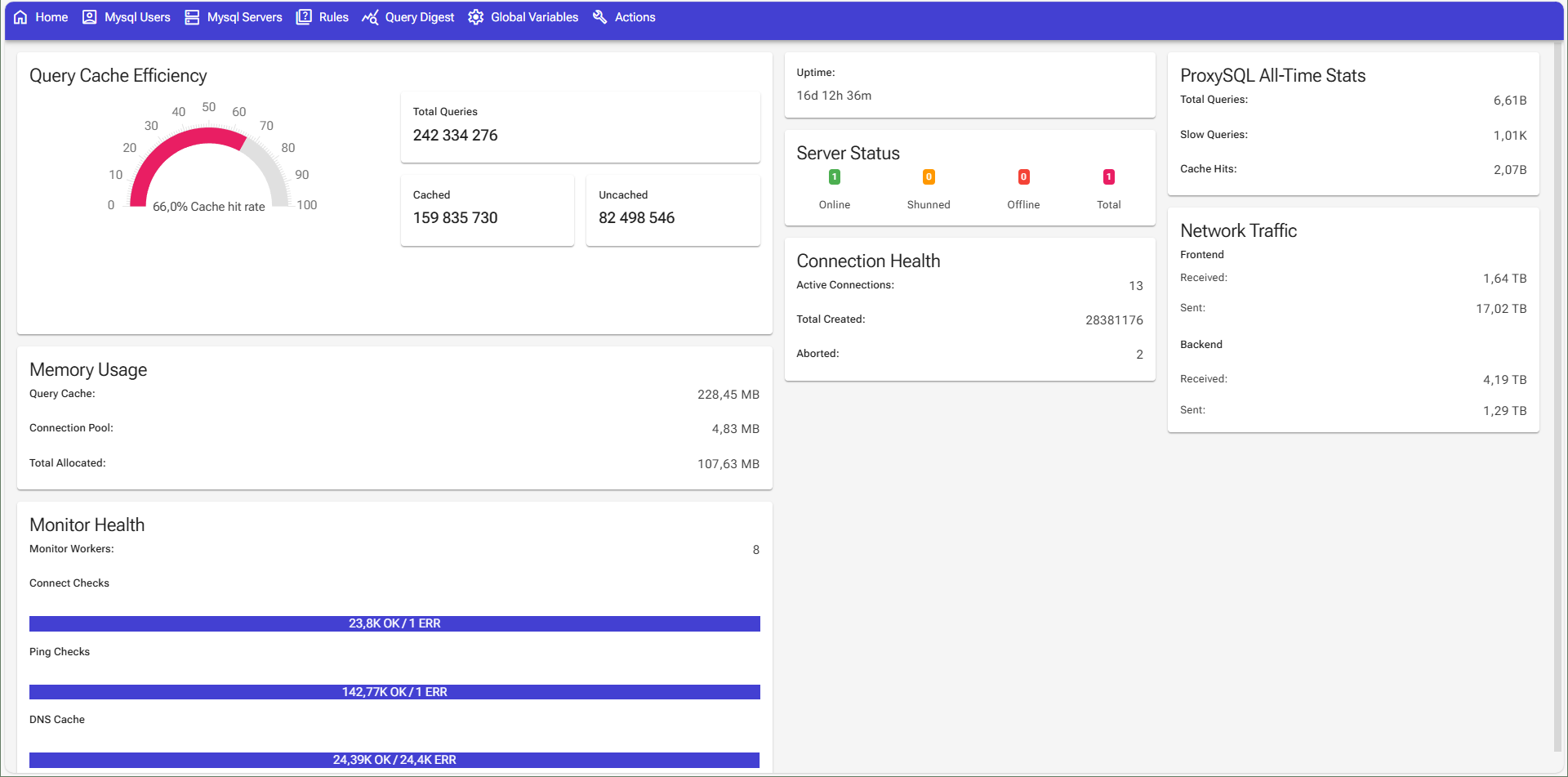
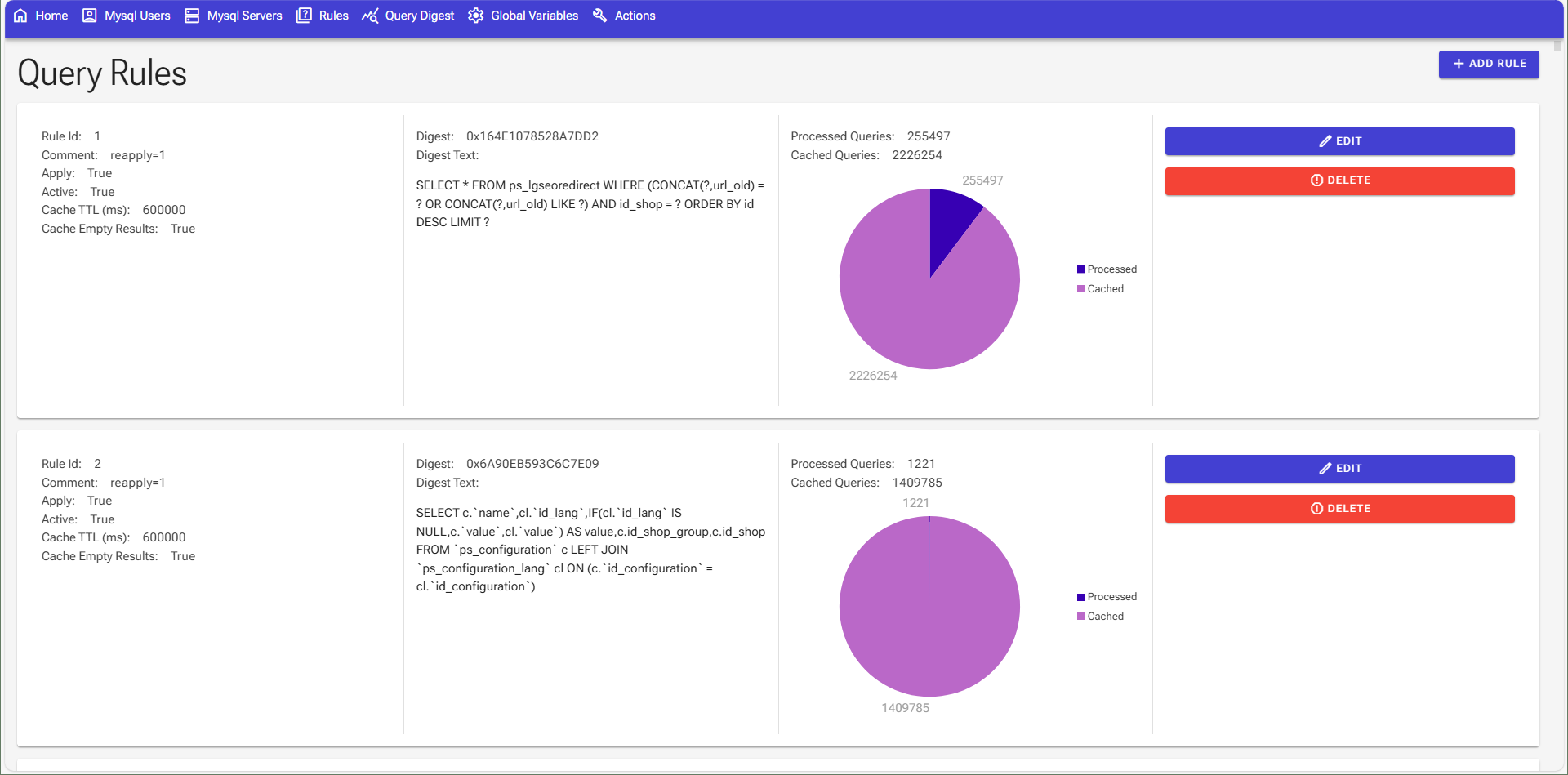
A modern web interface for managing ProxySQL, built with Blazor and .NET Core.
## Screenshots


## Features
- Dashboard with metrics
- ProxySQL management:
- Mysql backend server configuration
- Mysql Users configuration
- Query rules configuration
- Query digest grid with stats and filters
- Global variables configuration
## Tech Stack
- ASP.NET Core (.NET 8)
- Blazor Server
- Entity Framework Core
- [Radzen Blazor Components](https://blazor.radzen.com/)
- SQLite (for auth data)
## Getting Started
### Prerequisites
- .NET 8 SDK
- Running ProxySQL instance
### Configuration
#### Local Configuration
1. Configure ProxySQL connection in `appsettings.json`:
```json
"ConnectionStrings": {
"ProxySqlContext": "Server=0.0.0.0;Port=6033;Uid=radmin;Pwd=radmin;ConnectionReset=False;Pooling=True;ConnectionLifeTime=3000000;"
},
"DefaultUsers": [
{
"Username": "admin",
"Password": "AdminAdminAdmin1"
}
]
```
2. Start the application:
```bash
dotnet watch --project ProxysqlAdminUi.Web/ProxysqlAdminUi.Web.csproj
```
#### Docker Configuration
Set the environment variables in the `docker-compose.yml` file:
```yml
environment:
ASPNETCORE_ENVIRONMENT: Production
ASPNETCORE_URLS: 'http://+:8000'
# Connection string for the ProxySQL server
PAI_ConnectionStrings__ProxySqlContext: 'Server=xxxxxx;Port=6033;Uid=radmin;Pwd=radmin;ConnectionReset=False;Pooling=True;ConnectionLifeTime=3000000;'
```
or if you're running the app and the proxysql server in the same docker-compose file, you can use the service name as the host:
```yml
environment:
ASPNETCORE_ENVIRONMENT: Production
ASPNETCORE_URLS: 'http://+:8000'
# Connection string for the ProxySQL server
PAI_ConnectionStrings__ProxySqlContext: 'Server=proxysql;Port=6033;Uid=radmin;Pwd=radmin;ConnectionReset=False;Pooling=True;ConnectionLifeTime=3000000;'
```
## Random notes
>One query rule can have many digests!
> example: if one rule matches by table prefix "ps_setting*"
> if there are 10 tables being accessed, via 20 queries, that would result in 40 different digests.
> 20 for the uncached queries and 20 for the cache hits.
## License
[MIT](/LICENSE.md)
## Contributing
Contributions are welcome! Please feel free to submit a Pull Request.