https://github.com/dotintent/wobbleview
https://github.com/dotintent/wobbleview
Last synced: about 1 year ago
JSON representation
- Host: GitHub
- URL: https://github.com/dotintent/wobbleview
- Owner: dotintent
- License: mit
- Created: 2015-04-08T14:26:46.000Z (over 11 years ago)
- Default Branch: master
- Last Pushed: 2017-05-30T20:56:02.000Z (about 9 years ago)
- Last Synced: 2025-05-16T00:08:17.513Z (about 1 year ago)
- Language: Swift
- Size: 280 KB
- Stars: 2,186
- Watchers: 60
- Forks: 116
- Open Issues: 3
-
Metadata Files:
- Readme: README.md
- License: LICENSE
Awesome Lists containing this project
README
# WobbleView
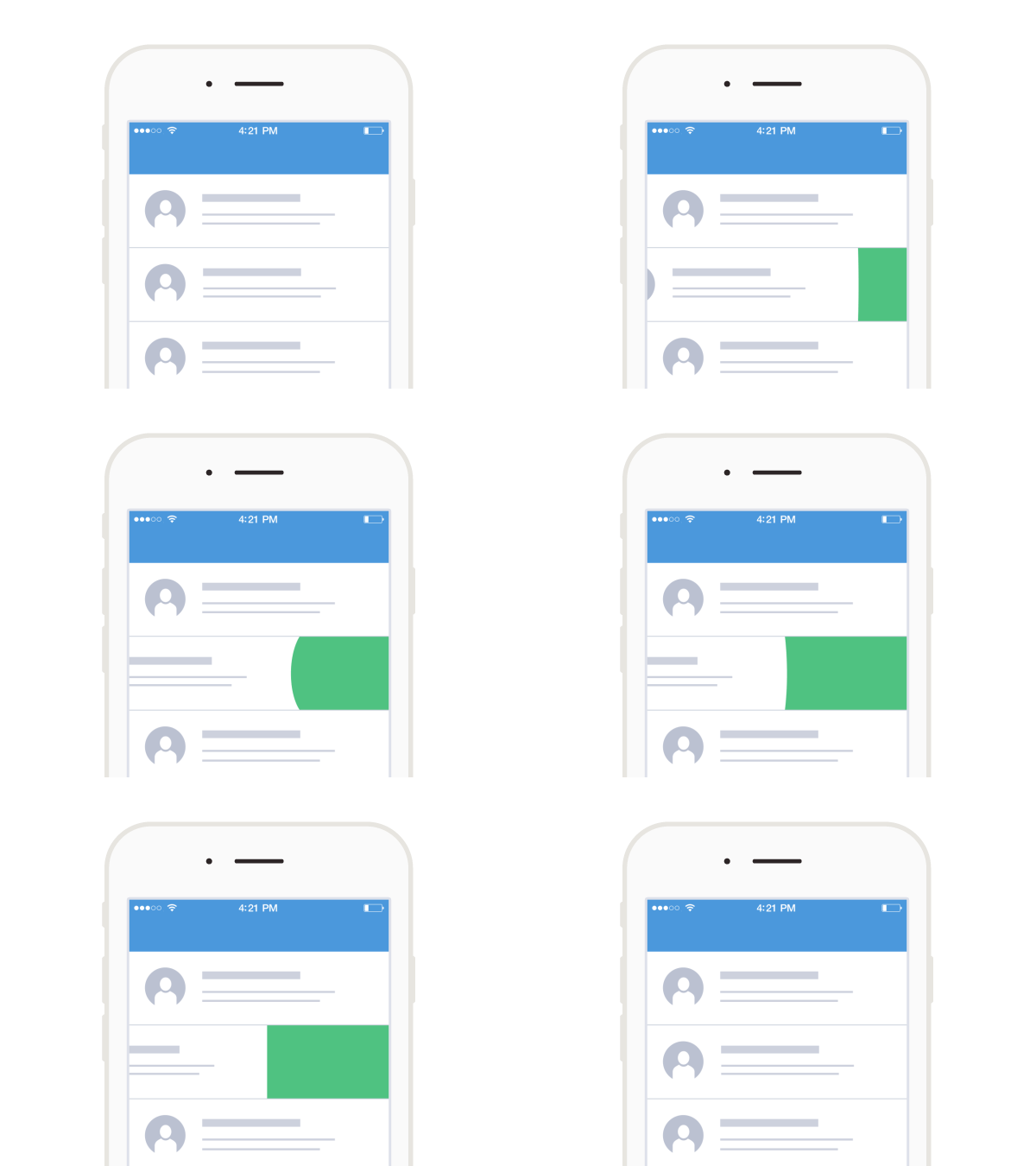
WobbleView is an implementation of a recently popular wobble effect for any view in your app. It can be used to easily add dynamics to user interactions and transitions.
Check this [project on Dribble](https://dribbble.com/shots/2009891-Bits-and-pixels-Wobble-Effect).
## Installation
There are two options:
1. WobbleView is available via CocoaPods.
2. Manually add the files into your Xcode project. Slightly simpler, but updates are also manual.
## Usage
Just create a WobbleView and change its position.
```swift
self.wobbleView.frame.origin = CGPoint(x: randomX, y: randomY)
```
or
```swift
self.wobbleView.center = CGPoint(x: randomX, y: randomY)
```
or animate the view's constraints.
## Properties
```swift
internal var frequency: CGFloat = 3
```
The frequency of oscillation for the wobble behavior.
```swift
internal var damping: CGFloat = 0.3
```
The amount of damping to apply to the wobble behavior.
```swift
var edges: ViewEdge = ViewEdge.Right
```
A bitmask value that identifies the edges that you want to wobble. You can use this parameter to wobble only a subset of the sides of the rectangle.
## Requirements
- Swift 2.0
- Xcode 7
## License
Released under the MIT license. See the LICENSE file for more info.