https://github.com/doubangotelecom/ultimateface-sdk
Face recognition, 3d liveness detection, deepfake detection, stream injection (virtual camera) detection and much more
https://github.com/doubangotelecom/ultimateface-sdk
Last synced: 9 months ago
JSON representation
Face recognition, 3d liveness detection, deepfake detection, stream injection (virtual camera) detection and much more
- Host: GitHub
- URL: https://github.com/doubangotelecom/ultimateface-sdk
- Owner: DoubangoTelecom
- Created: 2025-08-10T17:25:48.000Z (11 months ago)
- Default Branch: main
- Last Pushed: 2025-09-11T01:38:59.000Z (10 months ago)
- Last Synced: 2025-09-11T05:24:24.171Z (10 months ago)
- Language: C++
- Homepage:
- Size: 19.8 MB
- Stars: 1
- Watchers: 0
- Forks: 0
- Open Issues: 0
-
Metadata Files:
- Readme: README.md
Awesome Lists containing this project
README
- [Getting started](#getting-started)
- [Checking out the source code](#checkout-source)
- [Trying samples](#trying-samples) (**C++**, **C#**, **Java** and **Python**)
- [Getting help](#technical-questions)
- Online web demo at https://www.doubango.org/webapps/face-liveness/
- Full documentation for the SDK at https://www.doubango.org/SDKs/face-liveness/docs/
- Supported languages (API): **C++**, **C#**, **Java** and **Python**
- Open source Computer Vision Library: https://github.com/DoubangoTelecom/compv
To our knowledge we’re the only company in the world that can perform [face recognition](https://www.doubango.org/SDKs/face-liveness/docs/Face_recognition.html#face-recognition), [3D liveness check](https://www.doubango.org/SDKs/face-liveness/docs/3D_passive_liveness.html#d-passive-liveness), [deepfake detection](https://www.doubango.org/SDKs/face-liveness/docs/Deepfake_detection.html#deepfake-detection), [identity concealment check](https://www.doubango.org/SDKs/face-liveness/docs/Identity_concealment.html#identity-concealment) and [stream injection (virtual camera) detection](https://www.doubango.org/SDKs/face-liveness/docs/Stream_injection_detection.html#stream-injection-virtual-camera-detection) from a single image. **Our implementation is Passive/Frictionless and takes less than 20 milliseconds.**
[The stream injection module](https://www.doubango.org/SDKs/face-liveness/docs/Stream_injection_detection.html#stream-injection-virtual-camera-detection) checks whether the image or video is from a local file or delivered using a virtual camera ([OBS Studio](https://obsproject.com/), [ManyCam](https://manycam.com/), [Unity Virtual Camera](https://github.com/schellingb/UnityCapture)…). It works on all platforms (Android, iOS, Windows, Linux…). It also detects when a real stream (from real camera) is altered to modify the face (e.g. deepfake).
[Deepfake check module](https://www.doubango.org/SDKs/face-liveness/docs/Deepfake_detection.html#deepfake-detection) detects whether the face is generated ex-nihilo (synthetic, AI-generated) or injected via virtual camera and superimposed.
[Identity concealment module](https://www.doubango.org/SDKs/face-liveness/docs/Identity_concealment.html#identity-concealment) detects when a user tries to partially hide his/her face (e.g. 3D realistic mask, dark glasses…) or alter the facial features (e.g. heavy makeup, fake nose, fake beard…) to impersonate another user.
[The 3D liveness module](https://www.doubango.org/SDKs/face-liveness/docs/3D_passive_liveness.html#d-passive-liveness) supports multiple form of spoofing attacks: `Paper Print, Screen, Video Replay, 3D (silicone, paper, tissue…) realistic face mask, 2D paper mask…`
| 3D Liveness detection | Deepfake detection | Injection detection |
|--- | --- | --- |
| [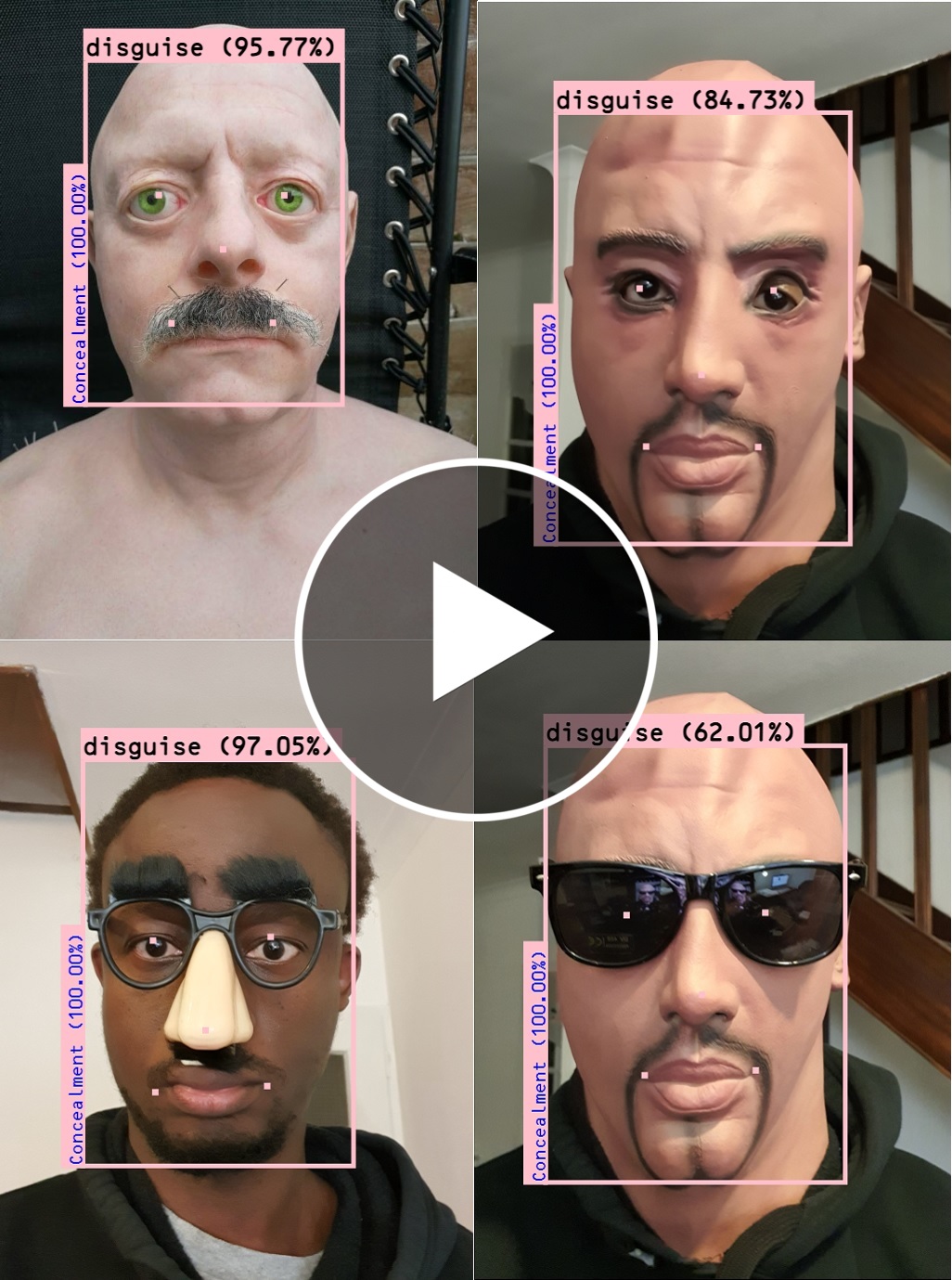](https://doubango.org/videos/liveness/stress-doubango-x264.mp4) | [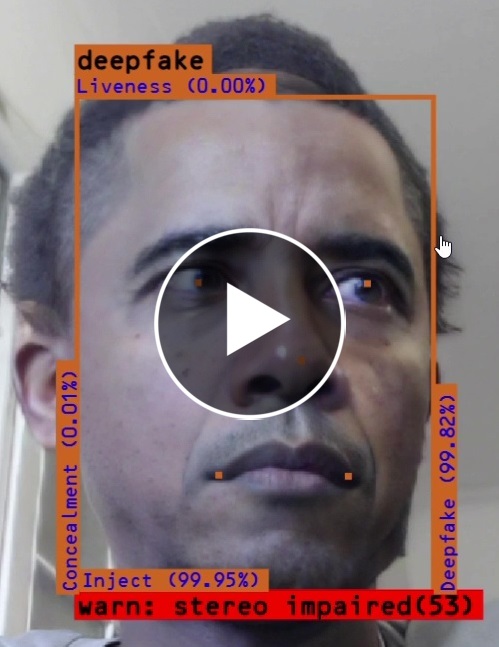](https://doubango.org/videos/liveness/doubango-catch-deepfake-x264.mp4) | [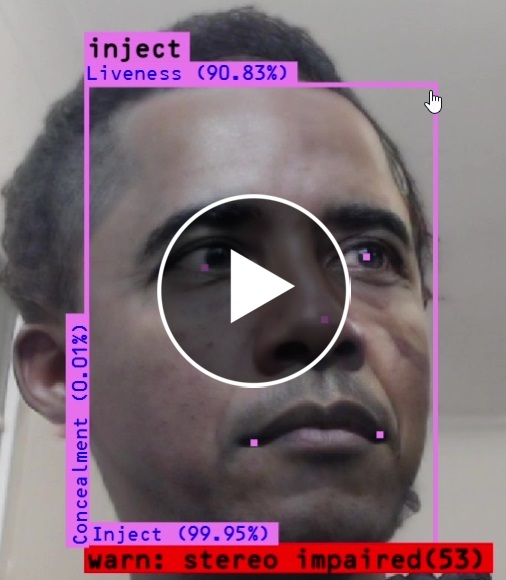](https://doubango.org/videos/liveness/doubango-catch-inject-x264.mp4) |
**A facial recognition system without a robust liveness detector is a playground for fraudsters.**
# Getting started #
This version supports both Windows and Linux x86_64.
## Checking out the source code ##
The deep learning models are on a private repository for obvious reasons. To get access to the private repository you'll need to:
- 1/ Opt-out from all Doubango's private repositories. You cannot be beta tester on more than 1 repo at the same time.
- 2/ [Send us a mail](https://www.doubango.org/#contact) with your company name and Github user name (to be added to the private repo). The mail must come from @YourCompanyName, mails from other domains (e.g. @Gmail) will be ignored. **The terms of use do not allow you to decompile or reverse engineer the models.**
- 3/ You must include the reason for your request: R&D test, educational, commercial...
To checkout the source code: `git clone --recurse-submodules -j8 https://github.com/DoubangoTelecom/ultimateFace-SDK`
If you already have the code and want to update to the latest version: `git pull --recurse-submodules`
## Trying samples (**C++**, **C#**, **Java** and **Python**) ##
Go to the [samples](samples) folder and choose your prefered language.
# Technical questions #
Please check our [discussion group](https://groups.google.com/forum/#!forum/doubango-ai) or [twitter account](https://twitter.com/doubangotelecom?lang=en)