https://github.com/drakkar-software/octobot-docs
OctoBot gitbook documentation sources
https://github.com/drakkar-software/octobot-docs
documentation gitbook trading-bot
Last synced: about 1 year ago
JSON representation
OctoBot gitbook documentation sources
- Host: GitHub
- URL: https://github.com/drakkar-software/octobot-docs
- Owner: Drakkar-Software
- License: agpl-3.0
- Archived: true
- Created: 2021-07-17T13:12:24.000Z (about 5 years ago)
- Default Branch: stable
- Last Pushed: 2023-09-29T15:02:18.000Z (almost 3 years ago)
- Last Synced: 2025-05-01T19:15:21.189Z (about 1 year ago)
- Topics: documentation, gitbook, trading-bot
- Homepage: https://www.octobot.cloud/guides
- Size: 1.14 MB
- Stars: 3
- Watchers: 3
- Forks: 6
- Open Issues: 2
-
Metadata Files:
- Readme: README.md
- License: LICENSE
Awesome Lists containing this project
README
# OctoBot-Docs
[](https://www.octobot.cloud/?utm_source=octobot.info&utm_medium=dk&utm_campaign=readme&utm_content=main_illustration)
## Setting up your OctoBot
There are many ways to setup your OctoBot. You can:
- Use [OctoBot cloud](https://www.octobot.cloud/?utm_source=octobot.info&utm_medium=dk&utm_campaign=readme&utm_content=setting_up_your_octobot) to easily apply the best investment strategies using OctoBot **for free**
- Use [OctoBot cloud](https://www.octobot.cloud/?utm_source=octobot.info&utm_medium=dk&utm_campaign=readme&utm_content=setting_up_your_octobot) to enjoy an improved version of the open source OctoBot that OctoBot cloud will maintain for you
- [Locally install](Installation/Local-Installation.md) your own OctoBot via the executable, docker or the python code directly.
## Configuration and trading modes
OctoBot has many ways to trade: the trading modes. Each trading mode is unique and consists in a different trading technique. Trading modes can:
- Trade on spot or futures markets.
- Use statistics and technical analysis to find the best trade entries and exits.
- Use market-making algorithms to minimize risks and grant regular small gains.
- Trade upon signals from platforms such as [tradingview.com](https://www.tradingview.com/).
- Apply the best strategies from OctoBot Cloud **comming soon**.
{% embed url="https://www.youtube.com/watch?v=vA5YhxQ-2zw" %}
Do something entirely different based on your ideas:
- Customize your OctoBot to make it trade according to your ideas
- Or code and test your ideas directly using [OctoBot Pro](https://pro.octobot.info/).
## Chat directly with OctoBot
You can remotly command your OctoBot by connecting it to [Telegram](https://telegram.org/). You can verify what is your robot doing, watch its portfolio, its profits, trigger an emergency exit ... Access your OctoBot from wherever you want, whenever you want thanks to its Telegram interface.
{% embed url="https://www.youtube.com/watch?v=AKkT3xZCBac" %}
See the [Telegram interface configuration](Interfaces/Telegram-interface.md) for more details on the OctoBot Telegram interface.
## Optimize your OctoBot using backtesting
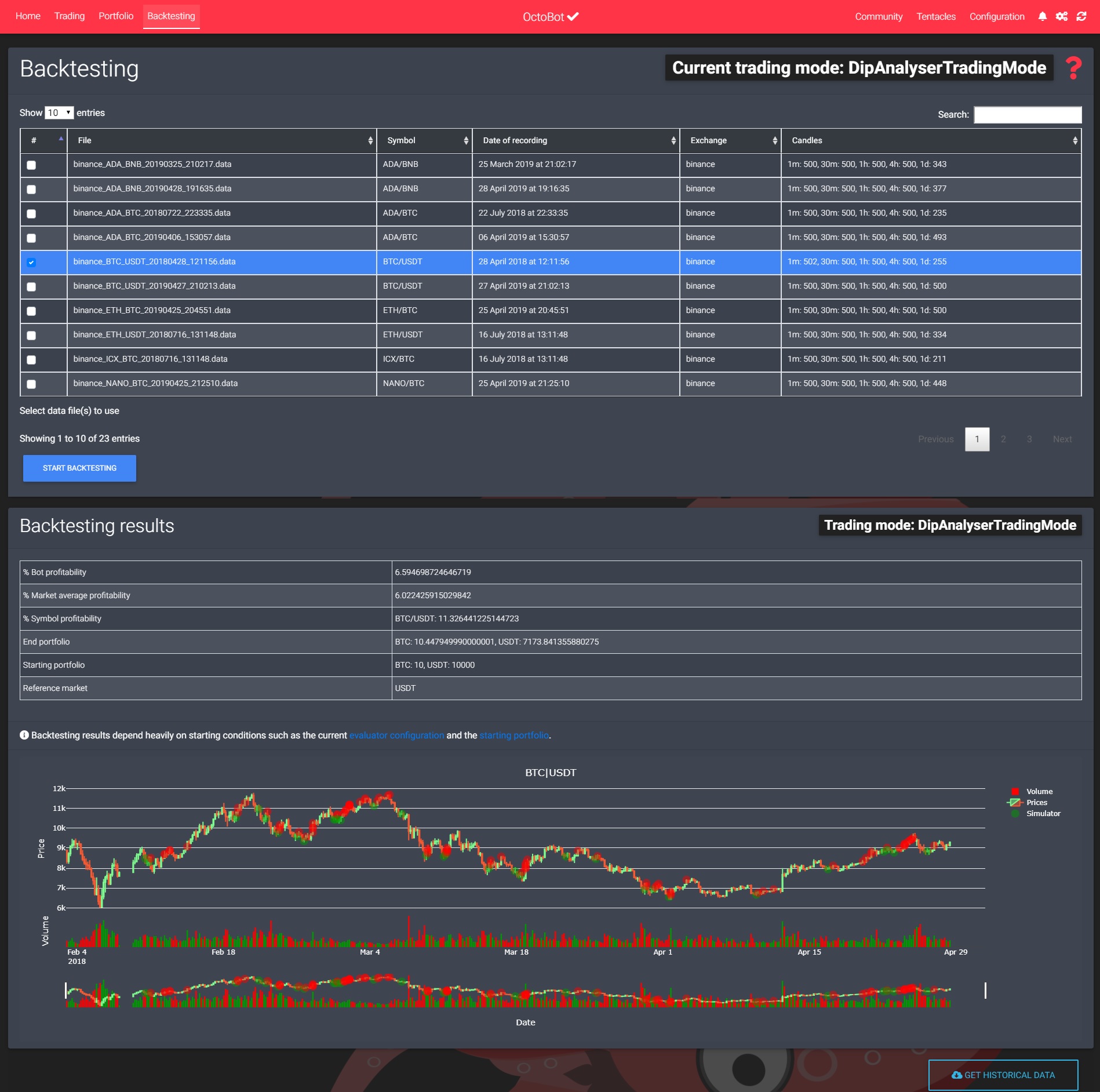
Using OctoBot's backtesting, test your current trading strategy using historical data from the markets you want to trade. Most OctoBot configurations are testable in [backtesting](https://www.investopedia.com/terms/b/backtesting.asp). Fine tune your bot's configuration up to the very last detail and maximise your profits.
[](https://raw.githubusercontent.com/Drakkar-Software/OctoBot/assets/wiki_resources/backtesting.jpg)
## Take it one step further using OctoBot pro
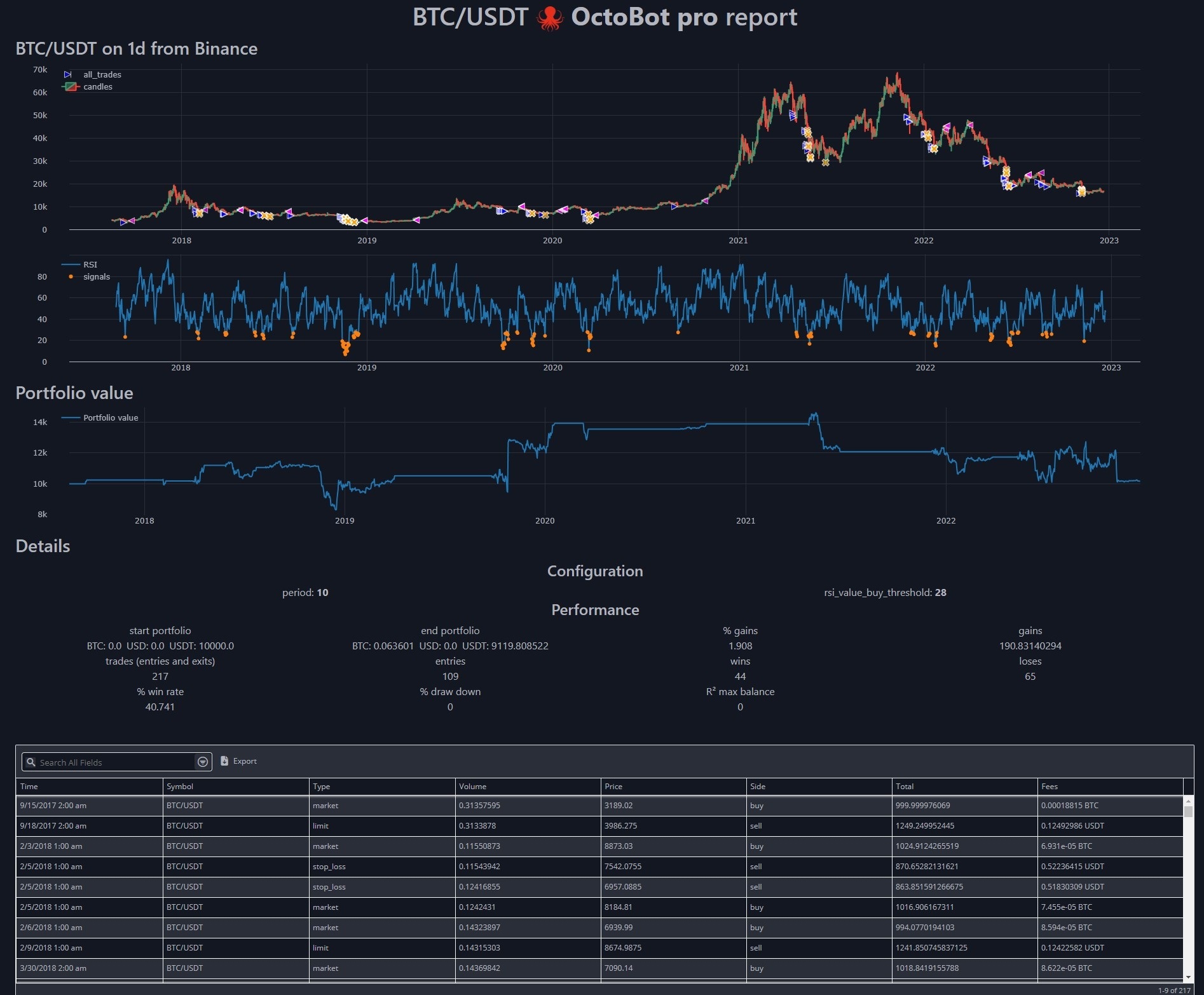
Turn your trading ideas into tested and optimized strategy using [OctoBot Pro](https://pro.octobot.info/).
Directly code your strategy in python while benefiting of all the OctoBot tools and an extremely flexible reporting and visualization system. Analyse exactly what is happening when running your ideas on past data and create your best strategies.
[](https://raw.githubusercontent.com/Drakkar-Software/OctoBot/assets/wiki_resources/octobot_pro_report.jpg)
## Supported exchanges
Find the list of support and partner exchanges at [https://exchanges.octobot.info/](https://exchanges.octobot.info/)
## Developer documentation
Find the developpper documentation at [https://developer.octobot.info/](https://developer.octobot.info/)
## Sources
The sources of the OctoBot documentation available at [https://www.octobot.info/](https://www.octobot.info/)
- [https://www.octobot.info/](https://www.octobot.info/) is built from the **stable** branch.
- [https://exchanges.octobot.info/](https://exchanges.octobot.info/) is built from the **exchange/stable** branch.
- [https://developer.octobot.info/](https://developer.octobot.info/) is built from the **dev/stable** branch.
Available at [https://www.octobot.info/](https://www.octobot.info/)