https://github.com/drizzleco/create-flask-app
autogenerate boilerplate code for a flask app
https://github.com/drizzleco/create-flask-app
cookiecutter flask flask-template jinja2 pyinquirer python
Last synced: about 1 month ago
JSON representation
autogenerate boilerplate code for a flask app
- Host: GitHub
- URL: https://github.com/drizzleco/create-flask-app
- Owner: drizzleco
- License: mit
- Created: 2020-08-10T19:30:19.000Z (almost 6 years ago)
- Default Branch: master
- Last Pushed: 2023-02-05T01:20:13.000Z (over 3 years ago)
- Last Synced: 2025-12-07T01:41:41.173Z (7 months ago)
- Topics: cookiecutter, flask, flask-template, jinja2, pyinquirer, python
- Language: Python
- Homepage: https://pypi.org/project/new-flask-app/
- Size: 7.47 MB
- Stars: 6
- Watchers: 2
- Forks: 0
- Open Issues: 0
-
Metadata Files:
- Readme: README.md
- License: LICENSE
Awesome Lists containing this project
README
# create-flask-app
autogenerate boilerplate code for a flask app

# `pip install new-flask-app`
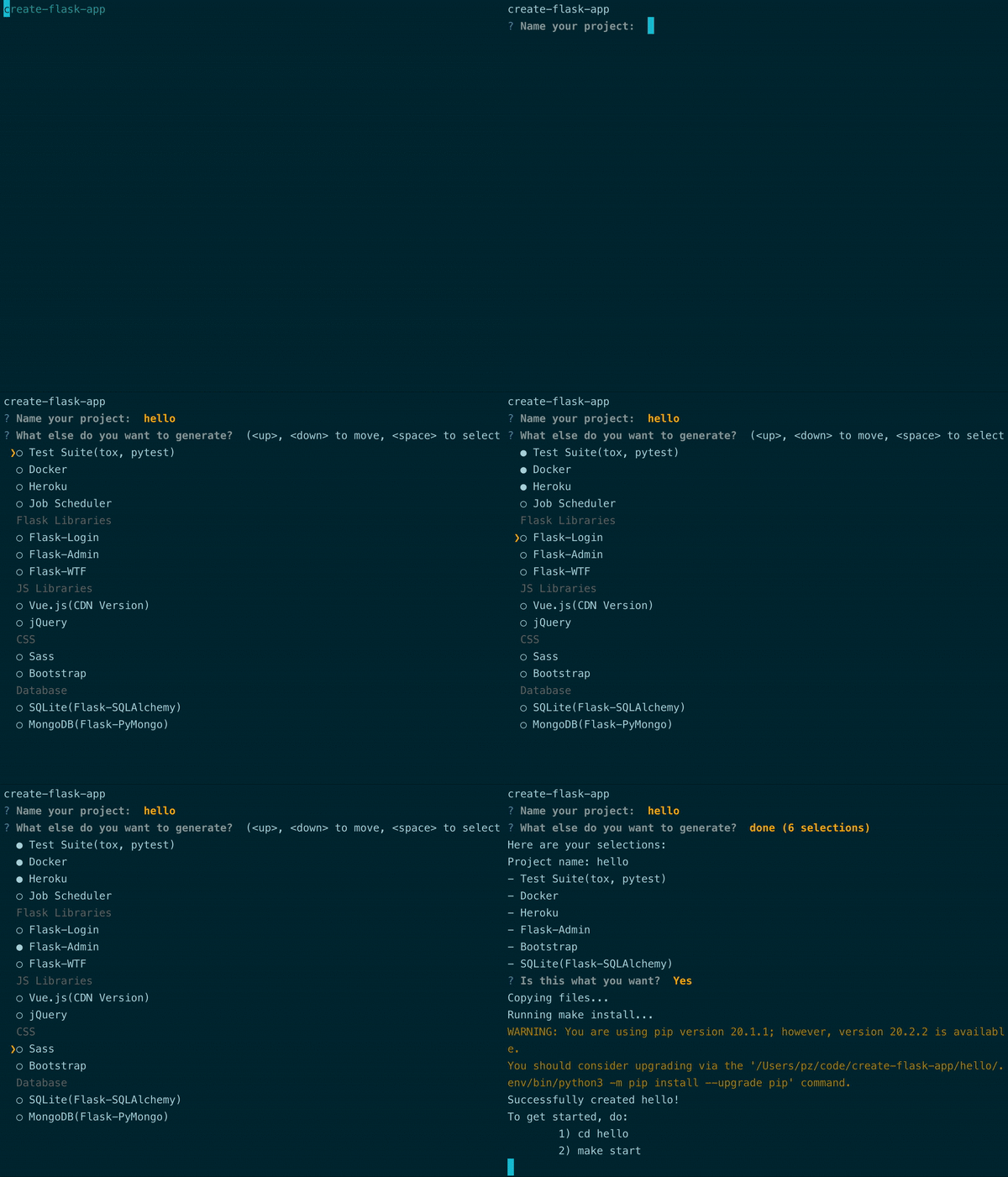
## Features
- Generate a basic Flask app with:
- app.py
- config.py
- static folder
- templates folder
- README.md
- Makefile
- setup.py
- requirements.txt
- .gitignore
and optional extras including:
- Test suite(tox, pytest)
- Docker
- Heroku
- Job Scheduler
- Flask-Login
- Flask-Admin
- Flask-WTF
- Vue.js(CDN version)
- jQuery
- Sass
- Bootstrap
- SQLite(Flask-SQLAlchemy)
- MongoDB(Flask-PyMongo)
- Automatically install pip dependencies in a venv
- Makefile with useful commands(starting server, lint code, test code)
## Getting Started
1. `pip install new-flask-app` to install the `create-flask-app` console script
2. run `create-flask-app`
3. after selecting extras, `cd` into the new directory and `make start` to start flask server
4. done!
**OR**
For development:
1. `make install`
2. `source .env/bin/activate`
3. `create-flask-app` **or** `python create_flask_app.py`