https://github.com/drizzletime/skiff
Skiff is a local cross-platform disk cleanup tool for inspecting caches, applications, duplicate files, and large files before removal.
https://github.com/drizzletime/skiff
cleanup linux rust tauri typescript
Last synced: 3 days ago
JSON representation
Skiff is a local cross-platform disk cleanup tool for inspecting caches, applications, duplicate files, and large files before removal.
- Host: GitHub
- URL: https://github.com/drizzletime/skiff
- Owner: DrizzleTime
- License: mit
- Created: 2026-06-07T03:01:20.000Z (about 2 months ago)
- Default Branch: main
- Last Pushed: 2026-06-27T09:20:35.000Z (26 days ago)
- Last Synced: 2026-06-27T11:12:50.888Z (26 days ago)
- Topics: cleanup, linux, rust, tauri, typescript
- Language: Rust
- Homepage:
- Size: 883 KB
- Stars: 154
- Watchers: 1
- Forks: 8
- Open Issues: 1
-
Metadata Files:
- Readme: README.md
- License: LICENSE
Awesome Lists containing this project
README

Skiff is a local cross-platform disk cleanup tool for inspecting caches,
applications, duplicate files, and large files before removal.






## Interface Preview
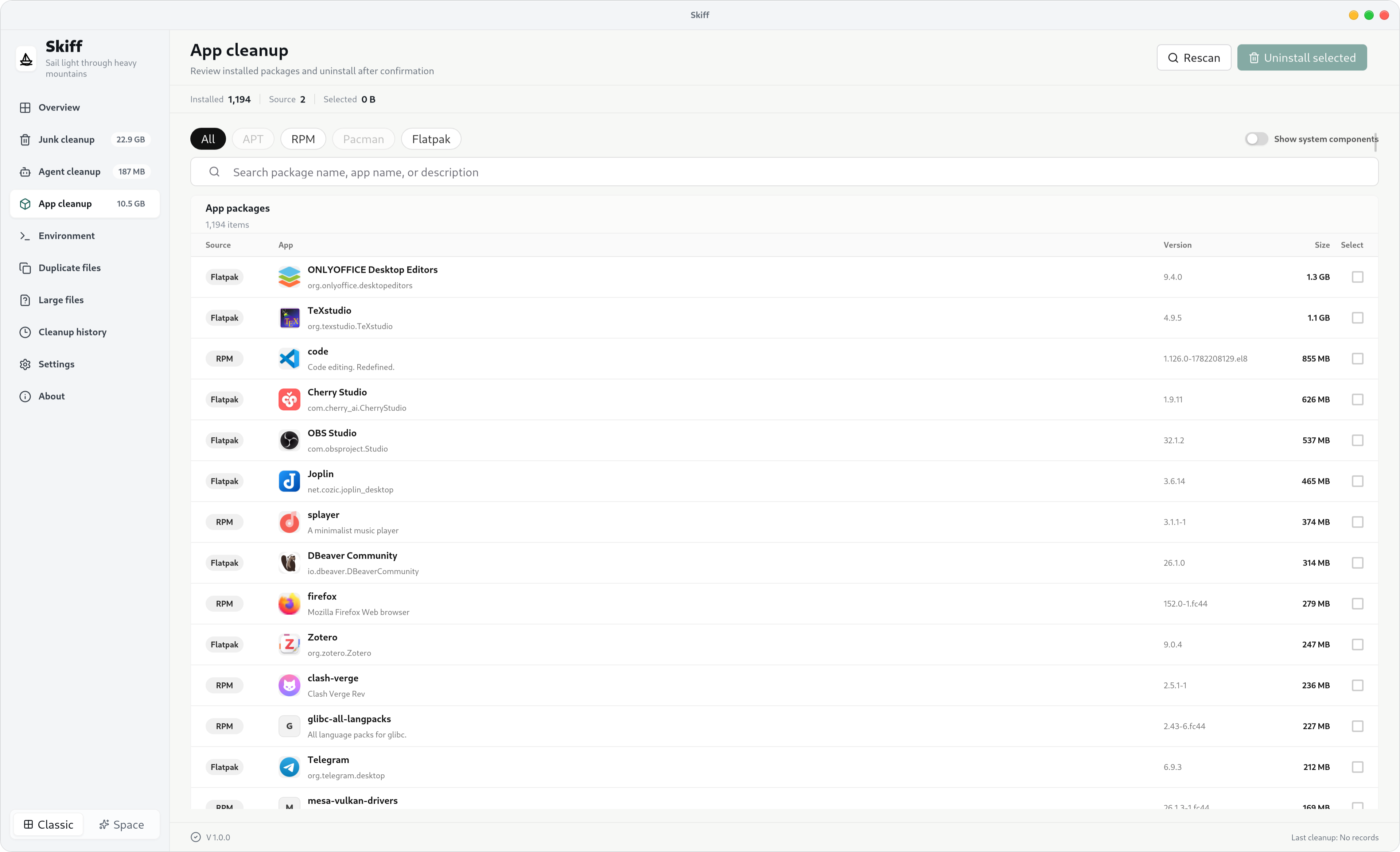
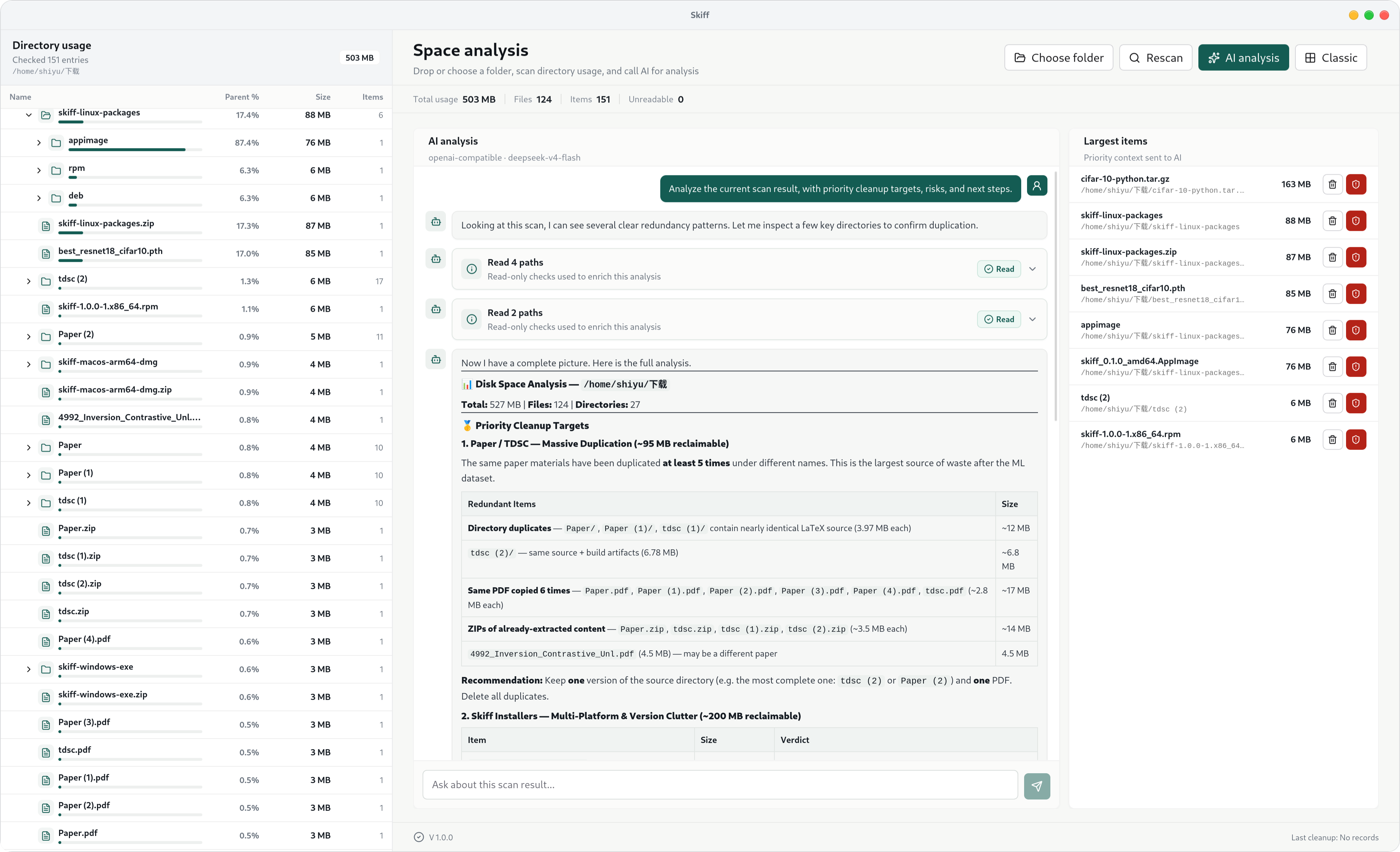
Skiff provides two main workflows: a classic cleanup interface for direct inspection and an AI-assisted analysis interface for understanding space usage.
### Classic Cleanup Tool
Check disk usage, cache cleanup targets, large files, duplicate files, and application cleanup items.
### AI Smart Space Analysis
Understand disk usage from local scan results and get readable cleanup suggestions.
## Features
- **Disk overview**: reads total, used, available space, usage ratio, and disk location for the current user's home directory.
- **Junk cleanup**: scans and cleans platform-specific cache locations, including system caches, browser caches, developer tool caches, Flatpak and Arch package caches on Linux, and Homebrew cache on macOS.
- **Large file scan**: scans common user directories for large files and moves selected files to the system Trash after confirmation.
- **Duplicate file scan**: finds duplicate files by size, content hash, and byte-by-byte comparison, then moves selected files to the system Trash.
- **Application cleanup**: reads Linux packages, macOS applications and Homebrew packages, or Windows uninstall registry entries, with filtering, search, selection, and confirmed uninstall.
- **Cleanup history**: shows recent cleanup, Trash, uninstall, and Agent cleanup results. The main UI keeps the latest 50 records.
- **Settings**: adjusts file scan paths, large-file scan thresholds, duplicate-file scan thresholds, and whether advanced feature entries are shown. Custom paths must stay inside the current user's HOME directory.
- **Tray behavior**: closing the main window hides it to the system tray instead of exiting the app.
## Safety Boundaries
Skiff performs real file deletion and package uninstall operations. The current implementation has these boundaries:
- Linux, macOS, and Windows are supported by the local app and CLI. Each platform has its own cleanup target list.
- Junk cleanup removes contents from predefined cache directories. Some package-manager cleanup targets call system commands.
- Large-file and duplicate-file handling only allows regular files inside the current user's HOME directory. Files are moved to the system Trash by default instead of being permanently deleted. They become unrecoverable only after the Trash is emptied.
- Large-file and duplicate-file scans default to common user directories such as Desktop, Documents, Downloads, media folders, code/project folders, and common cloud-drive folders. Application data directories such as `.config`, `AppData`, and macOS `Library` must be added manually in Settings.
- Duplicate-file detection first groups files by size, then computes a content hash, and finally confirms equality with a byte-by-byte comparison.
- Application uninstall uses the platform's registered uninstall mechanism:
- APT: `apt-get remove -y`
- RPM: prefers `dnf remove -y`, then `yum remove -y`, `zypper --non-interactive remove`, and finally `rpm -e`
- Pacman: `pacman -R --noconfirm -- `
- Flatpak: `flatpak uninstall -y --app`
- macOS `.app`: moves the app bundle to Trash
- Homebrew: `brew uninstall --formula` or `brew uninstall --cask`
- Windows: reads `UninstallString` / `QuietUninstallString` from the registry and runs that command
- Linux commands that require administrator privileges use `pkexec` when available. macOS and Windows may show their native authorization prompts.
- Flatpak application data cleanup is high risk because it removes app configuration, login state, local databases, and other local app data.
- CLI deletion, cleanup, and uninstall commands require an explicit `--yes`.
- CLI `files delete` uses the same behavior as the desktop file actions and moves files to the system Trash.
- The macOS and Windows local builds in this repository are not configured for code signing, Apple notarization, or Windows signing.
## User Install
Download the package for your operating system from [GitHub Releases](https://github.com/DrizzleTime/Skiff/releases). Current release artifacts target Linux, macOS ARM64, and Windows.
macOS and Windows installers are not signed at the moment. The operating system may show a security warning. That is a distribution trust issue and does not mean the app has passed platform signing or notarization.
## Tech Stack
- Desktop framework: Tauri 2
- Backend: Rust 2021
- Frontend: React 19, TypeScript, Vite
- Styling and UI: Tailwind CSS 4, lucide-react, custom CSS
- Package manager: Bun
- Local settings: `~/.config/skiff/settings.json` on Unix-like systems, or the equivalent user config path on Windows.
## Development
### Requirements
- Linux, macOS, or Windows desktop environment
- Rust stable
- Bun
- Platform dependencies required by Tauri 2. Linux needs WebKitGTK and related desktop libraries.
### Install dependencies
```bash
bun install
```
### Start the frontend dev server
```bash
bun run dev
```
The frontend dev server is provided by Vite.
### Start the desktop app in development mode
```bash
bun run tauri dev
```
The Tauri config expects this frontend dev URL:
```text
http://localhost:1420
```
## Build
### Build the frontend
```bash
bun run build
```
This command runs TypeScript checks and then writes the Vite build output to `dist/`.
### Build desktop packages
```bash
bun run tauri build
```
Local platform-specific package commands:
```bash
bun run tauri:build:linux
bun run tauri:build:mac
bun run tauri:build:windows
```
Tauri uses `src-tauri/tauri.conf.json` to generate the desktop app and installer packages for the current operating system. The Windows command builds an NSIS `.exe` installer. macOS and Windows release-grade distribution still requires signing configuration outside this repository.
## CLI
Running `skiff` without arguments starts the desktop app. Passing a subcommand runs CLI mode.
```bash
skiff info
skiff disk
skiff cleanup scan
skiff cleanup run --ids thumbnail-cache,go-cache --yes
skiff files large --min-size 500M --limit 80
skiff files duplicates --min-size 10M --group-limit 40
skiff files delete --path /home/user/Downloads/example.iso --yes
skiff agents scan
skiff agents clean --ids --yes
skiff packages scan --include-system
skiff packages uninstall --ids pacman:example --yes
```
Every CLI command supports `--json` for scripts, cron, or systemd jobs:
```bash
skiff --json cleanup scan
```
CLI commands use the current process `HOME` by default. On servers, pass `--home` to target a specific user directory:
```bash
skiff --home /home/deploy --json files large --min-size 1G
```
Commands that change disk state require `--yes`:
- `cleanup run`
- `files delete`
- `agents clean`
- `packages uninstall`
## Friendly Links
- [Linux.do](https://linux.do)
## License
MIT. See [LICENSE](./LICENSE).