https://github.com/druchill/b450m-5600g-hackintosh
OpenCore EFI for B450M Chipset Motherboard with AMD Ryzen 5 5600G Processor + Radeon™ Integrated Graphics
https://github.com/druchill/b450m-5600g-hackintosh
5600g asus b450m efi hackintosh igpu macos monterrey opencore ryzen ryzentosh ventura
Last synced: 9 months ago
JSON representation
OpenCore EFI for B450M Chipset Motherboard with AMD Ryzen 5 5600G Processor + Radeon™ Integrated Graphics
- Host: GitHub
- URL: https://github.com/druchill/b450m-5600g-hackintosh
- Owner: DruChill
- Created: 2023-08-24T20:12:47.000Z (almost 3 years ago)
- Default Branch: main
- Last Pushed: 2025-03-22T00:09:41.000Z (over 1 year ago)
- Last Synced: 2025-07-10T00:38:40.807Z (about 1 year ago)
- Topics: 5600g, asus, b450m, efi, hackintosh, igpu, macos, monterrey, opencore, ryzen, ryzentosh, ventura
- Homepage: https://youtu.be/ZzHOx_kR7sA
- Size: 7.81 KB
- Stars: 35
- Watchers: 1
- Forks: 1
- Open Issues: 1
-
Metadata Files:
- Readme: README.md
Awesome Lists containing this project
README
# RyzenTosh B450-AII/5600G/Radeon™ Integrated Graphics
OpenCore EFI for B450 Chipset Motherboard with AMD Ryzen 5 5600G Processor + Radeon™ Integrated Graphics.
- Buy now here: https://druchill.web.app/store/efi-ryzentosh-amd/
# Important!
At the time of starting macOS can give you a black screen, if that is your case change SMBios and it will be solved.
- first test with MacPro 7.1
- then with the iMac 20.1
- OpenCore 0.9.4
## Specification
- Motherboard : Asus Prime B450M - AII
- BIOS : AMI BIOS LAST VERSION
- CPU : AMD Ryzen 5 5600G with Radeon Graphics
- RAM : 2 x 8GB DDR4 3200Mhz
- Storage : 500GB SSD + 1TB HDD
- iGPU : Radeon™ Integrated Graphics
- Ethernet : Realtek RTL8111 Ethernet
- Audio : Realtek ALC892
- Boot Mode : UEFI
- Bootloader : OpenCore 0.9.3
- OS : macOS Ventura 13.5 + Windows 11 Pro
## Whats Work?
- CPU Power Management
- Shutdown and Restart
- All USB Ports
- Ethernet
- HDMI
- Audio (Rear & Front)
- TRIM Support for SSD
- Etc
> [!TIP]
> The BIOS configuration is very important. Read more below.
## AMD BIOS Settings
- Note: Most of these options may not be present in your firmware, we recommend matching up as closely as possible but don't be too concerned if many of these options are not available in your BIOS.
### Disable
- Fast Boot
- Secure Boot
- Serial/COM Port
- Parallel Port
- Compatibility Support Module (CSM) (Must be off in most cases, GPU errors/stalls like gIO are common when this option is enabled)
- IOMMU
## Results
[](https://postimg.cc/QH53gGpj)
[](https://postimg.cc/Mctxc71R)
[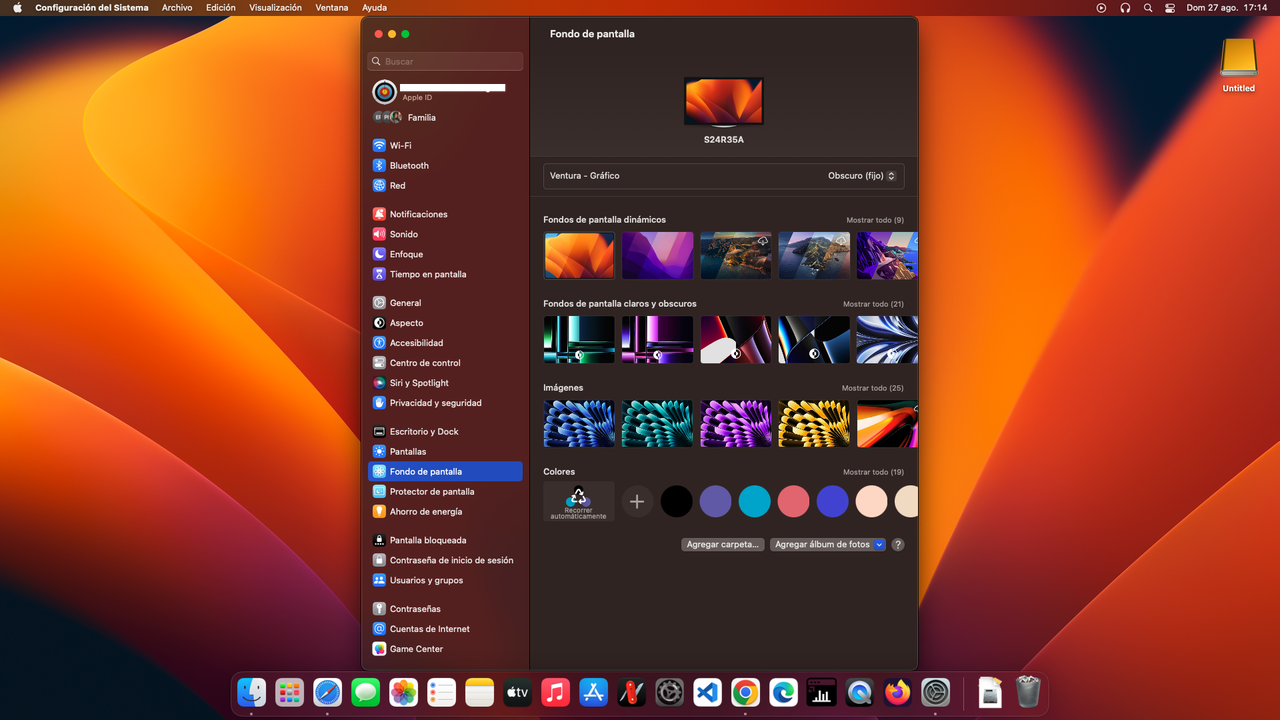](https://postimg.cc/6T8w3Gq2)
[](https://postimg.cc/WtxVJbq9)
[](https://postimg.cc/cttN5P2M)