https://github.com/drudge/isotope
A modern web UI for Technitium DNS Server
https://github.com/drudge/isotope
Last synced: 4 months ago
JSON representation
A modern web UI for Technitium DNS Server
- Host: GitHub
- URL: https://github.com/drudge/isotope
- Owner: drudge
- Created: 2026-01-27T02:52:33.000Z (5 months ago)
- Default Branch: main
- Last Pushed: 2026-01-27T13:26:37.000Z (5 months ago)
- Last Synced: 2026-01-27T15:36:52.035Z (5 months ago)
- Language: TypeScript
- Size: 196 KB
- Stars: 0
- Watchers: 0
- Forks: 0
- Open Issues: 0
-
Metadata Files:
- Readme: README.md
Awesome Lists containing this project
README
# Isotope
A clean, fast web interface for [Technitium DNS Server](https://technitium.com/dns/).
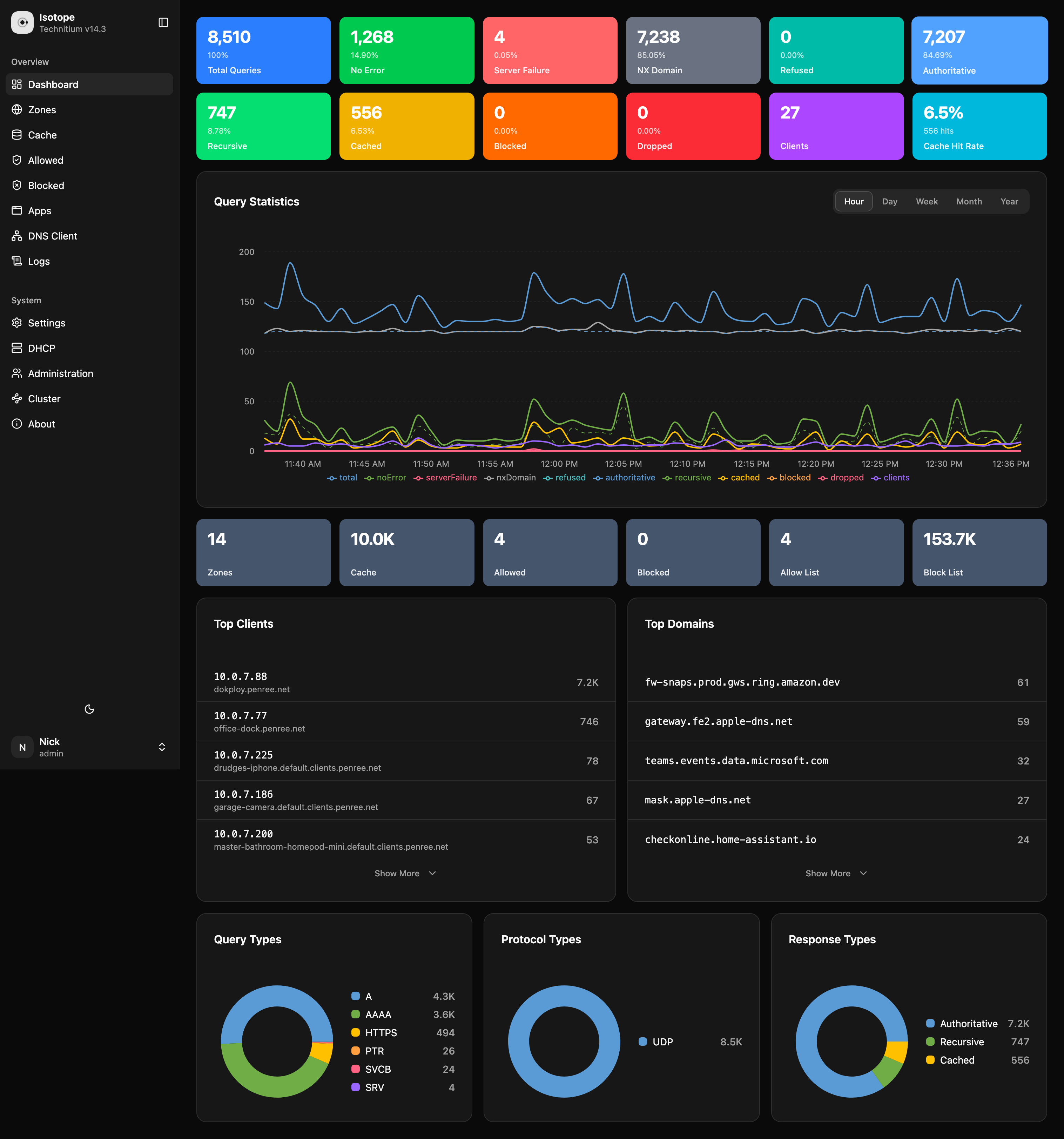
## Features
- Modern, responsive UI that works on desktop and mobile
- Real-time dashboard with query statistics and charts
- Zone management with full DNS record editing
- Cache browser with domain-level controls
- Block list and allow list management
- DHCP scope and lease management
- DNS Client for query testing
- DNS Apps management
- Query log viewer with advanced filtering
- Server log viewer with syntax highlighting
- Administration panel (users, groups, sessions, permissions)
- Comprehensive server settings
- Cluster management
- Dark mode support
## Installation
### Docker (Recommended)
```bash
docker run -d \
-p 8080:80 \
-e TECHNITIUM_API_URL=http://your-technitium-server:5380 \
--name isotope \
ghcr.io/drudge/isotope:latest
```
Then open http://localhost:8080 in your browser.
### Docker Compose
```yaml
services:
isotope:
image: ghcr.io/drudge/isotope:latest
ports:
- "8080:80"
environment:
- TECHNITIUM_API_URL=http://technitium:5380
depends_on:
- technitium
technitium:
image: technitium/dns-server:latest
ports:
- "5380:5380"
- "53:53/udp"
- "53:53/tcp"
volumes:
- technitium-data:/etc/dns
volumes:
technitium-data:
```
### Static Files
Download the latest release from the [releases page](https://github.com/drudge/isotope/releases) and serve the files with any web server. Configure your server to:
1. Serve the static files
2. Proxy `/api/*` requests to your Technitium DNS Server
3. Return `index.html` for all non-file routes (SPA fallback)
Example nginx configuration:
```nginx
server {
listen 80;
root /var/www/isotope;
index index.html;
location /api/ {
proxy_pass http://localhost:5380/api/;
}
location / {
try_files $uri $uri/ /index.html;
}
}
```
## Development
```bash
# Install dependencies
npm install
# Start dev server (proxies API to localhost:5380)
npm run dev
# Build for production
npm run build
# Preview production build
npm run preview
```
### Environment Variables
Create a `.env.local` file to configure the development server:
```env
VITE_API_URL=http://localhost:5380
```
## Configuration
| Variable | Description | Default |
|----------|-------------|---------|
| `TECHNITIUM_API_URL` | URL of your Technitium DNS Server | `http://localhost:5380` |
## Tech Stack
- React 19
- TypeScript
- Tailwind CSS v4
- shadcn/ui
- React Router v7
- Vite
## Why "Isotope"?
Technitium is element 43 on the periodic table. In nature, it has no stable isotopes. Now it has one.
## License
MIT