https://github.com/drydart/model_viewer.dart
A Flutter widget for rendering interactive 3D models in the glTF and GLB formats.
https://github.com/drydart/model_viewer.dart
3d ar dart flutter gltf gltf2 mr vr xr
Last synced: 3 months ago
JSON representation
A Flutter widget for rendering interactive 3D models in the glTF and GLB formats.
- Host: GitHub
- URL: https://github.com/drydart/model_viewer.dart
- Owner: drydart
- License: unlicense
- Created: 2020-05-19T16:29:34.000Z (over 5 years ago)
- Default Branch: master
- Last Pushed: 2023-01-06T12:00:38.000Z (about 3 years ago)
- Last Synced: 2025-10-23T01:55:51.236Z (3 months ago)
- Topics: 3d, ar, dart, flutter, gltf, gltf2, mr, vr, xr
- Language: JavaScript
- Homepage: https://pub.dev/packages/model_viewer
- Size: 3.32 MB
- Stars: 214
- Watchers: 6
- Forks: 107
- Open Issues: 35
-
Metadata Files:
- Readme: README.md
- Changelog: CHANGELOG.md
- Contributing: .github/contributing.md
- Funding: .github/funding.yml
- Codeowners: .github/codeowners
- Security: .github/security.md
Awesome Lists containing this project
README
# 3D Model Viewer for Flutter
[](https://unlicense.org)
[](https://pub.dev/packages/model_viewer)
[](https://pub.dev/packages/model_viewer)
[](https://pub.dev/documentation/model_viewer/latest/)
This is a [Flutter](https://flutter.dev) widget for rendering interactive
3D models in the [glTF](https://www.khronos.org/gltf/) and
[GLB](https://wiki.fileformat.com/3d/glb/) formats.
The widget embeds Google's [``](https://modelviewer.dev)
web component in a [WebView](https://pub.dev/packages/webview_flutter).
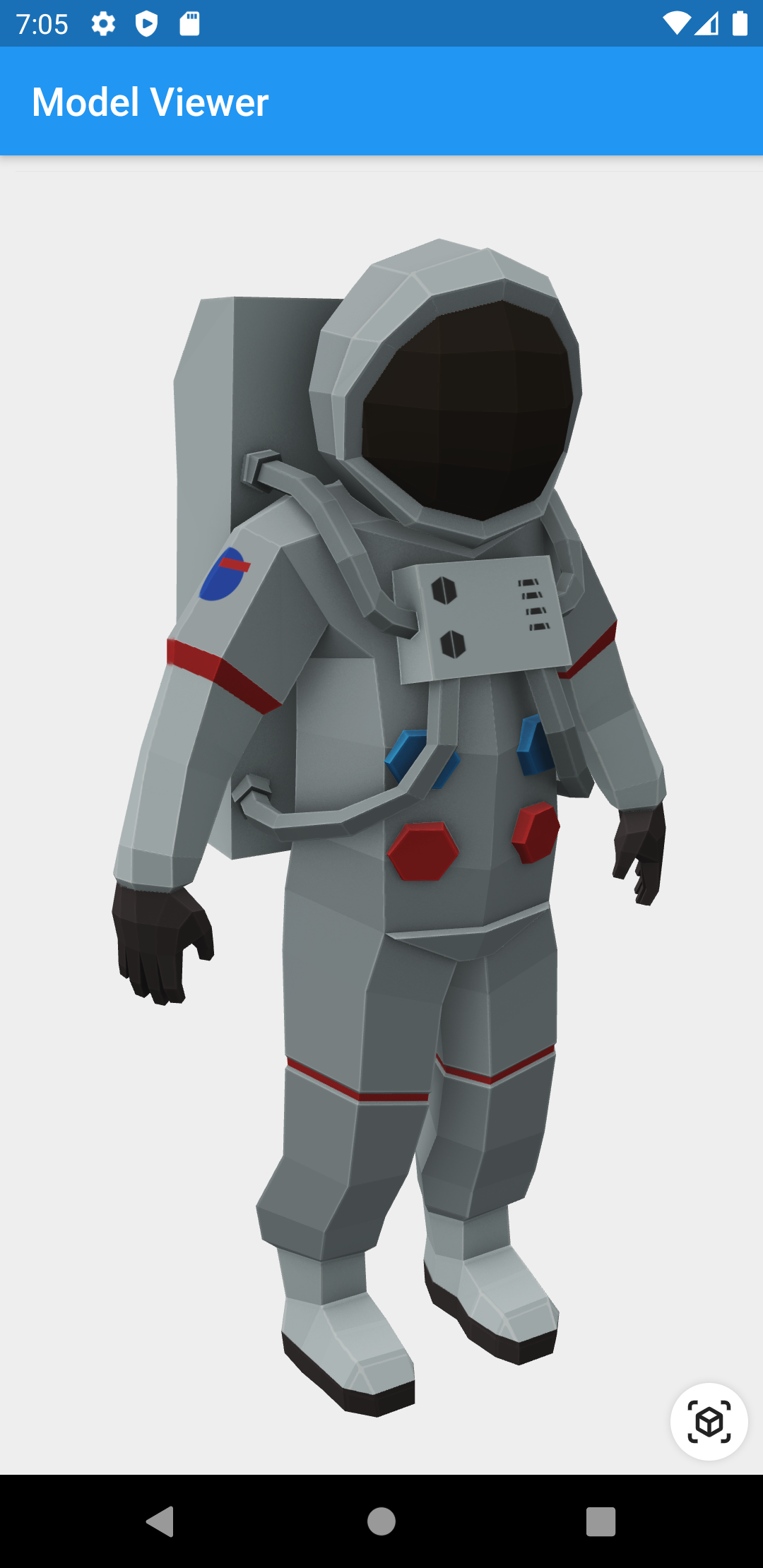
## Screenshot
## Prerequisites
- [Dart](https://dart.dev) 2.8+ and [Flutter](https://flutter.dev) 1.17+
## Compatibility
Android and iOS, with [a recent system browser version](https://modelviewer.dev/#section-browser-support).
## Installation
### `pubspec.yaml`
```yaml
dependencies:
model_viewer: ^0.8.1
```
### `AndroidManifest.xml` (Android 9+ only)
To use this widget on Android 9+ devices, your app must be permitted to make
an HTTP connection to `http://localhost:XXXXX`. Android 9 (API level 28)
changed the default for [`android:usesCleartextTraffic`] from `true` to
`false`, so you will need to configure your app's
`android/app/src/main/AndroidManifest.xml` as follows:
```diff
--- a/example/android/app/src/main/AndroidManifest.xml
+++ b/example/android/app/src/main/AndroidManifest.xml
@@ -8,7 +8,8 @@
+ android:icon="@mipmap/ic_launcher"
+ android:usesCleartextTraffic="true">
io.flutter.embedded_views_preview
```
## Features
- Renders glTF and GLB models. (Also, [USDZ] models on iOS 12+.)
- Supports animated models, with a configurable auto-play setting.
- Optionally supports launching the model into an [AR] viewer.
- Optionally auto-rotates the model, with a configurable delay.
- Supports a configurable background color for the widget.
[USDZ]: https://graphics.pixar.com/usd/docs/Usdz-File-Format-Specification.html
[AR]: https://en.wikipedia.org/wiki/Augmented_reality
## Examples
### Importing the library
```dart
import 'package:model_viewer/model_viewer.dart';
```
### Creating a `ModelViewer` widget
```dart
class MyApp extends StatelessWidget {
@override
Widget build(BuildContext context) {
return MaterialApp(
home: Scaffold(
appBar: AppBar(title: Text("Model Viewer")),
body: ModelViewer(
src: 'https://modelviewer.dev/shared-assets/models/Astronaut.glb',
alt: "A 3D model of an astronaut",
ar: true,
autoRotate: true,
cameraControls: true,
),
),
);
}
}
```
### Loading a bundled Flutter asset
```dart
class MyApp extends StatelessWidget {
// ...
src: 'assets/MyModel.glb',
// ...
}
```
### Loading a model from the file system
```dart
class MyApp extends StatelessWidget {
// ...
src: 'file:///path/to/MyModel.glb',
// ...
}
```
### Loading a model from the web
```dart
class MyApp extends StatelessWidget {
// ...
src: 'https://modelviewer.dev/shared-assets/models/Astronaut.glb',
// ...
}
```
Note that due to browsers' [CORS] security restrictions, the model file
*must* be served with a `Access-Control-Allow-Origin: *` HTTP header.
## Frequently Asked Questions
### Q: Why do I get the error `net::ERR_CLEARTEXT_NOT_PERMITTED`?
You didn't configure your `AndroidManifest.xml` as per the installation
instructions earlier in this document. See also [#7].
### Q: Why does the example app just show a blank screen?
**A:** Most likely, the platform browser version on your device or emulator is
too old and does not support the features that Model Viewer needs.
For example, the stock Chrome version on the Android 10 emulator is too old
and will display a blank screen; it must be upgraded from the Play Store in
order to use this package. (The stock Chrome version on the Android 11
emulator works fine, however.) See [google/model-viewer#1109].
### Q: Why doesn't my 3D model load and/or render?
**A:** There are several reasons why your model URL could fail to load and
render:
1. It might not be possible to load the model URL due to [CORS] security
restrictions. The server hosting the model file *must* send appropriate
CORS response headers for Model Viewer to be able to load the file.
See [google/model-viewer#1015].
2. It might not be possible to parse the provided glTF or GLB file.
Some tools can produce invalid files when exporting glTF. Always
run your model files through the [glTF Validator] to check for this.
3. The platform browser might not support the features that Model Viewer
needs. See [google/model-viewer#1109].
[#7]: https://github.com/drydart/model_viewer.dart/issues/7
[CORS]: https://developer.mozilla.org/en-US/docs/Web/HTTP/CORS
[glTF Validator]: https://github.khronos.org/glTF-Validator/
[google/model-viewer#1015]: https://github.com/google/model-viewer/issues/1015
[google/model-viewer#1109]: https://github.com/google/model-viewer/issues/1109
[`android:usesCleartextTraffic`]: https://developer.android.com/guide/topics/manifest/application-element#usesCleartextTraffic