https://github.com/dspearson/cljs-electron
ClojureScript + Electron + Figwheel + Reagent = ❤❤❤
https://github.com/dspearson/cljs-electron
Last synced: about 1 month ago
JSON representation
ClojureScript + Electron + Figwheel + Reagent = ❤❤❤
- Host: GitHub
- URL: https://github.com/dspearson/cljs-electron
- Owner: dspearson
- License: mit
- Created: 2019-06-28T13:50:50.000Z (almost 7 years ago)
- Default Branch: master
- Last Pushed: 2019-06-28T13:53:15.000Z (almost 7 years ago)
- Last Synced: 2025-03-23T13:47:24.822Z (about 1 year ago)
- Language: Clojure
- Size: 91.8 KB
- Stars: 0
- Watchers: 1
- Forks: 0
- Open Issues: 0
-
Metadata Files:
- Readme: README.md
- License: LICENSE.md
Awesome Lists containing this project
README
[](https://github.com/Gonzih/feeds2imap.clj/blob/master/LICENSE.md) [](https://travis-ci.org/Gonzih/cljs-electron)
# Clojurified Electron
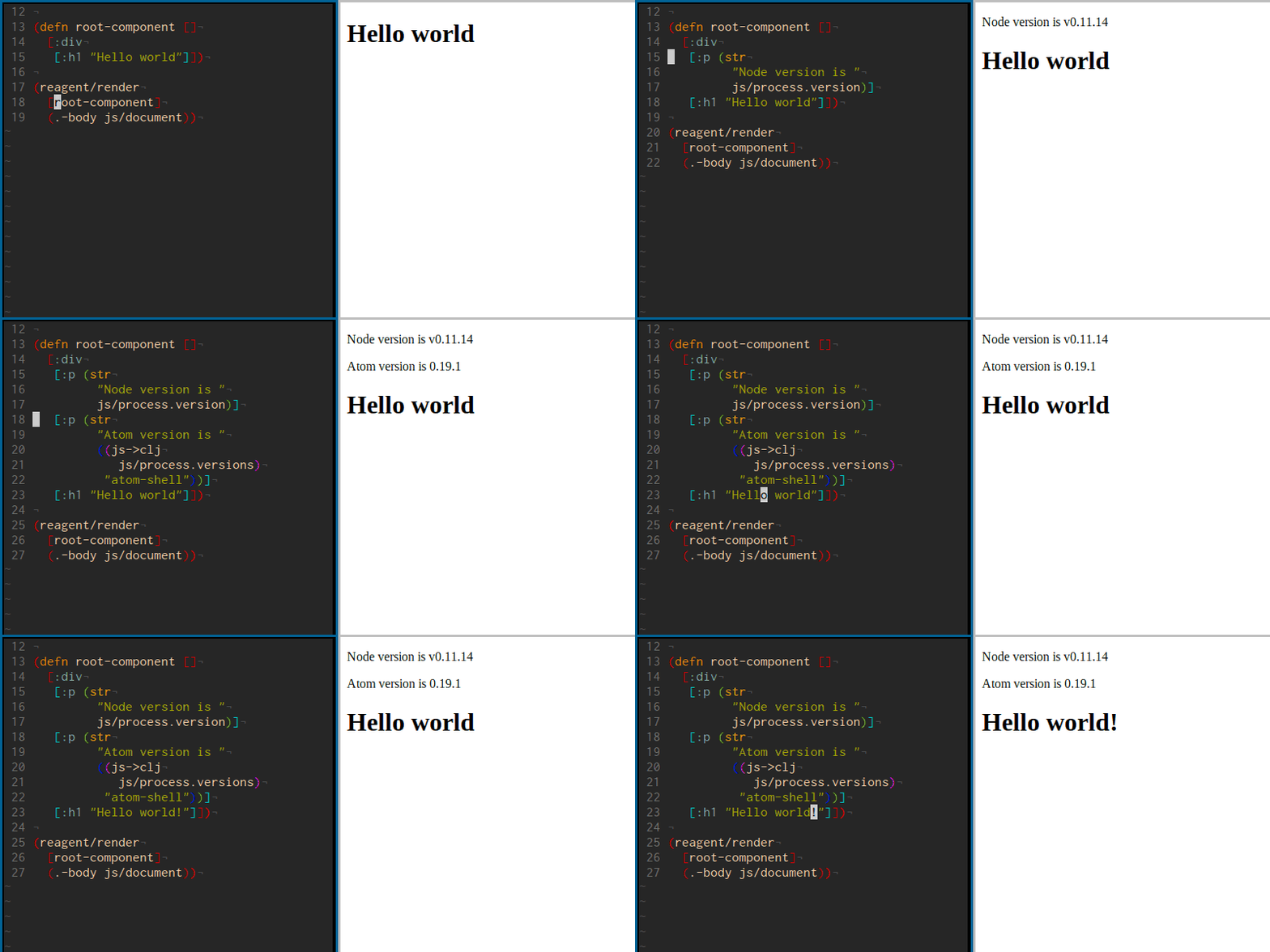
My attempt to recreate ClojureScript development workflow while developing desktop apps with [electron](http://electron.atom.io/).
## What is currently included
* ClojureScript (init script and ui code)
* Figwheel for interactive development
* Reagent for UI
* Advanced compilation with externs inference in release compilation targets
## Running it
```shell
npm install electron -g # install electron binaries
lein cooper # compile cljs and start figwheel
electron . # start electron from another terminal
```
## Releasing
```shell
lein do clean, cljsbuild once frontend-release, cljsbuild once electron-release
electron . # start electron to test that everything works
```
After that you can follow [distribution guide for the electron.](https://github.com/atom/electron/blob/master/docs/tutorial/application-distribution.md)
The easiest way to package an electron app is by using [electron-packager](https://github.com/maxogden/electron-packager):
```shell
npm install electron-packager -g # install electron packager
electron-packager . HelloWorld --platform=darwin --arch=x64 --electron-version=1.4.8 # package it!
```