https://github.com/dyarleniber/material-personal-website
:computer: Personal website using JavaScript, React, Hooks, Material-UI, Jest and Enzyme.
https://github.com/dyarleniber/material-personal-website
enzyme hooks javascript jest material-ui personal personal-website react website
Last synced: 5 months ago
JSON representation
:computer: Personal website using JavaScript, React, Hooks, Material-UI, Jest and Enzyme.
- Host: GitHub
- URL: https://github.com/dyarleniber/material-personal-website
- Owner: dyarleniber
- License: mit
- Created: 2020-04-19T19:56:34.000Z (about 6 years ago)
- Default Branch: master
- Last Pushed: 2021-06-24T17:47:29.000Z (about 5 years ago)
- Last Synced: 2025-07-24T16:22:05.010Z (12 months ago)
- Topics: enzyme, hooks, javascript, jest, material-ui, personal, personal-website, react, website
- Language: JavaScript
- Homepage: https://dyarleniber.github.io/material-personal-website/
- Size: 2.38 MB
- Stars: 3
- Watchers: 1
- Forks: 1
- Open Issues: 0
-
Metadata Files:
- Readme: README.md
- License: LICENSE
Awesome Lists containing this project
README
Material-UI Personal website
:computer: Personal website using JavaScript, React, Hooks, Material-UI, Jest and Enzyme.



Live Preview |
Configuration |
License
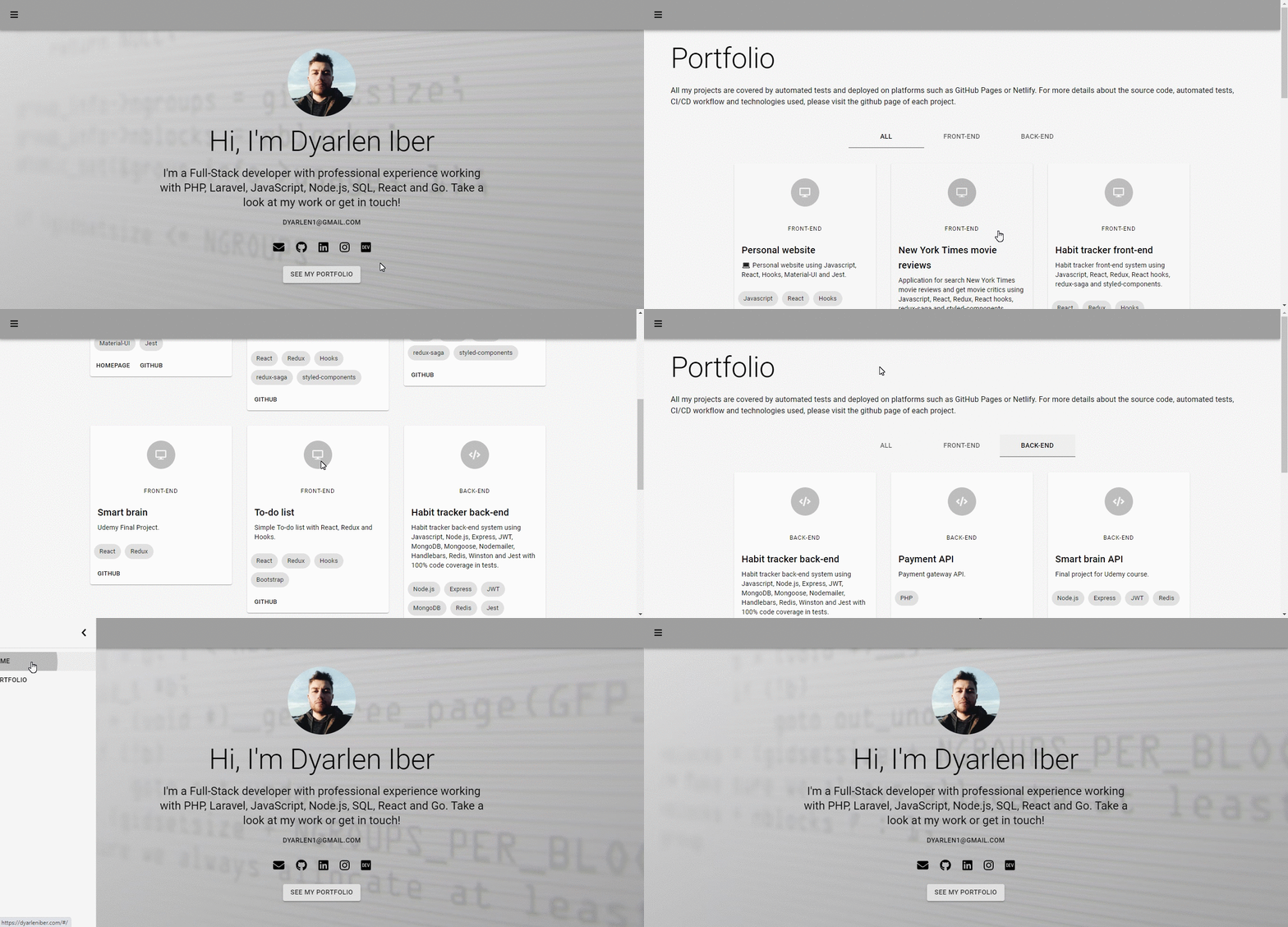
Personal website buit with [React](https://reactjs.org) on [Material Design](https://material.io) through [Material-UI](https://material-ui.com) library.
The code base is 100% covered by automated tests with [Jest](https://jestjs.io) and [Enzyme](https://enzymejs.github.io/enzyme).
The website is hosted on [GitHub Pages](https://pages.github.com). And a CI/CD workflow created on [GitHub Actions](https://github.com/features/actions) is responsible for automatically test the source code, generate a coverage report and upload it on [Codecov](https://codecov.io), build and deploy the project on [GitHub Pages](https://pages.github.com). All these jobs are activated by a push or pull request event on master branch.
## :gear: Configuration
To clone and run this application, you’ll need to have [Git](https://git-scm.com) and [Node.js v10.16](https://nodejs.org) or higher installed on your computer.
From your command line:
```bash
# Clone this repository
$ git clone https://github.com/dyarleniber/material-personal-website.git
# Go into the repository folder
$ cd material-personal-website
# Install dependencies
$ npm install
# Run the app in the development mode (open http://localhost:3000 to view it in the browser)
$ npm start
```
To run the tests (in the interactive watch mode), run the following command:
```bash
$ npm test
```
For more information about the available scripts, access the [Create React App documentation](https://create-react-app.dev/docs/available-scripts/).
> All data, such as personal data and portfolio, must be changed in the `src/config/dataApi.js` file.
## :memo: License
This project is under the MIT license. See the [LICENSE](https://github.com/dyarleniber/material-personal-website/blob/master/LICENSE) for more information.
---
Made with ♥ by Dyarlen Iber :wave: [Get in touch!](https://dyarleniber.com)