https://github.com/dynamiatools/dynamia-tasks
Dynamia Tasks brings your GitHub issues and local tasks into one clean, focused checklist inside IntelliJ-based IDEs and VS Code.
https://github.com/dynamiatools/dynamia-tasks
github-issues intellj-plugin productivity task-manager tasks vscode-extension
Last synced: about 1 month ago
JSON representation
Dynamia Tasks brings your GitHub issues and local tasks into one clean, focused checklist inside IntelliJ-based IDEs and VS Code.
- Host: GitHub
- URL: https://github.com/dynamiatools/dynamia-tasks
- Owner: dynamiatools
- License: mit
- Created: 2026-04-21T20:14:00.000Z (about 1 month ago)
- Default Branch: main
- Last Pushed: 2026-04-30T19:07:24.000Z (about 1 month ago)
- Last Synced: 2026-04-30T21:08:01.132Z (about 1 month ago)
- Topics: github-issues, intellj-plugin, productivity, task-manager, tasks, vscode-extension
- Language: Vue
- Homepage:
- Size: 1.07 MB
- Stars: 0
- Watchers: 0
- Forks: 0
- Open Issues: 0
-
Metadata Files:
- Readme: README.md
- License: LICENSE
Awesome Lists containing this project
README
# Dynamia Tasks
> The fastest way to manage development tasks without leaving your IDE.
Dynamia Tasks brings your GitHub issues and local tasks into one clean, focused checklist inside IntelliJ-based IDEs and VS Code.
No cloud account. No telemetry. No context switching.
Just your tasks, where you code.
---
## Why Developers Love It
- **Stay in flow**: manage tasks without opening browser tabs
- **One unified view**: GitHub + local JSON tasks in a single workspace
- **Privacy-first**: fully local architecture, your data stays on your machine
- **Flexible by design**: connector system supports multiple task sources
- **Built for daily execution**: minimal UI, fast interactions, low friction
---
## Screenshots
### IntelliJ / JetBrains IDEs
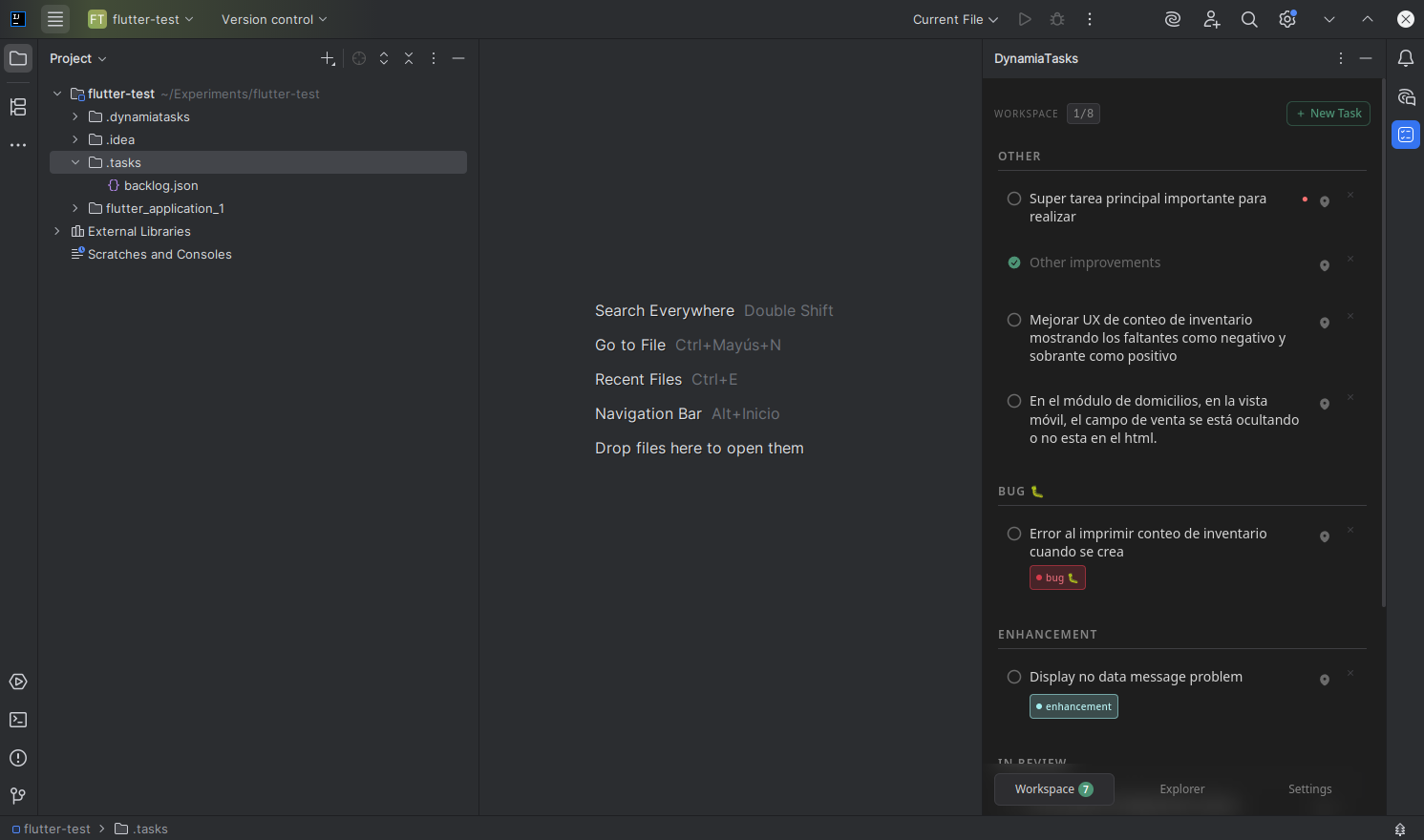
### VS Code
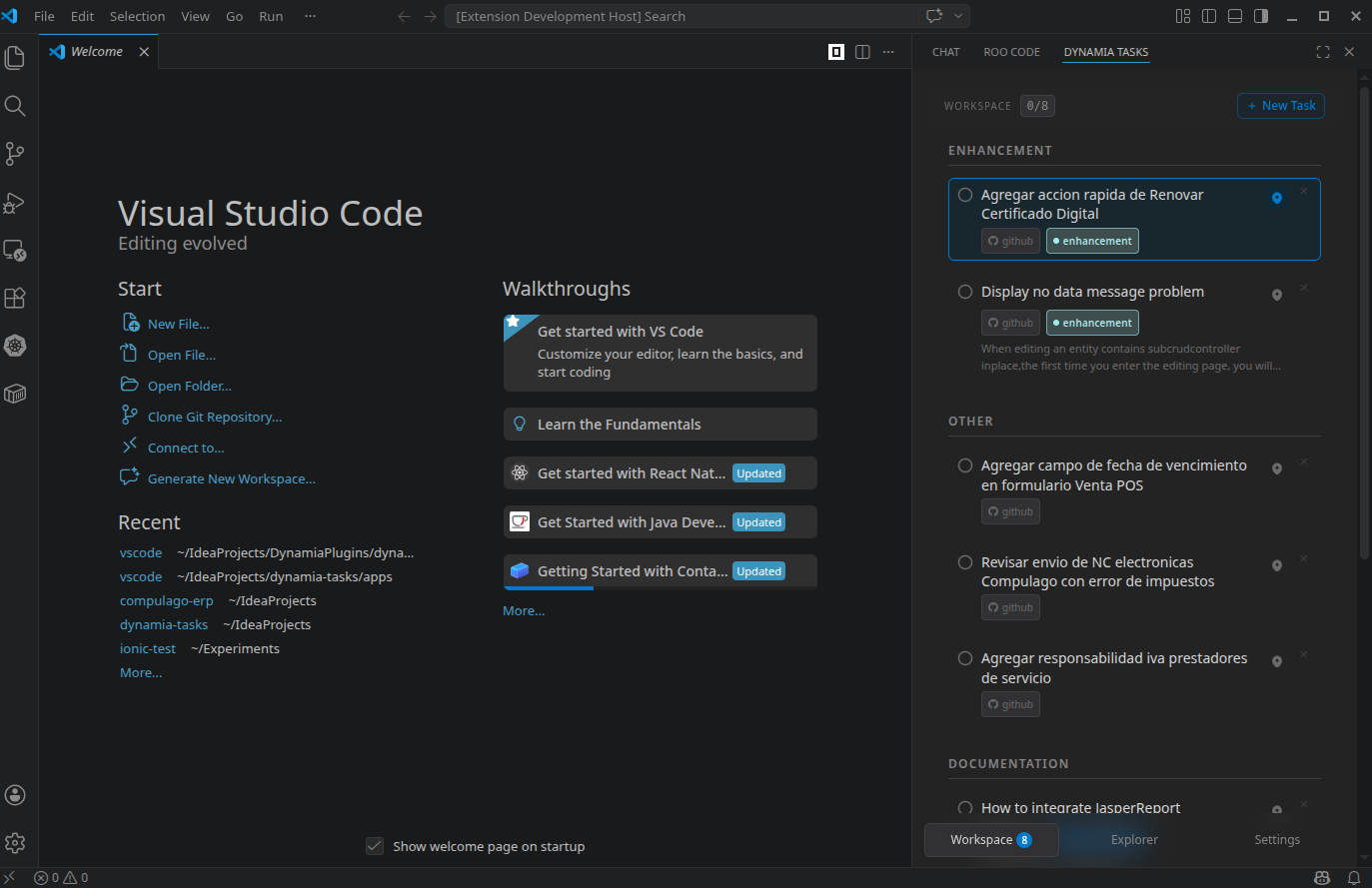
---
## Install
### JetBrains IDEs + Android Studio
Install from JetBrains Marketplace:
- https://plugins.jetbrains.com/plugin/31430-dynamia-tasks
### VS Code
Install from VS Code Marketplace:
- https://marketplace.visualstudio.com/items?itemName=DynamiaTools.dynamia-tasks
---
## What You Can Do
- Browse and manage GitHub issues by org/repo
- Work with local tasks stored as plain JSON files in `.tasks/`
- Build a **personal workspace** with the tasks you are actively working on
- Group tasks by module, label, or title prefix
- Open files and receive IDE-native notifications from task actions
- Continue working offline with local cache support
---
## Perfect For
- Developers who want a task view directly inside the IDE
- Teams that prefer local-first tools over cloud-heavy systems
- Repositories that combine external issues with project-local TODO streams
- AI-assisted workflows that benefit from editable `.tasks/*.json` files
---
## Quick Start
1. Install the plugin in your IDE.
2. Open Dynamia Tasks from the IDE sidebar/tool window.
3. Configure your connectors in **Settings**:
- **GitHub** (optional token)
- **Local** (`.tasks/*.json`)
4. Add tasks to your workspace and start shipping.
---
## GitHub Setup (Optional)
If you use the GitHub connector:
1. Go to https://github.com/settings/tokens
2. Create a classic token with scopes:
- `repo`
- `read:org`
3. In Dynamia Tasks, open **Settings > GitHub** and paste your token
Public repositories can work without a token.
---
## Local Tasks Format
Dynamia Tasks reads any `.tasks/*.json` file in your project.
```json
[
{
"id": "local-123e4567-e89b-12d3-a456-426614174000",
"title": "Refactor IVA calculation",
"description": "Move logic to IvaService and add unit tests.",
"done": false,
"module": "billing",
"labels": [{ "id": "refactor", "name": "refactor" }],
"priority": "high",
"createdAt": "2026-04-21T10:00:00Z",
"updatedAt": "2026-04-21T10:00:00Z"
}
]
```
Use unique IDs with `local-{uuid}` format.
---
## Built for Local-First Development
Dynamia Tasks runs as a local server process started by your IDE plugin:
- The UI is served locally
- Configuration is stored locally
- Workspace state is stored in your project
- No external backend required
This keeps performance high and ownership in your hands.
---
## For Teams and Contributors
If you want to contribute or build custom connectors, see:
- `CONTRIBUTING.md`
- `ARCHITECTURE.md`
---
## License
MIT © Dynamia Tools