https://github.com/e0406370/tverplus
Userscript that injects MyDramaList and Filmarks data (ratings and links) into TVer series pages, with Tampermonkey support.
https://github.com/e0406370/tverplus
filmarks mydramalist tampermonkey tampermonkey-userscript tver userscript
Last synced: 10 months ago
JSON representation
Userscript that injects MyDramaList and Filmarks data (ratings and links) into TVer series pages, with Tampermonkey support.
- Host: GitHub
- URL: https://github.com/e0406370/tverplus
- Owner: e0406370
- Created: 2025-07-23T13:36:58.000Z (11 months ago)
- Default Branch: main
- Last Pushed: 2025-08-10T22:52:44.000Z (10 months ago)
- Last Synced: 2025-08-11T00:25:56.789Z (10 months ago)
- Topics: filmarks, mydramalist, tampermonkey, tampermonkey-userscript, tver, userscript
- Language: JavaScript
- Homepage:
- Size: 5.44 MB
- Stars: 1
- Watchers: 0
- Forks: 0
- Open Issues: 1
-
Metadata Files:
- Readme: README.md
Awesome Lists containing this project
README
### Purpose
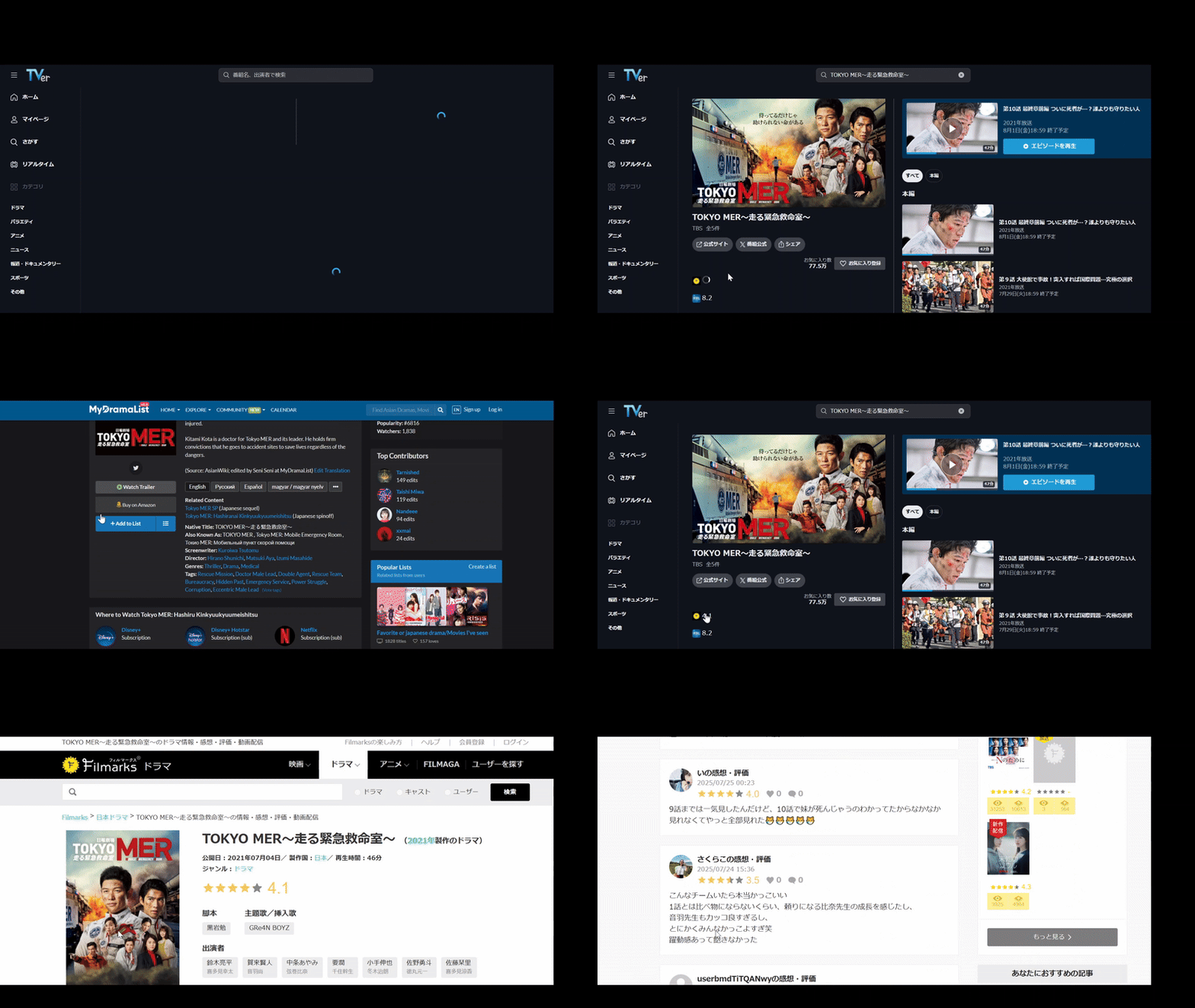
This userscript injects the corresponding [Filmarks](https://filmarks.com/dramas/10640/14824) and [MyDramaList](https://mydramalist.com/699035-tokyo-mer) ratings with links to their respective pages on [TVer series](https://tver.jp/series/srwttibvhk) pages, with support from the [Tampermonkey](https://www.tampermonkey.net/) browser extension.
It aims for the best possible 1-to-1 matching accuracy despite the limitations described in [GH-8](https://github.com/e0406370/tverplus/issues/8).
Using the script allows users to instantly view the ratings and directly access the associated Filmarks and MyDramaList pages, eliminating the need to navigate away from TVer and manually search for this information.
The series data is sourced from two custom APIs:
- Filmarks via [markuapi](https://github.com/e0406370/markuapi) by `e0406370`
- MyDramaList via [kuryana](https://github.com/tbdsux/kuryana) by `tbdsux`
### Setup
1. Install the Tampermonkey extension for your browser [here](https://www.tampermonkey.net/).
2. After installing, visit the Extensions page and then click `Details` for the Tampermonkey extension, followed by enabling the `Allow user scripts` option as well as `Developer mode` located on the top right corner.
3. Navigate to this [link](https://github.com/e0406370/tverplus/raw/refs/heads/main/tverplus.user.js) and follow the on-screen instructions to install the userscript. If this method does not work, see steps 4 and 5 for an alternative method. Otherwise, proceed to step 6 after this step is completed.
4. Open the Extensions tab located on the right of the address bar and then click on the Tampermonkey logo, followed by the `Create a new script...` button.
5. Copy and paste this [userscript](tverplus.user.js) into the editor and then press `CTRL + S` to save the script into the dashboard.
6. The `tverplus` script should now appear on the dashboard. For additional information on installing scripts in Tampermonkey, refer to this [guide](https://www.tampermonkey.net/faq.php?locale=en#Q102).
7. Access a [valid](https://tver.jp/series/srwttibvhk) TVer series page `[https://tver.jp/series/*]`, and the script should execute.
https://github.com/user-attachments/assets/d9673911-36bb-4d56-9c0a-88a6f9e01d50