https://github.com/e3nviction/envshell
A Hyprland shell, designed to mimic macOS. Powered by Fabric
https://github.com/e3nviction/envshell
app-launcher bluetooth control-center dock fabric gtk hyprland linux macos nixos ricing shell status-bar system-tray top-bar wayland wi-fi widget
Last synced: 3 months ago
JSON representation
A Hyprland shell, designed to mimic macOS. Powered by Fabric
- Host: GitHub
- URL: https://github.com/e3nviction/envshell
- Owner: E3nviction
- License: mit
- Created: 2025-02-16T17:34:41.000Z (over 1 year ago)
- Default Branch: master
- Last Pushed: 2025-02-23T21:39:51.000Z (over 1 year ago)
- Last Synced: 2025-02-23T22:27:32.161Z (over 1 year ago)
- Topics: app-launcher, bluetooth, control-center, dock, fabric, gtk, hyprland, linux, macos, nixos, ricing, shell, status-bar, system-tray, top-bar, wayland, wi-fi, widget
- Language: Python
- Homepage:
- Size: 9.88 MB
- Stars: 0
- Watchers: 1
- Forks: 0
- Open Issues: 0
-
Metadata Files:
- Readme: README.md
- License: license
Awesome Lists containing this project
README
# envShell
---
## Attention
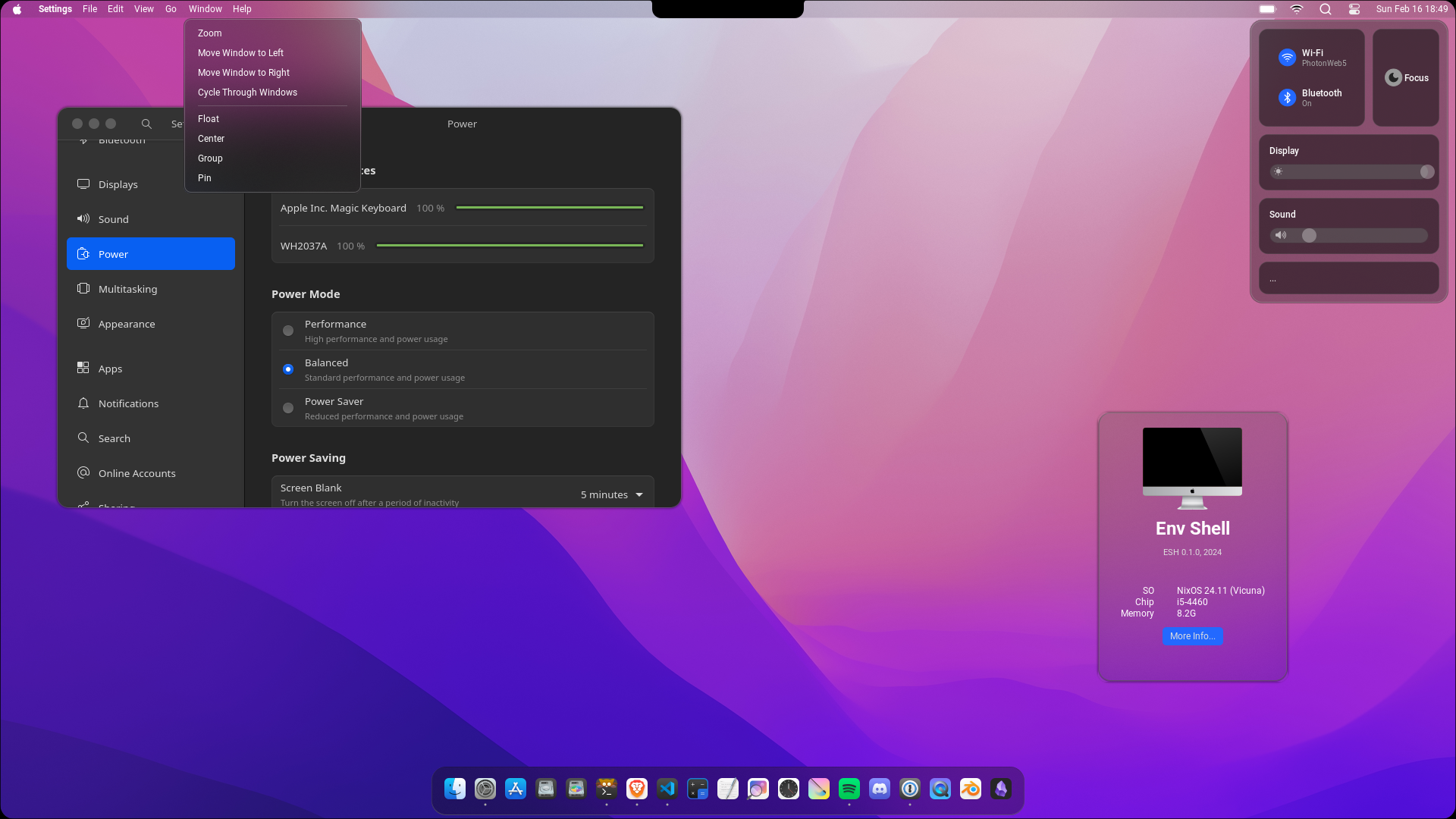
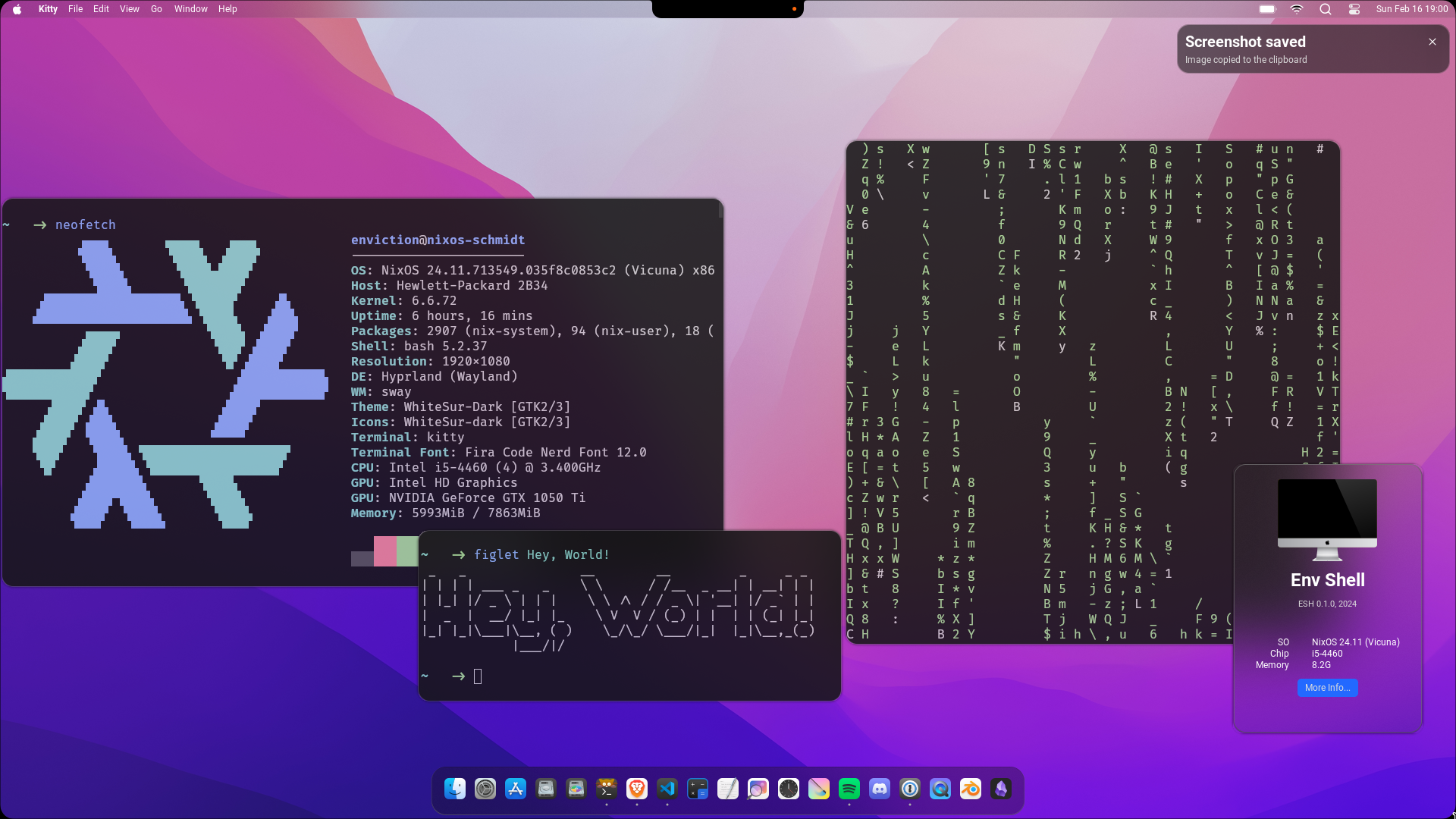
Take a look at the website if you want to see all features!
---
A shell for Hyprland, designed with simplicity and aesthetics in mind, by mimicing the look of MacOS as closely as possible.
All powered by [Fabric](https://github.com/Fabric-Development/fabric)
See [Features](#features) below
## Experimental
Please note that envShell is still in an experimental stage. It is not guaranteed to work on your systems. Proceed with caution and be prepared to encounter issues.
## Dependencies
1. hyprland
2. playerctl
3. gtk3
4. librsvg
5. libdbusmenu-gtk3
6. libdbusmenu-gtk2
7. gdk-pixbuf
8. cinnamon-desktop
9. pulseaudio
10. gtk-layer-shell
11. gobject-introspection
12. gnome-bluetooth
13. python >= 3.10 (3.12 recommended)
## Installation
1. `pip install -r requirements.txt`
2. install dependencies as described above
## Usage
1. `cd envshell`
2. `python watcher.py`
### Hyprland
add this to your hyprland.conf
```conf
layerrule = blur, ^envshell$
layerrule = blurpopups, ^envshell$
layerrule = ignorezero, ^envshell$
layerrule = blur, ^fabric$
layerrule = blurpopups, ^fabric$
layerrule = ignorezero, ^fabric$
windowrulev2 = size 250 355, title:(About Menu)
windowrulev2 = float, title:(About Menu)
windowrulev2 = noborder, title:(About Menu)
windowrulev2 = pin, title:(About Menu)
```
## Process Control
> The envShell is the process, that activates the panel, dock, notifications, etc.
> It will also restart them if they are closed.
To exit the **envShell (see above)**, kill the process: `pkill -x envShell`.
To exit the Panel, Noti, OSD, etc, kill the process: `pkill -x Panel`.
To exit the Dock, kill the process: `pkill -x Dock`.
## Configuration
The config file is located at: `~/.config/envshell/config.toml`
See the documentation for more information, [Config Documentation](./docs/config/Welcome.md)
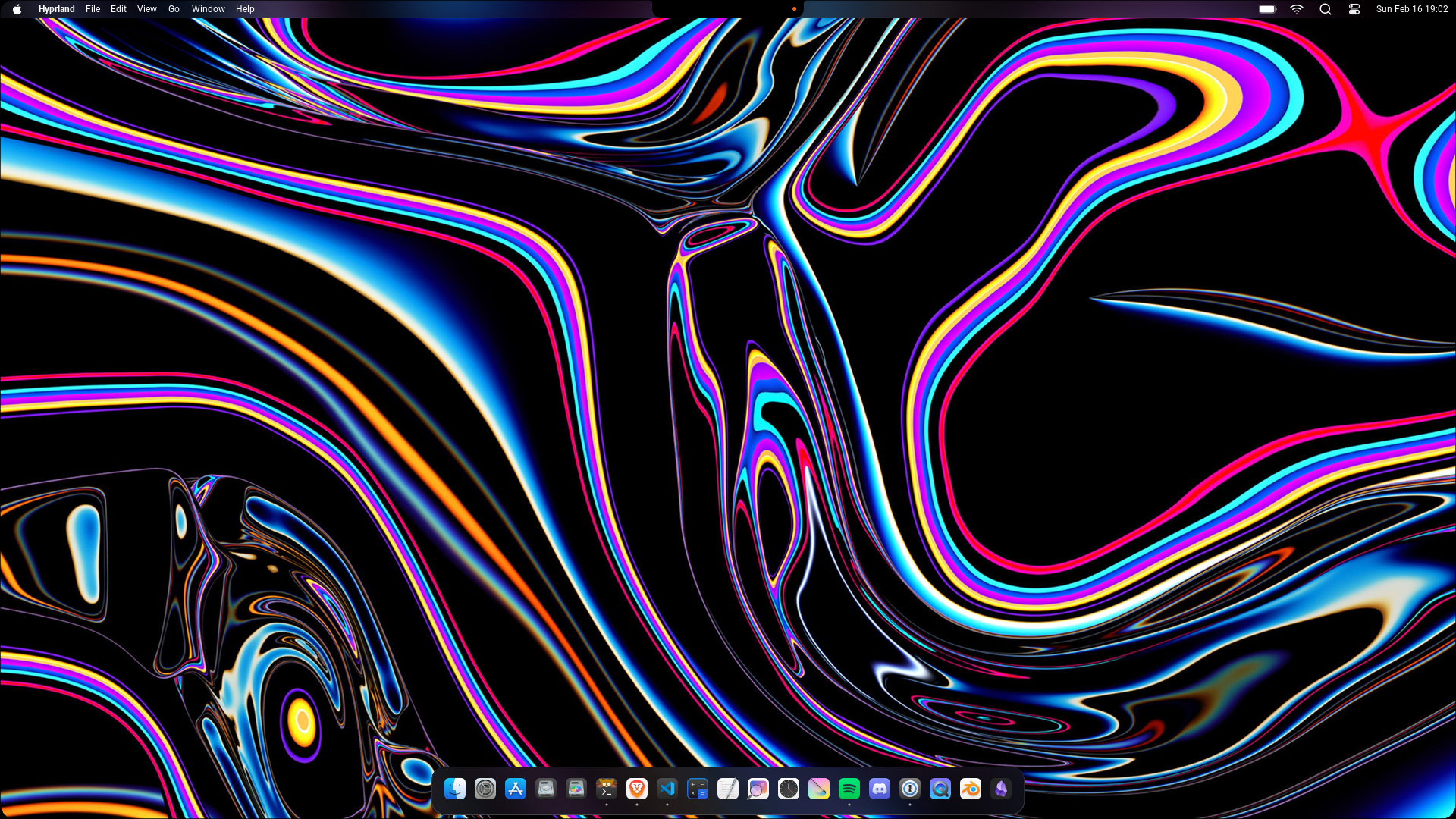
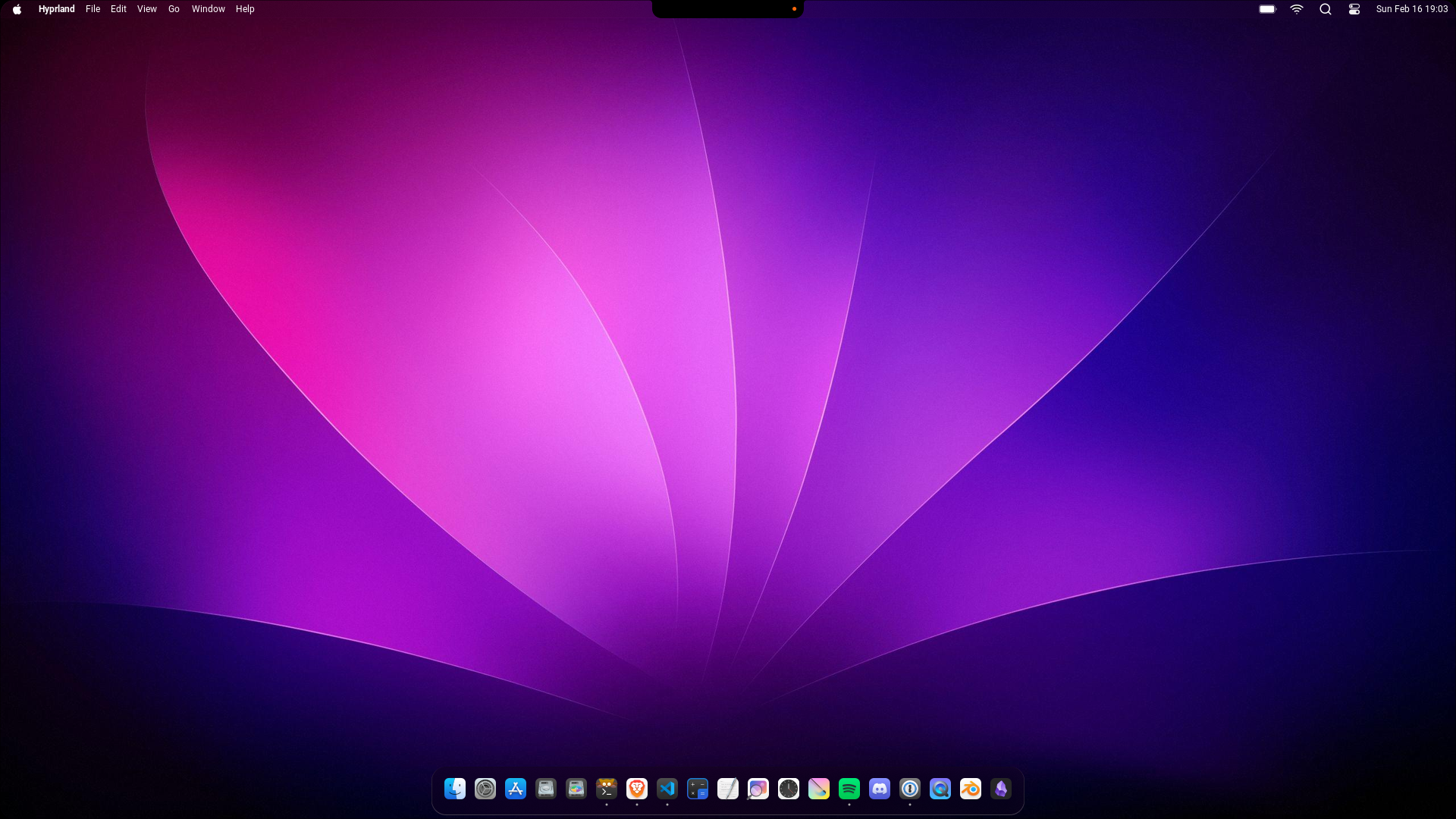
## Screenshots
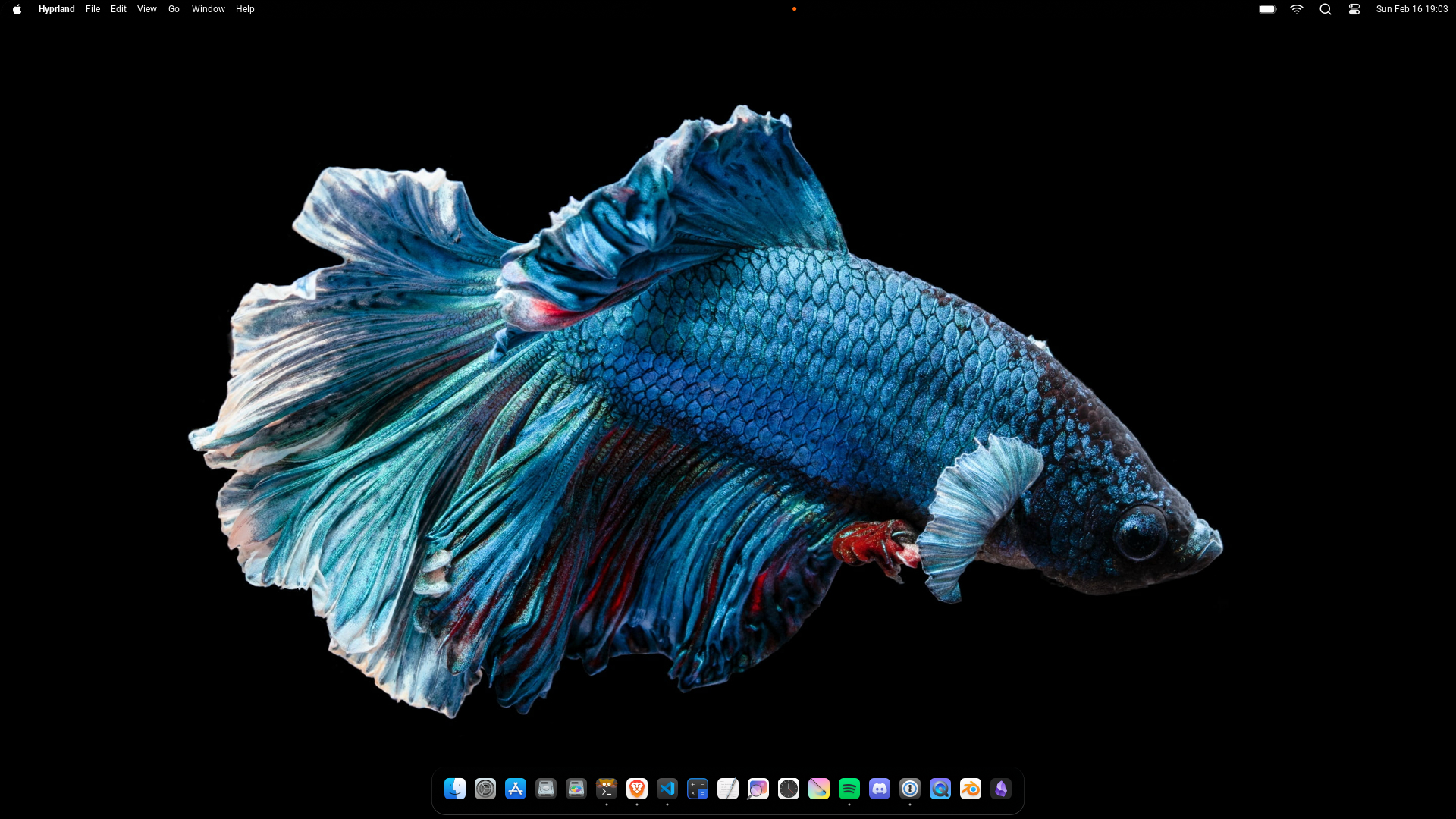
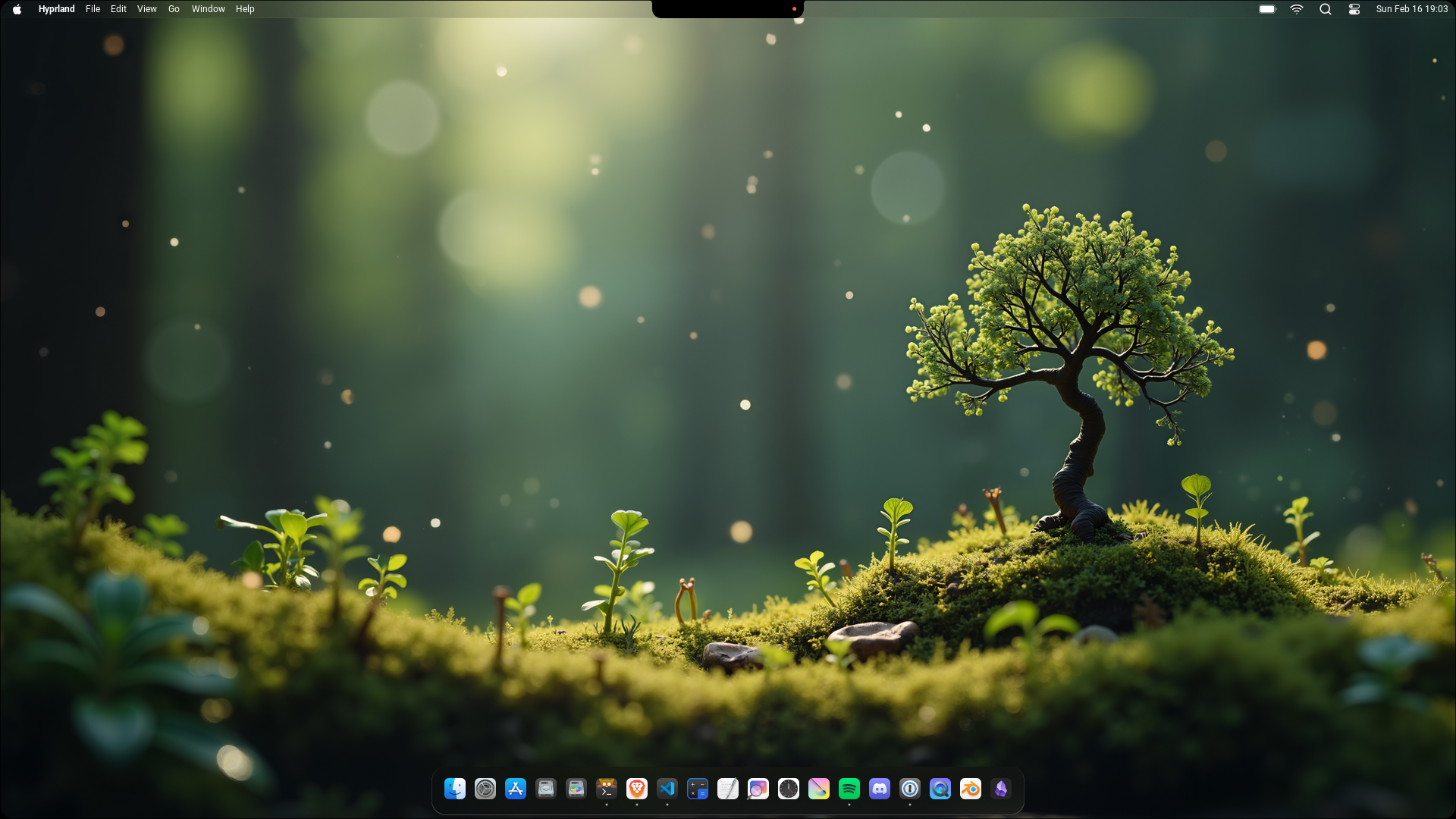
## Features
| | |
| --- | --- |
| The newly Designed Control Center. Now being more similar to the macOS Control Center. Although there still isn't any music player. Now theres actually a new Window, if clicking on the Bluetooth widget. You can see it below! | 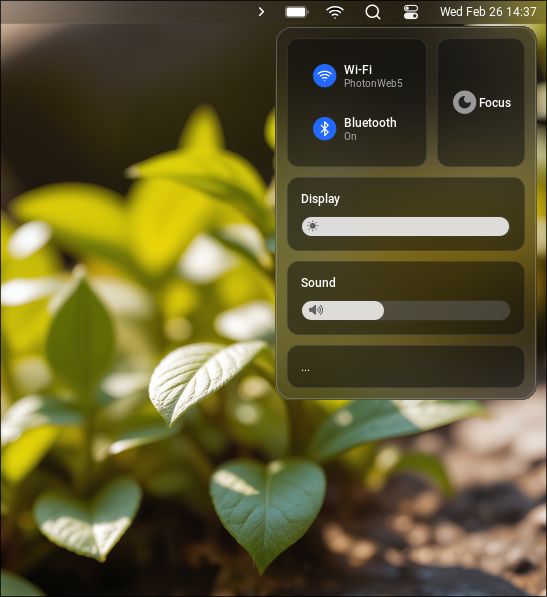 |
| 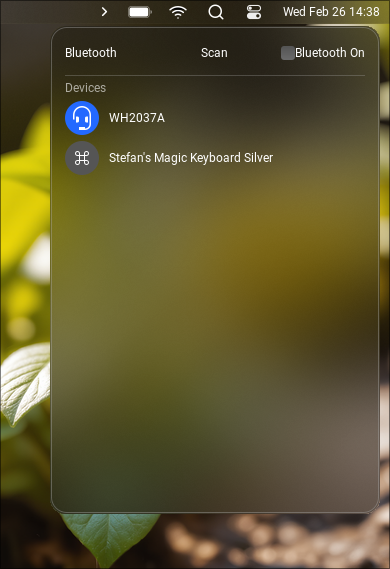 | This is the new Bluetooth window, accessed through the Control Center, give it a try! Here you can scan for new Devices or connect to already paired ones. On the right top you have a toggle for toggling the Bluetooth connection. Keep in mind that this is still in development |
| Now we come to one of the most experimental features, the launcher. It's Design definitly needs refactoring, but for the moment it does everything you need, Launching Apps. | 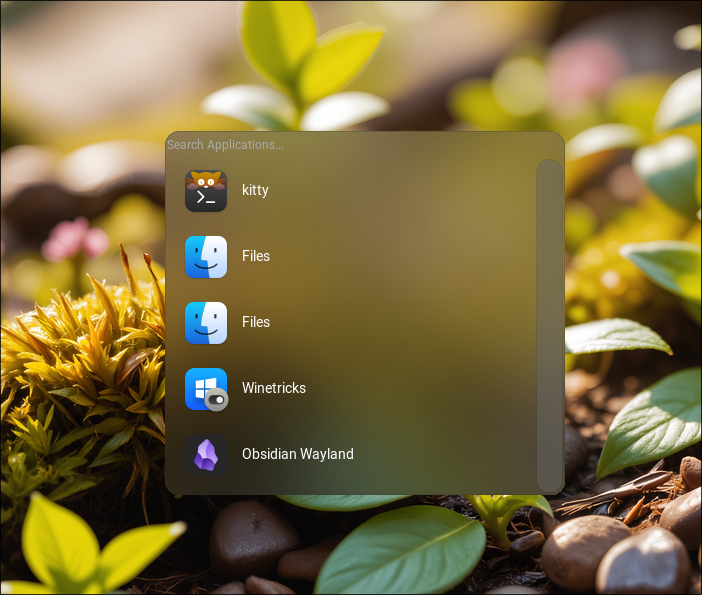 |
|  | Are you tired of using an OSD server that's not integrated into your shell? Worry no more, because now you have your very own OSD server for volume control. |
| Do you like Ubuntu? Do you want to have a side-ways Dock? If so then this is the perfect Dock for you, because it supports the left, right, and bottom position and even a floating and full setting! | 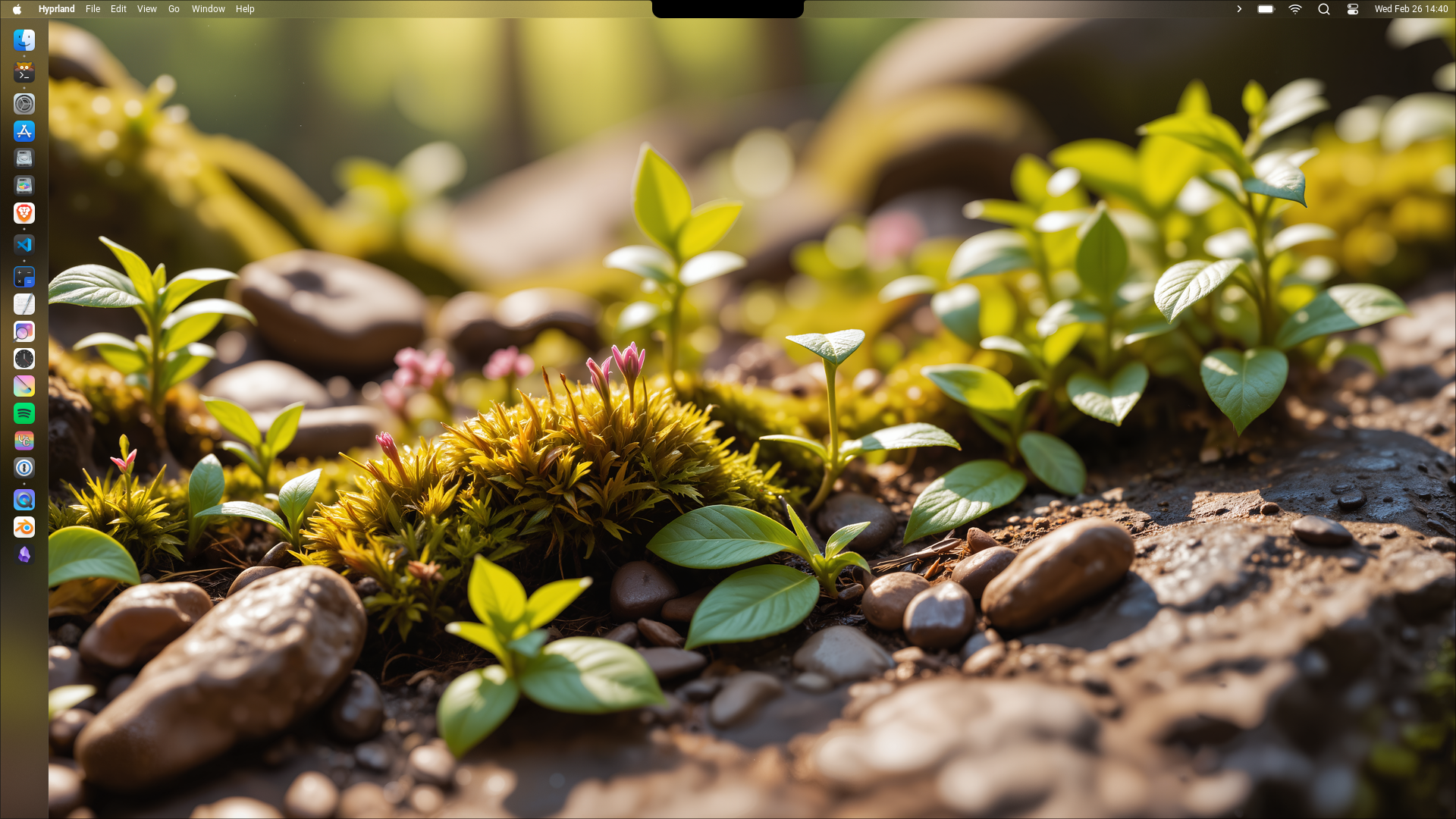 |
| 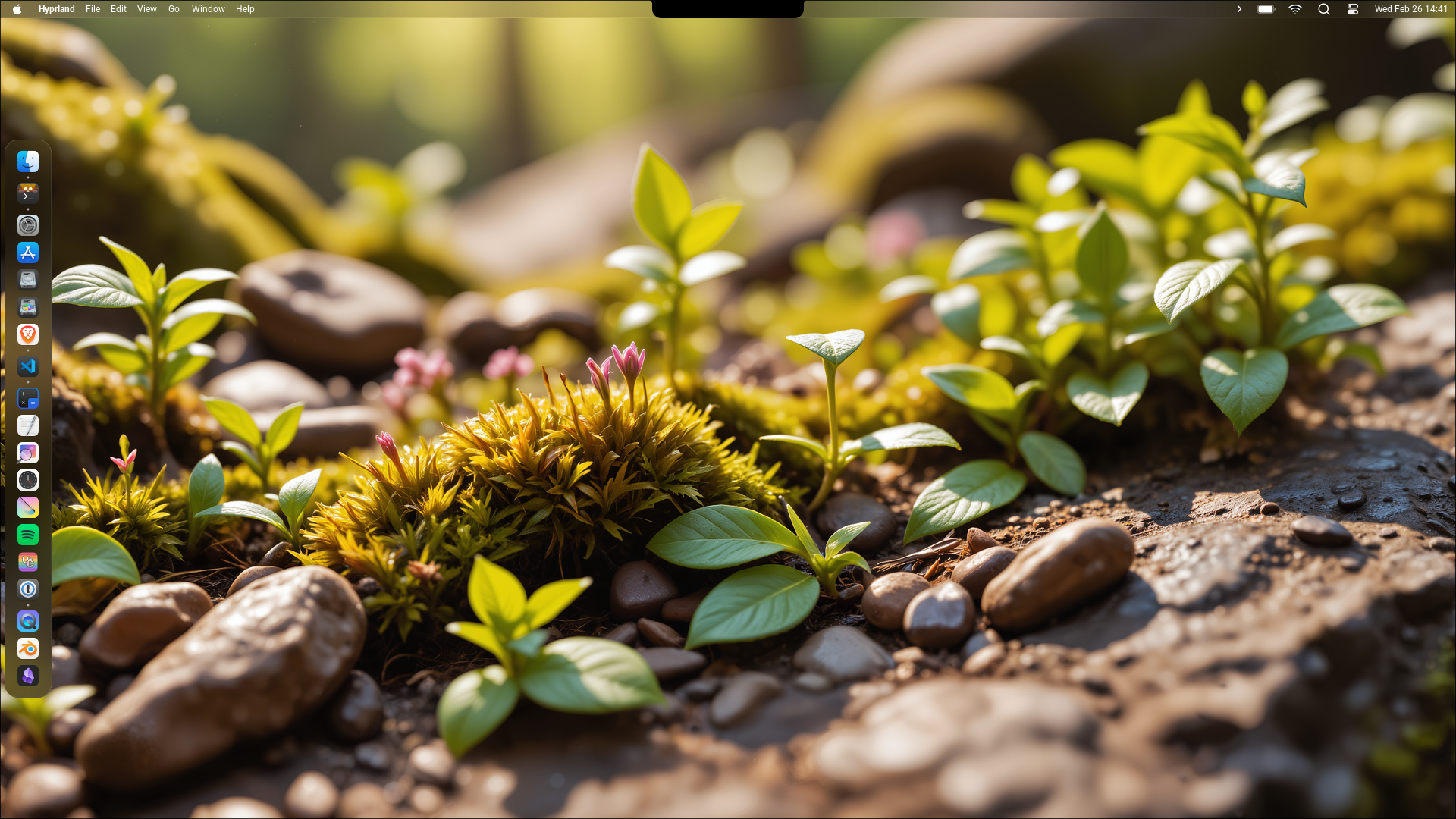 | This is the floating (or as it's called in the settings "center") mode for the Dock, as the name implies, it makes your dock float in the center, instead of taking up the whole space. |
| At last but not least, we have the System Tray, this simple expandable tray shows you all running tray apps. |  |
## Credits
Special thanks to all of these projects for making this possible
- [Hyprland](https://github.com/hyprwm/Hyprland)
- [Fabric](https://github.com/Fabric-Development/fabric)
- [Axenide's Dotfiles for Inspiration](https://github.com/Axenide/Dotfiles)
## License
This Project is Licensed under the Apache License. See more at [LICENSE](license).