https://github.com/easylogic/editor
Fantastic Web Design Tool
https://github.com/easylogic/editor
Last synced: over 1 year ago
JSON representation
Fantastic Web Design Tool
- Host: GitHub
- URL: https://github.com/easylogic/editor
- Owner: kode-team
- License: mit
- Created: 2019-05-03T09:33:55.000Z (about 7 years ago)
- Default Branch: develop
- Last Pushed: 2022-12-08T11:52:56.000Z (over 3 years ago)
- Last Synced: 2024-10-29T22:44:52.311Z (over 1 year ago)
- Language: JavaScript
- Homepage: https://editor.easylogic.studio
- Size: 175 MB
- Stars: 497
- Watchers: 14
- Forks: 55
- Open Issues: 28
-
Metadata Files:
- Readme: README.md
- Funding: .github/FUNDING.yml
- License: LICENSE
Awesome Lists containing this project
- awesome-list - editor
README
# EasyLogic Studio
EasyLogic Studio is built using CSS and SVG to reduce the gap between web design and code. The goal is to have the same point in time between the designer's design and the developer's output.
* manual : https://www.easylogic.studio/docs/getting-started.html
* editor : https://editor-core.easylogic.studio/
* player: https://editor-core.easylogic.studio/player.html
* editor-with-plugin: https://editor.easylogic.studio/
This project is [sapa](https://github.com/easylogic/sapa) based.
# Screen Shot
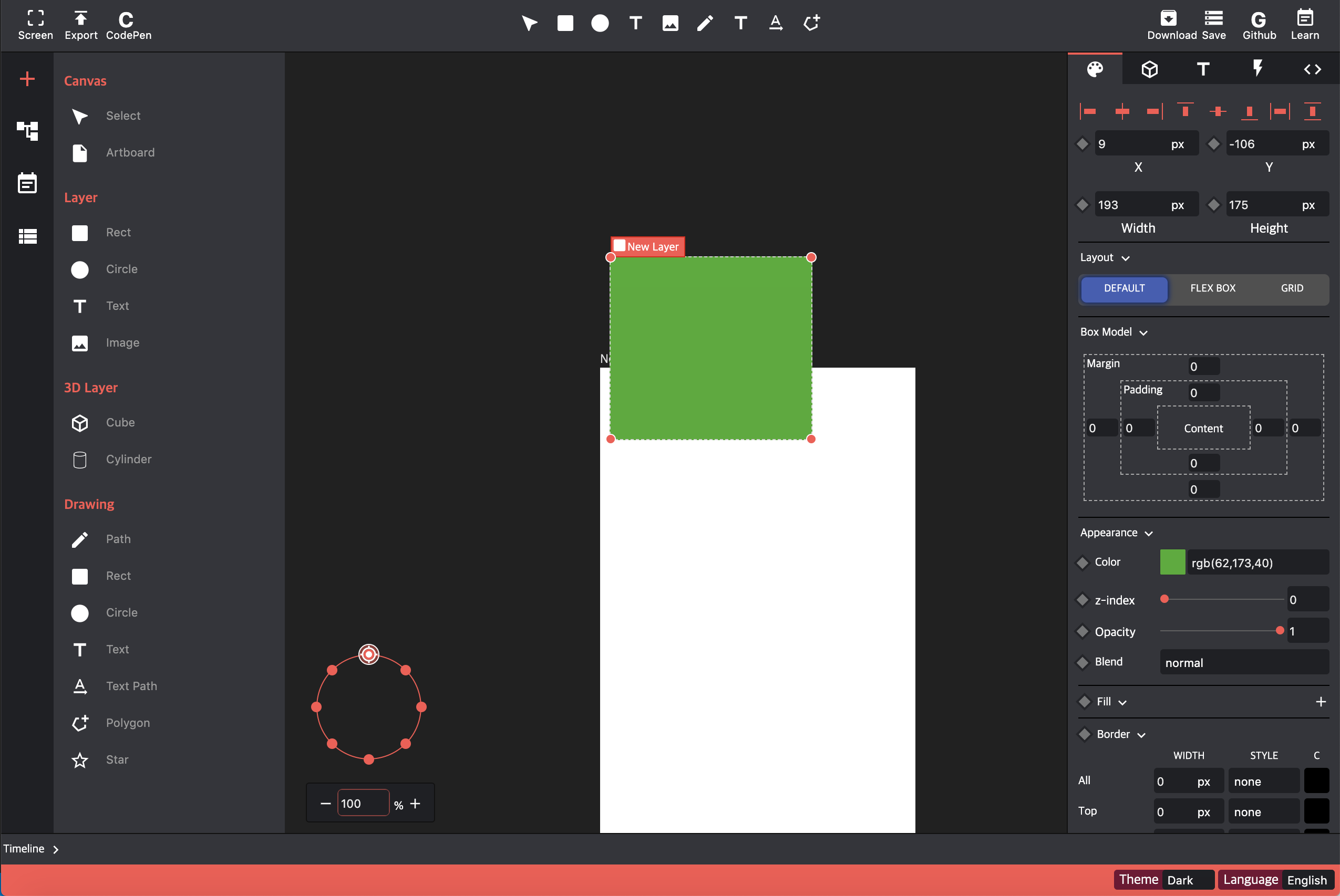
# Features
### Support Element
* Artboard
* Rect
* Circle
* Text
* Image
* SVG Path (with Rect, Circle)
* SVG Spline
* SVG Polygon
* SVG Star
* SVG TextPath
### Style
* Alignment
* Position
* Size (pixel based)
* Layout (flex, grid, abolute)
* Constraints (auto resizing)
* Many styling tools
* background (support resizing tool)
* font & text style
* gradient (multiple background images )
* border & radius
* filter
* clip-path (support svg path )
* box-shadows (multiple)
* text-shadows (multiple)
### Animation
* Transition
* Animation & Keyframes
* Support cubic-bezier editor
### Code & Share
* Support code viewer
* Support png & svg download
### Drawing
* Support mini path editor
### Theming
* dark
* light
# Development
```
git clone https://github.com/easylogic/editor.git
cd editor
npm install
npm run dev
```
# build
```
npm run build
```
# Open Editor
please refer to src/index.html, src/index.js
```html
```
```js
import EasyLogic from "@easylogic/editor";
var app = new EasyLogic.createDesignEditor({
container: document.getElementById('app'),
data: {
projects: [{
itemType: 'project',
layers: [
{itemType: 'rect', x: 0, y: 0, width: 100, height: 100, 'background-color': 'red'},
{itemType: 'rect', x: 20, y: 20, width: 100, height: 100, 'background-color': 'green'},
{itemType: 'rect', x: 40, y: 40, width: 100, height: 100, 'background-color': 'blue'}
]
}],
},
plugins: [
// define plugin
function (editor) {
console.log(editor);
}
]
});
```
# Configs
You can set some useful configs.
```js
var app = new EasyLogic.createDesignEditor({
container: document.getElementById('app'),
config: {
"style.canvas.backgroud.color": "#FDC111"
"show.ruler": false,
"show.left.panel": false,
"show.right.panel": false
},
})
```
# Plugins
please refer to [MakeEditor](./system/MAKE.ko.md)
# Thanks to
* icon - https://material.io/resources/icons/?style=baseline
# License : MIT