https://github.com/ebithril/relax-player
https://github.com/ebithril/relax-player
Last synced: 5 months ago
JSON representation
- Host: GitHub
- URL: https://github.com/ebithril/relax-player
- Owner: ebithril
- License: other
- Created: 2025-12-14T19:29:35.000Z (6 months ago)
- Default Branch: main
- Last Pushed: 2025-12-31T06:50:27.000Z (5 months ago)
- Last Synced: 2026-01-04T07:52:32.659Z (5 months ago)
- Language: Rust
- Size: 12.1 MB
- Stars: 66
- Watchers: 1
- Forks: 5
- Open Issues: 2
-
Metadata Files:
- Readme: README.md
- License: LICENSE
Awesome Lists containing this project
- awesome-tuis - Relax-player - free alternative to web-based ambient players. (Table of Contents)
README
# Relax Player

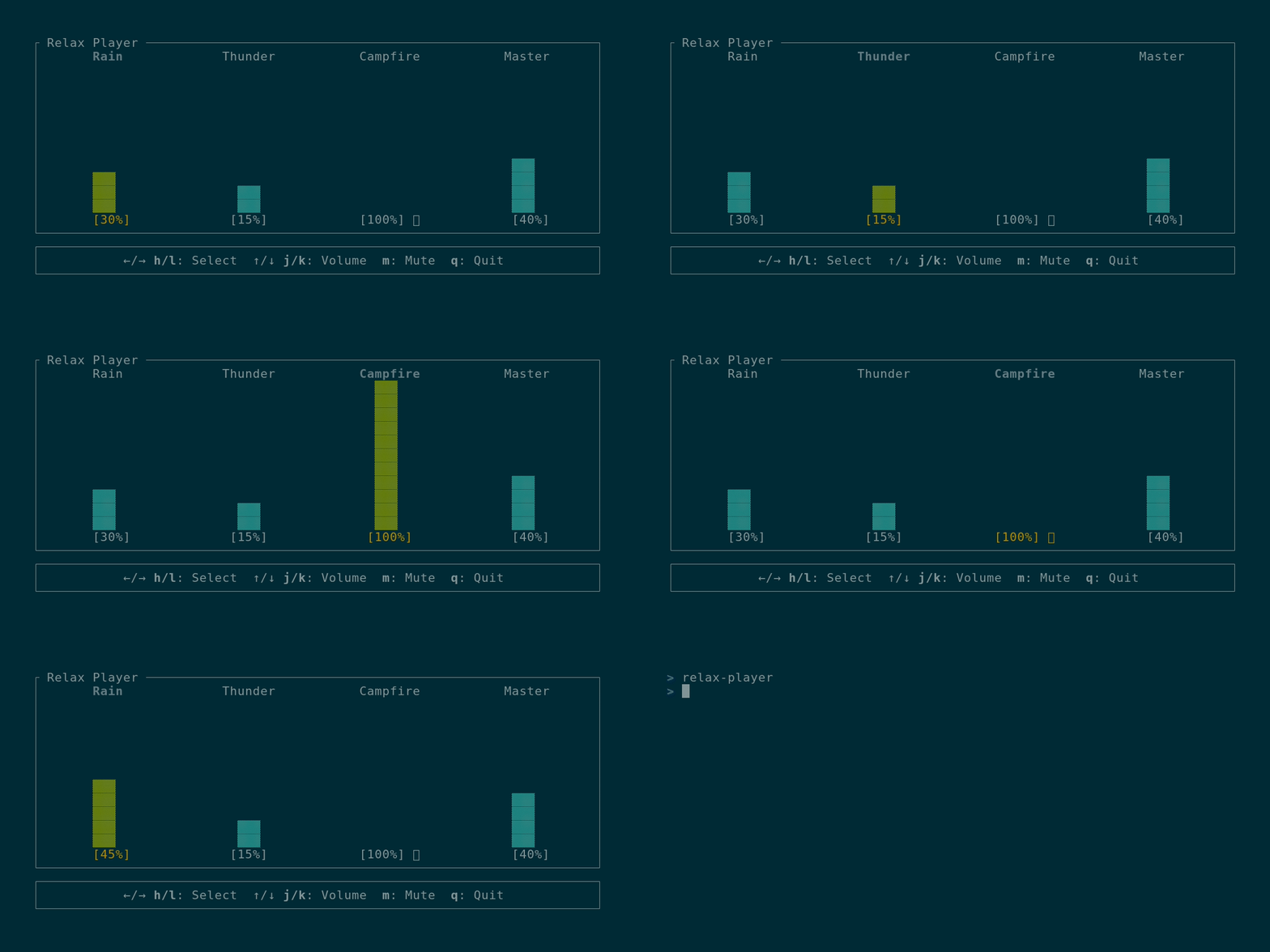
A lightweight, distraction-free alternative to web-based ambient players. Features individual volume control for Rain, Thunder, and Campfire sounds with an alsamixer-style TUI interface.
## Why relax-player?
I built this because I wanted a simpler way to manage my focus environment:
* **No more YouTube tabs:** Tired of manually balancing volumes for different "Rain & Thunder" videos every time.
* **Lightweight:** Uses minimal CPU/RAM compared to a browser or heavy electron app.
* **100% Offline:** Once sounds are downloaded, you don't need an internet connection. No tracking, no ads, just focus.
## Features
- Play multiple looping ambient sounds simultaneously
- Individual volume control for each sound (0-100%)
- Master volume control
- Mute/unmute individual sounds
- Alsamixer-style vertical bar UI
- Persistent configuration (volumes and mute states saved automatically)
- Cross-platform (Linux, Windows, macOS)
- Vim-style keybindings
## Installation
### Prerequisites
**Linux users:** ALSA development libraries are required to build the application:
```bash
# Debian/Ubuntu
sudo apt-get install libasound2-dev
# Fedora/RHEL
sudo dnf install alsa-lib-devel
# Arch Linux
sudo pacman -S alsa-lib
```
### From crates.io (recommended)
```bash
cargo install relax-player
```
### From Arch User Repository(AUR)
```bash
paru -S relax-player
```
On first run, the application will automatically download the sound files for you.
### From source
```bash
cargo build --release
./target/release/relax-player
```
Debug builds check `./sounds/` in the current directory first, making local development easier. If sounds aren't found in CWD, they fall back to downloading from GitHub like release builds.
**Release builds**: Sound files are automatically downloaded when you first run the application. They are stored in a platform-specific data directory and will be reused between sessions.
## Sound Management
### Automatic Downloads
- **First install**: Sounds are automatically downloaded on first run
- **Version updates**: When you update to a new version, you'll be prompted to download updated sounds
- **Storage location**:
- **Linux**: `~/.local/share/relax-player/sounds/`
- **Windows**: `%APPDATA%\relax-player\sounds\`
- **macOS**: `~/Library/Application Support/relax-player/sounds/`
## Controls
### Navigation
- `←` / `→` or `h` / `l` - Select previous/next channel
- Channels: Rain → Thunder → Campfire → Master
### Volume Control
- `↑` / `↓` or `k` / `j` - Increase/decrease volume (±5%)
- Volume range: 0-100%
### Mute
- `m` - Toggle mute for selected sound (not available for Master)
### Other
- `q` - Quit application
## Configuration
Settings are automatically saved to a configuration file when changed:
- **Linux**: `~/.config/relax-player/config.json`
- **Windows**: `%APPDATA%\relax-player\config.json`
- **macOS**: `~/Library/Application Support/relax-player/config.json`
The config file stores:
- Individual volume levels for each sound
- Mute states
- Master volume
- Downloaded sounds version (for update tracking)
## License
The source code for **Relax Player** is licensed under the **MIT License**.
**Audio Assets:**
The ambient sounds (Rain, Thunder, Campfire) are sourced from Pixabay and are subject to the **Pixabay License**. They are free to use within this application but **cannot be redistributed or sold as standalone audio files**.
See [LICENSE](LICENSE) and [CREDITS.md](CREDITS.md) for more details.