https://github.com/ebukaracer/eztransitions
Provides a simple and flexible way to create and manage scene transitions in Unity.
https://github.com/ebukaracer/eztransitions
gamedev unity unity3d unitypackage
Last synced: over 1 year ago
JSON representation
Provides a simple and flexible way to create and manage scene transitions in Unity.
- Host: GitHub
- URL: https://github.com/ebukaracer/eztransitions
- Owner: ebukaracer
- Created: 2025-01-23T12:01:24.000Z (over 1 year ago)
- Default Branch: main
- Last Pushed: 2025-03-20T17:53:22.000Z (over 1 year ago)
- Last Synced: 2025-03-20T18:38:15.878Z (over 1 year ago)
- Topics: gamedev, unity, unity3d, unitypackage
- Language: C#
- Homepage: https://ebukaracer.github.io/EzTransitions/
- Size: 53.7 KB
- Stars: 2
- Watchers: 1
- Forks: 0
- Open Issues: 0
-
Metadata Files:
- Readme: README.md
Awesome Lists containing this project
README
# EzTransitions
[](http://makeapullrequest.com) [](https://ebukaracer.github.io/ebukaracer/md/LICENSE.html)
**EzTransitions** is a Unity package that provides a simple and flexible way to create and manage scene transitions. It includes tools for creating custom transitions and utilities for handling asynchronous scene loading with transition effects.
[Read Docs](https://ebukaracer.github.io/EzTransitions)
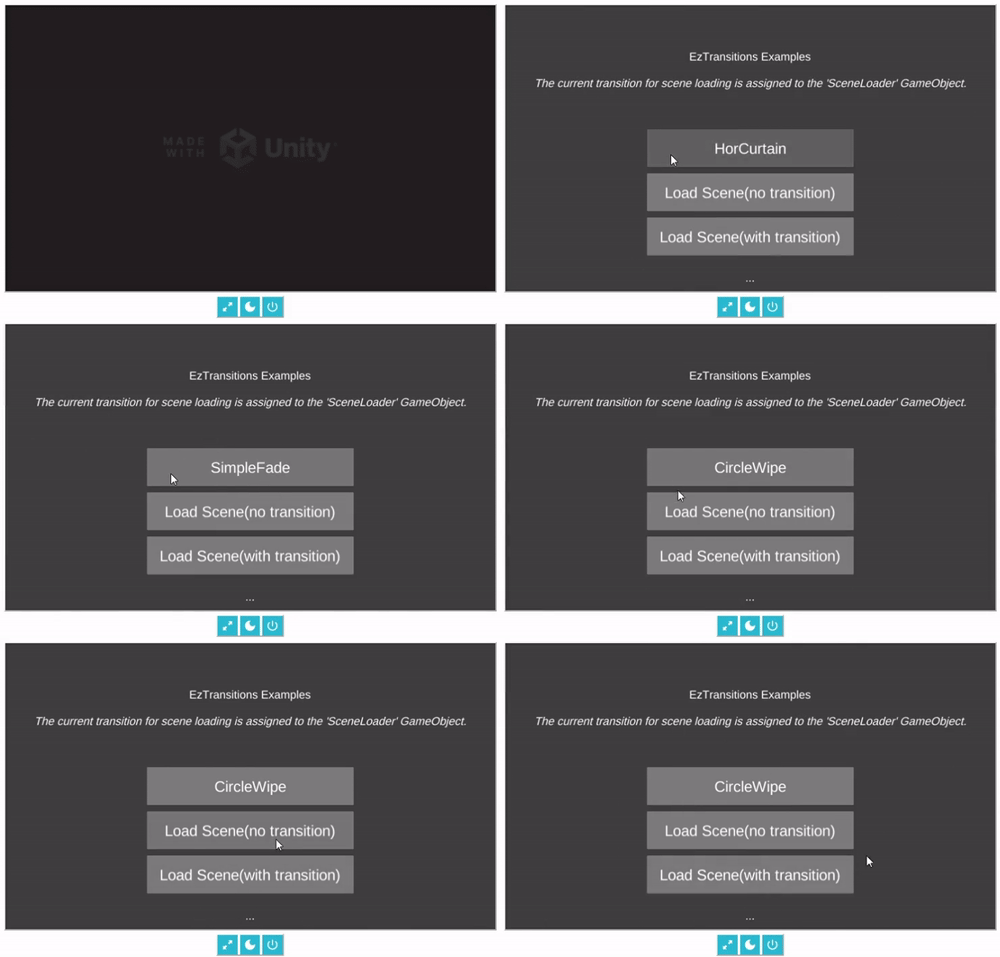
## Features
- Asynchronous scene loading with optional transition effects.
- Customizable transition settings.
- Easy-to-use editor tools for creating new transitions.
- Elements for managing transitions and scene loading.
## Installation
*In unity editor inside package manager:*
- Hit `(+)`, choose `Add package from Git URL`(Unity 2019.4+)
- Paste the `URL` for this package inside the box: https://github.com/ebukaracer/EzTransitions.git#upm
- Hit `Add`
- If you're using assembly definition in your project, be sure to add this package's reference under: `Assembly Definition References` or check out [this](https://ebukaracer.github.io/ebukaracer/md/SETUPGUIDE.html)
## Setup
After installation, navigate to `Racer > EzTransitions > Import Elements` to import this package's elements for scene-loading, creating and managing custom transitions.
## Quick Usage
1. Add `SceneLoader` prefab into the desired scene.
2. Quickly load into the next scene asynchronously using `SceneLoader.Instance`:
```csharp
using Racer.EzTransitions.Core;
using UnityEngine;
public class LoadSceneExample : MonoBehaviour
{
public void LoadToScene()
{
// Load a scene by name
SceneLoader.Instance.LoadSceneAsync("ExampleScene");
// Load a scene by build index
SceneLoader.Instance.LoadSceneAsync(1);
}
}
```
1. Add `TransitionManager` prefab into the desired scene.
2. Perform in/out transitions using `TransitionManager.Instance`:
```csharp
using Racer.EzTransitions.Core;
using UnityEngine;
public class SimpleTransitionExample : MonoBehaviour
{
[SerializeField] private Transition transition;
[SerializeField] private float transitionDelay = 0.5f;
void Start()
{
// Performs a transition(assigned in the inspector)
TransitionManager.Instance.Transit(transition, transitionDelay);
}
}
```
## Samples and Best Practices
After Installation, use the menu option `Racer > EzTransitions > Import Elements` to import this package's essential elements(scripts, prefabs) to speed up workflow.
Check out this package's sample scene by importing it from the package manager *sample's* tab. It showcases the built-in transitions provided by this package and their usage.
*To remove this package completely(leaving no trace), navigate to: `Racer > EzTransitions > Remove package`*
## [Contributing](https://ebukaracer.github.io/ebukaracer/md/CONTRIBUTING.html)
Contributions are welcome! Please open an issue or submit a pull request.