https://github.com/ebullient/obsidian-slides-extended
Create markdown-based reveal.js presentations in Obsidian
https://github.com/ebullient/obsidian-slides-extended
obsidian obsidian-plugin reveal-js revealjs
Last synced: 2 months ago
JSON representation
Create markdown-based reveal.js presentations in Obsidian
- Host: GitHub
- URL: https://github.com/ebullient/obsidian-slides-extended
- Owner: ebullient
- License: mit
- Created: 2024-02-17T17:55:47.000Z (over 2 years ago)
- Default Branch: main
- Last Pushed: 2026-04-15T19:07:52.000Z (2 months ago)
- Last Synced: 2026-04-15T20:22:33.816Z (2 months ago)
- Topics: obsidian, obsidian-plugin, reveal-js, revealjs
- Language: TypeScript
- Homepage: https://www.ebullient.dev/projects/obsidian-slides-extended/
- Size: 30.5 MB
- Stars: 239
- Watchers: 4
- Forks: 19
- Open Issues: 9
-
Metadata Files:
- Readme: README.md
- Changelog: CHANGELOG.md
- Contributing: CONTRIBUTING.md
- License: LICENSE
- Agents: AGENTS.md
Awesome Lists containing this project
README
# Slides Extended (for Obsidian)

🚧 Fork in progress, there will be some dust 🚧
Docs, especially, are pretty borked. ;)
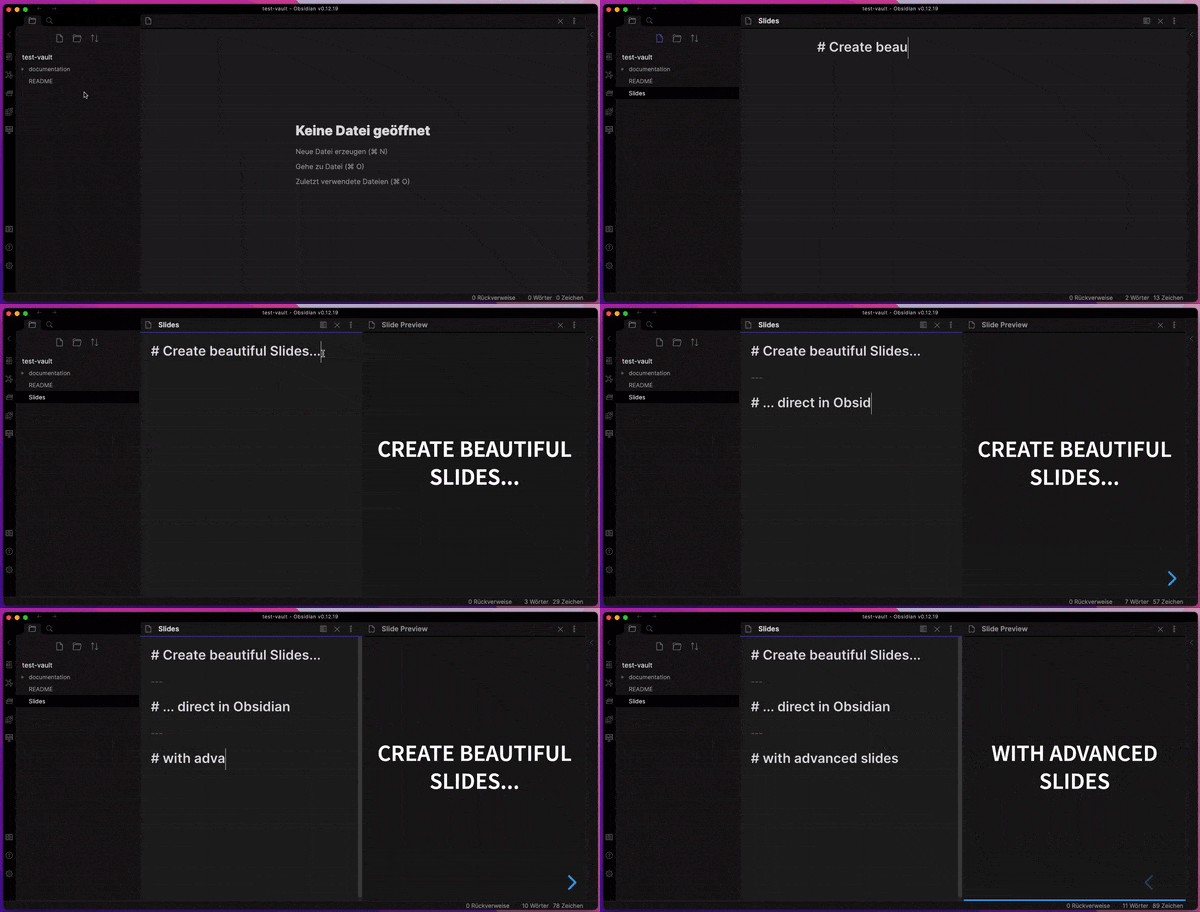
Slides Extended is the perfect slide deck extension for [Obsidian](https://obsidian.md)
## Features
- Embed your notes into your slides
- Live Preview while editing your slides
- Themes allow you to change the appearance of your slides
- Annotations allow you to change the style of your slides
- Export slides as PDF Documents or as HTML Presentations
- **Support for most of the Obsidian Markdown Syntax**
## Installation
Slides Extended is an official community plugin. Here's how you can install it:
1. Open Obsidian and go to `Settings`.
2. Click on `Community Plugins`.
3. Make sure "Safe Mode" is turned off.
4. Click on `Browse`.
5. Search for `Slides Extended`.
6. Click `Install` on the `Slides Extended` plugin.
7. After installation, make sure to enable the plugin by toggling it on in the `Installed Plugins` section.
### Manual Installation
1. Download the latest release from [GitHub](https://github.com/ebullient/obsidian-slides-extended/releases).
You need the files: `manifest.json`, `main.js`, `style.css` and `slides-extended.zip`.
2. In Obsidian, open your vault's root folder in your file explorer.
3. Navigate to the `.obsidian/plugins` directory. If it doesn't exist, create it.
4. Extract the contents of the downloaded `.zip` file into a new folder within the `plugins` directory.
5. Copy the file `manifest.json`, `main.js`, and `style.css` into the folder `slides-extended`.
5. Restart Obsidian or reload your vault.
6. Go to `Settings` > `Community Plugins` and make sure "Safe Mode" is turned off.
7. Click on `Browse` under `Community Plugins`, find `Obsidian Slides Extended`, and enable it.
> [!NOTE]
> The plugin folder is named `slides-extended` and contains the `.zip`-contents, like `css`, `dist`, `plugin`, `template`,
> but also the additional files `mainfest.json`, `main.js`, and `style.css`.
### Installation Using BRAT
If you prefer to use BRAT for plugin management:
1. Ensure you have BRAT installed. If not, follow the [BRAT installation guide](https://github.com/TfTHacker/obsidian42-brat#readme).
2. In Obsidian, open the command palette (`Ctrl/Cmd + P`) and search for "BRAT: Add a Beta Plugin".
3. Enter `ebullient/obsidian-slides-extended` as the GitHub repository.
4. BRAT will handle the installation. Once complete, restart or reload your vault for changes to take effect.
## Acknowledgements
Matthäus worked on this plugin for a long time, and [announced that he was discontinuing](https://forum.obsidian.md/t/discontinued-advanced-slides-create-markdown-based-reveal-js-presentations-in-obsidian/28243) the plugin on the forum.
This plugin was a huge undertaking. I'm just picking up where Matthäus left off.
---
- MIT licensed | Copyright © 2024 Erin Schnabel
- MIT licensed | Copyright © 2021 Matthäus Szturc