https://github.com/ecell/ecell4-vagrant
https://github.com/ecell/ecell4-vagrant
Last synced: 5 months ago
JSON representation
- Host: GitHub
- URL: https://github.com/ecell/ecell4-vagrant
- Owner: ecell
- Created: 2014-04-18T11:11:26.000Z (about 12 years ago)
- Default Branch: master
- Last Pushed: 2014-06-05T11:30:36.000Z (about 12 years ago)
- Last Synced: 2024-12-29T23:44:18.365Z (over 1 year ago)
- Language: Shell
- Size: 441 KB
- Stars: 2
- Watchers: 10
- Forks: 0
- Open Issues: 0
-
Metadata Files:
- Readme: README.md
Awesome Lists containing this project
README
# Requirements
* Virtualbox
* Vagrant
## Disk space and memory
ecell4-vagrant requires *1.5GB* disk space and *2GB* memory
## Mac OS X Virtualbox, Vagrant installation
1. Download dmg file from http://www.oracle.com/technetwork/server-storage/virtualbox/downloads/index.html , and open it.
2. Download dmg file from http://www.vagrantup.com/downloads.html , and open it.
## Windows Virtualbox, Vagrant installation
1. Download exe file from http://www.oracle.com/technetwork/server-storage/virtualbox/downloads/index.html , and open it.
2. Download msi file from http://www.vagrantup.com/downloads.html , and open it.
## Ubuntu 14.04 LTS (Trusty Tahr) Virtualbox, Vagrant installation
1. Open terminal, and run `sudo apt-get install virtualbox`
2. Download deb file from http://www.vagrantup.com/downloads.html , and run `sudo dpkg -i vagrant_*.deb` in terminal.
# How to use ecell4-vagrant
Download and unzip https://github.com/ecell/ecell4-vagrant/archive/master.zip
* open terminal(or command prompt) and run these commands
```
cd ecell4-vagrant-master
vagrant up
```
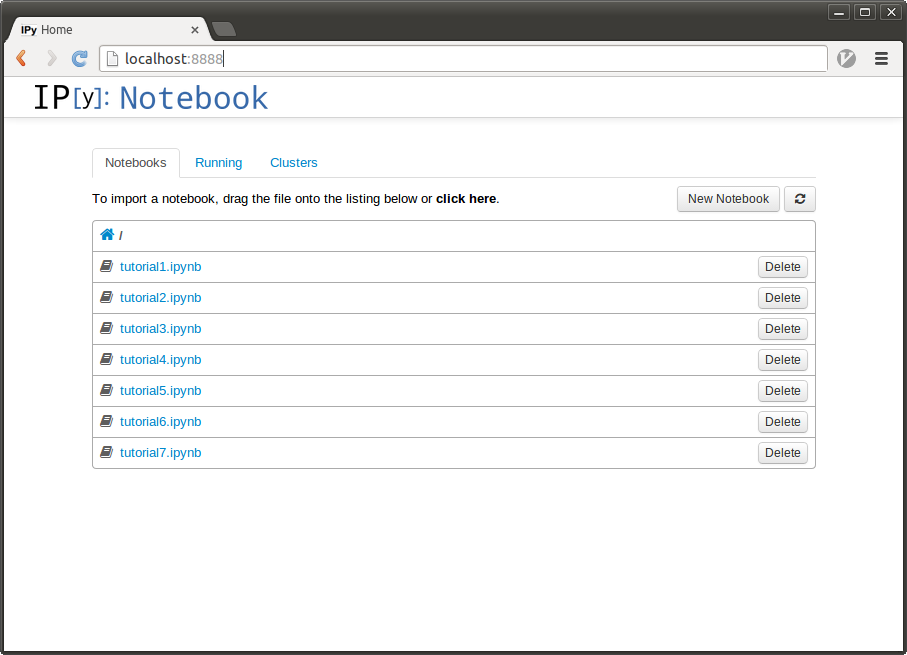
* open localhost:8888 with your browser, there should be 7 ipynb tutorials.
## When you aborted ecell4-vagrant
When you rebooted your PC, ecell4-vagrant vm might be in *aborted* state.
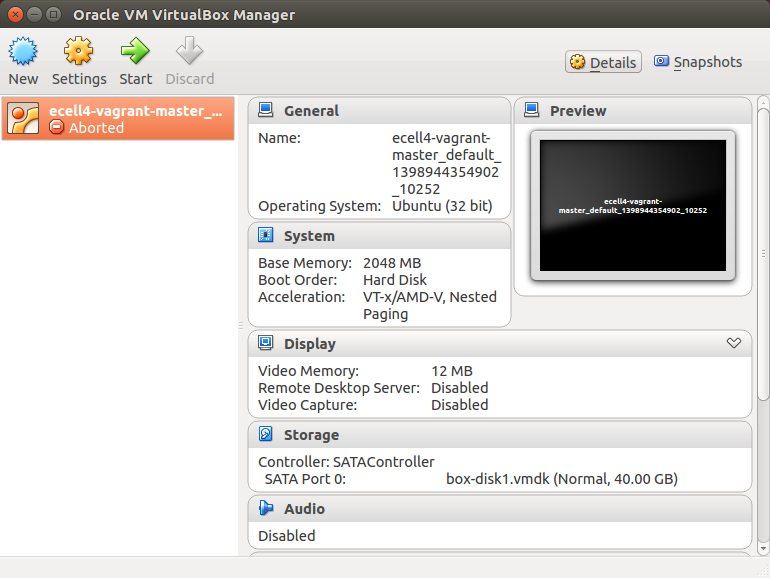
In this state, you cannot access E-Cell4 IPython notebook.
Please run
```
cd ecell4-vagrant-master
vagrant reload
```