https://github.com/echo-devim/kalendar
A calendar Qt application to manage your time in an efficient way
https://github.com/echo-devim/kalendar
calendar gregorian-calendar qt5
Last synced: over 1 year ago
JSON representation
A calendar Qt application to manage your time in an efficient way
- Host: GitHub
- URL: https://github.com/echo-devim/kalendar
- Owner: echo-devim
- License: gpl-3.0
- Created: 2016-03-14T22:02:20.000Z (over 10 years ago)
- Default Branch: master
- Last Pushed: 2023-06-08T16:50:10.000Z (about 3 years ago)
- Last Synced: 2025-03-23T10:35:52.024Z (over 1 year ago)
- Topics: calendar, gregorian-calendar, qt5
- Language: C++
- Homepage:
- Size: 52.6 MB
- Stars: 62
- Watchers: 3
- Forks: 13
- Open Issues: 8
-
Metadata Files:
- Readme: README.md
- License: LICENSE
Awesome Lists containing this project
README
# Kalendar

Kalendar is a cross-platform Gregorian calendar application written in C++ with the Qt5 library for the gui. This project **is not related** with KDE. I'm trying to keep Kalendar as simple as possible and I want to avoid annoying dependencies (so you can easly install it everywhere). This calendar is offline and it doesn't support synchronization with online calendars at the moment.
The project was inspired by gnome-calendar, but I'm writing it from scratch.
FEATURES:
* Support multiple calendars (i.e. databases)
* Manage your events
* Manage your TODOs
* Notify future events
* iCal format support
* External tools support (e.g. Facebook plugin)
* Desktop Environment independent
TODO:
* External plugins support
* Year view for long-term events
* Add an encryption layer
* Improve support for recurrent events
* Implement search function
*Warning:* This application isn't compatible with 32 bit systems (see: [year 2038 problem](https://en.wikipedia.org/wiki/Year_2038_problem) ), but you can make it compatible adding `#define BIT32` inside `event.h`.
### Screenshot
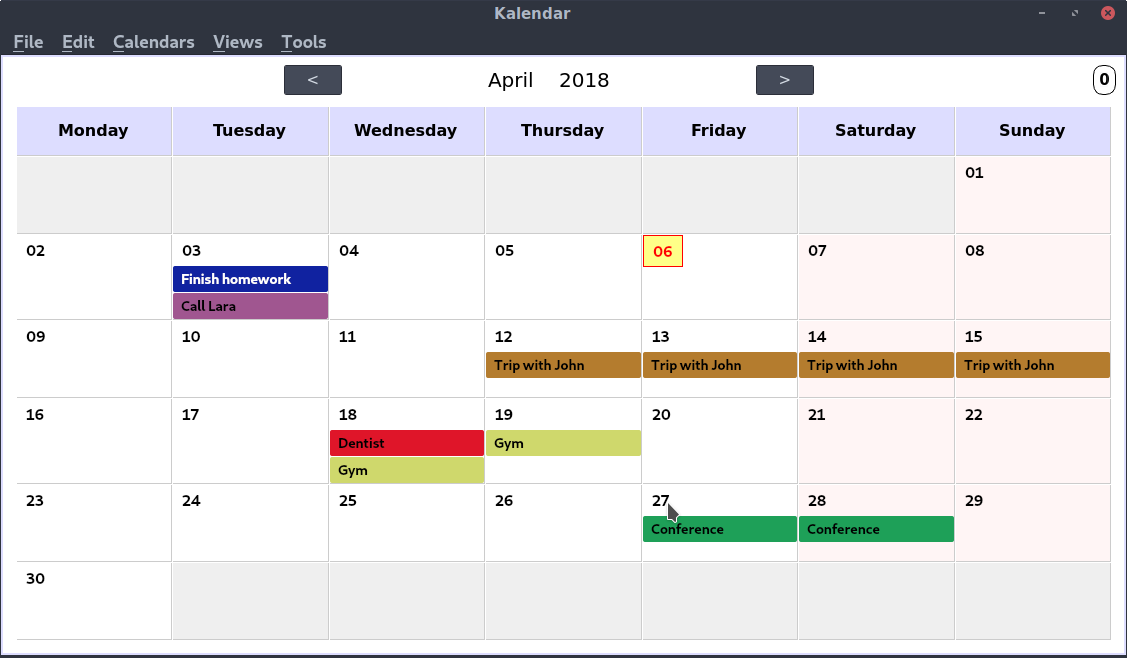
Screenshot from Kalendar-stable-2.7
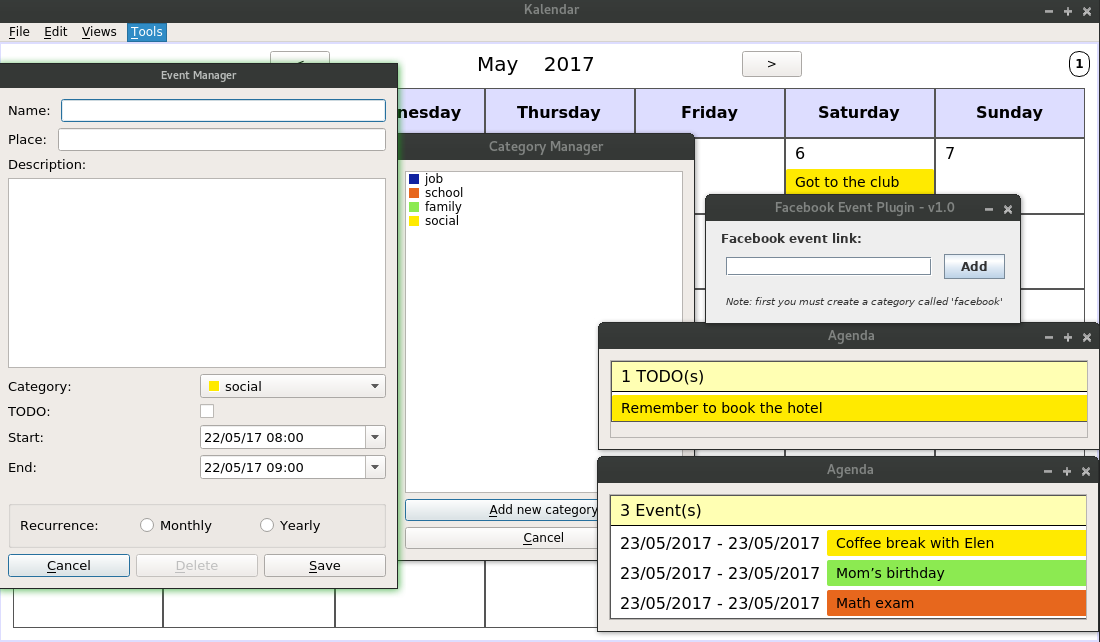
Screenshot from Kalendar-stable-2.0
### Screencast
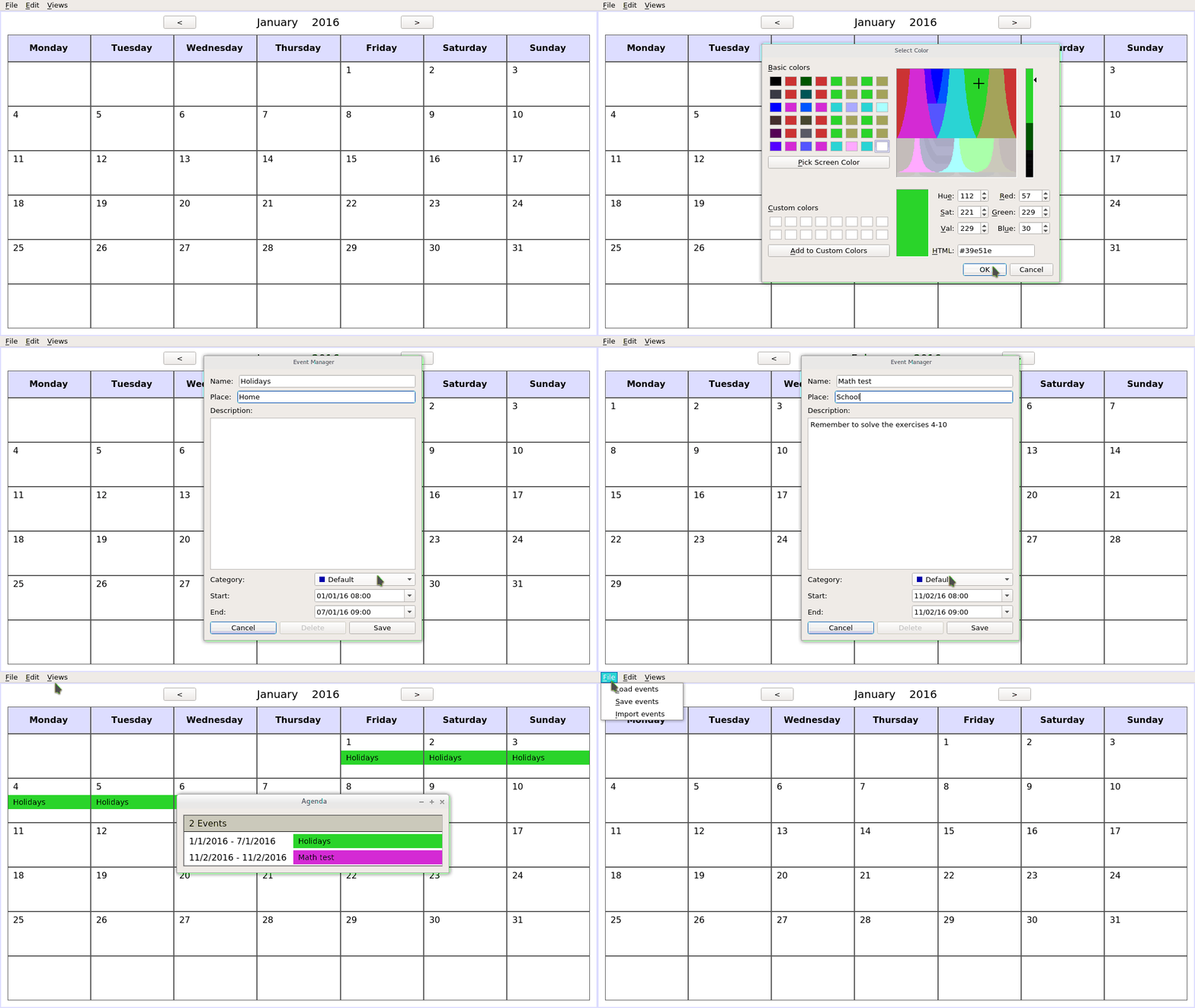
Screencast from Kalendar-alpha-1.3-x86\_64 (**OLD**)
### Motivations
I need to schedule my time in a more efficient way. I don't like online calendars like google calendar for the privacy issues. I looked for some good calendar applications, but there are just a couple of such calendars. This is a shame, because linux exists from so many years and the users need to have a good calendar application. The two main calendar applications are: gnome-desktop and korganizer. Their problems are a lot of dependencies and complicated compilation. So, I decided to develop a simple but powerful calendar with painless compilation, without dependencies and desktop environment (almost) independent.
### Compilation
You need to have `qmake`. In Fedora you can find it inside the `qt-devel` package.
You need to install also `sqlite3` developer package. In Fedora the package is called `sqlite-devel`.
After you've installed these packages, you can run `qmake` (or `qmake-qt5` in Fedora) inside the src folder and then the `make` command.
You should get the Kalendar executable inside the same folder.
Note: Kalendar will create the following folder: ~/kalendar, so remember to delete it if you decide to delete Kalendar.
### Further Notes
In the `tools` folder, you can put **sh** or **bat** scripts that will be integrated in the tools menu of the application. The plugins at the moment are only external tools. They require to run `kalendar` without the absolute path, so (on linux) you should create the script `/bin/kalendar` with the following content:
```
#! /bin/bash
cd /absolute/path/to/the/bin/directory/
./Kalendar-version "$@"
```
Remember to give the right permissions with `# chmod +x /bin/kalendar`. To see the effects of the plugins you may need to restart the application or refresh the view.
If you create a desktop file, use `kalendar` for the **Exec** field.
### Tips
If you right-click on an event, it'll be deleted. If you middle-click on an event, it'll be selected. Once an event is selected, you can move it with A (backward) or F (forward) keys and resize it using S and D keys. Press Canc to cancel the selection.
Press **c** to easily switch among your calendars.
### License
GPLv3+