https://github.com/eclipse-platform/ui-best-practices
UI Best Practices for the Eclipse IDE
https://github.com/eclipse-platform/ui-best-practices
Last synced: about 1 year ago
JSON representation
UI Best Practices for the Eclipse IDE
- Host: GitHub
- URL: https://github.com/eclipse-platform/ui-best-practices
- Owner: eclipse-platform
- License: epl-1.0
- Created: 2016-09-27T08:08:32.000Z (almost 10 years ago)
- Default Branch: main
- Last Pushed: 2025-04-10T05:58:19.000Z (over 1 year ago)
- Last Synced: 2025-04-10T06:38:53.313Z (over 1 year ago)
- Language: Shell
- Homepage: https://eclipse-platform.github.io/ui-best-practices/
- Size: 17.2 MB
- Stars: 18
- Watchers: 26
- Forks: 13
- Open Issues: 1
-
Metadata Files:
- Readme: README.md
- Contributing: CONTRIBUTING.md
- License: LICENSE
Awesome Lists containing this project
README
# Eclipse UI Best Practices
Our [Eclipse UI Guidelines](https://eclipse-platform.github.io/ui-best-practices/) are for developers of the Eclipse IDE and Eclipse Plug-Ins.
They describe how to create consistent user interfaces in Eclipse or RCP applications.
[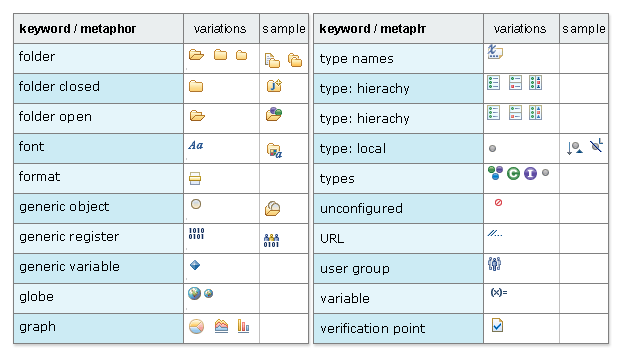](https://eclipse-platform.github.io/ui-best-practices/)
## Content
This repository contains the AsciiDoc source.
The [HTML version](https://eclipse-platform.github.io/ui-best-practices/) is hosted on [GitHub pages](https://eclipse-platform.github.io/ui-best-practices/).
## Feedback
We'd like to hear your feedback.
Please [create an issue](https://github.com/eclipse-platform/ui-best-practices/issues),
submit a [pull request](https://github.com/eclipse-platform/ui-best-practices/pulls)
or [start a discussion](https://github.com/eclipse-platform/ui-best-practices/discussions).
## Contributing
This repository contains the source for the [Eclipse UI Guidelines](https://eclipse-platform.github.io/ui-best-practices/) in AsciiDoc format, as an Eclipse or Maven project.
Build it with `mvn verify`.
### Making changes
Please ensure that [every sentence is on a separate line](https://asciidoctor.org/docs/asciidoc-recommended-practices/#one-sentence-per-line).
The [AsciiDoc Syntax Reference](http://asciidoctor.org/docs/asciidoc-syntax-quick-reference/) explains all available formatting.
Editing is easy with the [Eclipse AsciiDoctor Plug-in](https://github.com/de-jcup/eclipse-asciidoctor-editor)
as well as with the [VSCode Extension](https://marketplace.visualstudio.com/items?itemName=asciidoctor.asciidoctor-vscode).