https://github.com/eddieantonio/vim-center
Center headings easily in vim!
https://github.com/eddieantonio/vim-center
center comments headings vim
Last synced: about 1 year ago
JSON representation
Center headings easily in vim!
- Host: GitHub
- URL: https://github.com/eddieantonio/vim-center
- Owner: eddieantonio
- Created: 2019-11-02T19:52:37.000Z (over 6 years ago)
- Default Branch: master
- Last Pushed: 2019-11-17T19:43:05.000Z (over 6 years ago)
- Last Synced: 2025-01-20T14:56:55.529Z (over 1 year ago)
- Topics: center, comments, headings, vim
- Language: Vim script
- Homepage:
- Size: 25.4 KB
- Stars: 0
- Watchers: 2
- Forks: 0
- Open Issues: 0
-
Metadata Files:
- Readme: README.md
Awesome Lists containing this project
README
vim-center
==========
[](https://travis-ci.org/eddieantonio/vim-center)
Vim plugin to make **centered headings**:
[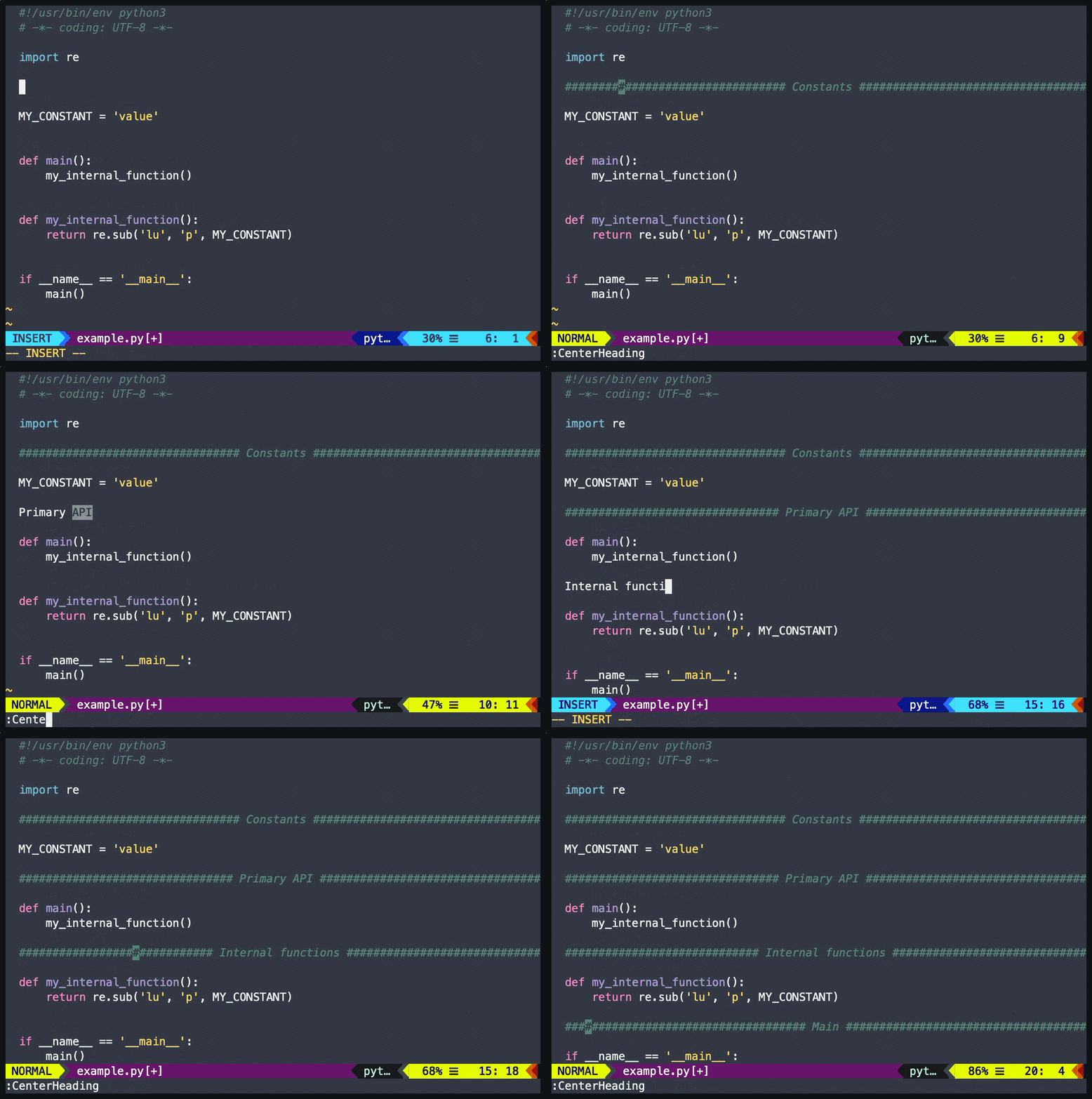](https://asciinema.org/a/281912?t=2)
Install
-------
Use your favourite package manager:
### Pathogen
git clone https://github.com/eddieantonio/vim-center ~/.vim/bundle/vim-center
### vim-plug
Plug 'eddieantonio/vim-center'
### Vundle
Plugin 'eddieantonio/vim-center'
Commands
--------
There is only one command: `:CenterHeading`
Write a heading in your buffer like this:
```
This is my heading
```
Then, in normal mode, type `:CenterHeading` and press enter:
```python
########################## This is my heading ##########################
```
The delimiters are determined automatically by file type. Say I was
writing code in C and I made a heading for constants:
```c
Constants
enum {
MY,
WILD,
ENUM
};
```
Use `:CenterHeading` while on the first line:
```c
/***************************** Constants ******************************/
enum {
MY,
WILD,
ENUM
};
```
Mappings
--------
*vim-center* does not define any mappings by default, but
`:CenterHeading` can be mapped by using `(center-heading)`. For
example, I have this in my `.vimrc`:
```vim
noremap ch (center-heading)
```
Credits
-------
Written in 2019 by Eddie Antonio Santos.