https://github.com/edent/trmnl-quiz
https://github.com/edent/trmnl-quiz
Last synced: 27 days ago
JSON representation
- Host: GitHub
- URL: https://github.com/edent/trmnl-quiz
- Owner: edent
- License: other
- Created: 2025-07-20T07:36:50.000Z (11 months ago)
- Default Branch: main
- Last Pushed: 2025-07-21T07:46:01.000Z (11 months ago)
- Last Synced: 2026-04-21T02:03:17.255Z (about 2 months ago)
- Language: PHP
- Size: 2.99 MB
- Stars: 1
- Watchers: 0
- Forks: 0
- Open Issues: 0
-
Metadata Files:
- Readme: README.md
- License: LICENSE
Awesome Lists containing this project
README
# Library Quiz for TRMNL
Entered for the [bookreaders Hackaton](https://usetrmnl.com/blog/hackathon-book-readers), 2025
## About
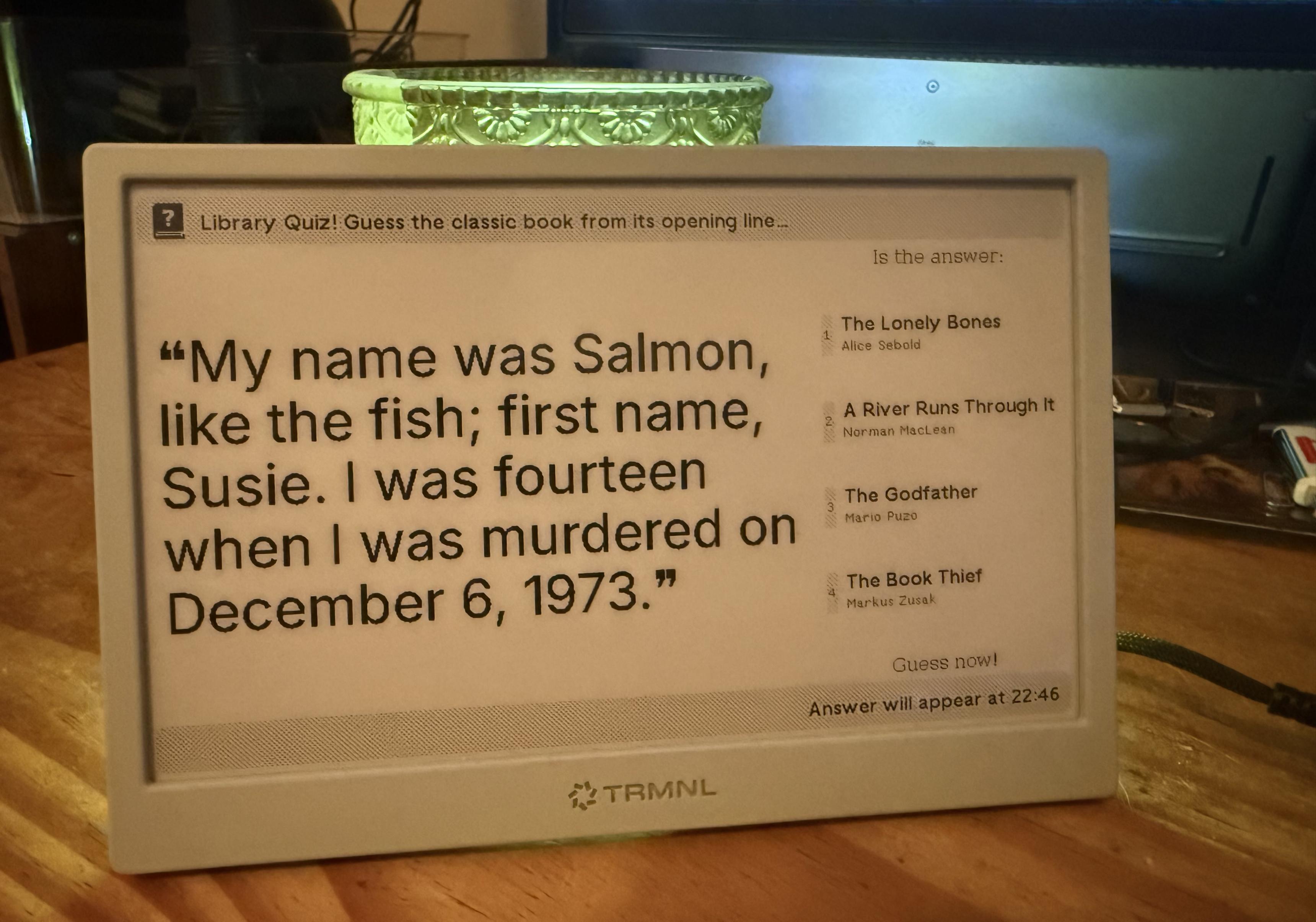
Librarians can create an engaging quiz based on some of the most iconic books on their shelves.
* Every 15 minutes, your TRMNL will display the opening line of a popular book.
* Four choices are shown - including the name of the book and the author.
* After 10 minutes, the answer is shown by displaying the book cover.
* Five minutes later, a different book's opening line is displayed.
This sample plugin contains nearly one-hundred different books. More can be added to suit the needs of your library or collection.
## How it works
The file `generator.php` contains a list of books, opening lines, authors, and cover images.
Every time the generator webpage is requested, it randomly selects four books. It then creates a JSON document which contains all the information needed to run the quiz.
## Adding new books
In the file `generator.php` you will see a variable called `$books` - it is an array which holds all the books' information.
A book entry looks like:
```php
[
"title"=>"Moby Dick",
"line"=>"Call me Ishmael.",
"author"=>"Herman Melville",
"cover"=>"moby-dick-collins-classics.webp"
],
```
You can add new entries by copying that text, adding it to the end of the array, and saving it.
You will need a uniquely-named book cover image. Images can be JPEG, PNG, or WebP files. Save the file in the `covers` directory.