https://github.com/eder/julius
https://github.com/eder/julius
Last synced: 8 months ago
JSON representation
- Host: GitHub
- URL: https://github.com/eder/julius
- Owner: eder
- Created: 2015-07-09T05:19:14.000Z (almost 11 years ago)
- Default Branch: master
- Last Pushed: 2020-11-03T16:30:34.000Z (over 5 years ago)
- Last Synced: 2025-04-12T13:51:56.981Z (about 1 year ago)
- Language: JavaScript
- Size: 3.72 MB
- Stars: 12
- Watchers: 1
- Forks: 2
- Open Issues: 1
-
Metadata Files:
- Readme: README.md
Awesome Lists containing this project
README
[](https://travis-ci.org/eder/julius)

Julius Layer
============
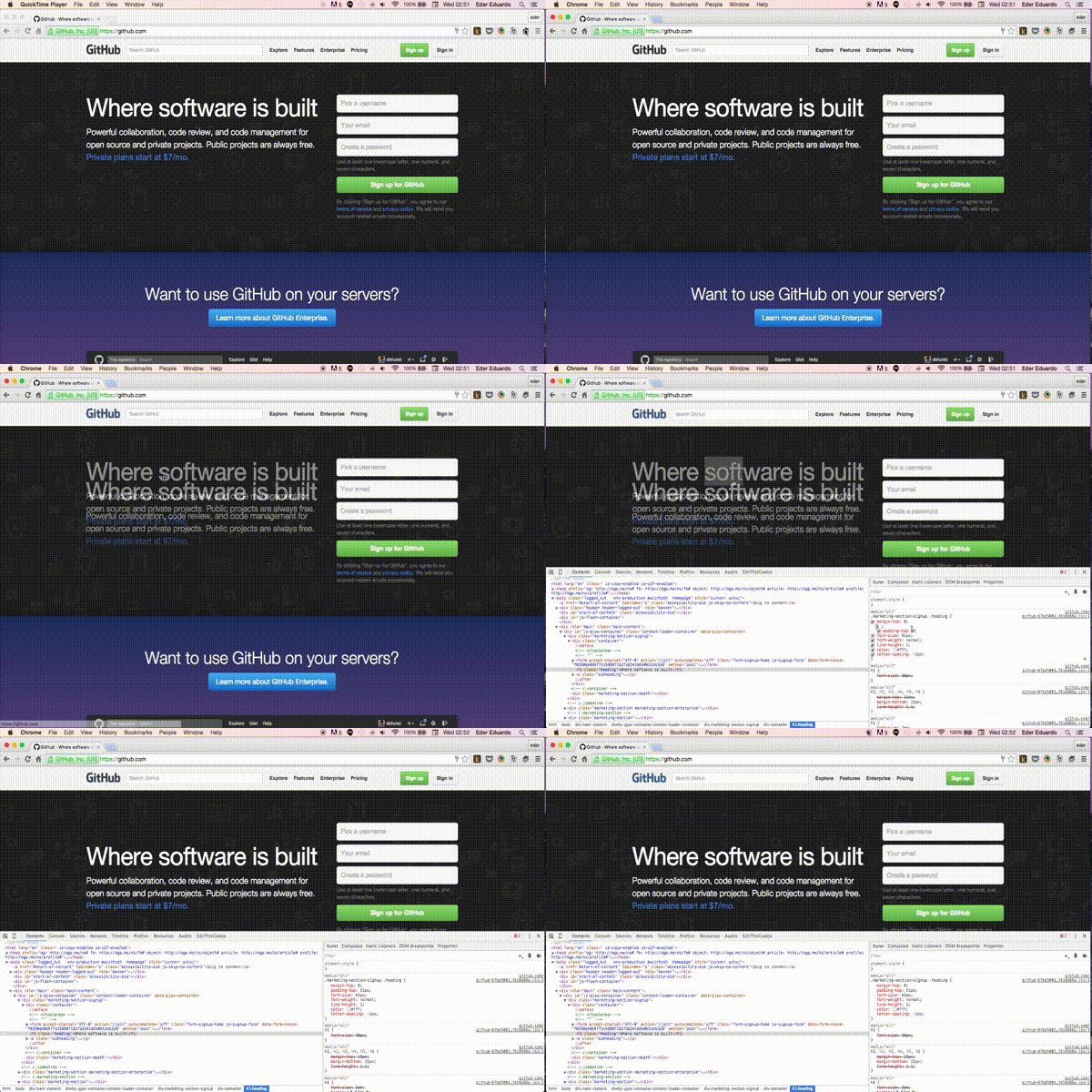
Julius Layer is an app for chrome that puts one image layer on top the of your HTML at its actual size.
It helps you to make your HTML more easily, since now you can compare the layout with the HTML.
Features
--------
+ Displays JPG, PNG (also with transparency), GIF.
+ Keyboard control for pixel precise positioning.
How it works
------------
Install
-------
### Chrome Web Store
* [Chrome Web Store page](https://chrome.google.com/webstore/detail/julius-layer/gkpmophphckjnpijmlhaepfcbploieff?utm_source=github)
### Manual Download
Extensions that you download from the Chrome Web Store are packaged up as .crx files, which is great for distribution, but not so great for development. Recognizing this, Chrome gives you a quick way of loading up your working directory for testing. This is how you can do it:
1. Visit in your browser (or open up the Chrome menu by clicking in the icon at the far right of the Omnibox, the three horizontal bars , and select **Extensions** under the **Tools** menu to get to the same place).
2. Ensure that the Developer mode checkbox in the top right-hand corner is checked.
3. Click Load unpacked extension… to pop up a file-selection dialog.
4. Navigate to the directory in which your extension files live, and select it.
Alternatively, you can drag and drop the directory where your extension files live onto in your browser to load it.
If the extension is valid, it'll be loaded up and active right away! If it's invalid, an error message will be displayed at the top of the page. Correct the error, and try again.