https://github.com/edgaralexanderfr/php-espresso
Runtime web server for PHP.
https://github.com/edgaralexanderfr/php-espresso
async php php8 web webserver webservers
Last synced: 3 months ago
JSON representation
Runtime web server for PHP.
- Host: GitHub
- URL: https://github.com/edgaralexanderfr/php-espresso
- Owner: edgaralexanderfr
- Created: 2023-02-18T01:28:29.000Z (over 3 years ago)
- Default Branch: master
- Last Pushed: 2024-06-24T03:17:19.000Z (almost 2 years ago)
- Last Synced: 2025-12-14T09:28:08.492Z (6 months ago)
- Topics: async, php, php8, web, webserver, webservers
- Language: PHP
- Homepage: https://packagist.org/packages/edgaralexanderfr/php-espresso
- Size: 570 KB
- Stars: 1
- Watchers: 1
- Forks: 0
- Open Issues: 0
-
Metadata Files:
- Readme: README.md
Awesome Lists containing this project
README
# PHP Espresso Framework
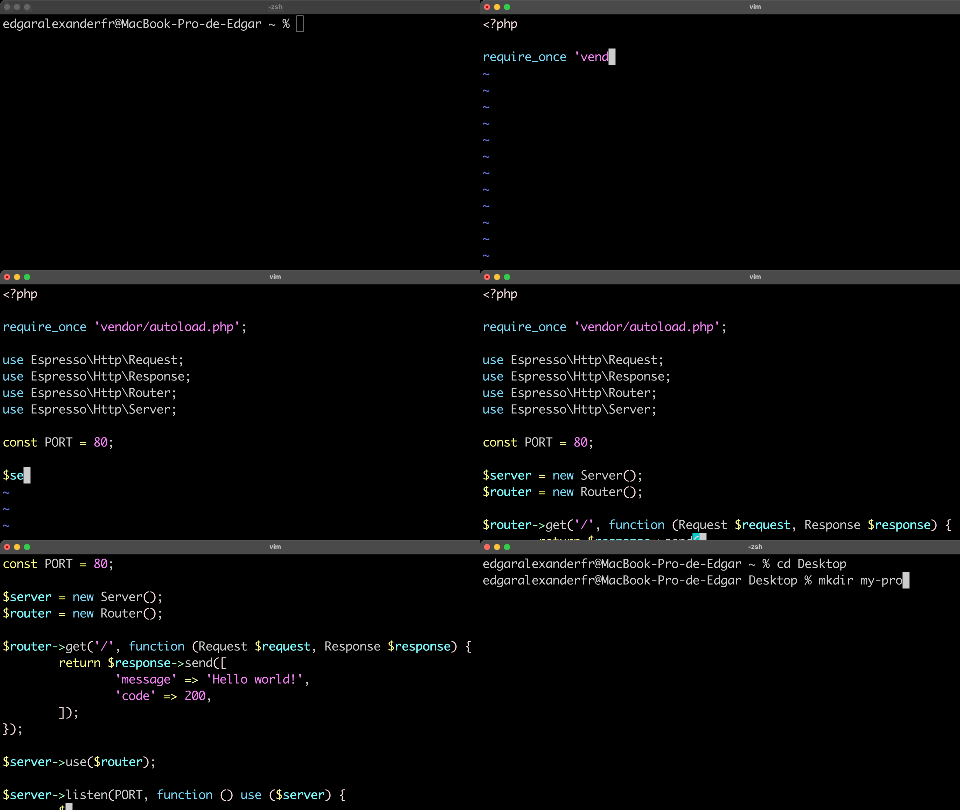


**PHP Espresso** is a small PHP Framework I created to develop runtime web servers for PHP running CLI programs and scripts. Very similar to frameworks like **Express** for _**NodeJS**_, **Gorilla Mux** for _**Golang**_, etc.
**IMPORTANT NOTE:** This is just a _proof of concept_ to test the reliability of a runtime web server for PHP, its use and implementation is discouraged for **production-level** projects as it's an experimental framework for learning purposes.
PHP was designed to be a **Single-Threaded** **Non-Asynchronous** programming language, hence, the implementation of these type of web servers is very difficult as there will be always blocking processes for each request, hence, this server/framework is non-scalable.
##### Table of contents 📖
1. [Requirements](#requirements)
2. [Installation](#installation)
3. [Usage](#usage)
- [3.1 Creating a basic web server](#server)
- [3.2 Serving a basic static HTML Page](#html)
- [3.3 Create a POST request](#post)
- [3.4 Complete Rest API CRUD example](#crud)
- [3.5 Defining middlewares](#middlewares)
- [3.6 Asynchronous programming](#async)
## Requirements
1. **PHP 8.0.0 or major**
2. **Have PHP sockets module installed and enabled**
3. **Composer**
4. **Have a initted Composer project**
## Installation
Install **PHP Espresso** via Composer:
```bash
composer require edgaralexanderfr/php-espresso
```
## Usage
### Creating a basic web server
Create a _**server.php**_ file inside your project with the following program:
```php
get('/', function (Request $request, Response $response) {
return $response->send([
'message' => 'Hello world!',
'code' => 200,
]);
});
$server->use($router);
$server->listen(PORT, function () use ($server) {
$server->log('Listening at port ' . PORT . '...');
});
```
Run the server:
```bash
php server.php # Use sudo if necessary for port 80
```
Visit http://localhost or execute:
```bash
curl http://localhost
```
And voila! 🎉
### Serving a basic static HTML Page
```php
get('/php-espresso-page', function (Request $request, Response $response) {
return $response->setPayload(
<<
My Web Page with PHP Espresso!
My Web Page with PHP Espresso!
This page was served using PHP Espresso.
HTML
);
});
$server->use($router);
$server->listen(80, function () use ($server) {
$server->log('Listening at port 80...');
});
```
Visit http://localhost/php-espresso-page in your browser.
### Create a POST request:
```php
post('/users', function (Request $request, Response $response) {
$body_json = $request->getJSON();
return $response->send([
'message' => 'User created successfully',
'code' => 201,
'user' => $body_json,
], 201);
});
$server->use($router);
$server->listen(80, function () use ($server) {
$server->log('Listening at port 80...');
});
```
Execute a POST request:
```bash
curl -X POST http://localhost/users -d '{"name":"Alexander The Great"}'
```
### Complete Rest API CRUD example:
```php
get('/users', function (Request $request, Response $response) use (&$users) {
return $response->send($users);
});
$router->get('/users/:id', function (Request $request, Response $response) use (&$users) {
$id = $request->getId();
foreach ($users as $user) {
if (isset($user->{'id'}) && $user->id == $id) {
return $response->send($user);
}
}
return $response->send([
'message' => 'User not found',
'code' => 404,
], 404);
});
$router->post('/users', function (Request $request, Response $response) use (&$users, &$users_id) {
$body = $request->getJSON();
$email = $body->email ?? null;
$name = $body->name ?? null;
if (!$email || !$name) {
return $response->send([
'message' => 'Email and Name are required',
'code' => 400,
], 400);
}
$user = (object) [
'id' => $users_id++,
'email' => $email,
'name' => $name,
];
$users[] = $user;
return $response->send([
'message' => 'User created successfully',
'code' => 201,
'user' => $user,
], 201);
});
$router->patch('/users/:id', function (Request $request, Response $response) use (&$users) {
$id = $request->getId();
$body = $request->getJSON();
foreach ($users as &$user) {
if (isset($user->{'id'}) && $user->id == $id) {
$user->email = $body->email ?? $user->email;
$user->name = $body->name ?? $user->name;
return $response->send([
'message' => 'User updated successfully',
'code' => 200,
'user' => $user,
]);
}
}
return $response->send([
'message' => 'User not found',
'code' => 404,
], 404);
});
$router->delete('/users/:id', function (Request $request, Response $response) use (&$users) {
$id = $request->getId();
foreach ($users as $i => &$user) {
if (isset($user->{'id'}) && $user->id == $id) {
array_splice($users, $i, 1);
return $response->send([
'message' => 'User deleted successfully',
'code' => 200,
]);
}
}
return $response->send([
'message' => 'User not found',
'code' => 404,
], 404);
});
$server->use($router);
$server->listen(80, function () use ($server) {
$server->log('Listening at port 80...');
});
```
Create a couple of users:
```bash
curl -X POST http://localhost/users -d '{"email":"john.doe@example.com","name":"John Doe"}'
curl -X POST http://localhost/users -d '{"email":"jane.doe@example.com","name":"Jane Doe"}'
```
Retrieve all created users:
```bash
curl http://localhost/users
```
Retrieve user with `id` 2:
```bash
curl http://localhost/users/2
```
Update user with `id` 1:
```bash
curl -X PATCH http://localhost/users/1 -d '{"name":"John James Doe"}'
```
Delete user with `id` 2:
```bash
curl -X DELETE http://localhost/users/2
```
### Defining middlewares
**PHP Espresso** supports global and route middlewares. You can assign as much middlewares to a single route as you want.
To do so, you can create a new _middlewares.php_ file and add the following code:
```php
'john.doe@example.com',
'pass' => '1234567890', // Please... don't...
]);
/**
* Middleware for admin authentication.
*/
function auth(Request $request, Response $response, callable $next)
{
$authorization = $request->getHeader('Authorization') ?? '';
$auth = explode(' ', $authorization);
$type = $auth[0] ?? '';
$token = $auth[1] ?? '';
$credentials = explode(':', base64_decode($token));
$user = $credentials[0] ?? null;
$pass = $credentials[1] ?? null;
if ($type != 'Bearer' || $user != AUTH_CREDENTIALS->user || $pass != AUTH_CREDENTIALS->pass) {
return $response->send([
'message' => Espresso\Http\CODES[401],
'code' => 401,
], 401);
}
$next();
}
/** @var stdClass[] */
$users = [];
/** @var int */
$users_id = 1;
$server = new Server();
$router = new Router();
// Global middleware to check service status:
$server->use(function (Request $request, Response $response, callable $next) use ($argv) {
$status = $argv[1] ?? '';
if ($status == 'service-closed') {
return $response->send([
'message' => 'Service unavailable temporary due to maintenance',
'code' => 503,
], 503);
}
$next();
});
$router->get('/users', function (Request $request, Response $response) use (&$users) {
return $response->send($users);
});
$router->post('/users', 'auth', function (Request $request, Response $response) use (&$users, &$users_id) {
$body = $request->getJSON();
$email = $body->email ?? null;
$name = $body->name ?? null;
if (!$email || !$name) {
return $response->send([
'message' => 'Email and Name are required',
'code' => 400,
], 400);
}
$user = (object) [
'id' => $users_id++,
'email' => $email,
'name' => $name,
];
$users[] = $user;
return $response->send([
'message' => 'User created successfully',
'code' => 201,
'user' => $user,
], 201);
});
$server->use($router);
$server->listen(80, function () use ($server) {
$server->log('Listening at port 80...');
});
```
If you run:
```bash
php middlewares.php service-closed
```
And do:
```bash
curl http://localhost/users
```
Or:
```bash
curl -X POST http://localhost/users -d '{"email":"john.doe@example.com","name":"John Doe"}'
```
You will get the following message:
```bash
{"message":"Service unavailable temporary due to maintenance","code":503}
```
If you kill the previous server with CTRL+C and then run:
```bash
php middlewares.php
```
You will be able to retrieve the users list now, e.g:
```bash
curl http://localhost/users
```
To create a new user you need to be authenticated, to do so, assign an encoded **Bearer Token** using `base64` to a variable and then pass the `Authorization Header` to `curl` command:
```bash
AUTH_TOKEN=$(echo 'john.doe@example.com:1234567890' | base64)
curl -X POST http://localhost/users -d '{"email":"john.doe@example.com","name":"John Doe"}' -H "Authorization: Bearer ${AUTH_TOKEN}"
```
### Asynchronous programming
It's still possible to do asynchronous programming with **PHP Espresso** by creating an asynchronous server and using the `async` and `$next` functions and callables:
```php
get('/read-file', function (Request $request, Response $response, callable $next) {
$size = $request->getParam('size');
$file_path = $size == 'big' ? BIGGER_FILE_PATH : SMALLER_FILE_PATH;
read_file($file_path, 8, function (string $content) use ($request, $response, $next, $size) {
$response->send([
'file_content' => $content,
'size' => $size,
]);
$next();
});
});
$server->use($router);
$server->async(true);
$server->listen(80, function () use ($server) {
$server->log('Listening at port 80...');
});
```
The `async` function initiates an **Event Looper** inside of the `listen` method when running in **async mode** by setting `$server->async(true);`.
`async` may return a boolean value (**false**) when the _async call_ is not done yet and returns **true** or **nothing** when it's finished.
In this example, the _async call_ inside of the `read_file` function will return **false** as long as the requested file is not completed yet, this by reading `$bytes` as a step for each chunk read through every call inside the **Event Loop** as an asynchronous process.
Once the whole file is read, the `$callable` callback will be called, passing in the content of the file on the _async call_ by returning nothing at the very end of the function.
If you execute:
```bash
curl 'http://localhost/read-file?size=big'\
& curl 'http://localhost/read-file?size=small'\
& wait
```
The smaller file request will respond earlier than the larger file request despite of being executed right at the same time.
This could be a way to implement asynchronous programs and libraries for streaming, networking, databases, files, I/O operations, etc, although it's not perfect, it would require a vast work to implement lots of **PHP** libraries that were designed initially to be **Single-Threaded** and **Synchronous**.
Maybe the future of **PHP** is promising for this purpose with the introduction of tools like `Fibers` and stuff, but yet, we will see how it goes. 🙂🐘