https://github.com/eeholmes/example-for-aaron
https://github.com/eeholmes/example-for-aaron
Last synced: over 1 year ago
JSON representation
- Host: GitHub
- URL: https://github.com/eeholmes/example-for-aaron
- Owner: eeholmes
- Created: 2022-12-06T16:36:49.000Z (over 3 years ago)
- Default Branch: main
- Last Pushed: 2022-12-06T17:50:01.000Z (over 3 years ago)
- Last Synced: 2025-02-15T23:29:37.962Z (over 1 year ago)
- Language: Jupyter Notebook
- Size: 1.16 MB
- Stars: 0
- Watchers: 1
- Forks: 0
- Open Issues: 0
-
Metadata Files:
- Readme: README.md
Awesome Lists containing this project
README
# example-for-aaron
Read this to learn about accessing NOAA data on ERRDAP
https://github.com/CoastWatch-WestCoast/ERDDAP-basics
https://coastwatch.noaa.gov/cwn/data-access-tools/coastwatch-data-portal.html
## Find some data
Go here and search chl
https://coastwatch.pfeg.noaa.gov/erddap/index.html
You'll need to find data that go back to 2010 when the oil spill happened and cover the gulf of mexico. This look pretty good
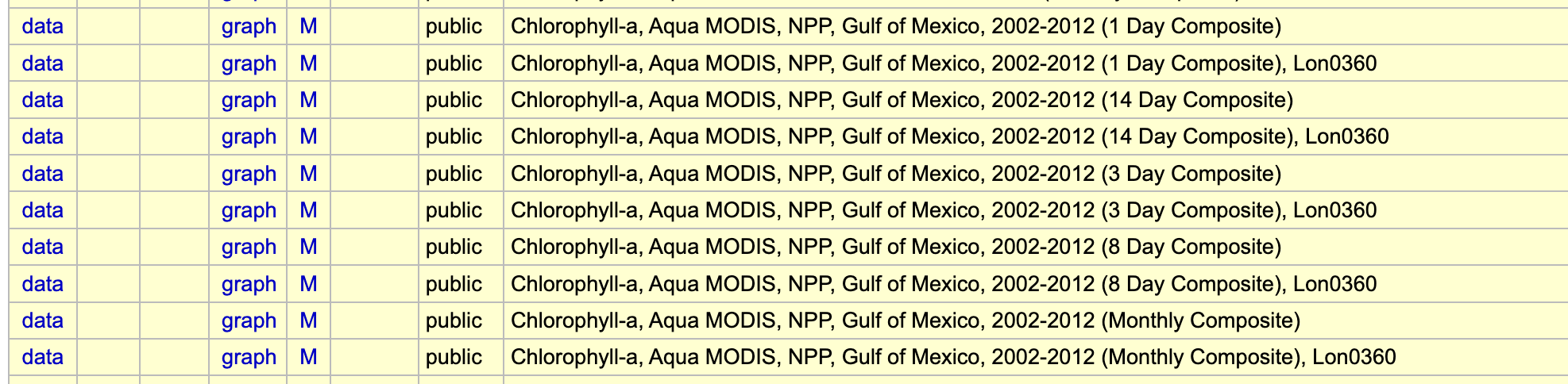
Let's use the monthly product (because otherwise the data set will be massive) and go to graph so we can choose from a map.
https://coastwatch.pfeg.noaa.gov/erddap/griddap/erdMGchla3day.graph
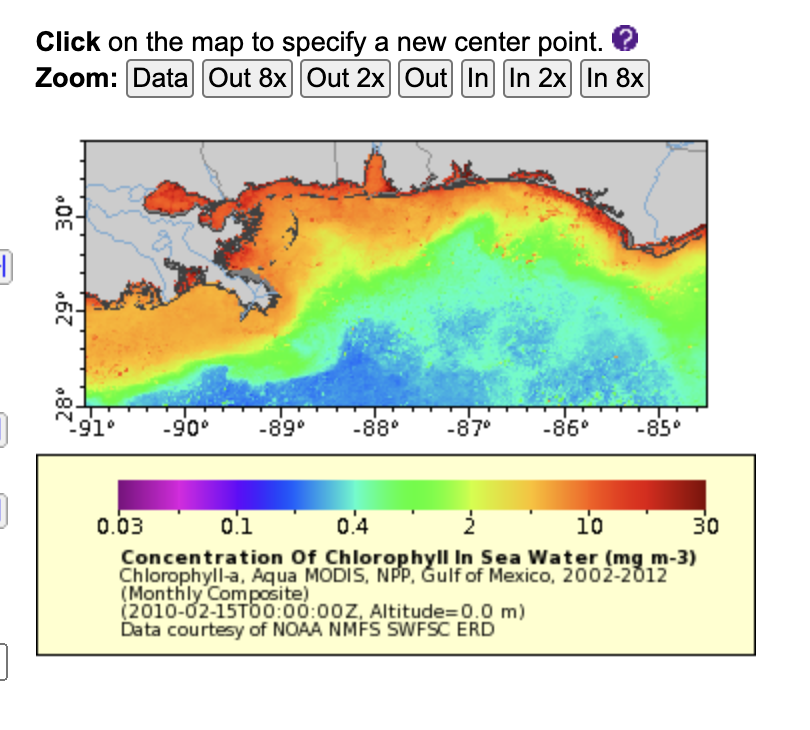
I futz with the map until I get something like this. These data are at 4km resolution so the file would be massive it I did the whole Gulf.
Now click the data access button so we can get the URL for downloading the data in csv format
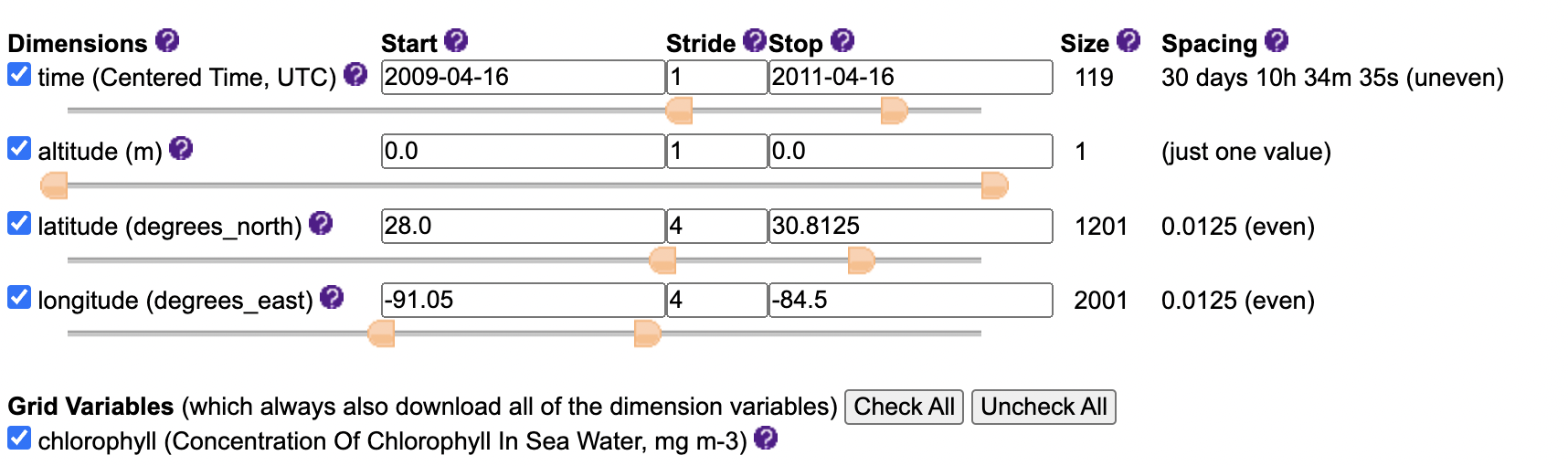
I futz with the dates to be 1 years before and 1 years after. I also subsample for every 4th lat/long location so that the files are not so massive. I futzed around to get a file that was only 8 megabytes so that my example ran fast.
Go to the download part, select csv and generate the url.

I click just generate the url since I will download the file with Python code.
Here is the URL
https://coastwatch.pfeg.noaa.gov/erddap/griddap/erdMGchlamday.csv?chlorophyll%5B(2009-04-16):1:(2011-04-16)%5D%5B(0.0):1:(0.0)%5D%5B(28.0):4:(30.8125)%5D%5B(-91.05):4:(-84.5)%5D
I take this url over to my Python file chl.ipynb Jupyter notebook.