https://github.com/eggachecat/react-jycm-viewer
https://github.com/eggachecat/react-jycm-viewer
diff-viewer json json-diff-viewer jsondiff jsondiffviewer react
Last synced: 3 months ago
JSON representation
- Host: GitHub
- URL: https://github.com/eggachecat/react-jycm-viewer
- Owner: eggachecat
- Created: 2021-10-05T06:58:48.000Z (almost 5 years ago)
- Default Branch: master
- Last Pushed: 2024-01-24T04:13:02.000Z (over 2 years ago)
- Last Synced: 2026-04-08T15:43:39.554Z (3 months ago)
- Topics: diff-viewer, json, json-diff-viewer, jsondiff, jsondiffviewer, react
- Language: TypeScript
- Homepage: https://eggachecat.github.io/jycm-viewer
- Size: 44.9 KB
- Stars: 16
- Watchers: 1
- Forks: 4
- Open Issues: 0
-
Metadata Files:
- Readme: README.md
Awesome Lists containing this project
README
# React Json Diff Viewer
This is the renderer for [JYCM](https://github.com/eggachecat/jycm).
It is very easy to use thanks to the [React Context] (https://reactjs.org/docs/context.html)
**LIVE DEMO**: https://github.com/eggachecat/jycm-viewer
# GIF-Show
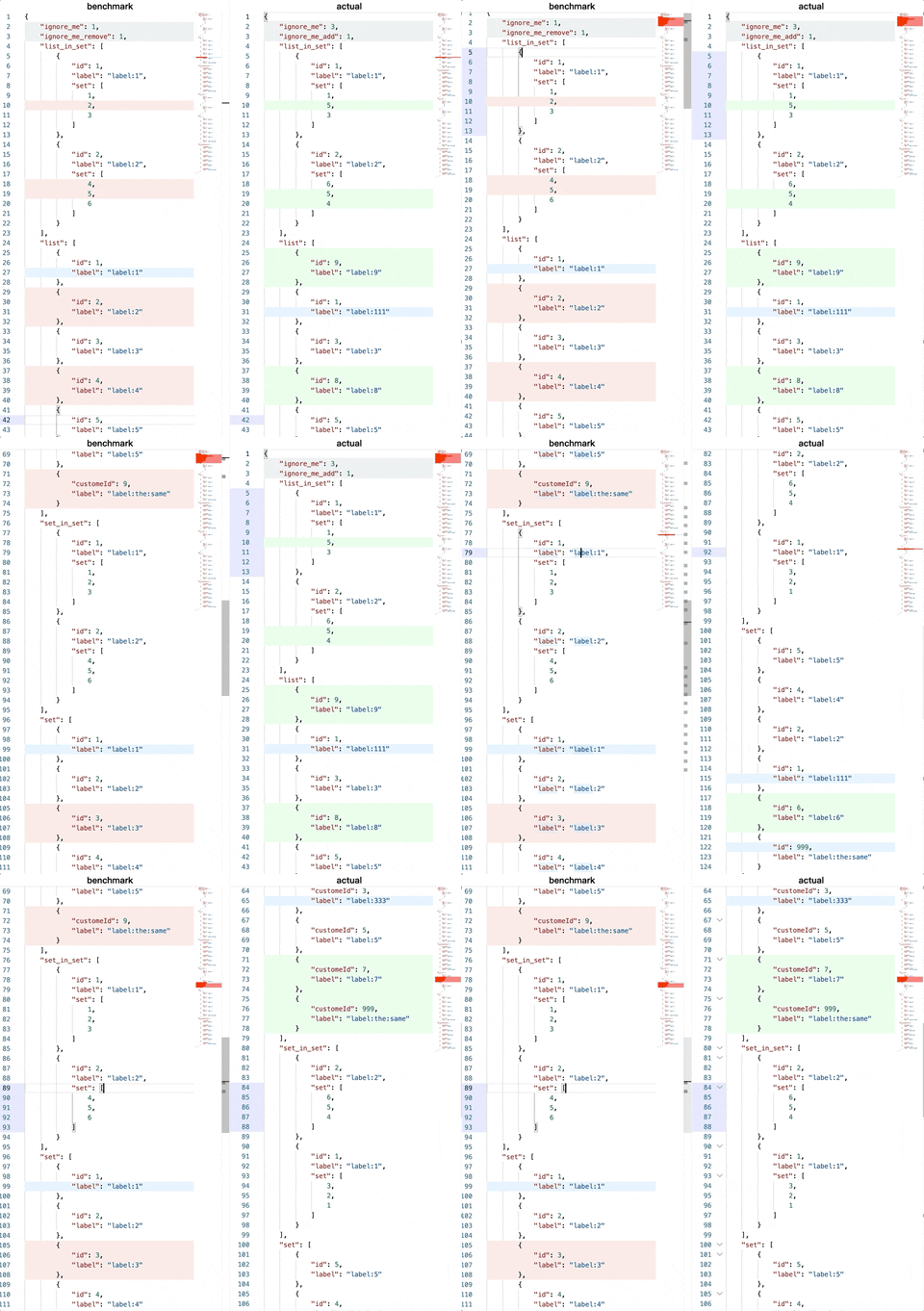
# Good-to-go Example project
Here's a working demo project [react-jycm-viewer-example](https://github.com/eggachecat/react-jycm-viewer-example)
Or here: [https://eggachecat.github.io/jycm-json-diff-viewer/](https://eggachecat.github.io/jycm-json-diff-viewer/)
# Usage
## dependencices
```bash
yarn add react-jycm-viewer react-monaco-editor monaco-editor
yarn add -D monaco-editor-webpack-plugin
```
## webpack config
```js
{
plugins: [
// ...
new MonacoWebpackPlugin({
languages: ["json"],
})
]
}
```
# Use in your component
```TSX
import React, { FC, useState } from 'react';
import ReactDOM from 'react-dom';
import {
JYCMRender,
JYCMContext,
IUseJYCMProps,
IJYCMRenderProps,
useJYCM,
} from "react-jycm-viewer";
const SimpleForm: FC<{
label: string,
}> = ({ label, children }) => {
return
{label}:
{children}
}
const safeJSONCallback = (value: string, cb: (v: string) => void) => {
try {
JSON.parse(value);
return cb(value)
} catch (e) {
return false;
}
}
const App = () => {
const [leftJSONStr, setLeftJSONStr] = useState(JSON.stringify(leftJson))
const [rightJSONStr, setRightJSONStr] = useState(JSON.stringify(rightJson))
const [jycmResultStr, setJYCMResultStr] = useState(JSON.stringify(diffResult))
// use this can ave your time! see provider below
const jycmContextValue = useJYCM({
leftJsonStr,
rightJsonStr,
diffResult,
});
// In your component you can use all properties from jycm
// using code
// const jycmContext = useContext(JYCMContext)!;
return
Demo For JYCM render
{ safeJSONCallback(e.target.value, setLeftJSONStr) }} />
{ safeJSONCallback(e.target.value, setRightJSONStr) }} />
{ safeJSONCallback(e.target.value, setJYCMResultStr) }} />
{/********** any component under this provider can have access to the diff etc.
You can control the editor very easy. **********/}
}
ReactDOM.render(
,
document.getElementById('root') as HTMLElement
)
```
# API
## JYCMContext
`JYCMContext` Shared state across the context.
It gives you
You can as follow
```tsx
import React, { FC, useState } from 'react';
import ReactDOM from 'react-dom';
import {
JYCMRender,
JYCMContext,
IUseJYCMProps,
IJYCMRenderProps,
useJYCM,
} from "react-jycm-viewer";
const CustomApp: React.FC = () => {
const { pairInfo, activeLeftJsonPath, activeRightJsonPath } =
useJYCMContext();
return (
")}
/>
")}
/>
);
};
const App: React.FC = ({ leftJsonStr, rightJsonStr, diffResult, ...args }) => {
const jycmContextValue = useJYCM({
leftJsonStr,
rightJsonStr,
diffResult,
});
return (
);
};
ReactDOM.render(
,
document.getElementById('root') as HTMLElement
)
```