https://github.com/eigger/hass-atflee
Atflee BLE Scale Home Assistant Integration
https://github.com/eigger/hass-atflee
atflee hacs homeassistant homeassistant-custom-component scale
Last synced: 23 days ago
JSON representation
Atflee BLE Scale Home Assistant Integration
- Host: GitHub
- URL: https://github.com/eigger/hass-atflee
- Owner: eigger
- License: mit
- Created: 2026-05-01T02:49:04.000Z (about 1 month ago)
- Default Branch: master
- Last Pushed: 2026-05-10T23:37:34.000Z (28 days ago)
- Last Synced: 2026-05-11T01:28:29.506Z (28 days ago)
- Topics: atflee, hacs, homeassistant, homeassistant-custom-component, scale
- Language: Python
- Homepage:
- Size: 2.18 MB
- Stars: 0
- Watchers: 0
- Forks: 0
- Open Issues: 0
-
Metadata Files:
- Readme: README.md
- License: LICENSE
Awesome Lists containing this project
README
# Atflee BLE Home Assistant Integration (hass-atflee)
[](https://github.com/eigger/hass-atflee/releases)
[](LICENSE)
[](https://github.com/hacs/integration)

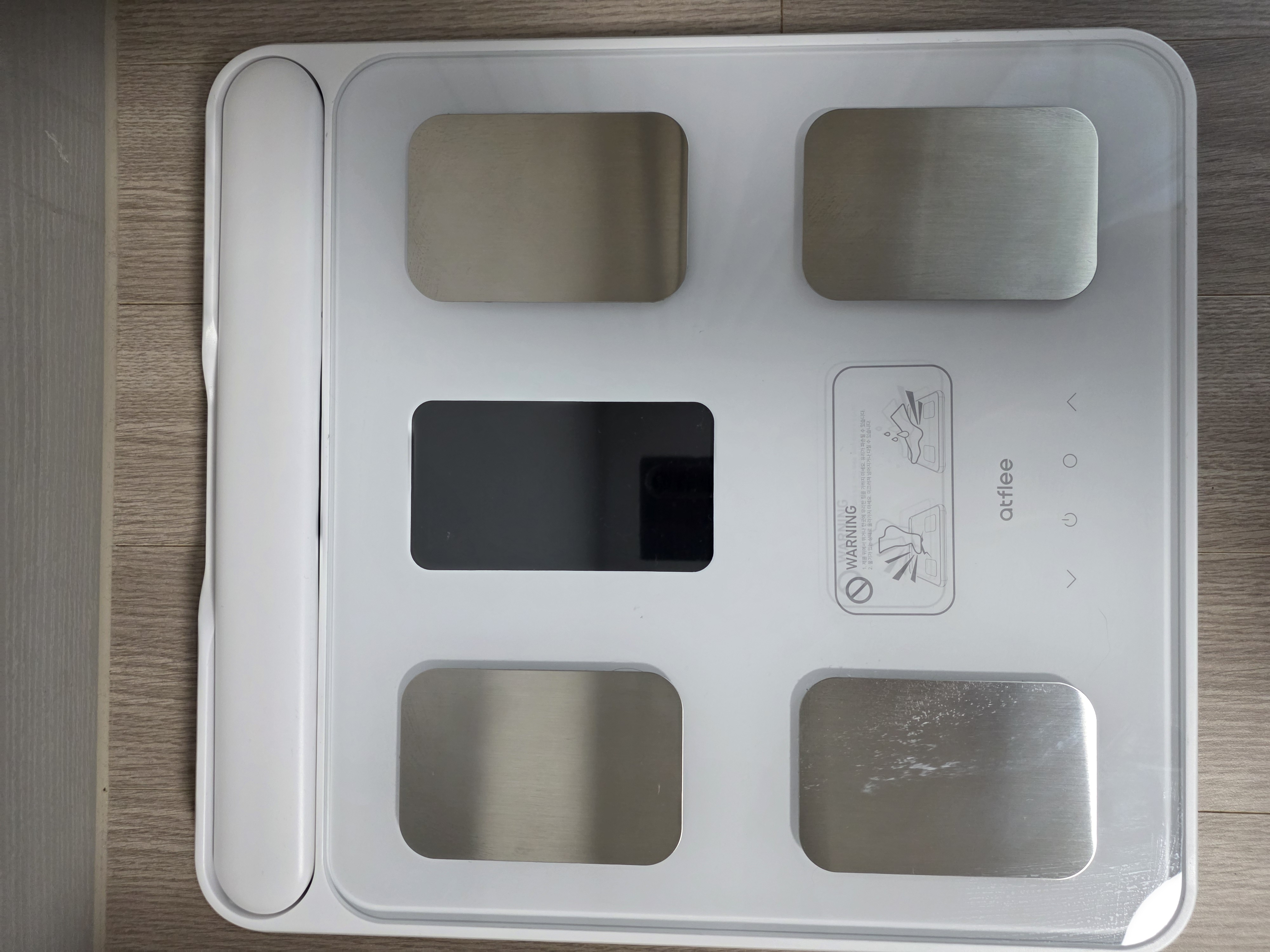
A custom integration for Home Assistant to connect and poll data directly from Atflee Bluetooth Low Energy (BLE) body composition scales.
## 💬 Feedback & Support
🐞 Found a bug? Let us know via an [Issue](https://github.com/eigger/hass-atflee/issues).
💡 Have a question or suggestion? Join the [Discussion](https://github.com/eigger/hass-atflee/discussions)!
## Supported Models
- **Atflee iGrip** (e.g., iGripX, iGrip Pro)
- **Atflee T8** (might work, untested)
- *Other Atflee BLE scales might work if they share the same protocol. If your device does not work, please share the debug logs for further investigation.*
## ⚠️ Warning: Conflict with Official App
**BLE scales often support limited simultaneous connections.**
If you have already paired your scale with the official Atflee (Fitdays/etc) smartphone app, you might need to **unpair/forget** the device from your phone's Bluetooth settings if you experience connection issues.
## Installation
1. **HACS**: Add this repository (`eigger/hass-atflee`) to HACS as a custom repository.
2. **Search**: Search for "Atflee" in HACS and install it.
3. **Restart**: Restart Home Assistant.
4. **Configure**: Go to Settings > Devices & Services > Add Integration > Atflee.
## ⚠️ Important Notice
- It is **strongly recommended to use a Bluetooth proxy instead of a built-in Bluetooth adapter**.
Bluetooth proxies generally offer more stable connections and better range, especially in environments with multiple BLE devices.
> [!TIP]
> For hardware recommendations, refer to [Great ESP32 Board for an ESPHome Bluetooth Proxy](https://community.home-assistant.io/t/great-esp32-board-for-an-esphome-bluetooth-proxy/916767/31).
- When using a Bluetooth proxy, it is strongly recommended to **keep the scan interval at its default value**.
Changing these values may cause issues with Bluetooth data transmission.
- **bluetooth_proxy:** must always have **active: true**.
Example (recommended configuration with default values):
```yaml
esp32_ble_tracker:
scan_parameters:
active: true
bluetooth_proxy:
active: true
```
## Pairing & Configuration
Device setup and discovery are done through the Home Assistant UI.
1. **Wake up the Scale**: Step on the scale briefly to wake up its Bluetooth radio.
2. **Add Integration**:
- In Home Assistant, go to **Settings** > **Devices & Services**.
- Home Assistant should automatically discover the "Atflee" device via Bluetooth. Click **Configure**.
- If it wasn't auto-discovered, click **Add Integration** and search for "Atflee".
3. **Configure User Details**:
- The integration will ask for your **Height**, **Birth Year**, and **Sex**.
- This information is required for the scale to calculate body composition metrics (Fat, Muscle, etc.) locally or via its algorithm.
4. **Finalize**:
- Once configured, stay on the scale until the measurement is complete and synced to HA.
## How It Works
- The integration listens for Atflee scale advertisements and connects when a measurement is detected.
- It provides real-time updates for weight and body composition.
- HA creates automatically updated sensor entities for:
- **Weight (kg)**
- **BMI**
- **Body Fat (%)**
- **Muscle Mass (kg) / Muscle (%)**
- **Visceral Fat**
- **Subcutaneous Fat (%)**
- **BMR (kcal)**
- **Bone Mass (kg)**
- **Body Water (%)**
- **Protein (%)**
- **Skeletal Muscle (%)**
- **Body Age (years)**
- **Body Score**
- **Heart Rate (bpm)** (if supported by model)
- **Battery (%)**
- **RSSI / Signal Strength (diagnostic)**
- **Connection Duration (diagnostic)**
## Device Settings (Configuration)
- You can update your **Height**, **Birth Year**, and **Sex** at any time by clicking **Configure** on the integration entry. These values are used to calculate the body composition metrics correctly.
## Troubleshooting
- **Connection timed out**: Ensure you are standing on the scale while configuring or syncing. The scale turns off its Bluetooth radio quickly when not in use.
- **Missing body composition data**: Ensure you have entered your height/birth year/sex correctly in the configuration. Some models require these to be sent to the device to trigger the body fat measurement.
- **`Connection terminated by peer`**: BLE interference or weak signal. Try moving the device closer to your Home Assistant Bluetooth adapter or use an ESPHome Bluetooth proxy.