https://github.com/eigger/hass-gicisky
Gicisky BLE Label Home Assistant Integration
https://github.com/eigger/hass-gicisky
esl gicisky hacs homeassistant homeassistant-custom-component
Last synced: 9 days ago
JSON representation
Gicisky BLE Label Home Assistant Integration
- Host: GitHub
- URL: https://github.com/eigger/hass-gicisky
- Owner: eigger
- License: mit
- Created: 2025-05-07T08:16:59.000Z (about 1 year ago)
- Default Branch: master
- Last Pushed: 2026-05-26T01:43:44.000Z (13 days ago)
- Last Synced: 2026-05-26T03:08:15.367Z (13 days ago)
- Topics: esl, gicisky, hacs, homeassistant, homeassistant-custom-component
- Language: Python
- Homepage:
- Size: 34.5 MB
- Stars: 107
- Watchers: 3
- Forks: 7
- Open Issues: 1
-
Metadata Files:
- Readme: README.md
- License: LICENSE
Awesome Lists containing this project
README
# hass-gicisky
[](https://hacs.xyz/)
[](https://github.com/eigger/hass-gicisky/releases)
[](https://github.com/eigger/hass-gicisky/blob/main/LICENSE)

Gicisky BLE Label Home Assistant Integration
## Gallery
| Size | Example |
|------|---------|
| 2.1" (250x128) | 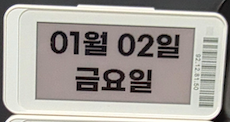 |
|
| 2.9" (296x128) | 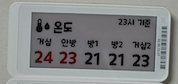 |
|
| 10.2" (960x640) | 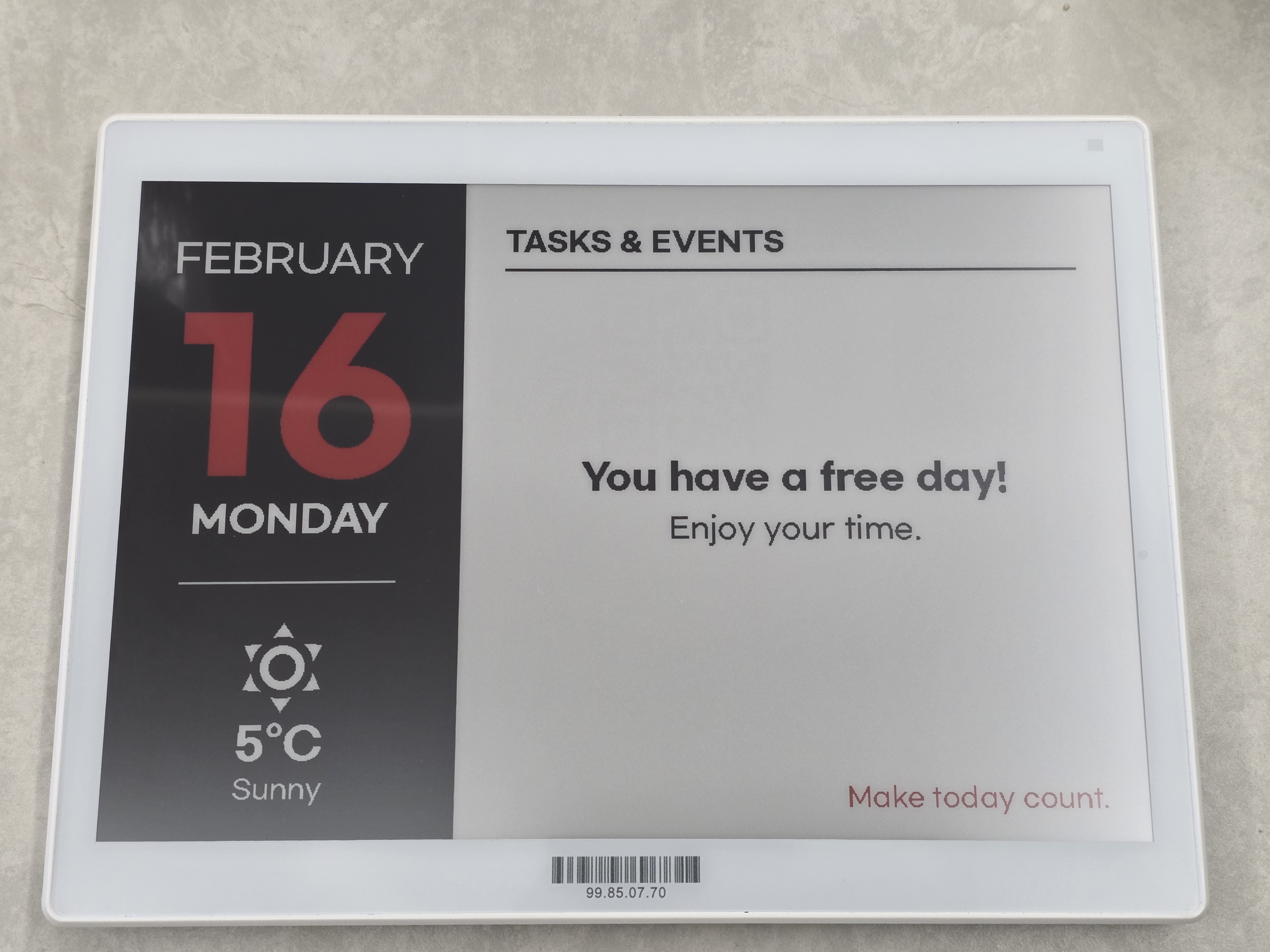 |
|
## What Is an Electronic Label?
An **Electronic Label** (also known as an **Electronic Shelf Label, ESL**) is a small display device that uses
**electronic paper (e-paper)** instead of traditional paper.
Once content is displayed, it remains visible **without consuming power**,
making electronic labels extremely energy-efficient and well suited for always-on information display.
This project uses electronic labels manufactured by **Gicisky**.
## Key Characteristics
- 📄 **E-paper display**
- Paper-like appearance with excellent readability
- 🔋 **Ultra-low power consumption**
- Power is only used when the display is updated
- 📡 **Wireless communication**
- Display content can be updated remotely
- 📐 **Compact and lightweight**
- Easy to mount on walls, shelves, doors, or devices
Although electronic labels are commonly associated with retail price tags,
their core value lies in being **small, persistent, and power-efficient displays**.
## Why Electronic Labels?
Electronic labels are ideal for displaying information that:
- Needs to be visible at all times
- Does not change frequently
- Must be shown in locations where continuous power is impractical
This project focuses on these fundamental characteristics and explores electronic labels
beyond their traditional use cases.
## 💬 Feedback & Support
🐞 Found a bug? Let us know via an [Issue](https://github.com/eigger/hass-gicisky/issues).
💡 Have a question or suggestion? Join the [Discussion](https://github.com/eigger/hass-gicisky/discussions)!
---
## Supported Models
| Type | Size | Resolution | Colors |
|------|------|------------|--------|
| TFT | 2.1" | 250 × 132 | BW |
| EPD | 2.1" | 250 × 128 | BWR |
| EPD | 2.9" | 296 × 128 | BW |
| EPD | 2.9" | 296 × 128 | BWR |
| EPD | 2.9" | 296 × 128 | BWRY |
| EPD | 3.7" | 240 × 416 | BWR |
| EPD | 4.2" | 400 × 300 | BWR |
| EPD | 7.5" | 800 × 480 | BWR |
| EPD | 10.2" | 960 × 640 | BWR |
## Where to Buy
- In my country, I can purchase from the official site linked below, but I am not sure if it is available for purchase in all countries.
- [AliExpress - Gicisky Official Store](https://ko.aliexpress.com/item/1005002399342939.html)
- [AliExpress - Gicisky Official Store](https://ko.aliexpress.com/item/1005002398744297.html)
## Installation
1. Install this integration with HACS (adding repository required), or copy the contents of this
repository into the `custom_components/gicisky` directory.
2. Restart Home Assistant.
## ⚠️ Important Notice
- It is **strongly recommended to use a Bluetooth proxy instead of a built-in Bluetooth adapter**.
Bluetooth proxies generally offer more stable connections and better range, especially in environments with multiple BLE devices.
> [!TIP]
> For hardware recommendations, refer to [Great ESP32 Board for an ESPHome Bluetooth Proxy](https://community.home-assistant.io/t/great-esp32-board-for-an-esphome-bluetooth-proxy/916767/31).
- When using a Bluetooth proxy, it is strongly recommended to **keep the scan interval at its default value**.
Changing these values may cause issues with Bluetooth data transmission.
- **bluetooth_proxy:** must always have **active: true**.
Example (recommended configuration with default values):
```yaml
esp32_ble_tracker:
scan_parameters:
active: true
bluetooth_proxy:
active: true
```
## Options
After adding a device, you can configure the following options via **Settings > Devices & Services > Gicisky > Configure**:
| Option | Default | Range | Description |
|--------|---------|-------|-------------|
| **Retry Count** | 3 | 1–10 | Number of retry attempts when BLE write fails |
| **Write Delay (ms)** | 0 | 0–1000 | Delay in milliseconds between each BLE write operation |
| **Prevent Duplicate Send** | false | true/false | If enabled, prevents sending the same image data consecutively to save battery and reduce traffic |
> [!TIP]
> If you experience frequent write failures, try increasing the **Retry Count**.
> If writes are unstable, try setting **Write Delay** to 50–100 ms to give the device more time to process each packet.
---
## Service: `gicisky.write`
### Service Parameters
| Parameter | Required | Default | Description |
|-----------|----------|---------|-------------|
| `payload` | ✅ | — | List of drawing elements (see [Payload Element Types](#payload-element-types)) |
| `rotate` | ❌ | `0` | Image rotation: `0`, `90`, `180`, `270` |
| `background` | ❌ | `white` | Background color: `white`, `black`, `red` |
| `threshold` | ❌ | `128` | Black binary threshold (`0`–`255`) |
| `red_threshold` | ❌ | `128` | Red binary threshold (`0`–`255`) |
| `dry_run` | ❌ | `false` | Generate preview image without sending to device |
### Basic Usage
```yaml
action: gicisky.write
data:
payload:
- type: text
value: Hello World!
x: 10
y: 10
size: 40
target:
device_id:
```
### Rotation & Background
```yaml
action: gicisky.write
data:
rotate: 90
background: black
payload:
- type: text
value: Rotated!
x: 10
y: 10
size: 30
color: white
target:
device_id:
```
### Dry Run (Preview Only)
> Preview image is available via the **Camera** entity without sending data to the physical device.
> [!TIP]
> You can use the **[Gicisky Payload Editor](https://eigger.github.io/Gicisky_Payload_Editor.html)** to design a rough layout via drag-and-drop in your browser and automatically generate YAML. Use the generated YAML with `dry_run: true` to preview it without sending data to the actual device.
```yaml
action: gicisky.write
data:
dry_run: true
payload:
- type: text
value: Preview Test
x: 10
y: 10
size: 30
target:
device_id:
```
---
## Service: `gicisky.write_guarded`
`gicisky.write_guarded` uses the same rendering pipeline as `gicisky.write`, but applies guard checks before BLE transmission:
- duplicate image prevention (when option `prevent_duplicate_send` is enabled)
- write lock check
- debounce scheduling (config `debounce_ms`, optionally overridden per call)
Use this service when your automation can fire frequently and you want skip/coalescing behavior.
### Service Parameters
| Parameter | Required | Default | Description |
|-----------|----------|---------|-------------|
| `payload` | ✅ | — | List of drawing elements (see [Payload Element Types](#payload-element-types)) |
| `rotate` | ❌ | `0` | Image rotation: `0`, `90`, `180`, `270` |
| `background` | ❌ | `white` | Background color: `white`, `black`, `red` |
| `threshold` | ❌ | `128` | Black binary threshold (`0`–`255`) |
| `red_threshold` | ❌ | `128` | Red binary threshold (`0`–`255`) |
| `dry_run` | ❌ | `false` | Generate preview image without sending to device |
| `debounce_override_ms` | ❌ | option `debounce_ms` | Override debounce delay for this call (`0` = immediate write) |
### Basic Usage
```yaml
action: gicisky.write_guarded
data:
payload:
- type: text
value: Guarded Write
x: 10
y: 10
size: 36
target:
device_id:
```
### Immediate Guarded Write (Skip Debounce Once)
```yaml
action: gicisky.write_guarded
data:
debounce_override_ms: 0
payload:
- type: text
value: Immediate
x: 10
y: 10
size: 36
target:
device_id:
```
### Service Selection Guide
| Service | Behavior |
|---------|----------|
| `gicisky.write` | Always executes write flow (except explicit `dry_run`) |
| `gicisky.write_guarded` | Applies guard checks (duplicate/lock/debounce), and may skip or coalesce writes |
---
### Payload Element Examples
> [!TIP]
> All elements support the `visible` field (`true`/`false`) to conditionally show or hide them.
> [!NOTE]
> **Color values**: This is an **e-ink display** that only supports 4 colors: `white`, `black`, `red`, `yellow`.
> HEX strings (`#RRGGBB`) are accepted as a convenience but will be **automatically mapped to the nearest supported color**.
#### text
```yaml
- type: text
value: "Hello World!"
x: 10
y: 10
size: 40
font: "fonts/NotoSansKR-Bold.ttf"
color: black
anchor: lt # Pillow anchor (e.g. lt, mt, rt, lm, mm, rm)
align: left # left, center, right
spacing: 5
stroke_width: 1
stroke_fill: white
max_width: 200 # Auto-wrap text within this pixel width
rotation: 45 # Rotate text by angle (degrees counter-clockwise)
background: "#CCCCCC" # Optional background color behind text
background_padding: 3 # Padding around background (default: 2)
```
If `y` is omitted the element stacks below the previous element automatically (`y_padding` controls the gap, default `10`).
#### multiline
```yaml
- type: multiline
value: "Line1;Line2;Line3"
delimiter: ";"
x: 10
start_y: 10 # Starting Y position (auto-stacks if omitted)
offset_y: 25 # Y spacing between lines (required)
size: 20
font: "fonts/NotoSansKR-Regular.ttf"
color: black
anchor: lm
stroke_width: 0
stroke_fill: white
```
#### line
```yaml
- type: line
x_start: 0
x_end: 250
y_start: 64
y_end: 64
fill: black
width: 2
dash: [10, 5] # Optional: [on_px, off_px] for dashed/dotted lines
```
If `y_start` is omitted the line is drawn at the current auto-stack Y position (`y_padding` offset).
#### rectangle
```yaml
- type: rectangle
x_start: 5
y_start: 5
x_end: 100
y_end: 60
fill: red
outline: black
width: 2
radius: 10 # Corner radius for rounded rectangle
corners: "top_left,top_right" # all / top_left / top_right / bottom_right / bottom_left
```
#### rectangle_pattern
```yaml
- type: rectangle_pattern
x_start: 10
y_start: 10
x_size: 20
y_size: 20
x_repeat: 5
y_repeat: 3
x_offset: 5
y_offset: 5
fill: black
outline: black
width: 1
radius: 5
corners: "all"
```
#### circle
```yaml
- type: circle
x: 125 # Center X
y: 64 # Center Y
radius: 30
fill: red
outline: black
width: 2
```
#### ellipse
```yaml
- type: ellipse
x_start: 50
y_start: 20
x_end: 200
y_end: 100
fill: red
outline: black
width: 1
```
#### icon
Uses [Material Design Icons](https://pictogrammers.com/library/mdi/). You can use the icon name with or without the `mdi:` prefix.
```yaml
- type: icon
value: "weather-sunny" # or "mdi:weather-sunny"
x: 10
y: 10
size: 48
color: black # or use fill
anchor: la
stroke_width: 0
stroke_fill: white
```
#### dlimg
Supports **HTTP/HTTPS URLs**, **local file paths**, and **Base64 data URIs**.
| `mode` | Description |
|--------|-------------|
| `stretch` | Stretch to fill exactly (default) |
| `fit` / `contain` | Scale preserving aspect ratio, pad with transparency |
| `fill` | Scale and crop to fill exactly, no padding |
```yaml
- type: dlimg
url: "https://example.com/image.png"
x: 10
y: 10
xsize: 100
ysize: 100
rotate: 0
mode: fit # stretch / fit / fill / contain
```
```yaml
# Local file
- type: dlimg
url: "/config/www/images/photo.png"
x: 0
y: 0
xsize: 250
ysize: 128
```
```yaml
# Base64 data URI
- type: dlimg
url: "data:image/png;base64,iVBORw0KGgo..."
x: 10
y: 10
xsize: 50
ysize: 50
```
#### qrcode
```yaml
- type: qrcode
data: "https://www.home-assistant.io"
x: 140
y: 10
boxsize: 2
border: 1
color: black
bgcolor: white
```
#### barcode
```yaml
- type: barcode
data: "123456789012"
x: 10
y: 80
code: code128 # code128, ean13, ean8, upc, isbn13, etc.
color: black
bgcolor: white
module_width: 0.2
module_height: 7
quiet_zone: 6.5
font_size: 5
text_distance: 5.0
write_text: true
```
#### diagram
```yaml
- type: diagram
x: 0
y: 0
width: 250
height: 128
margin: 20
font: "fonts/NotoSansKR-Regular.ttf"
bars:
values: "Mon,10;Tue,25;Wed,15;Thu,30;Fri,20"
color: black
margin: 10
legend_size: 10
legend_color: black
```
#### plot
Reads entity history from **Home Assistant Recorder**.
```yaml
- type: plot
data:
- entity: sensor.temperature
color: black
width: 2
area_fill: "#CCCCCC" # Optional: fill area under the line
duration: 86400 # Seconds (default: 86400 = 1 day)
x_start: 30
y_start: 10
x_end: 290
y_end: 120
size: 10
font: "fonts/NotoSansKR-Regular.ttf"
low: 15 # Fixed Y-axis minimum
high: 35 # Fixed Y-axis maximum
ylegend:
width: -1 # Auto-calculate
color: black
position: left # left or right
yaxis:
width: 1
color: black
tick_width: 2
tick_every: 5
grid: 5
grid_color: black
xlegend: # Optional: time labels on X-axis
ticks: 3 # Number of labels (default: 3)
format: "%H:%M" # strftime format (default: "%H:%M")
color: black
size: 9
debug: false
```
#### progress_bar
```yaml
- type: progress_bar
x_start: 10
y_start: 100
x_end: 240
y_end: 120
progress: 75
direction: right # right, left, up, down
background: white
fill: red
outline: black
width: 1
radius: 8 # Optional: rounded corners radius
show_percentage: true
```
#### arc
```yaml
- type: arc
x_start: 10
y_start: 10
x_end: 110
y_end: 110
start_angle: 0
end_angle: 270
outline: black
width: 3
pie: false # true = pieslice (filled wedge), false = arc only
fill: "#CCCCCC" # Only used when pie: true
```
#### gauge
```yaml
- type: gauge
x: 120 # Center X
y: 80 # Center Y
radius: 60
progress: 72 # Current value (mapped between min_value and max_value)
min_value: 0
max_value: 100
fill: black # Progress arc color
background: white # Track (background arc) color
outline: black
width: 8 # Arc bar thickness
show_value: true # Display numeric value at center
font: "fonts/NotoSansKR-Regular.ttf"
size: 18
color: black
```
#### polygon
```yaml
- type: polygon
points: "10,100;60,10;110,100" # Semicolon-separated x,y pairs
fill: black
outline: black
width: 1
```
#### table
```yaml
- type: table
x: 10
y: 50
columns: [80, 120, 80] # Column widths in pixels
rows:
- ["TIME", "EVENT", "PLACE"] # First row treated as header if header: true
- ["09:00", "Meeting", "3F"]
- ["14:00", "Lunch", "B1"]
header: true # First row is a header (default: true)
header_fill: black
header_color: white
cell_color: black
cell_fill: null # Optional background for data rows
border_color: black
border_width: 1
row_height: 22
padding: 4
font: "fonts/NotoSansKR-Regular.ttf"
font_size: 14
align: left # left / center / right
```
#### text_box
```yaml
- type: text_box
value: "ON"
x: 10
y: 10
size: 18
font: "fonts/NotoSansKR-Regular.ttf"
padding: 6 # Padding around text
fill: black # Box background color
color: white # Text color
outline: black # Box border color
width: 1 # Border width
radius: 6 # Corner radius
```
#### datamatrix
```yaml
- type: datamatrix
data: "https://home-assistant.io"
x: 10
y: 10
boxsize: 2 # Pixel size of each cell (default: 2)
color: black
bgcolor: white
```
---
### Combined Example
```yaml
action: gicisky.write
data:
rotate: 0
background: white
payload:
- type: text
value: "Home Status"
x: 10
y: 5
size: 24
font: "fonts/NotoSansKR-Bold.ttf"
- type: line
x_start: 0
x_end: 250
y_start: 35
y_end: 35
fill: black
width: 1
- type: icon
value: thermometer
x: 10
y: 45
size: 24
color: black
- type: text
value: "{{ states('sensor.temperature') }}°C"
x: 40
y: 48
size: 20
- type: progress_bar
x_start: 10
y_start: 80
x_end: 240
y_end: 95
progress: "{{ states('sensor.humidity') | int }}"
direction: right
fill: black
show_percentage: true
- type: qrcode
data: "https://www.home-assistant.io"
x: 180
y: 40
boxsize: 2
border: 1
target:
device_id:
```
---
## Payload Element Types
> [!TIP]
> All elements support the `visible` field (`true`/`false`, default: `true`) to conditionally show or hide them.
| **Type** | **Required Fields** | **Optional Fields** | **Description** |
| --------------------- | ----------------------------------------------------------------------------------------- | ------------------------------------------------------------------------------------------------------------------------------------------ | --------------------------------------------------------------- |
| **text** | `x`, `value` | `y`, `size`(20), `font`, `color`(black), `anchor`(lt), `align`(left), `spacing`(5), `stroke_width`(0), `stroke_fill`(white), `max_width`, `y_padding`(10), `rotation`(0), `background`, `background_padding`(2) | Draws text. Supports rotation and background fill. Auto-stacks if `y` omitted. |
| **multiline** | `x`, `value`, `delimiter`, `offset_y` | `start_y`, `size`(20), `font`, `color`(black), `anchor`(lm), `stroke_width`(0), `stroke_fill`(white), `y_padding`(10) | Splits text by delimiter and draws each line with `offset_y` spacing. |
| **line** | `x_start`, `x_end` | `y_start`, `y_end`, `fill`(black), `width`(1), `y_padding`(0), `dash`([on,off]) | Draws a straight line. `dash` for dashed/dotted style. Auto-stacks if `y_start` omitted. |
| **rectangle** | `x_start`, `x_end`, `y_start`, `y_end` | `fill`, `outline`(black), `width`(1), `radius`(0), `corners`(all) | Draws a rectangle with optional rounded corners. |
| **rectangle_pattern** | `x_start`, `y_start`, `x_size`, `y_size`, `x_repeat`, `y_repeat`, `x_offset`, `y_offset` | `fill`, `outline`(black), `width`(1), `radius`(0), `corners`(all) | Repeated grid of rectangles (pattern/tiling). |
| **circle** | `x`, `y`, `radius` | `fill`, `outline`(black), `width`(1) | Draws a circle at center (`x`, `y`). |
| **ellipse** | `x_start`, `x_end`, `y_start`, `y_end` | `fill`, `outline`(black), `width`(1) | Draws an ellipse inside a bounding box. |
| **arc** | `x_start`, `y_start`, `x_end`, `y_end`, `start_angle`, `end_angle` | `fill`, `outline`(black), `width`(1), `pie`(false) | Draws an arc or filled pieslice. `pie: true` for filled wedge. |
| **gauge** | `x`, `y`, `radius`, `progress` | `min_value`(0), `max_value`(100), `fill`(black), `background`(white), `outline`(black), `width`(8), `show_value`(false), `font`, `size`(16), `color`(black) | Circular gauge (270° sweep). Shows progress as arc. |
| **polygon** | `points` | `fill`, `outline`(black), `width`(1) | Draws a polygon. `points`: `"x1,y1;x2,y2;..."` format. |
| **table** | `x`, `y`, `columns`, `rows` | `header`(true), `header_fill`(black), `header_color`(white), `cell_color`(black), `cell_fill`, `border_color`(black), `border_width`(1), `row_height`, `padding`(4), `font`, `font_size`(14), `align`(left) | Draws a bordered table with optional header row. |
| **text_box** | `x`, `y`, `value` | `size`(20), `font`, `padding`(5), `fill`(black), `color`(white), `outline`, `width`(1), `radius`(5) | Draws text inside a rounded, filled background box. |
| **icon** | `x`, `y`, `value`, `size` | `color`/`fill`(black), `anchor`(la), `stroke_width`(0), `stroke_fill`(white) | Draws [Material Design Icons](https://pictogrammers.com/library/mdi/). Supports `mdi:` prefix. MDI metadata is cached. |
| **dlimg** | `x`, `y`, `url`, `xsize`, `ysize` | `rotate`(0), `mode`(stretch) | Loads image from URL, local path, or Base64. `mode`: `stretch`/`fit`/`fill`/`contain`. |
| **qrcode** | `x`, `y`, `data` | `color`(black), `bgcolor`(white), `border`(1), `boxsize`(2) | Generates and embeds a QR code. |
| **barcode** | `x`, `y`, `data` | `color`(black), `bgcolor`(white), `code`(code128), `module_width`(0.2), `module_height`(7), `quiet_zone`(6.5), `font_size`(5), `text_distance`(5.0), `write_text`(true) | Draws various barcode formats. |
| **datamatrix** | `x`, `y`, `data` | `color`(black), `bgcolor`(white), `boxsize`(2) | Generates a DataMatrix 2D barcode. Requires `pyStrich`. |
| **diagram** | `x`, `y`, `height` | `width`(canvas), `margin`(20), `font`, `bars` | Creates a bar chart. `bars` object: `values`(required, `"name,val;..."`) `color`(required), `margin`(10), `legend_size`(10), `legend_color`(black). |
| **plot** | `data`([{`entity`}]) | `duration`(86400), `x_start`(0), `y_start`(0), `x_end`, `y_end`, `size`(10), `font`, `low`, `high`, `ylegend`, `yaxis`, `xlegend`, `debug`(false) | Time-series graph from HA Recorder. Per-series: `entity`(required), `color`(black), `width`(1), `joint`, `area_fill`. |
| **progress_bar** | `x_start`, `x_end`, `y_start`, `y_end`, `progress` | `direction`(right), `background`(white), `fill`(red), `outline`(black), `width`(1), `radius`(0), `show_percentage`(false) | Draws a progress bar. `direction`: right/left/up/down. `radius` for rounded corners. |
### `plot` Sub-Objects
| Sub-Object | Field | Default | Description |
|------------|-------|---------|-------------|
| **ylegend** | `width` | `-1` (auto) | Legend width in pixels |
| | `color` | `black` | Legend text color |
| | `position` | `left` | `left` or `right` |
| | `font` | (inherits) | Legend font file |
| | `size` | (inherits) | Legend font size |
| **yaxis** | `width` | `1` | Axis line width |
| | `color` | `black` | Axis color |
| | `tick_width` | `2` | Tick mark width |
| | `tick_every` | `1` | Tick interval (value unit) |
| | `grid` | `5` | Grid dot spacing (pixels) |
| | `grid_color` | `black` | Grid color |
| **xlegend** | `ticks` | `3` | Number of time labels |
| | `format` | `"%H:%M"` | strftime format string |
| | `color` | `black` | Label text color |
| | `size` | (inherits) | Label font size |
| | `font` | (inherits) | Label font file |
| **data item** | `area_fill` | `null` | Fill color for area under the line |
---
## Fonts
The `text`, `multiline`, `diagram`, and `plot` elements accept a `font` field.
The default font is `fonts/NotoSansKR-Regular.ttf`.
### Built-in Fonts
| Family | Weights |
|--------|---------|
| **CookieRun** | `fonts/CookieRunRegular.ttf`, `fonts/CookieRunBold.ttf`, `fonts/CookieRunBlack.ttf` |
| **Gmarket Sans** | `fonts/GmarketSansTTFLight.ttf`, `fonts/GmarketSansTTFMedium.ttf`, `fonts/GmarketSansTTFBold.ttf` |
| **Noto Sans KR** | `fonts/NotoSansKR-Thin.ttf`, `fonts/NotoSansKR-ExtraLight.ttf`, `fonts/NotoSansKR-Light.ttf`, `fonts/NotoSansKR-Regular.ttf`, `fonts/NotoSansKR-Medium.ttf`, `fonts/NotoSansKR-SemiBold.ttf`, `fonts/NotoSansKR-Bold.ttf`, `fonts/NotoSansKR-ExtraBold.ttf`, `fonts/NotoSansKR-Black.ttf` |
| **OwnglyphParkDaHyun** | `fonts/OwnglyphParkDaHyun.ttf` |
### Custom Fonts
You can also use your own `.ttf` font files by placing them in your Home Assistant `www/fonts` directory:
```
/config/www/fonts/MyCustomFont.ttf
```
Then reference them by filename only:
```yaml
- type: text
value: "Custom Font"
x: 10
y: 10
size: 30
font: "MyCustomFont.ttf"
```
> [!NOTE]
> The integration first looks for fonts in its own `fonts/` directory, then falls back to `www/fonts/` in your Home Assistant config.
---
## Examples
| Size | Example | Preview | Yaml |
|------|---------|---------|------|
| 2.1" (250×128) | Date |  | [2.1" Date](./examples/2.1-date.yaml) |
| 2.1" (250×128) | Naver Weather | 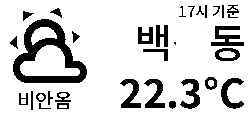 | [2.1" Naver Weather](./examples/2.1-naver-weather.yaml) |
| 2.1" (250×128) | Waste Collection | 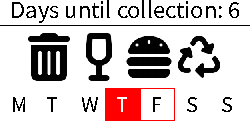 | [2.1" Waste Collection](./examples/2.1-waste-collection.yaml) |
| 2.1" (250×128) | Wifi | 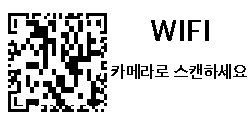 | [2.1" Wifi](./examples/2.1-wifi.yaml) |
| 2.1" (250×128) | TMap time | 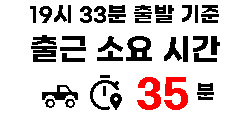 | [2.1" TMap time](./examples/2.1-tmap-time.yaml) |
| 2.9" (296×128) | Google Calendar |  | [2.9" Google Calendar](./examples/2.9-google-calendar.yaml) |
| 2.9" (296×128) | Presence Display | 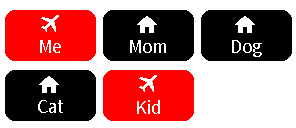 | [2.9" Presence Display](./examples/2.9-presence-display.yaml) |
| 4.2" (400×300) | Image |  | [4.2" Image](./examples/4.2-image.yaml) |
| 4.2" (400×300) | Naver Weather | 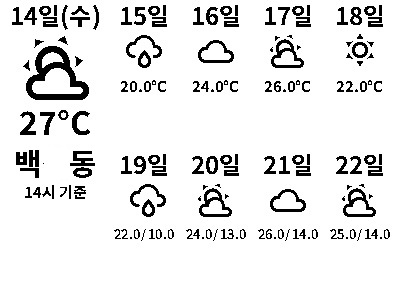 | [4.2" Naver Weather](./examples/4.2-naver-weather.yaml) |
| 4.2" (400×300) | Date Weather | 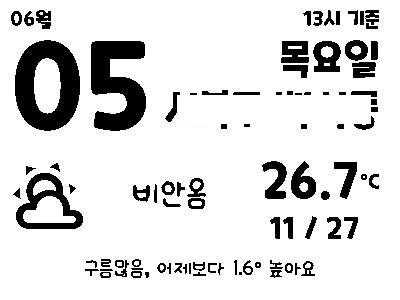 | [4.2" Date Weather](./examples/4.2-date-weather.yaml) |
| 4.2" (400×300) | Weather News | 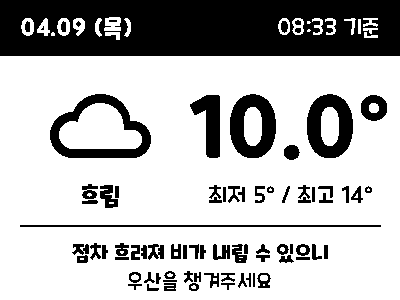 | [4.2" Weather News](./examples/4.2-weather-news.yaml) |
| 4.2" (400×300) | 3D Print | 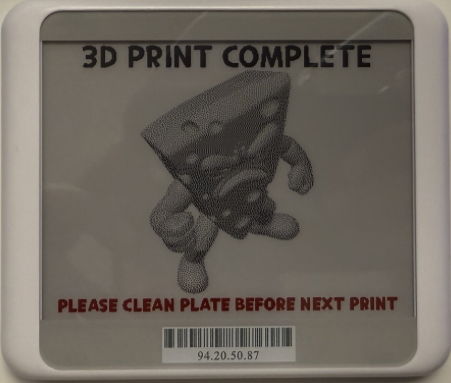 | [4.2" 3D Print](./examples/4.2-3d-print.yaml) |
| 7.5" (800×480) | Google Calendar | 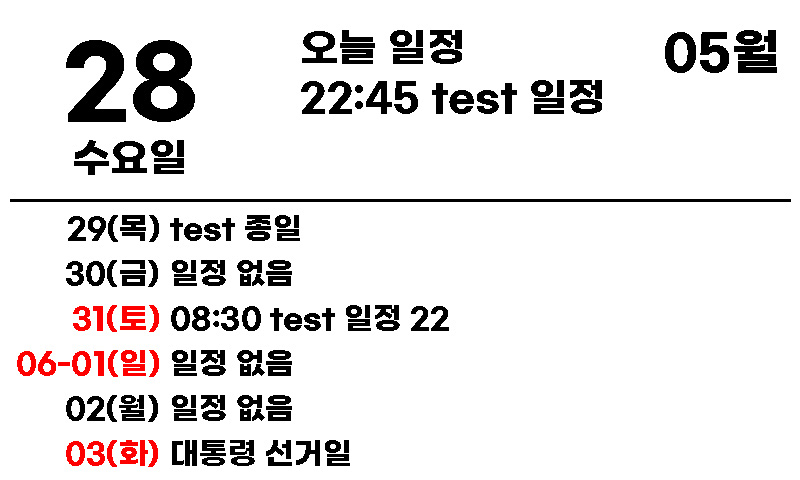 | [7.5" Google Calendar](./examples/7.5-google-calendar.yaml) |
| 7.5" (800×480) | Date Weather | 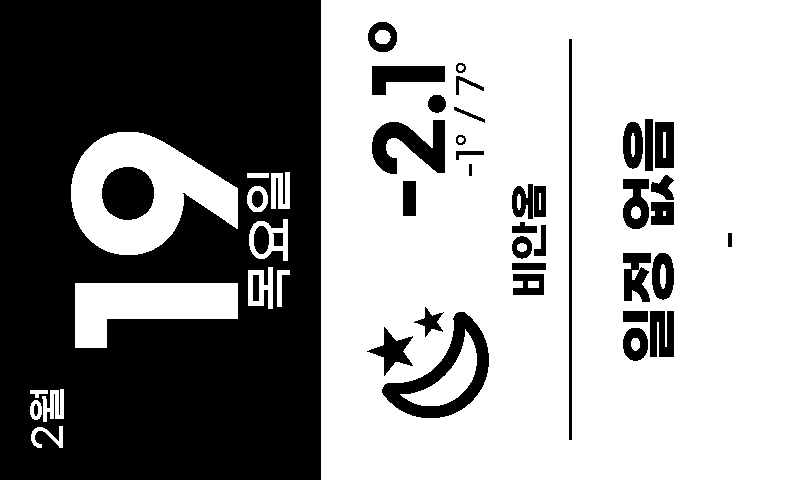 | [7.5" Date Weather](./examples/7.5-date-weather.yaml) |
| 10.2" (960×640) | Calendar Weather | 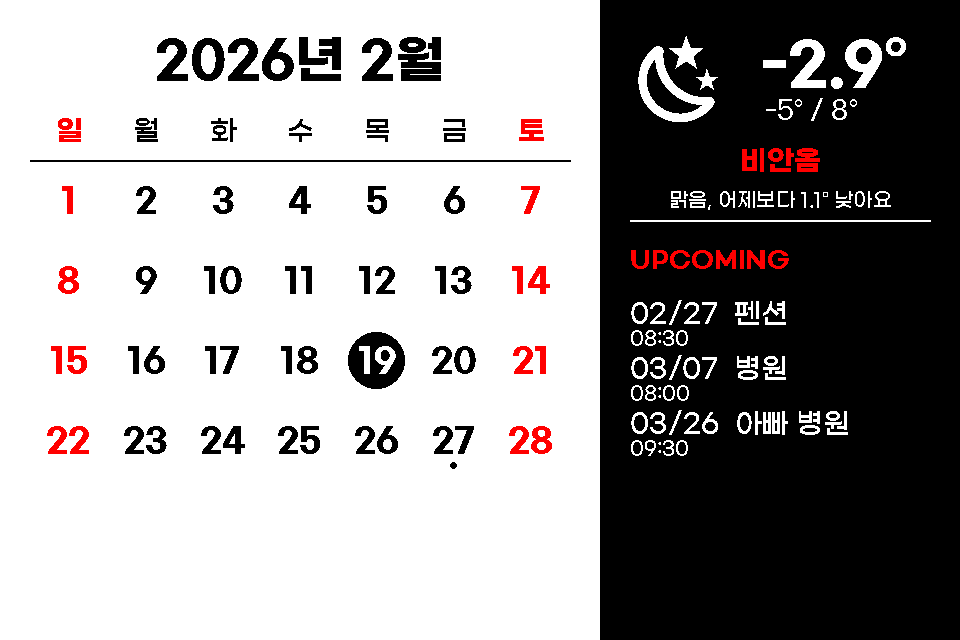 | [10.2" Calendar Weather](./examples/10.2-calendar-weather.yaml) |
| 10.2" (960×640) | Calendar | 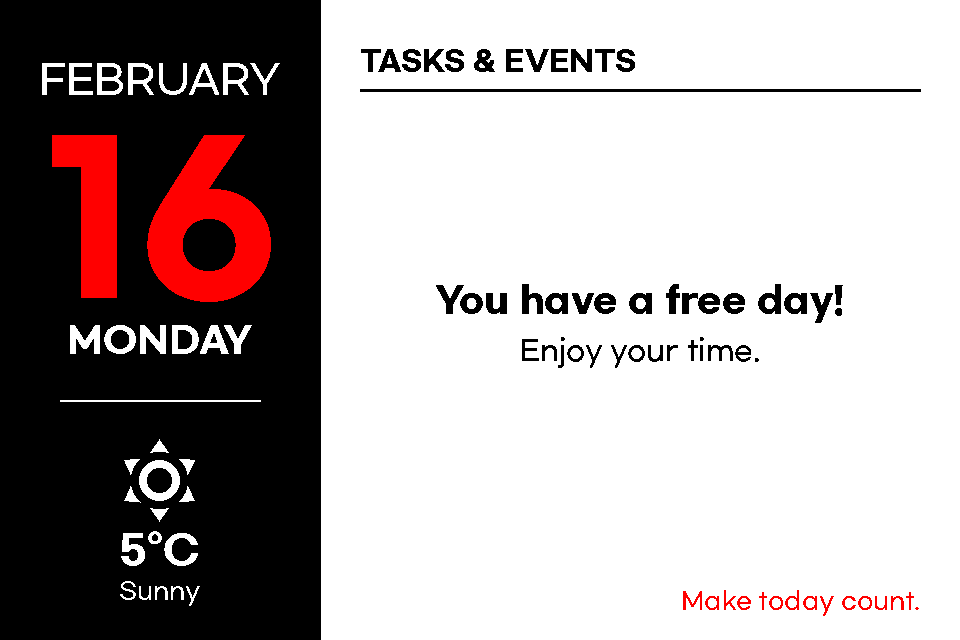 | [10.2" Calendar](./examples/10.2-calendar.yaml) |
---
## Tools
### [Gicisky Image Edit & Uploader](https://eigger.github.io/Gicisky_Image_Uploader.html)
### [Gicisky Payload Editor](https://eigger.github.io/Gicisky_Payload_Editor.html)
---
## Appendix
### T-Map Integration
```yaml
# https://openapi.sk.com/products/detail?linkMenuSeq=46
rest_command:
request_tmap_routes:
url: https://apis.openapi.sk.com/tmap/routes?version=1
method: POST
headers:
appKey: !secret tmap_api_key
accept: "application/json, text/html"
content_type: "application/json; charset=utf-8"
payload: >-
{
"startX": {{ startX }},
"startY": {{ startY }},
"endX": {{ endX }},
"endY": {{ endY }},
"searchOption": {{ searchOption }},
"totalValue": 2,
"trafficInfo ": "Y",
"mainRoadInfo": "Y",
}
```
### Google Calendar
```
Remote Calendar -> Add google *.ics
```
### Third-Party Custom Components
- [Naver Weather (minumida)](https://github.com/miumida/naver_weather.git)
- [ha-weathernews (dugurs)](https://github.com/dugurs/ha-weathernews)
- [Waste Collection Schedule (mampfes)](https://github.com/mampfes/hacs_waste_collection_schedule.git)
---
## References
- [ATC GICISKY ESL (atc1441)](https://github.com/atc1441/ATC_GICISKY_ESL.git)
- [OpenEPaperLink](https://github.com/OpenEPaperLink/Home_Assistant_Integration.git)
- [bthome](https://github.com/home-assistant/core/tree/dev/homeassistant/components/bthome)
- [bthome-ble](https://github.com/Bluetooth-Devices/bthome-ble.git)