https://github.com/eiso/eisokant-blog-theme
This is a modified version of https://github.com/mihneadb/no-nonsense for http://eisokant.com/blog
https://github.com/eiso/eisokant-blog-theme
Last synced: 4 months ago
JSON representation
This is a modified version of https://github.com/mihneadb/no-nonsense for http://eisokant.com/blog
- Host: GitHub
- URL: https://github.com/eiso/eisokant-blog-theme
- Owner: eiso
- License: mit
- Created: 2016-05-01T13:17:12.000Z (about 10 years ago)
- Default Branch: master
- Last Pushed: 2016-05-06T17:13:14.000Z (about 10 years ago)
- Last Synced: 2025-02-23T18:16:37.025Z (over 1 year ago)
- Language: HTML
- Size: 3.46 MB
- Stars: 0
- Watchers: 2
- Forks: 0
- Open Issues: 0
-
Metadata Files:
- Readme: README.md
- License: LICENSE
Awesome Lists containing this project
README

no-nonsense
===========
Fully featured, content-focused Ghost theme. Inspired by [ghostwriter](https://github.com/roryg/ghostwriter) and [typesome](http://typesome.golem.io/features-list/).
Scroll to the bottom for screenshots.
# Features
- multi author support
- responsive
- post cover image
- tag page description
- custom error page
- proper typography (using google web fonts + fallbacks)
- fitvid for responsive video embeds
- code syntax highlight (via [prism](http://prismjs.com/))
- related posts list via [jquery.ghostrelated](https://github.com/danecando/jquery.ghostrelated)
- social share buttons
- disqus support
- google analytics support
- semantic markup - [WAI-ARIA](http://www.w3.org/WAI/intro/aria) and [schema.org](http://www.schema.org/)
- twitter cards / fb open graph annotations (via Ghost default behavior)
- fontawesome support
- minified assets
- sass css for easy ways to customize the theme (i.e. change color scheme)
- easy to build - just `npm install` and `gulp watch`
# Install instructions
## Disqus
Add your Disqus shortname to `post.hbs` in the disqus section, on the line `var disqus_shortname = '';`.
## Google Analytics
Add your Google Analytics ID to `default.hbs` in the `` section, on the line `ga('create', 'YOUR_ID_HERE', 'auto');`.
## Code highlight
Use blocks like this:
```language-python
print "hello, world"
```
For more help, refer to the [prismjs website](http://prismjs.com).
## Adding static pages to the navigation menu
Make sure you are on Ghost 0.5.9+, then go to Settings -> Navigation and add your links.
# Screenshots
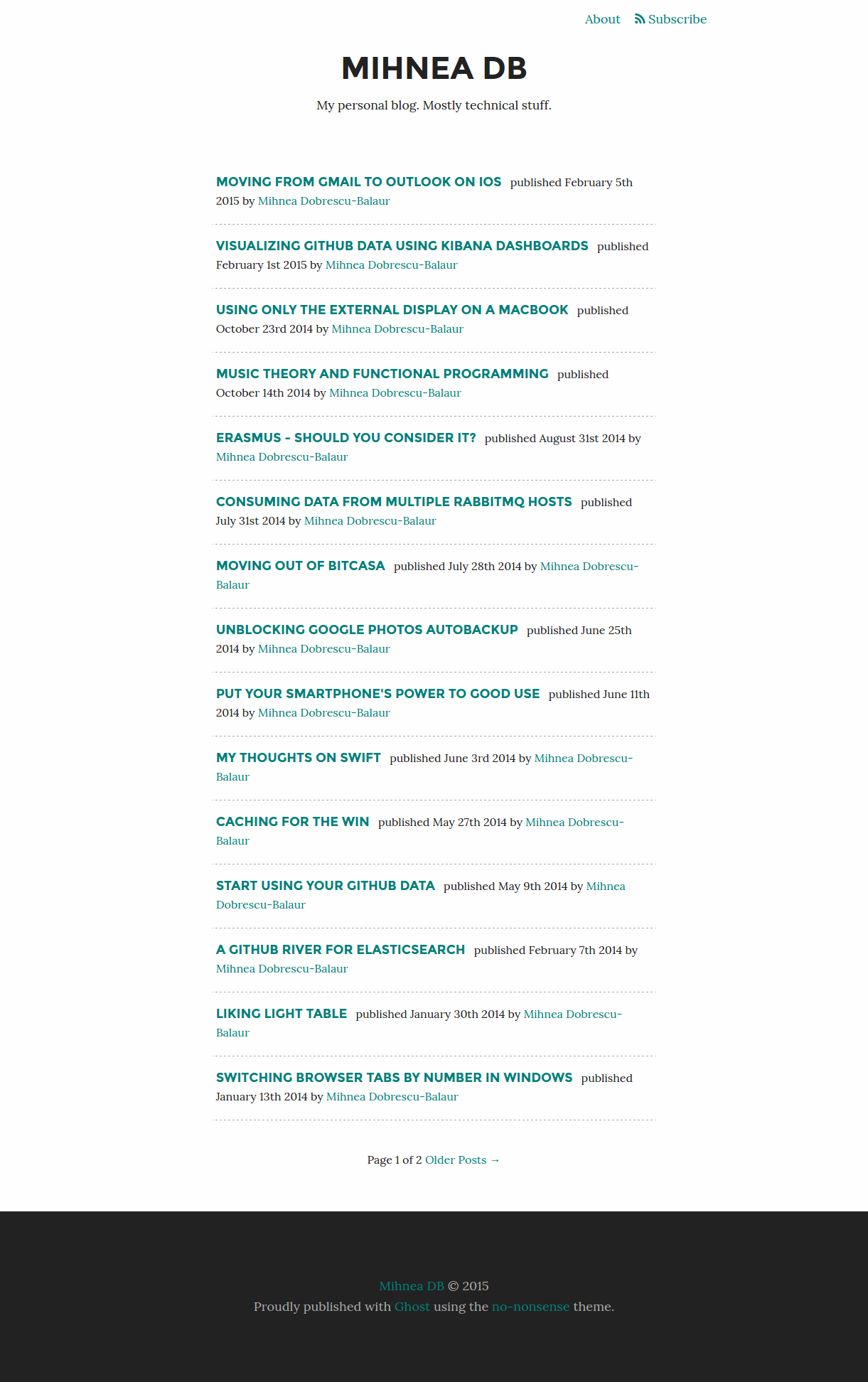
## Index page
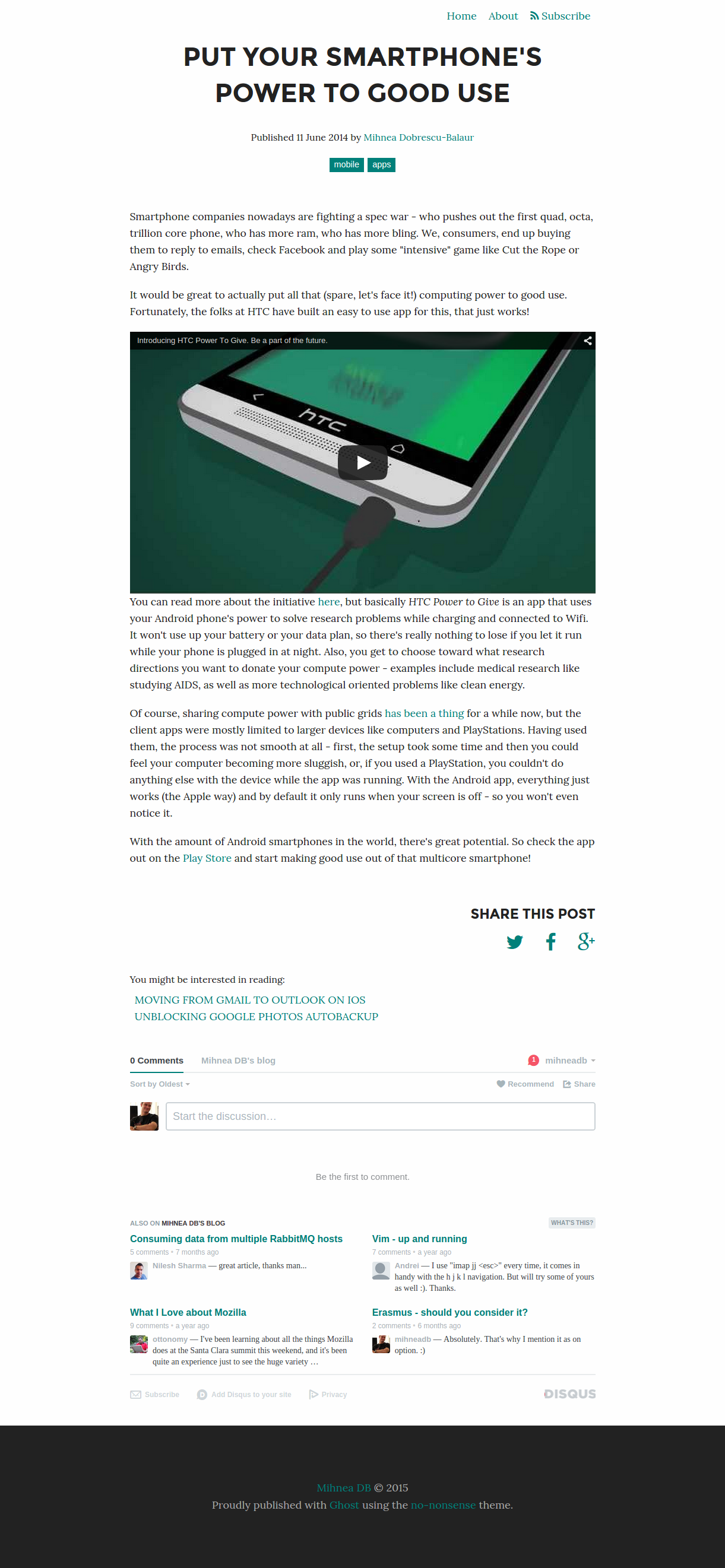
## Post
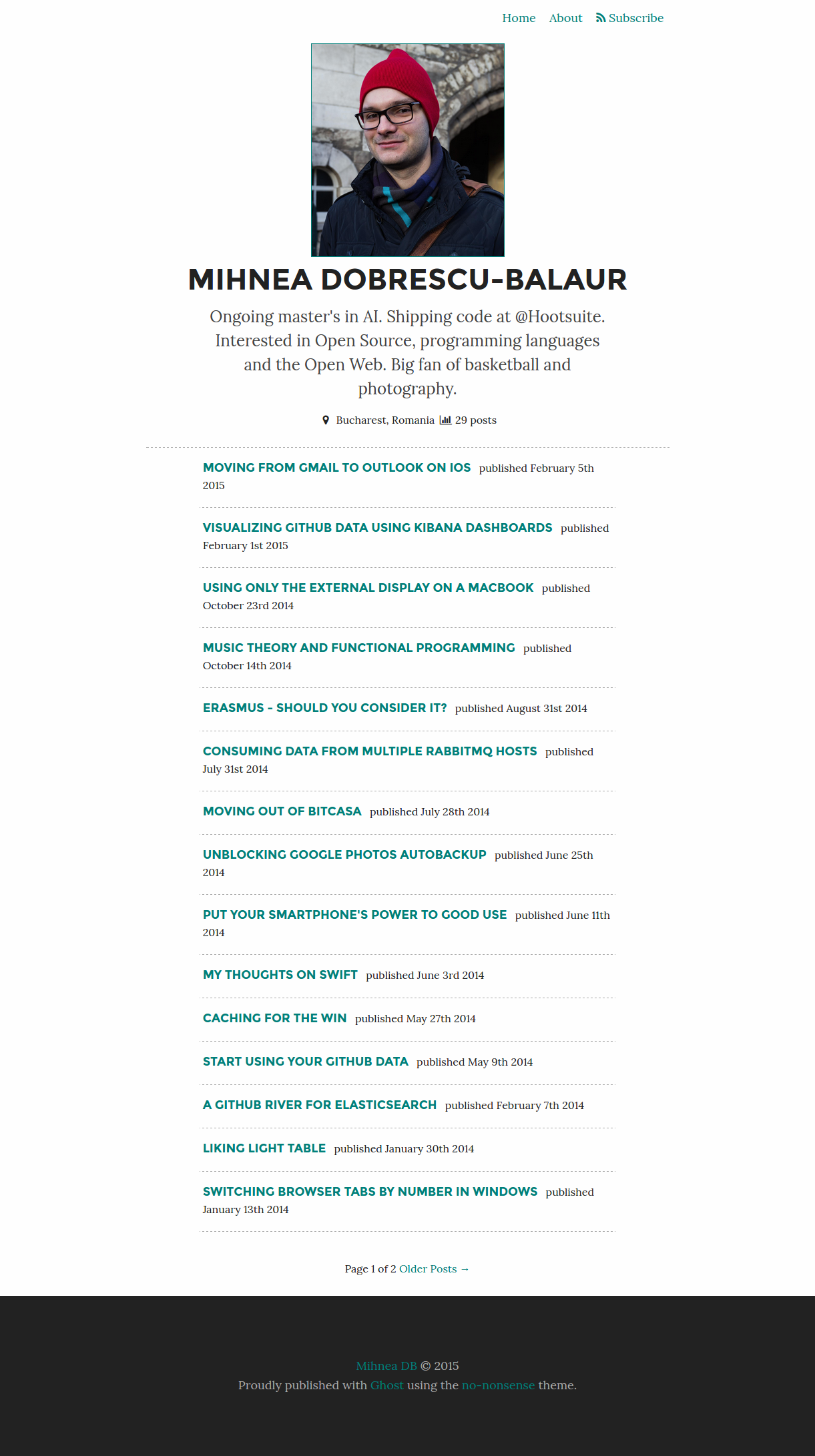
## Author page
## Error page