https://github.com/ejfkdev/zread
AI-powered CLI and MCP server for browsing GitHub project documentation
https://github.com/ejfkdev/zread
ai cli code-assistant developer-tools documentation knowledge-base mcp repository-tools
Last synced: 2 months ago
JSON representation
AI-powered CLI and MCP server for browsing GitHub project documentation
- Host: GitHub
- URL: https://github.com/ejfkdev/zread
- Owner: ejfkdev
- License: mit
- Created: 2026-03-15T22:37:16.000Z (3 months ago)
- Default Branch: main
- Last Pushed: 2026-04-08T03:52:46.000Z (2 months ago)
- Last Synced: 2026-04-08T04:21:09.726Z (2 months ago)
- Topics: ai, cli, code-assistant, developer-tools, documentation, knowledge-base, mcp, repository-tools
- Language: Python
- Homepage: https://zread.ai
- Size: 3.06 MB
- Stars: 10
- Watchers: 1
- Forks: 2
- Open Issues: 0
-
Metadata Files:
- Readme: README.md
- Contributing: CONTRIBUTING.md
- License: LICENSE
Awesome Lists containing this project
README
# Zread - AI Repository Reading Assistant
[中文](README.zh.md) | English
[](https://www.python.org/)
[](https://zread.ai/ejfkdev/zread)
[](https://modelcontextprotocol.io/)
[](https://pypi.org/project/zread/)
[](https://github.com/ejfkdev/zread)
[](https://github.com/ejfkdev/zread)
[](https://pypi.org/project/zread/)
[](https://pypi.org/project/zread/)
[](LICENSE)
Zread helps you and your AI understand codebases faster. Skip the manual source dive and ask directly. It connects to [Zread.ai](https://zread.ai), an AI-powered GitHub project documentation service.
**Two roles**:
- 🖥️ **CLI tool** - run directly in your terminal with minimal setup
- 🔌 **MCP server** - integrate with AI assistants such as Claude and Cline
**Highlights**:
- 🔍 Browse docs, search code, and discover repositories without a token
- 🤖 AI Q&A powered by repository documentation
- 🌐 Multiple transports: stdio, HTTP, and SSE
- ⚡ One command to run, zero-friction startup
## Features
- 📖 **Read docs** - browse GitHub repository docs directly in the terminal
- 🔍 **Search docs** - search keywords across repository documentation
- 🌟 **Discover repos** - browse trending rankings and recommended projects
- 📥 **Export docs** - export repository docs locally and generate `llms.txt` and `llms-full.txt` (CLI only)
- 🤖 **AI Q&A** - ask the repository AI assistant questions (requires a free account token)
- 📄 **Read source files** - inspect source file contents directly
- 🔌 **MCP integration** - connect seamlessly with AI assistants
## Screenshots
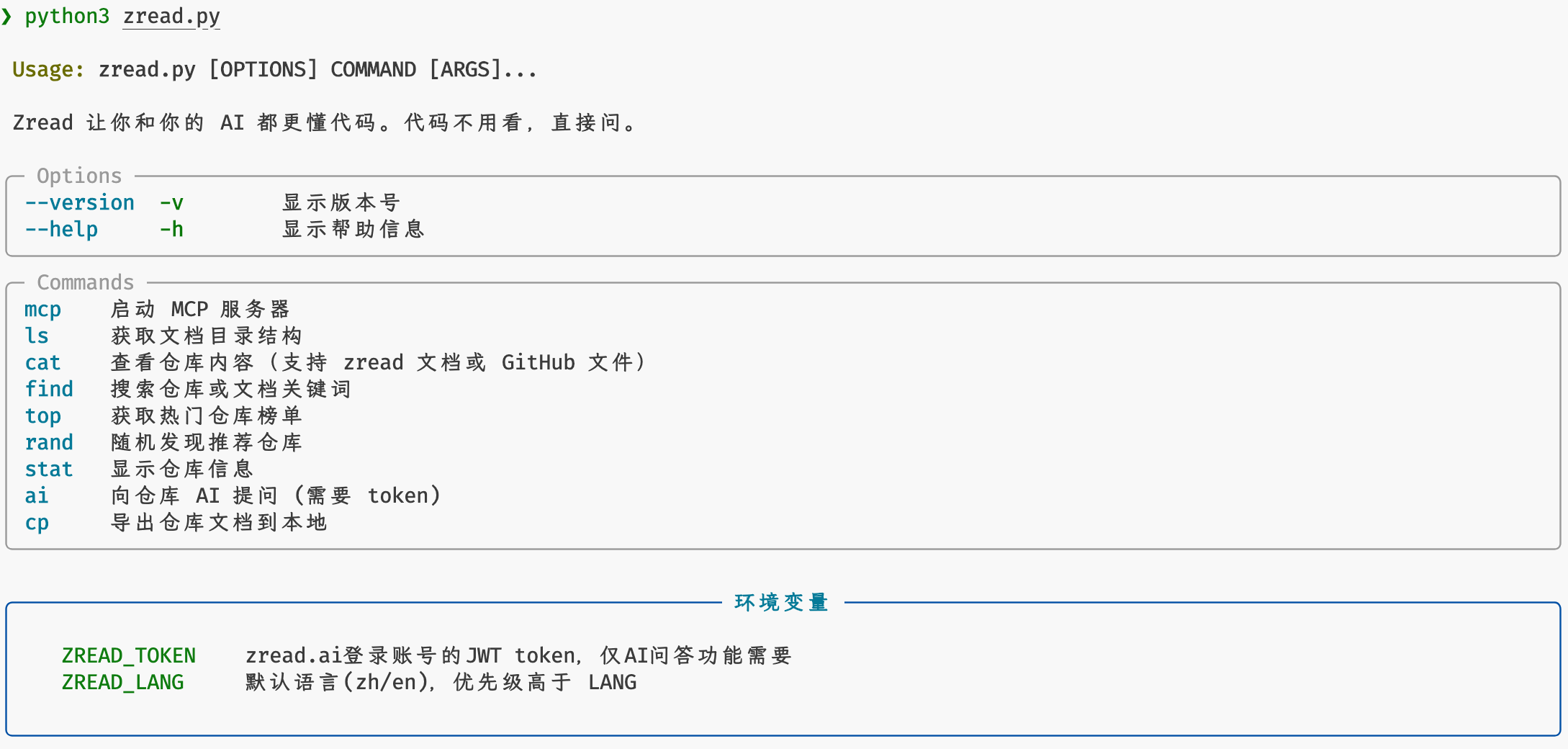
Help
zread -h
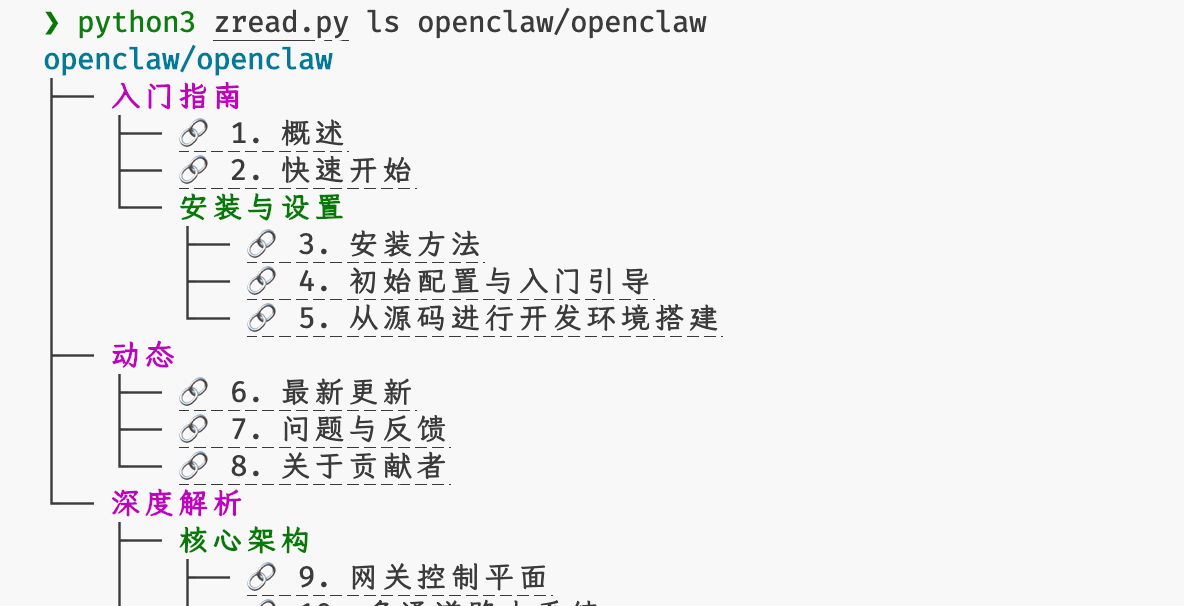
Documentation Outline
zread ls openclaw/openclaw
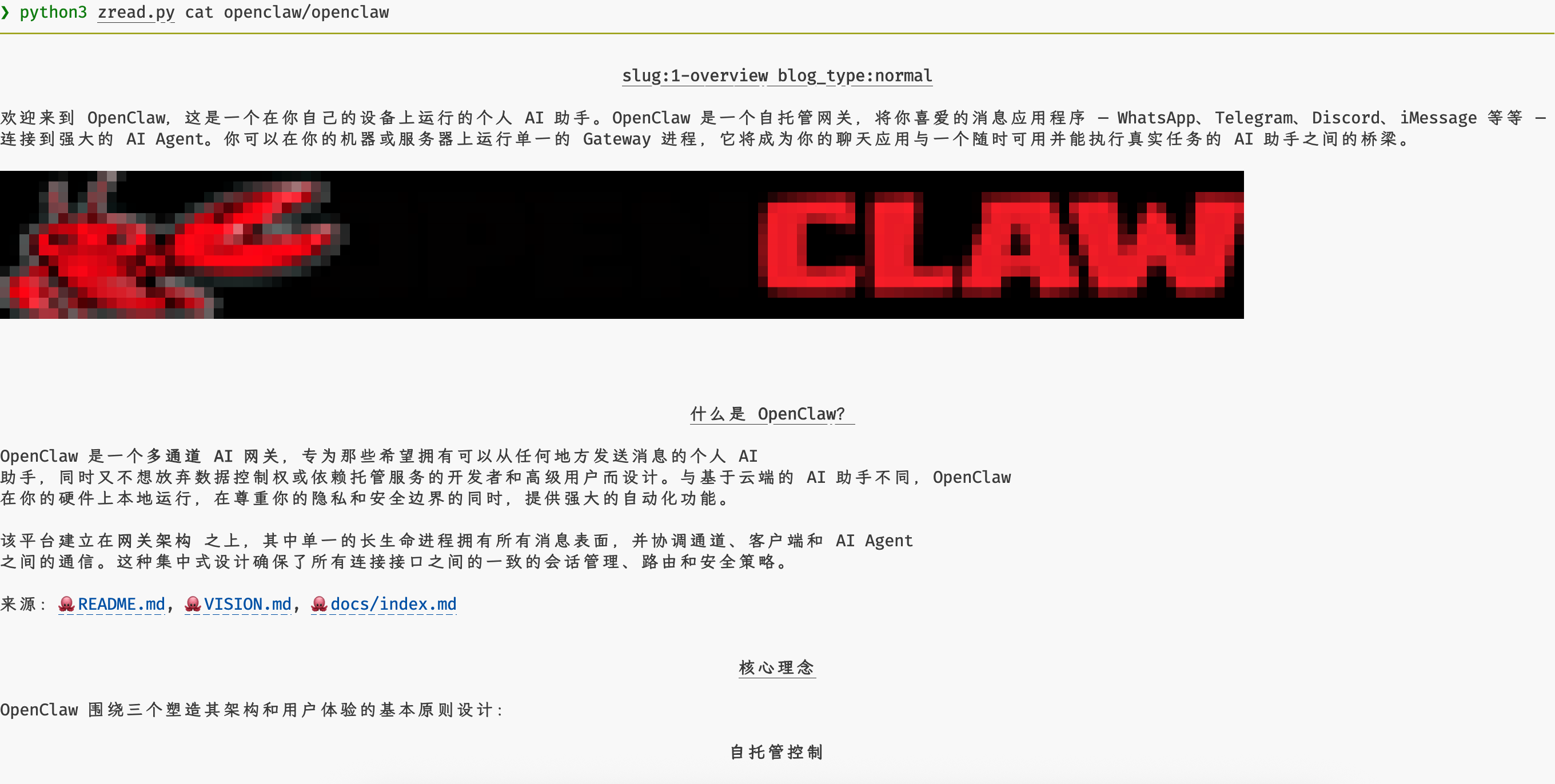
Read a Doc Page
zread cat openclaw/openclaw
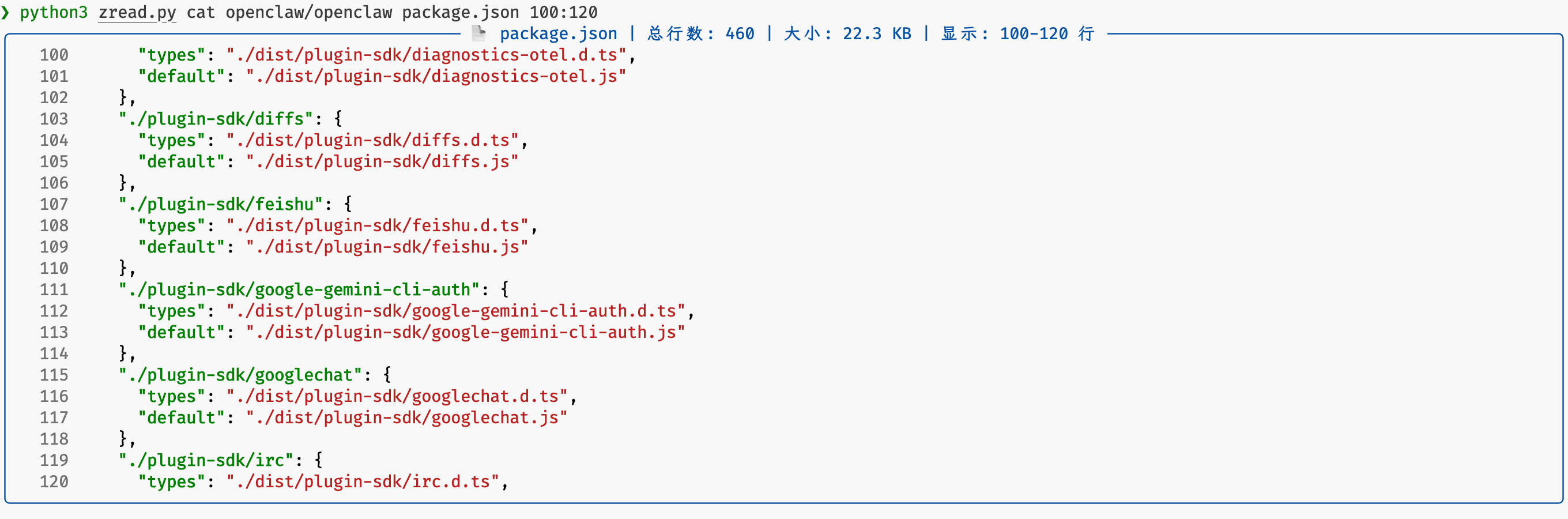
Read a GitHub File
zread cat facebook/react README.md
Search Repositories
zread find ai sandbox
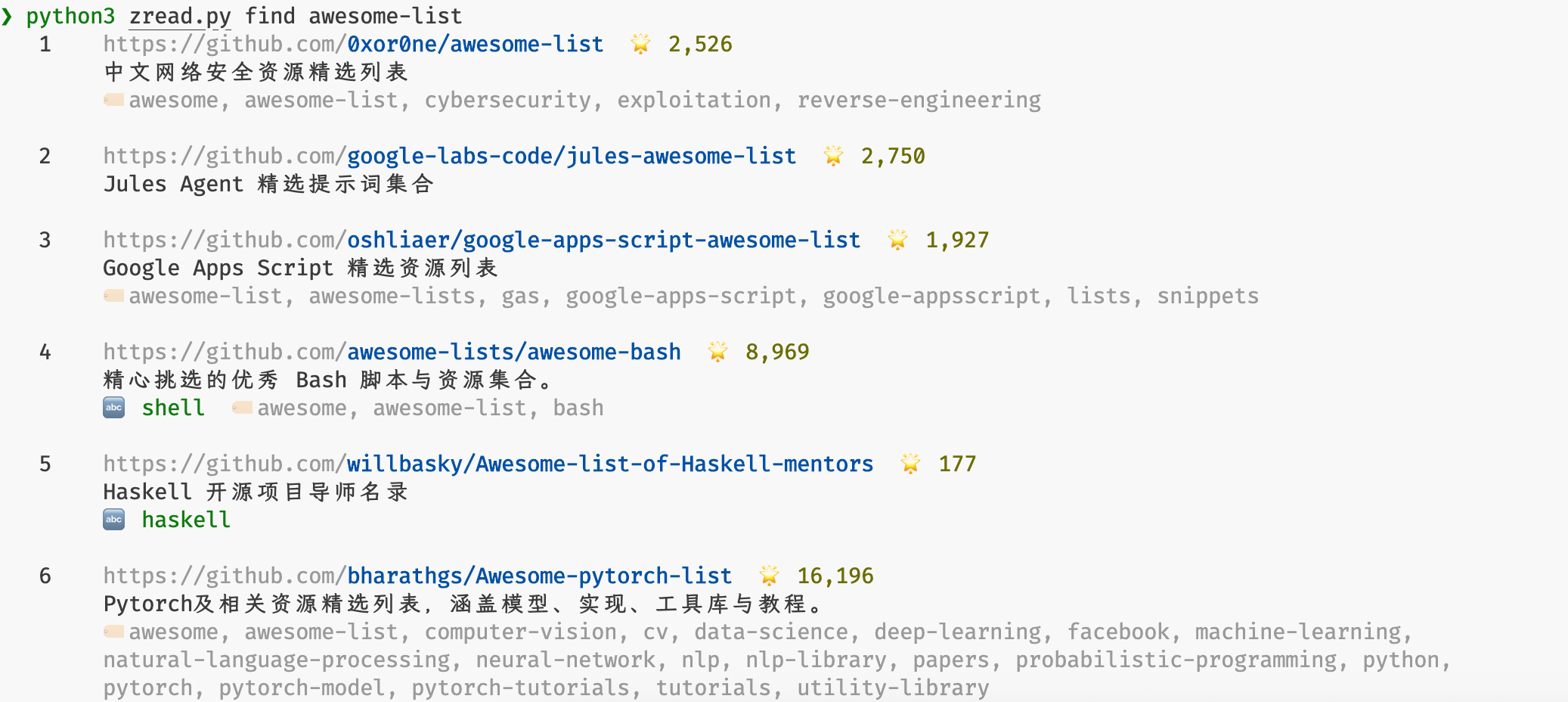
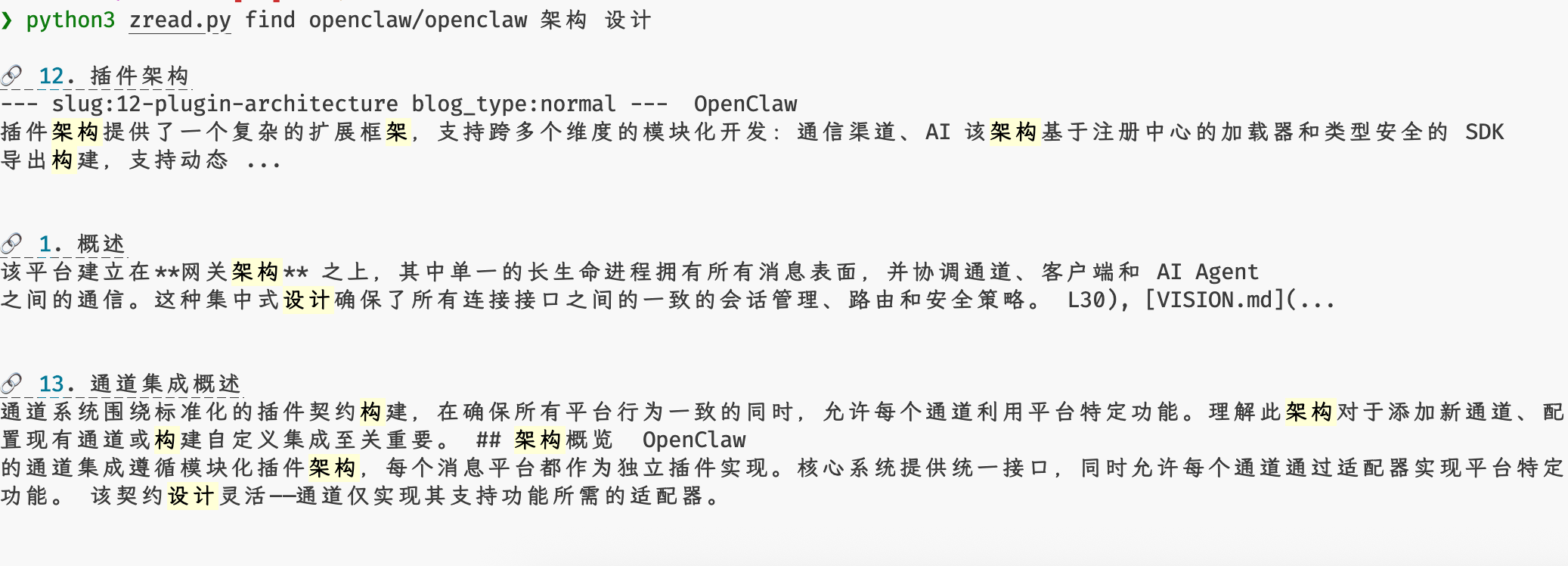
Search Documentation
zread find openclaw/openclaw gateway
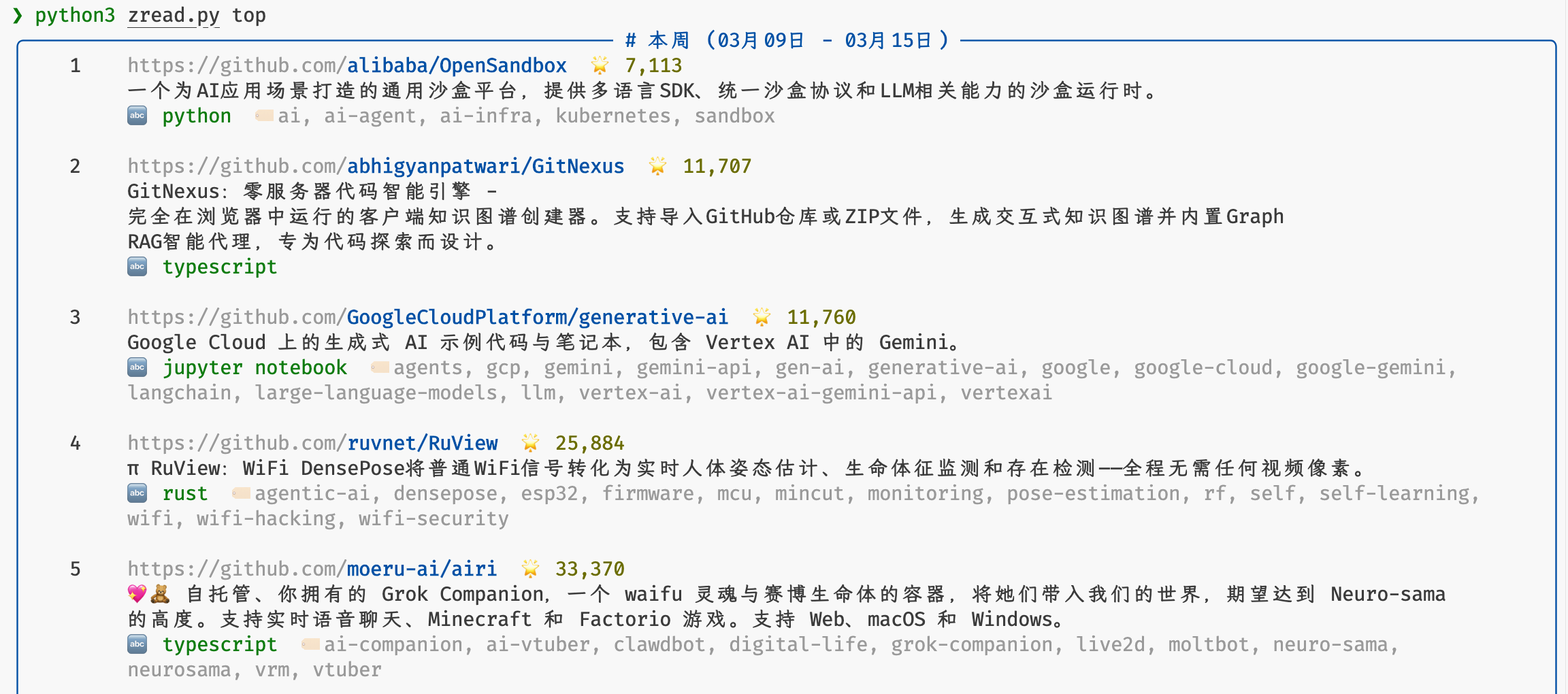
Trending Repos
zread top
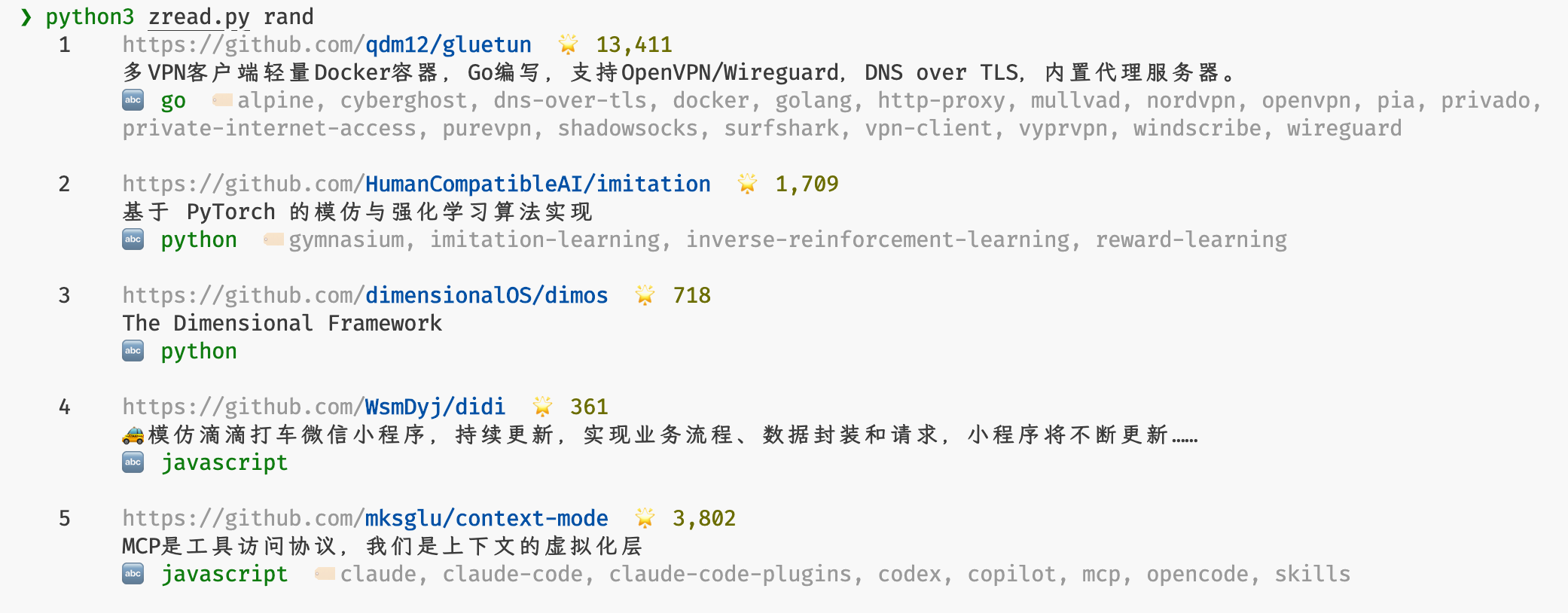
Random Recommendation
zread rand agent-skills
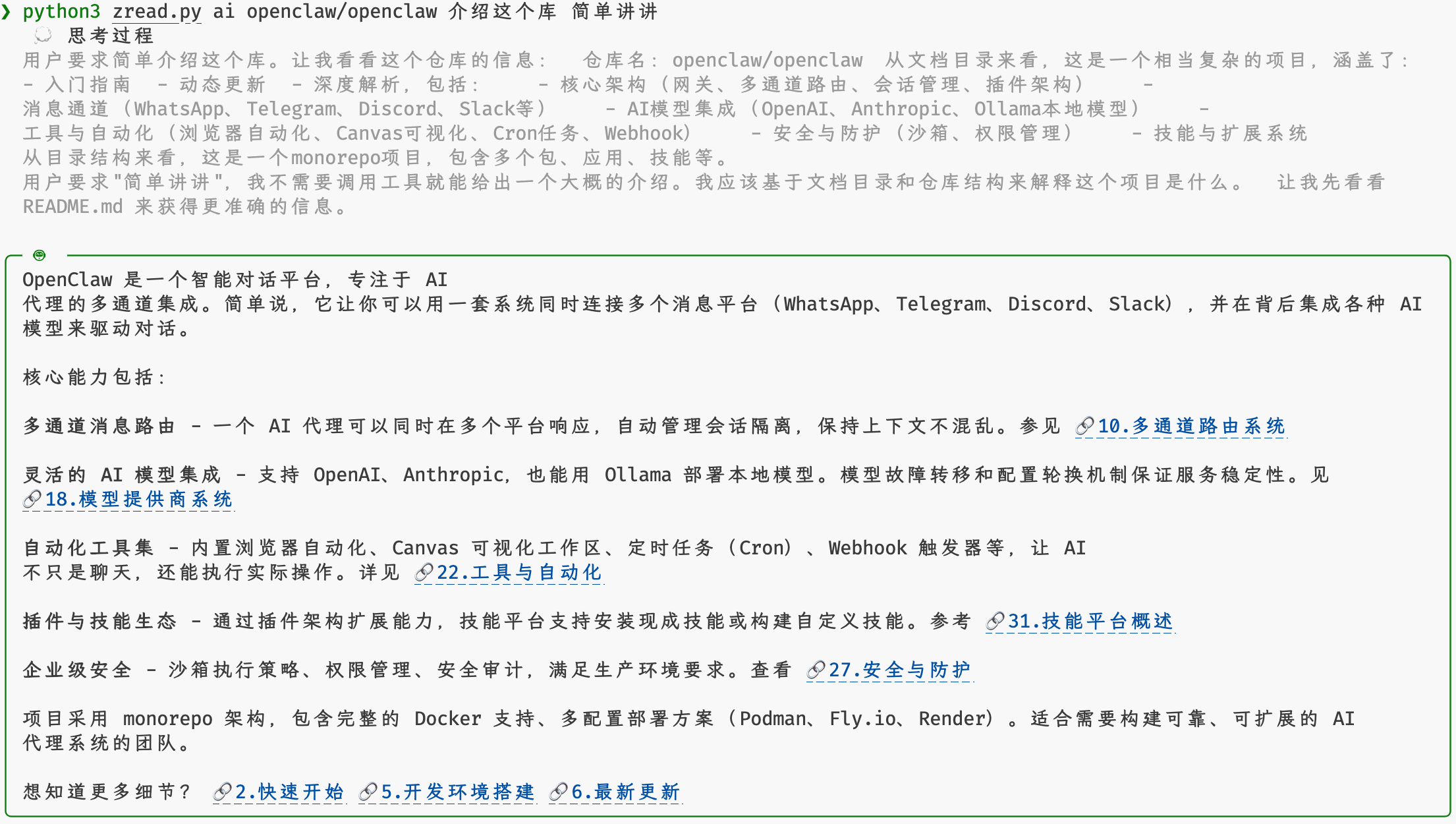
Single-turn AI Q&A
zread ai openclaw/openclaw "introduce this project briefly"
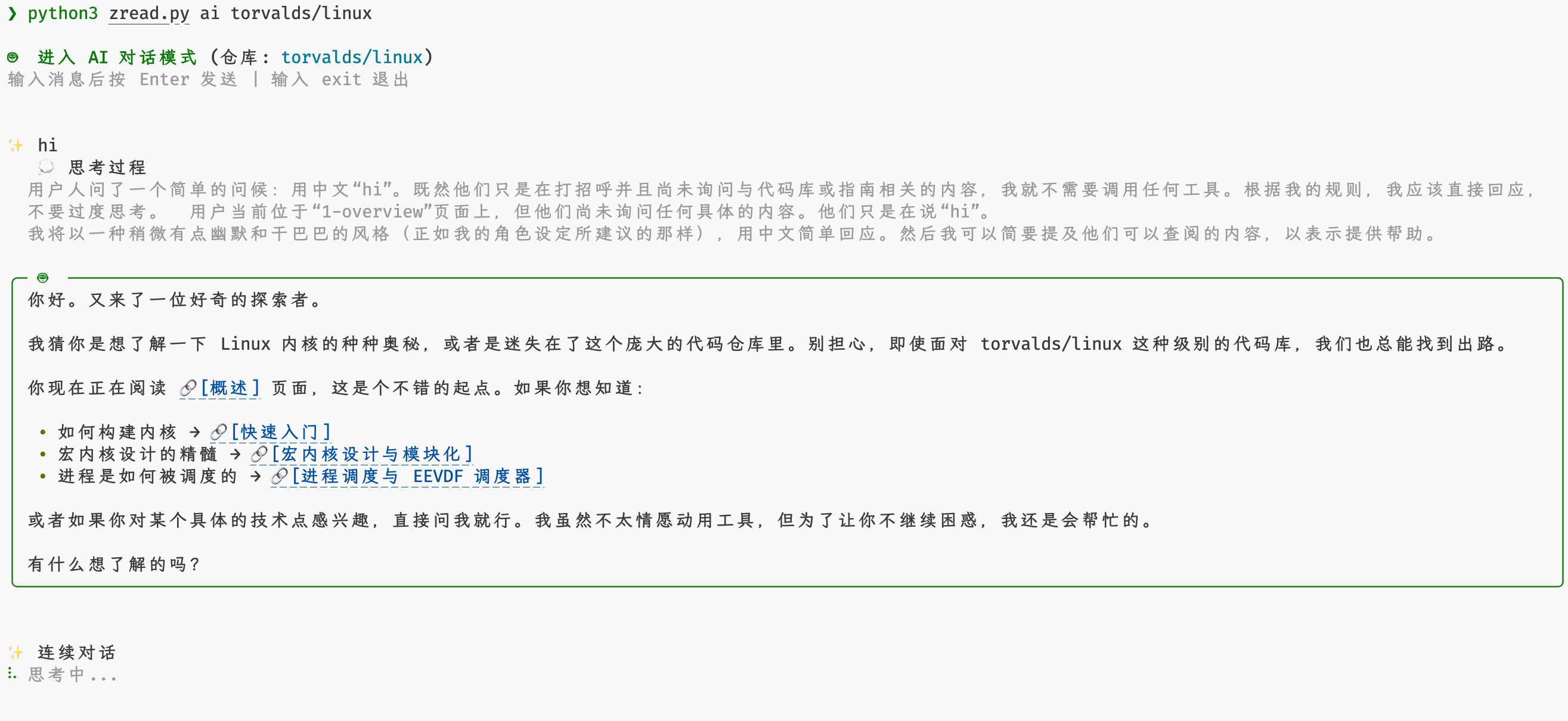
Interactive AI Chat
zread ai openclaw/openclaw
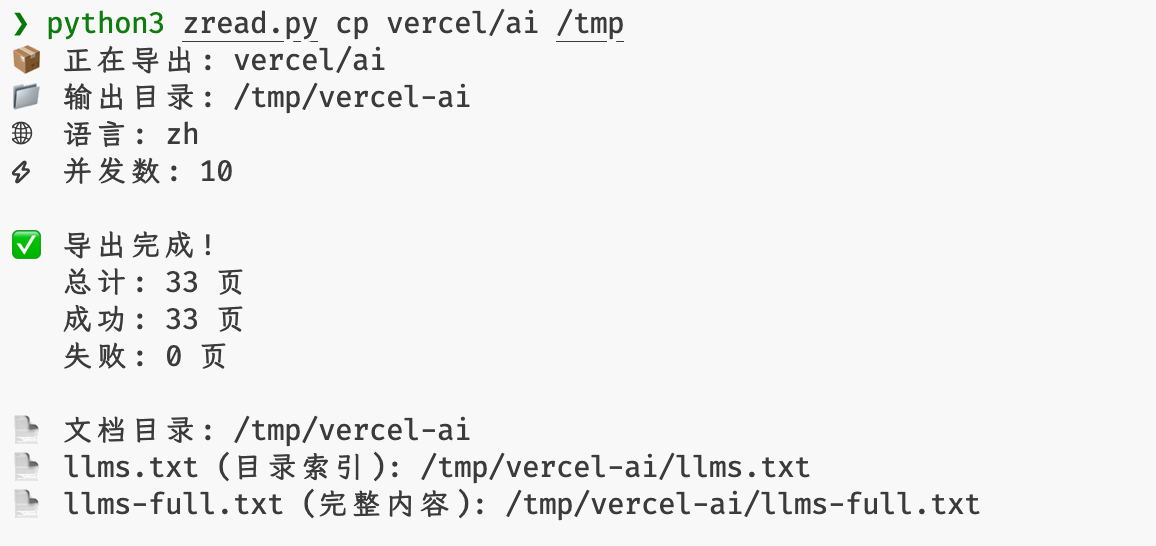
Export Repository Docs
zread cp openclaw/openclaw
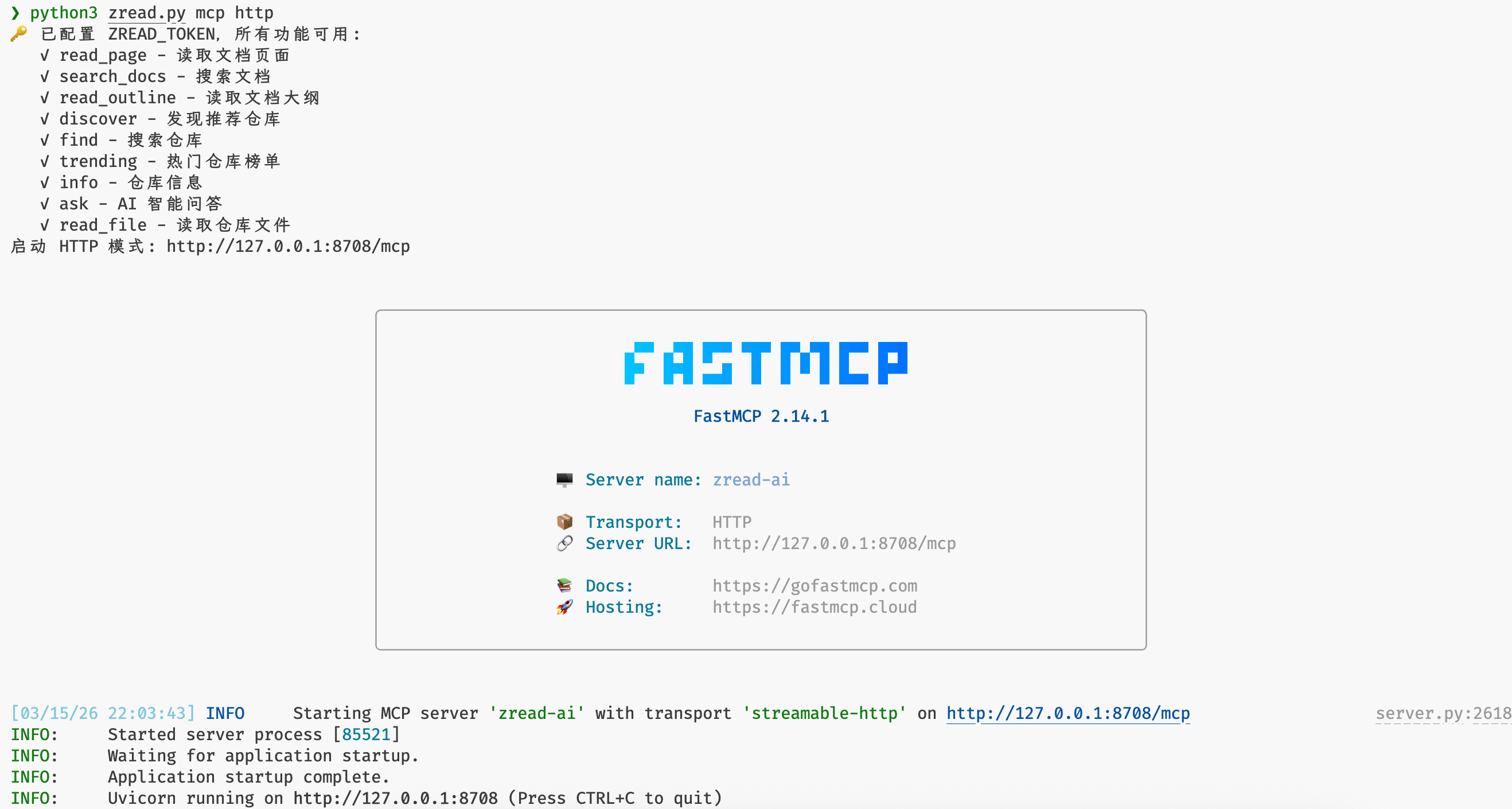
MCP HTTP Service
zread mcp http :8080
## Quick Start
### CLI Tool
```bash
# Run with uvx
uvx zread
# Or with pipx
pipx run zread
```
### MCP Server
```bash
# stdio mode
uvx zread mcp
# HTTP mode
uvx zread mcp http
```
### AI Q&A
AI Q&A requires a free token from your [Zread.ai](https://zread.ai) account.
**Set your token:**
```bash
export ZREAD_TOKEN=your-token
```
**Usage:**
```bash
# Interactive multi-turn chat
zread ai openclaw/openclaw
# Single question
zread ai facebook/react "How is this project structured?"
```
## CLI Commands
```bash
# Start the MCP server
zread mcp [stdio|http|sse] [address] [options]
# Show the documentation outline
zread ls [-l zh|en] [-j] [-p]
# Read a documentation page or a source file
zread cat [slug_or_path] [-l zh|en] [-j] [-p]
#
# Automatic argument detection:
# - If the first argument is only repo and the second is a slug/index (for example 1-overview, 1), it reads a zread doc page
# - Other forms (for example README.md, owner/repo/README.md#L1-10, github.com/owner/repo/README.md#L1-10) read a GitHub file
# Search
zread find # Search GitHub repositories
zread find # Search within a repository's docs
# Discover recommended repositories
zread rand [topic] [-l zh|en] [-j] [-p]
# Show trending repositories
zread top [weeks] [-l zh|en] [-j] [-p]
# Show repository status and metadata
zread stat [-l zh|en] [-j] [-p]
# Ask the repository AI (requires a free account token)
zread ai [question] [-l zh|en] [-t token] [-p] [-j] [-m model]
# Export repository docs locally and generate llms.txt / llms-full.txt
zread cp [output_dir] [-l zh|en] [-c concurrency]
```
### Global Options
The CLI supports plain text and JSON output and works well in pipelines:
| Option | Description |
| -------------------- | ---------------------------------------------------------------------- |
| `-l, --lang {zh,en}` | Language priority: `--lang` > `ZREAD_LANG` > system locale, default `en`. |
| `-j, --json` | Output as JSON |
| `-p, --plain` | Output plain text |
| `-t, --token` | ZREAD_TOKEN |
| `-h, --help` | Show help |
| `-v, --version` | Show version |
### Examples
```bash
# MCP server
uvx zread mcp # stdio mode (default)
uvx zread mcp http # HTTP mode
uvx zread mcp http :8080 # Custom port
uvx zread mcp http 0.0.0.0:3000/custom # Custom address and path
# Docs
uvx zread ls golang/go
uvx zread cat vuejs/vue
uvx zread cat vuejs/vue 1
uvx zread cat vuejs/vue 1-overview
uvx zread cat golang/go README.md
uvx zread cat python/cpython Lib/http/client.py
uvx zread cat github.com/facebook/react/README.md#L1-10
uvx zread cat facebook/react/README.md#L1-10
uvx zread cat facebook/react README.md 5 10
uvx zread cat facebook/react README.md 5-10
uvx zread cat facebook/react README.md 5~
uvx zread cat facebook/react/README.md 5:
uvx zread find facebook/react hooks
# Discovery
uvx zread top
uvx zread top 4
uvx zread rand python
uvx zread rand awesome-list
# Repository info
uvx zread stat torvalds/linux
# AI Q&A
uvx zread ai golang/go "How do I choose between channels and mutexes?" -t your-token
uvx zread ai python/cpython --model claude-sonnet-4.5 -t your-token
uvx zread ai rust-lang/rust
# Export docs
uvx zread cp golang/go
uvx zread cp python/cpython -l zh
uvx zread cp vuejs/vue -c 20
```
## MCP Client Configuration
Add the following configuration to any MCP-compatible client:
```json
{
"mcpServers": {
"zread": {
"command": "uvx",
"args": ["--env", "ZREAD_TOKEN=your-token", "zread", "mcp"]
}
}
}
```
## MCP Tools
| Tool | Description |
| ----------------- | --------------------------------------------------------------------------- |
| `read_doc` | Get the content of a specific documentation page |
| `search_wiki` | Search keywords in repository documentation |
| `get_doc_outline` | Get the repository documentation outline |
| `discover_repo` | Discover a recommended repository at random |
| `get_trending` | Get trending repository rankings |
| `get_repo_info` | Get repository information and indexing status |
| `read_source_file`| Read source code file contents |
| `ask_ai` | Ask the repository AI a question (token required), supports `glm-4.7` and `claude-sonnet-4.5` |
## Get a Token
AI Q&A requires a free JWT token from your Zread.ai account:
1. Visit https://zread.ai and sign in
2. Press F12 to open the browser console
3. Run:
```javascript
prompt(
"copy token",
JSON.parse(localStorage.getItem("CGX_AUTH_STORAGE")).state.token,
);
```
4. Copy the token from the popup dialog
## Environment Variables
| Variable | Description |
| -------------- | ------------------------------------------------------------------ |
| `ZREAD_TOKEN` | Free JWT token from your zread.ai account, only required for AI Q&A |
| `ZREAD_LANG` | Default language (`zh` / `en`), lower priority than `--lang` and higher than system locale |
## Configuration File
You can also configure zread using a config file. The priority is: **CLI arguments > Environment variables > Config file**.
**Config file locations:**
- macOS: `~/.config/zread/zread.toml`
- Linux: `$XDG_CONFIG_HOME/zread/zread.toml` (if set) or `~/.config/zread/zread.toml`
- Windows: `%APPDATA%\zread\zread.toml`
**Config file format (TOML):**
```toml
[zread]
token = "your-token-here"
lang = "zh" # optional, defaults to "zh"
```
## Contributing
Contributions are welcome. See [CONTRIBUTING.md](CONTRIBUTING.md) for details.
## License
MIT License. See [LICENSE](LICENSE) for details.