https://github.com/eklem/designing-with-search-data
Plugin for Adobe XD - A search engine running inside XD to easily populate your search application design.
https://github.com/eklem/designing-with-search-data
adobe-xd design-tools designing-with-data search search-engine
Last synced: about 1 year ago
JSON representation
Plugin for Adobe XD - A search engine running inside XD to easily populate your search application design.
- Host: GitHub
- URL: https://github.com/eklem/designing-with-search-data
- Owner: eklem
- License: mit
- Created: 2018-11-05T07:21:37.000Z (over 7 years ago)
- Default Branch: trunk
- Last Pushed: 2025-04-07T12:12:21.000Z (about 1 year ago)
- Last Synced: 2025-04-10T06:00:04.556Z (about 1 year ago)
- Topics: adobe-xd, design-tools, designing-with-data, search, search-engine
- Language: JavaScript
- Size: 3.87 MB
- Stars: 3
- Watchers: 2
- Forks: 0
- Open Issues: 24
-
Metadata Files:
- Readme: README.md
- License: LICENSE
Awesome Lists containing this project
README
# Designing with search data
Plugin for Adobe XD - A search engine running inside XD to easily populate your search application design.
## Concept
Easily access the different results of a search query to populate the design. No more faking autosuggests for partial queries.
Check out the blogpost "[Designing with search data](https://knowitlabs.no/designing-with-search-data-5c8b6b6d3fa1)".
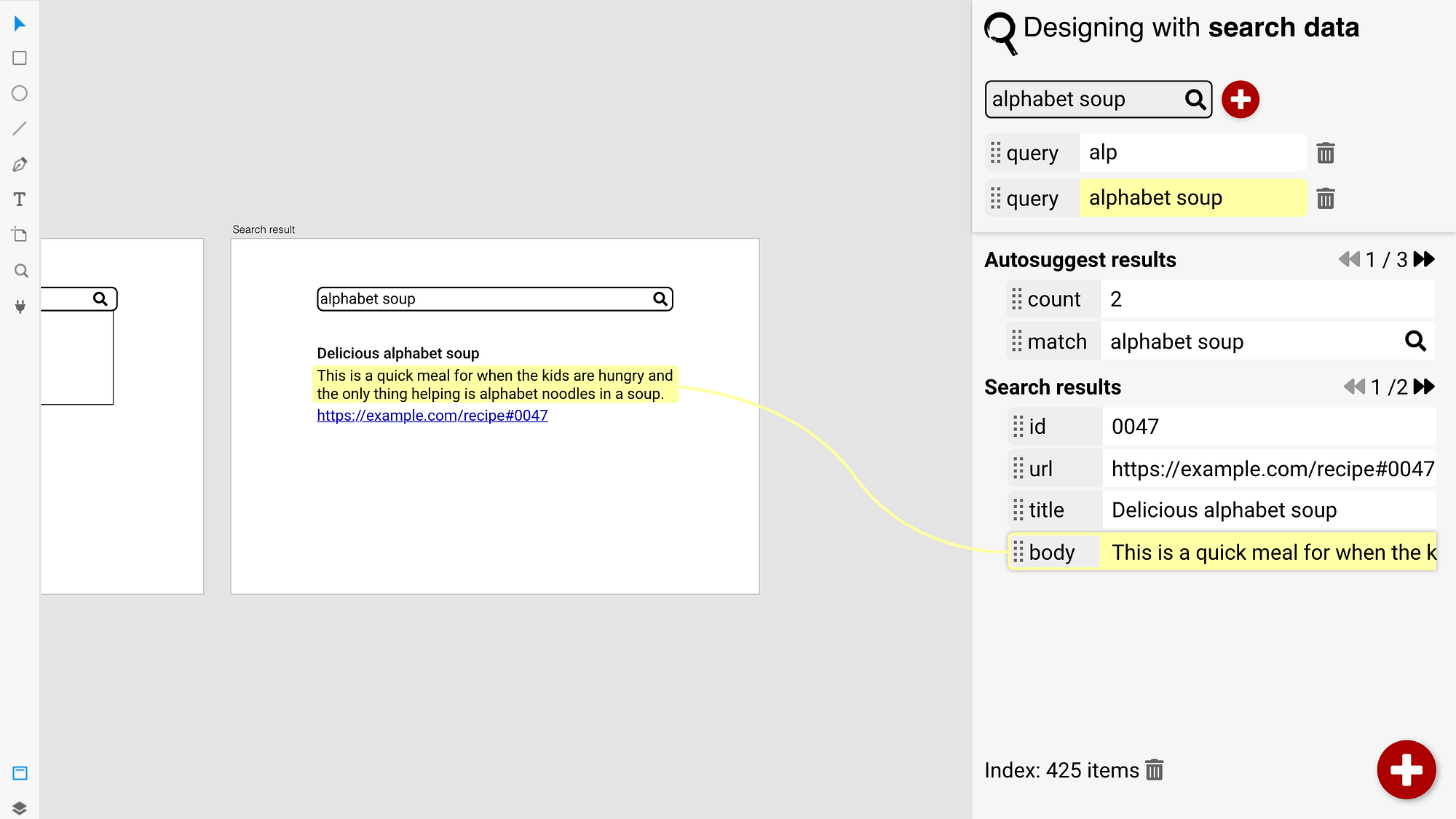
The actual application will be a bit different, but concept will be the same. [Check out a video of how it could work](https://youtu.be/A-rr1h-sjYw).
## Do you want this to happen?
Go vote for the [Leveldb / indexeddb for apps running inside XD](https://forums.adobexdplatform.com/t/leveldb-indexeddb-for-apps-running-inside-xd/241) feature request, over at Adobe XD Plugin Developers.
## Patch level-js
After `npm install`, add `var indexedDB` to ./node_modules/level-js/index.js so the start of the file is like this:
```JavaScript
/* global indexedDB */
'use strict'
var indexedDB
module.exports = Level
```
## Building it
Only working when loading the plugin (check developer console), but not in interaction with SceneGraph. That's next to fix.
```console
npm run-script deploy
```