https://github.com/el634dev/portfolio
Built my portfolio site using React, JavaScript and CSS
https://github.com/el634dev/portfolio
css javascript portfolio react responsive-design
Last synced: 2 months ago
JSON representation
Built my portfolio site using React, JavaScript and CSS
- Host: GitHub
- URL: https://github.com/el634dev/portfolio
- Owner: el634dev
- License: mit
- Created: 2022-10-25T21:09:53.000Z (over 3 years ago)
- Default Branch: main
- Last Pushed: 2023-03-15T06:42:06.000Z (over 3 years ago)
- Last Synced: 2025-03-25T11:28:50.385Z (over 1 year ago)
- Topics: css, javascript, portfolio, react, responsive-design
- Language: JavaScript
- Homepage: https://emily-l.vercel.app/
- Size: 2.77 MB
- Stars: 0
- Watchers: 1
- Forks: 0
- Open Issues: 3
-
Metadata Files:
- Readme: README.md
- License: LICENSE
Awesome Lists containing this project
README
# Developer Portfolio - Portfolio site showcasing my skills, education, about me and experience with LI and GitHub links at the bottom.
⚡️ A portfolio site that is reponsive and smooth on your mobile or browser.
Watch this video for more in-depth: ReactJS Portfolio Site
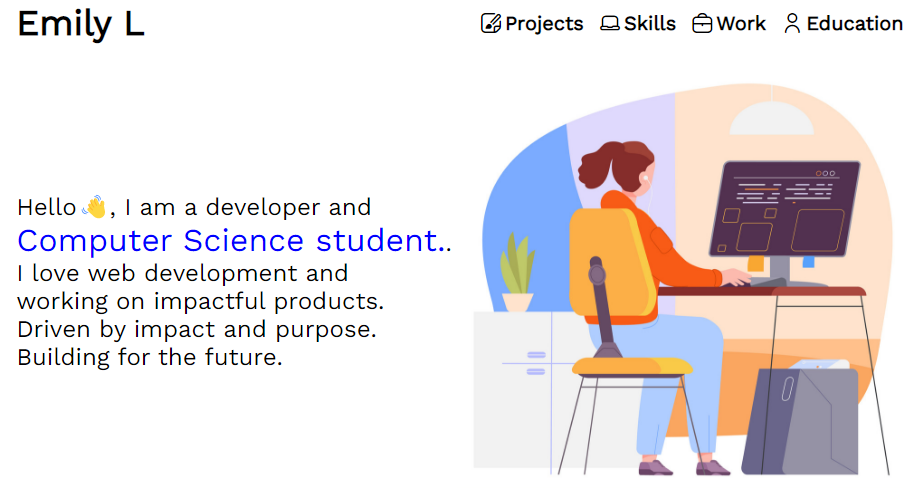
## Features:
- Reponsive
- Highlights experience, education and skills
- Project cards to highlight projects
## Languages and Tools used
VSCode
React
JavaScript
CSS
HTML
NextUI
Dev Icons
Dribble
## Installation and Setup
- git clone `https://github.com/el634dev/portfolio.git`
- `npm install`
- `npm i @nextui-react`
- `npm start` to run the project
- Create a Dribble account, this is free and for the project card images
- Change work, experience, skills, education and name to your information
## Extra Features
1. Create a multi page portfolio
2. Create education cards
3. Create experience/work cards
4. Change the background color for the header and footer to visually seperate
5. Add icons in the footer
6. Create a contact page with or without a form setup
## Setup and Installation If you did not clone
- Create a new folder on your computer
- After go into your terminal or terminal on your IDE of choice and run `npx create-react-app app-name`
- Run `npm install` for packages
- `npm i @nextui-react`
- Run `npm start` to see your project in your browser
- Create your own portfolio
- Create a Dribble account if you do not have one setup yet, this is for the project card images and is free
- Change work, experience, skills, education and name to your information
## License Note
You can use the code just say where it came from
## Deployment
I choose to use Vercel to deploy this project
## Image for the About Section
I used Vector Stock