https://github.com/elegantengineeringtech/laravel-seo
An Elegant & Flexible SEO Tag Builder for Laravel
https://github.com/elegantengineeringtech/laravel-seo
laravel laravel-package laravel-seo opengraph php schema-org seo
Last synced: 7 months ago
JSON representation
An Elegant & Flexible SEO Tag Builder for Laravel
- Host: GitHub
- URL: https://github.com/elegantengineeringtech/laravel-seo
- Owner: ElegantEngineeringTech
- License: mit
- Created: 2024-08-22T09:24:21.000Z (almost 2 years ago)
- Default Branch: main
- Last Pushed: 2026-01-18T16:59:25.000Z (7 months ago)
- Last Synced: 2026-01-19T00:54:07.564Z (7 months ago)
- Topics: laravel, laravel-package, laravel-seo, opengraph, php, schema-org, seo
- Language: PHP
- Homepage:
- Size: 120 KB
- Stars: 12
- Watchers: 1
- Forks: 0
- Open Issues: 2
-
Metadata Files:
- Readme: README.md
- Changelog: CHANGELOG.md
- Funding: .github/FUNDING.yml
- License: LICENSE.md
Awesome Lists containing this project
README
# An Elegant & Flexible SEO Tag Builder for Laravel
[](https://packagist.org/packages/elegantly/laravel-seo)
[](https://github.com/ElegantEngineeringTech/laravel-seo/actions?query=workflow%3Arun-tests+branch%3Amain)
[](https://github.com/ElegantEngineeringTech/laravel-seo/actions?query=workflow%3A"Fix+PHP+code+style+issues"+branch%3Amain)
[](https://packagist.org/packages/elegantly/laravel-seo)
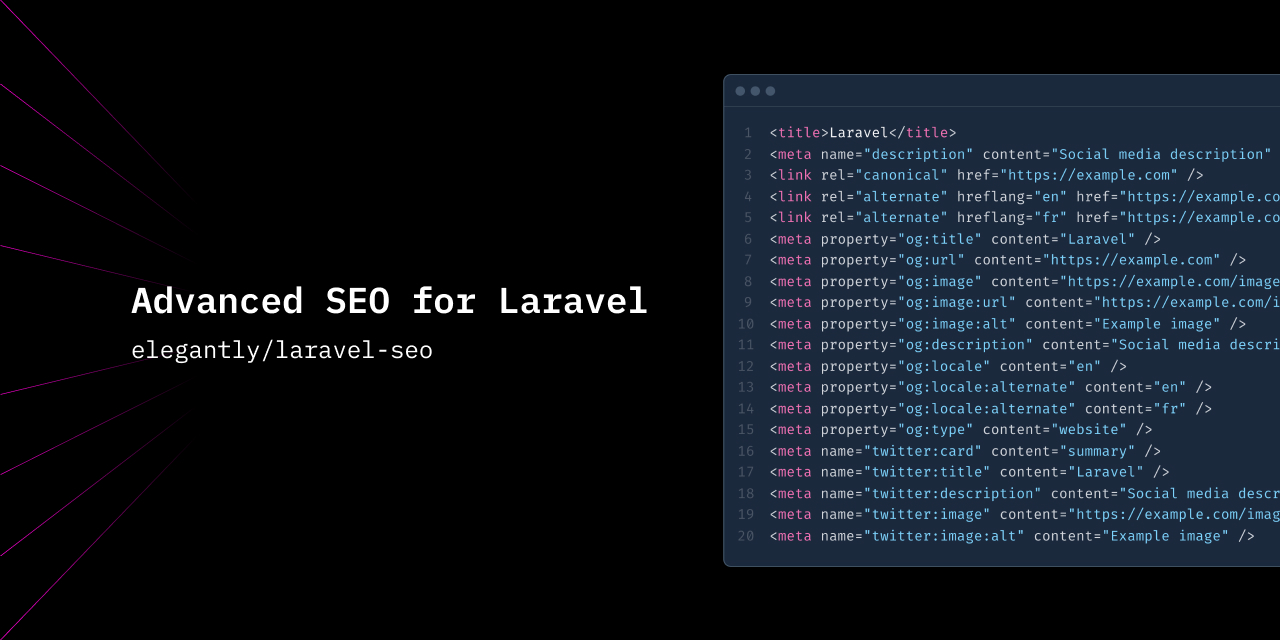
## Introduction
`laravel-seo` is a flexible and powerful package for managing SEO tags in Laravel applications.
With this package, you can easily handle:
- Standard HTML tags like `` and ``
- Localization with alternate tags ([Google SEO Localization](https://developers.google.com/search/docs/specialty/international/localized-versions))
- [Open Graph tags](https://ogp.me/) with structured properties, arrays, and object types
- [Twitter (X) tags](https://developer.x.com/en/docs/x-for-websites/cards/overview/abouts-cards)
- [Structured data (JSON-LD)](https://developers.google.com/search/docs/appearance/structured-data/intro-structured-data)
## Installation
You can install the package via Composer:
```bash
composer require elegantly/laravel-seo
```
Next, publish the config file:
```bash
php artisan vendor:publish --tag="seo-config"
```
### Config File Overview
The configuration file (`config/seo.php`) allows you to customize the default SEO behavior for your application. Here's a snippet with all available settings:
```php
return [
'defaults' => [
/*
|--------------------------------------------------------------------------
| Default Title
|--------------------------------------------------------------------------
|
| This is the default value used for , "og:title", "twitter:title"
|
*/
'title' => env('APP_NAME', 'Laravel'),
/*
|--------------------------------------------------------------------------
| Default Description
|--------------------------------------------------------------------------
|
| This is the default value used for ,
| ,
|
*/
'description' => null,
/*
|--------------------------------------------------------------------------
| Default Author
|--------------------------------------------------------------------------
|
| This is the default value used for
|
*/
'author' => null,
/*
|--------------------------------------------------------------------------
| Default Generator
|--------------------------------------------------------------------------
|
| This is the default value used for
|
*/
'generator' => null,
/*
|--------------------------------------------------------------------------
| Default Keywords
|--------------------------------------------------------------------------
|
| This is the default value used for
| Types supported: string or array of strings
|
*/
'keywords' => null,
/*
|--------------------------------------------------------------------------
| Default Referrer
|--------------------------------------------------------------------------
|
| This is the default value used for
|
*/
'referrer' => null,
/*
|--------------------------------------------------------------------------
| Default Theme color
|--------------------------------------------------------------------------
|
| This is the default value used for
|
*/
'theme-color' => null,
/*
|--------------------------------------------------------------------------
| Default Color Scheme
|--------------------------------------------------------------------------
|
| This is the default value used for
|
*/
'color-scheme' => null,
/*
|--------------------------------------------------------------------------
| Default Image path
|--------------------------------------------------------------------------
|
| This is the default value used for ,
| You can use relative path like "/opengraph.png" or url like "https://example.com/opengraph.png"
|
*/
'image' => null,
/*
|--------------------------------------------------------------------------
| Default Robots
|--------------------------------------------------------------------------
|
| This is the default value used for
| See Google documentation here: https://developers.google.com/search/docs/crawling-indexing/robots-meta-tag?hl=fr#directives
|
*/
'robots' => 'max-snippet:-1,max-image-preview:large,max-video-preview:-1',
/*
|--------------------------------------------------------------------------
| Default Sitemap path
|--------------------------------------------------------------------------
|
| This is the default value used for
| You can use relative path like "/sitemap.xml" or url like "https://example.com/sitemap.xml"
|
*/
'sitemap' => null,
],
/**
* @see https://ogp.me/
*/
'opengraph' => [
/*
|--------------------------------------------------------------------------
| Default Site Name
|--------------------------------------------------------------------------
|
| This is the default value used for
| If null: config('app.name') is used.
|
*/
'site_name' => null,
/*
|--------------------------------------------------------------------------
| Default Determiner
|--------------------------------------------------------------------------
|
| This is the default value used for
| Possible values are: a, an, the, "", auto
|
*/
'determiner' => '',
],
/**
* @see https://developer.x.com/en/docs/x-for-websites/cards/overview/abouts-cards
*/
'twitter' => [
/*
|--------------------------------------------------------------------------
| Default Twitter username
|--------------------------------------------------------------------------
|
| This is the default value used for
| Example: @X
|
*/
'site' => null,
],
/**
* @see https://schema.org/WebPage
*/
'schema' => [
/*
|--------------------------------------------------------------------------
| Default WebPage schema
|--------------------------------------------------------------------------
|
| This is the default value used for the schema WebPage
| @see https://schema.org/WebPage for all available properties
|
*/
'webpage' => [],
],
];
```
## Usage
### Displaying SEO Tags
You can easily render all SEO tags in your Blade views by calling the `seo()` helper function:
```php
{!! seo() !!}
```
This will render all the default tags, for example:
```html
Home
{
"@context": "https://schema.org",
"@type": "WebPage",
"name": "Home",
"url": "https://example.com"
}
```
### Setting SEO Tags in Controllers
You will typically want to define your SEO tags dynamically in your controllers. You can do this using either the `seo()` helper or the `SeoManager` facade:
```php
namespace App\Http\Controllers;
use \Elegantly\Seo\Facades\SeoManager;
use Elegantly\Seo\Standard\Alternate;
class HomeController extends Controller
{
public function __invoke()
{
// Using the helper
seo()
->setTitle("Homepage")
->setImage(asset('images/opengraph.jpg'))
->setDescription("The homepage description")
->when(!App::isProduction(), fn($seo) => $seo->noIndex())
->setLocale("fr")
->setAlternates([
new Alternate(
hreflang: "en",
href: route('home', ['locale' => "en"]),
),
new Alternate(
hreflang: "fr",
href: route('home', ['locale' => "fr"]),
),
])
->setOpengraph(function(OpenGraph $opengraph){
$opengraph->title = "Custom opengraph title";
return $opengraph;
});
// Using the facade
SeoManager::current()
->setTitle("Homepage")
->setDescription("The homepage description");
// ...
return view('home');
}
}
```
Then, in your Blade view, just render the tags like this:
```html
{!! seo() !!}
```
### Advanced Usage
For more complex SEO needs, you can instantiate and configure the `SeoManager` class directly. This gives you full control over every tag, including Open Graph, Twitter, JSON-LD, and custom schema tags.
```php
use Elegantly\Seo\SeoManager;
use Elegantly\Seo\Standard\Standard;
use Elegantly\Seo\OpenGraph\OpenGraph;
use Elegantly\Seo\Twitter\Cards\Card;
use Elegantly\Seo\Schemas\Schema;
use Elegantly\Seo\SeoTags;
$seo = new SeoManager(
standard: new Standard(/* ... */),
opengraph: new OpenGraph(/* ... */),
twitter: new Card(/* ... */),
webpage: new WebPage(/* ... */),
schemas: [/* ... */],
customTags: new SeoTags(/* ... */)
);
```
Then, in your Blade view:
```html
{!! $seo !!}
```
## Testing
To run the tests:
```bash
composer test
```
## Changelog
Please see [CHANGELOG](CHANGELOG.md) for details on recent updates.
## Contributing
See [CONTRIBUTING](CONTRIBUTING.md) for guidelines on contributing to this project.
## Security
Please refer to our [security policy](../../security/policy) for reporting vulnerabilities.
## Credits
- [Quentin Gabriele](https://github.com/QuentinGab)
- [All Contributors](../../contributors)
## License
This package is licensed under the [MIT License](LICENSE.md).