https://github.com/elydre/profanos
The i386 profan Operating System
https://github.com/elydre/profanos
kernel osdev
Last synced: about 2 months ago
JSON representation
The i386 profan Operating System
- Host: GitHub
- URL: https://github.com/elydre/profanos
- Owner: elydre
- License: gpl-3.0
- Created: 2022-07-02T15:49:03.000Z (about 4 years ago)
- Default Branch: main
- Last Pushed: 2026-02-28T23:11:13.000Z (5 months ago)
- Last Synced: 2026-03-01T02:08:40.071Z (5 months ago)
- Topics: kernel, osdev
- Language: C
- Homepage: https://elydre.github.io/profan
- Size: 21.3 MB
- Stars: 57
- Watchers: 0
- Forks: 7
- Open Issues: 2
-
Metadata Files:
- Readme: README.md
- License: LICENSE
Awesome Lists containing this project
README
# The profan Operating System
[](https://github.com/elydre/profanOS/actions/workflows/publish.yml)
[](https://github.com/esolangs/profanOS-build/tree/main/img)
[](https://github.com/elydre/profanOS/graphs/code-frequency)
[](https://elydre.github.io/profan)

The profan Operating System is an independent OS developed from scratch.
It is characterized by its ring0-only preemptive modular multitasking
minimalist kernel and colorful-looking command line-based user interface.
[Test it from your browser](https://elydre.github.io/profan)
without installing anything.
You can find a progress roadmap in [github projet](https://github.com/users/elydre/projects/7),
a [monthly updates](https://github.com/elydre/profanOS/discussions/categories/retrospective) and
the [wiki](https://github.com/elydre/profanOS/wiki) for documentation.
## Setup
> [!NOTE]
> Compilation is guaranteed only on linux but
> it is also possible in windows with virtualization
> solutions like wsl (on windows 11) or hyperV.
### Install dependencies
```bash
# Debian based
sudo apt update
sudo apt install -y make python3 gcc g++ nasm qemu-system-i386 \
grub-common xorriso grub-pc-bin mtools
# Arch based
sudo pacman -Syu
sudo pacman -S make python gcc nasm qemu-full xorriso \
grub-common mtools
```
### Compile & Run
```bash
# Compile and run
make run
# Show all commands
make help
```
Each time the disk is modified you must force its reconstruction with `make disk`.
The main ports (more information in the [ports](#Major ports - Addons) section) are not included
in the repo source code but are easily downloadable with `make addons disk`.
### Automated build
You can download the build images from the [latest release](https://github.com/elydre/profanOS/releases/tag/latest)
or the repo [profanOS-build](https://github.com/esolangs/profanOS-build).
```bash
# Run the iso image in qemu
qemu-system-i386 -cdrom profanOS.iso
# With KVM acceleration
qemu-system-i386 -cdrom profanOS.iso -enable-kvm
```
profanOS can also be tested online with two clicks with the [v86 copy](https://github.com/copy/v86)
emulator [here](https://elydre.github.io/profan).
## First look
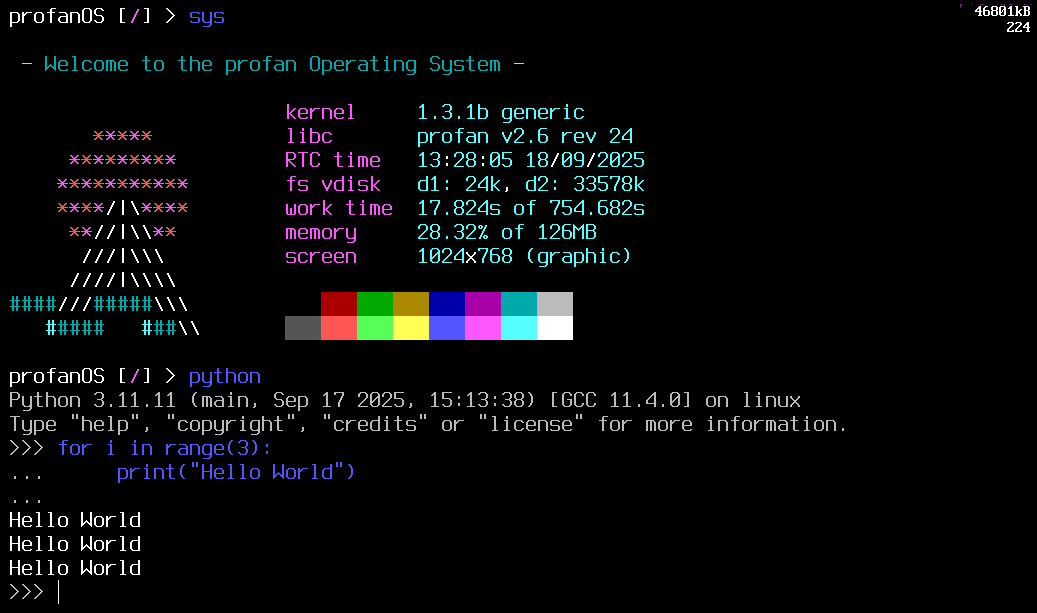
When starting profanOS, you will be greeted by the [Olivine](https://github.com/elydre/profanOS/wiki/olivine) shell, a language similar to bash.
You can then run the `help` command to see a list of useful commands.
> [!TIP]
> To switch the keyboard layout use the `kb ` command, such as `kb qwerty`.
## The kernel
### Overview
The **profanOS kernel** is the core of the operating system. It is extremely minimalist and
provides only the essential features required to run a multitasking OS. Everything
non-essential is kept outside of the kernel and implemented as modules.
**Main features**:
- multiboot support
- 32 bits protected mode
- custom modular filesystem
- preemptive multitasking
- virtual memory management
- syscalls with interrupts
- ELF modules loading
### Modules
Modules extend the kernel with additional functionality, they can be hot-loaded and
have access to all kernel functions. Typical modules provide drivers, UNIX compatibility
layers, or low-level libraries.
**Main modules**:
- unix file descriptors interface
- ATA and AHCI disk driver
- profan filesystem extansion
- intel HDA audio driver
- panda terminal emulator
## The userspace
### Programing languages
The kernel and userspace are developed mainly in C. The Olivine Shell (see the
[language documentation](https://github.com/elydre/profanOS/wiki/olivine)) is the main shell language.
You can also use python3, posix-sh, lua, perl, sulfur, and C languages to create your
own programs.
If you prefer a bash like rather than Olivine, you can use the `dash` port which is
POSIX compliant and often used as `/bin/sh` in linux systems.
### Major ports - Addons
- [python](https://www.python.org/) Python 3.11 interpreter
- [dash](https://github.com/elydre/dash-profan) POSIX compliant shell
- [tcc](https://bellard.org/tcc/) Small and fast C compiler
- [GNU make](https://www.gnu.org/software/make/) Makefile interpreter
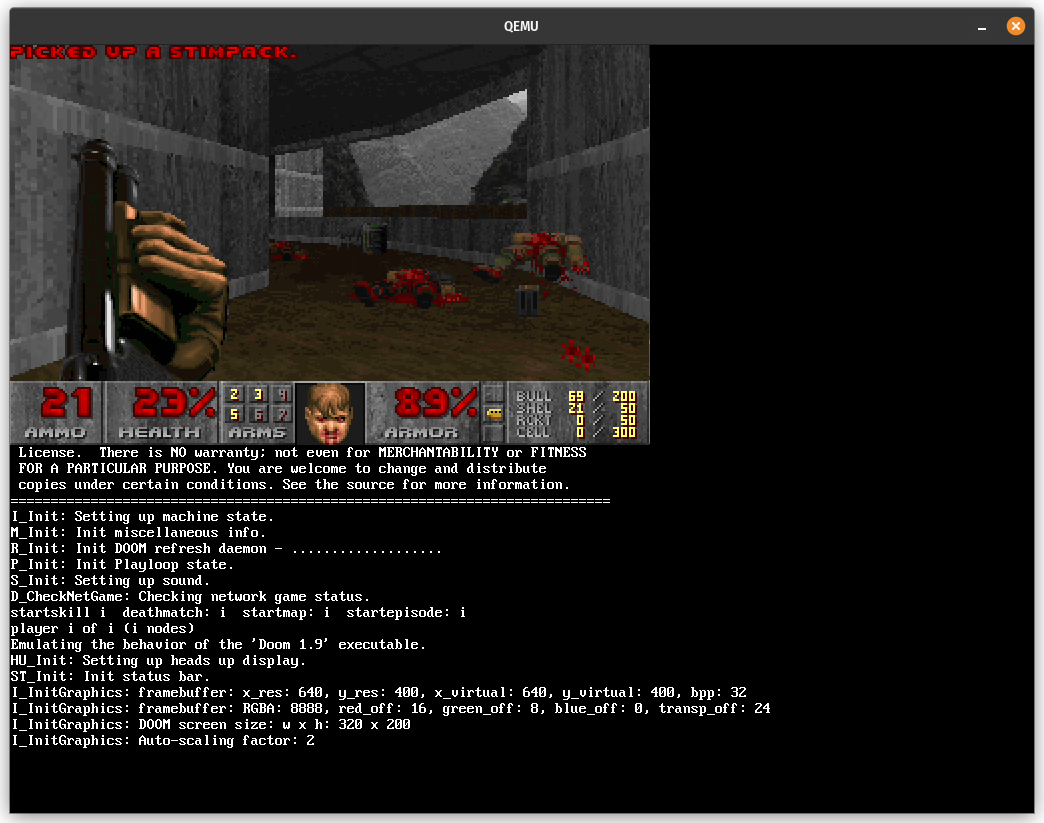
- [doom](https://github.com/ozkl/doomgeneric) Raycasting first person shooter
All the ports are available with the command `make addons`.
A lot of programs are compiled from [this repo](https://github.com/elydre/libatron),
you can also find a list of stuff tested in profanOS
[here](https://github.com/stars/elydre/lists/compile-in-profan).
### Libraries
Libraries are loaded from file system and are dynamically linked to executables using
`deluge` (profan dynamic linker).
Here is a list of the main libraries and kernel modules:
- **libc** - standard C library
- **libpf** - extra stuff like [libtsi](https://github.com/elydre/profanOS/wiki/lib_tsi)
- **libm** - math library *(port)*
- **libSDL2** - Simple DirectMedia Layer 2 *(port)*
Find all the libraries available on the [wiki](https://github.com/elydre/profanOS/wiki/Dev-Links).
## Real-Hardware
profanOS works on pc with legacy bios but not with uefi. However profanOS
can work on recent pc by activating bios compatibility.
To install profanOS on a USB key or an internal disk, it is possible to use
the installation script `tools/install.sh` or any other image flasher.
> [!WARNING]
> Installing an OS on a real machine can be risky and
> must be done with knowledge of the possible risks!
### Install on USB key
- Download ISO or build it in linux
- Flash the ISO on the USB key with `dd` or any other image flasher
- Activate the legacy bios in the bios settings (if not already done)
- Boot on the USB key from the bios boot menu
- select the graphical mode
### Install on internal disk
This method is dangerous and will cause the complete erasure of your machine's disk.
Please make a backup of your data and be sure of what you are doing.
- Activate the legacy bios in the bios settings (if not already done)
- Boot on a live linux
- Download ISO or build it in linux
- Flash the ISO with `tools/install.sh` or any other image flasher
```sh
# replace sdX with the disk to flash
sudo sh install.sh /dev/sdX profanOS.iso
```
- Reboot on the internal disk
## About
### Screenshots
|  |  |
|----------------------------------------------------------------------|--------------------------------------------------------------|
|  |  |
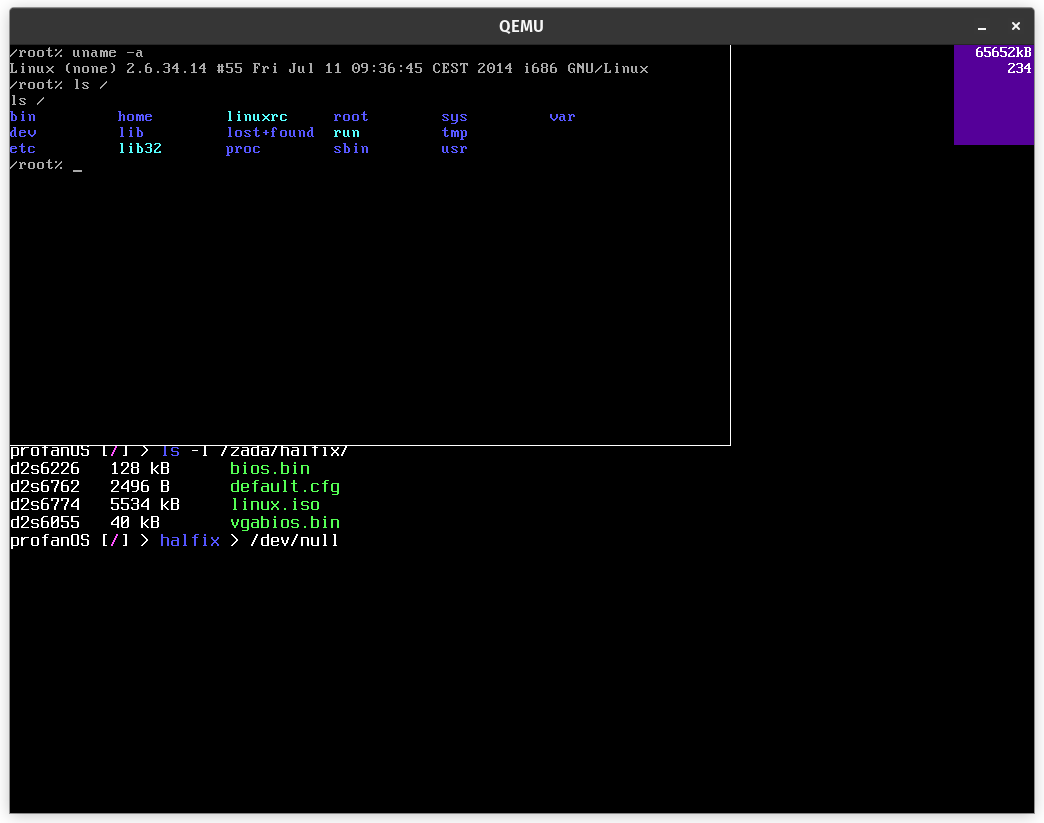
1. *Linux running in halfix x86 emulator*
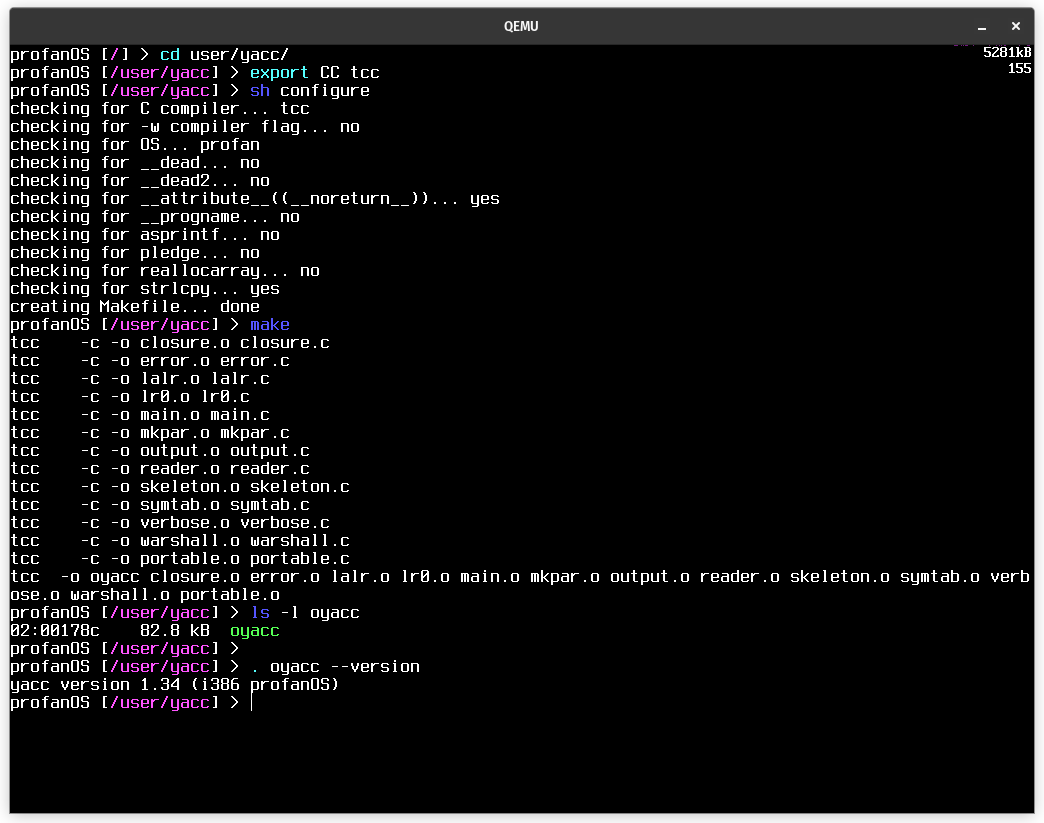
2. *Configuring and compiling yacc from source*
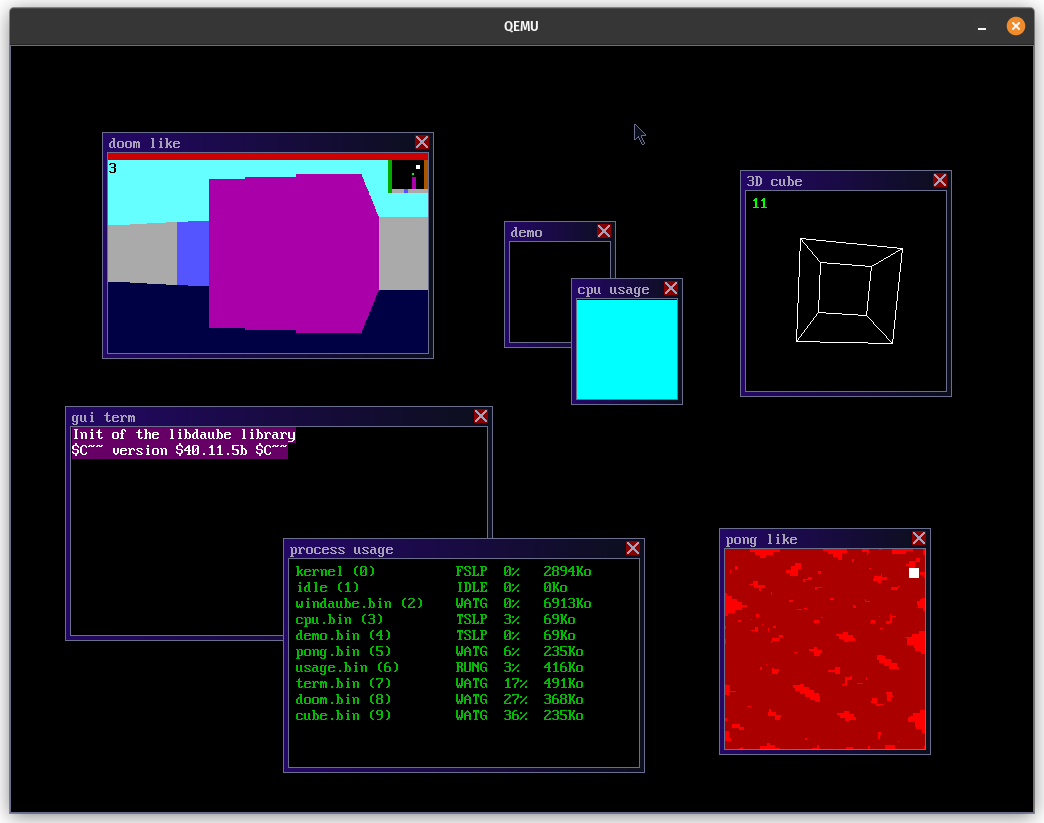
3. *Discontinued desktop environment for profanOS*
4. *The doom port running in profanOS*
### Authors & Contact
- pf4 ([@elydre](https://github.com/elydre))
- asqel ([@asqel](https://github.com/asqel))
Contact me on my discord [server](https://discord.gg/PFbymQ3d97) or in PM `@pf4`
### Source & Acknowledgment
- **[os tutorial](https://github.com/cfenollosa/os-tutorial) for the original tutorial**
- [@Sarah](https://github.com/Sarenard) for all the help and ideas
- [@copy](https://github.com/copy/v86) for the v86 online emulator and floppy build
- [@spaskalev](https://github.com/spaskalev/buddy_alloc) for the buddy allocator
- [osdev wiki](https://wiki.osdev.org/) for documentation made by the community
- [ToaruOS](https://github.com/klange/toaruos) for the inspiration and the dynamic linking
- [BleskOS](https://github.com/VendelinSlezak/BleskOS) for the Intel HDA driver
- [mintsuki](https://codeberg.org/OSDev/freestnd-c-hdrs-0bsd) for freestanding headers
A huge thank you to all the [contributors](https://github.com/elydre/profanOS/graphs/contributors)
and all the people who took the time to look at this project!
*be careful with our friend 55*