https://github.com/emapco/digitclassificationapi
Digit classification model deployed on a flask API.
https://github.com/emapco/digitclassificationapi
flask flask-api jupyter-notebook machine-learning python typescript vue
Last synced: 3 months ago
JSON representation
Digit classification model deployed on a flask API.
- Host: GitHub
- URL: https://github.com/emapco/digitclassificationapi
- Owner: emapco
- Created: 2022-05-23T17:14:08.000Z (about 4 years ago)
- Default Branch: master
- Last Pushed: 2022-05-25T17:52:02.000Z (about 4 years ago)
- Last Synced: 2025-03-14T06:17:01.962Z (over 1 year ago)
- Topics: flask, flask-api, jupyter-notebook, machine-learning, python, typescript, vue
- Language: Python
- Homepage:
- Size: 253 KB
- Stars: 0
- Watchers: 2
- Forks: 0
- Open Issues: 0
-
Metadata Files:
- Readme: README.md
Awesome Lists containing this project
README
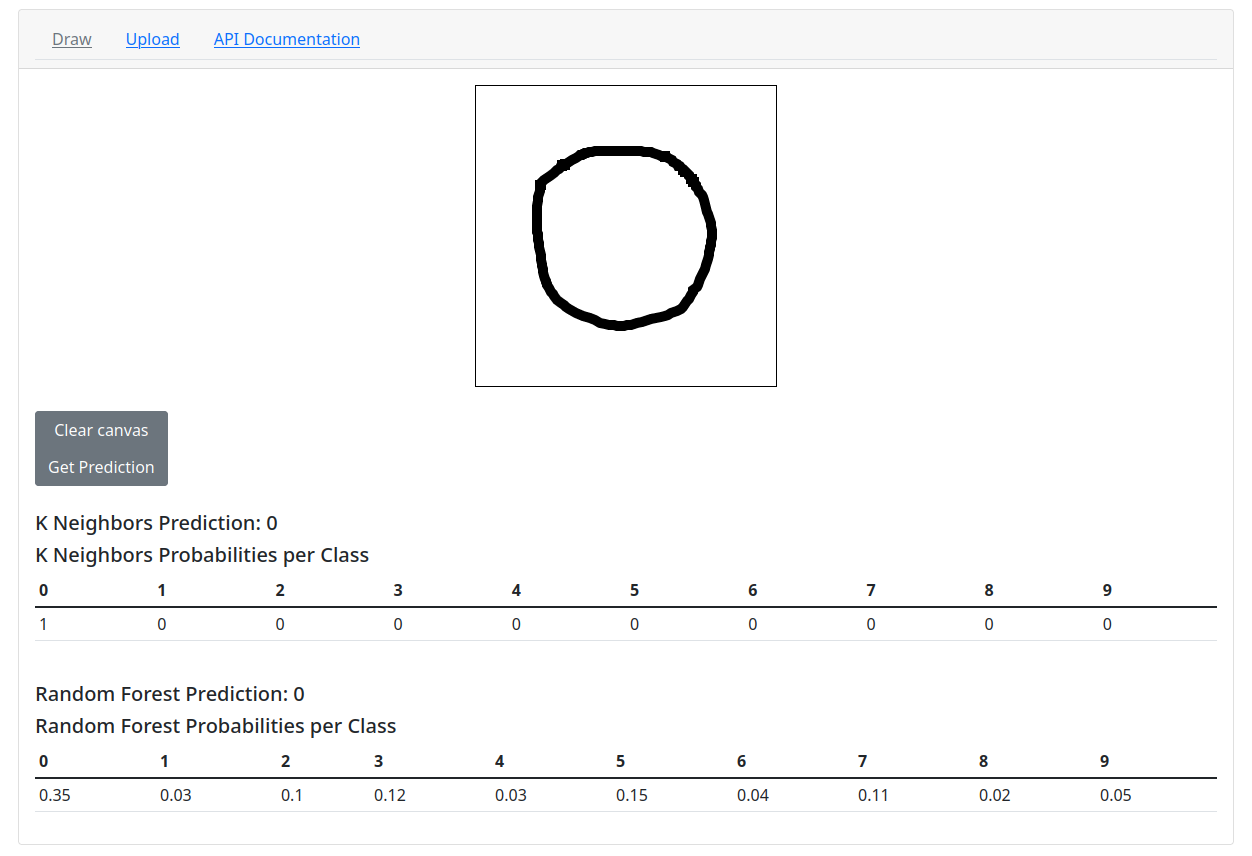
# Single Digit Machine Learning Model API
K nearest neighbors classification and random forest classification models were trained using the MNIST digits classification dataset.
The models were implemented in python 3 using the scikit-learn library. In
particular, the `KNeighborsClassifier` and `RandomForestClassifier` classes were used.
These two models were chosen since they were the best performing (the highest
scores against the test dataset) out of the four models tested. Afterwards,
the two models' hyperparameters were fined tuned using the `GridSearchCV` class.
- KNeighborsClassifier optimized hyperparameters
- algorithm='kd_tree'
- leaf_size=10
- n_neighbors=4
- weights='distance'
- RandomForestClassifier optimized hyperparameters
- class_weight='balanced'
- criterion='gini'
- max_features='sqrt'
- n_estimators=700
The application's frontend client codebase (written with Vue.js) is located in
the `/client` subdirectory. The machine learning model source code is located
in the `/model` subdirectory. The api codebase is in the root `/` directory.
## Start the flask API
In the terminal while in the root project directory run:
```sh
python3 -m flask run
```
## API Documentation
### API endpoint: POST `/api/file`
Send a request with a `` marked with
`enctype="multipart/form-data"`.
Within the form, include a `` tag that contains the binary image file. The
response is encoded in JSON.
#### Python 3
```python
import requests
URL = 'http://127.0.0.1:5000/api/file'
with open('img.png', 'rb') as file:
files = {'image': file}
response = requests.post(URL, files=files)
```
#### JavaScript/TypeScript
```javascript
URL = 'http://127.0.0.1:5000/api/file'
async function uploadFile(form: HTMLFormElement) {
const data = new FormData(form);
const response = await fetch(FILE_URL, {
method: "POST",
mode: "cors",
body: data
});
return response.json();
}
```
### API endpoint: POST /api/data
Send a request with a base64 encoded image in the payload data. The response is encoded in JSON.
#### Python 3
```python
import base64
import requests
URL = 'http://127.0.0.1:5000/api/data'
with open('img.png', 'rb') as file:
b64_img_str = base64.b64encode(file.read())
response = requests.post(url, data=b64_img_str)
```
#### JavaScript/TypeScript
```javascript
URL = 'http://127.0.0.1:5000/api/data'
async function uploadImageData(b64EncodedImage: string) {
const response = await fetch(URL, {
method: "POST",
mode: "cors",
body: b64EncodedString
});
return response.json();
}
```
### Example JSON Response
```json
{
"models": [
{
"name": "K Neighbors",
"prediction": 3,
"probabilities": {
"0": 0.0,
"1": 0.0,
"2": 0.0,
"3": 1.0,
"4": 0.0,
"5": 0.0,
"6": 0.0,
"7": 0.0,
"8": 0.0,
"9": 0.0
}
},
{
"name": "Random Forest",
"prediction": 3,
"probabilities": {
"0": 0.03,
"1": 0.06,
"2": 0.11,
"3": 0.35,
"4": 0.07,
"5": 0.18,
"6": 0.02,
"7": 0.04,
"8": 0.07,
"9": 0.06
}
}
]
}
```