https://github.com/embeddedalpha/rp2040
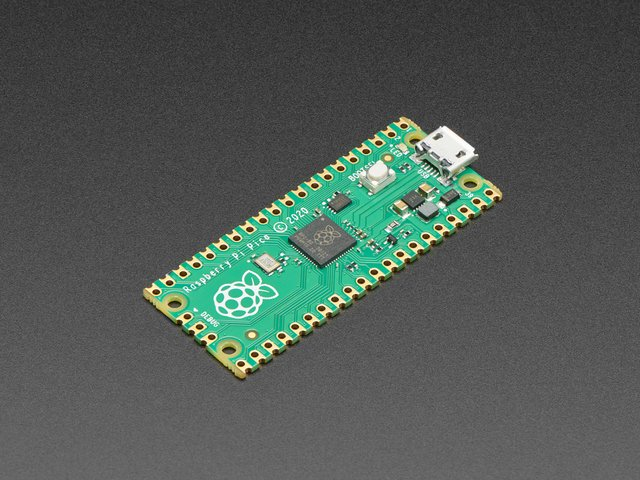
Repo for all things RP2040.
https://github.com/embeddedalpha/rp2040
Last synced: 5 months ago
JSON representation
Repo for all things RP2040.
- Host: GitHub
- URL: https://github.com/embeddedalpha/rp2040
- Owner: embeddedalpha
- Created: 2021-06-29T16:37:07.000Z (almost 5 years ago)
- Default Branch: main
- Last Pushed: 2021-06-30T15:05:39.000Z (almost 5 years ago)
- Last Synced: 2025-06-10T15:47:58.670Z (about 1 year ago)
- Size: 9.77 KB
- Stars: 0
- Watchers: 1
- Forks: 0
- Open Issues: 0
-
Metadata Files:
- Readme: README.md
Awesome Lists containing this project
README
# RP2040
### Repo for all things RP2040.
[Get Started Guide](https://datasheets.raspberrypi.org/pico/getting-started-with-pico.pdf) | [Libraries & tools](https://datasheets.raspberrypi.org/pico/raspberry-pi-pico-c-sdk.pdf) | [Datasheet](https://datasheets.raspberrypi.org/rp2040/rp2040-datasheet.pdf)
Settings things up:
Flashing ST-Link V2 as Black Magic Probe. Follow this [link](https://ciesie.com/post/black_magic_probe_stlink/) or follow the steps below:
start OpenOCD:
```
openocd -f interface/stlink-v2.cfg -f board/the_board.cfg \
-c 'reset_config trst_and_srst'
```
Connect GDB to OCD:
```
arm-none-eabi-gdb --eval-command="target remote localhost:3333" firmware_binary.elf
```
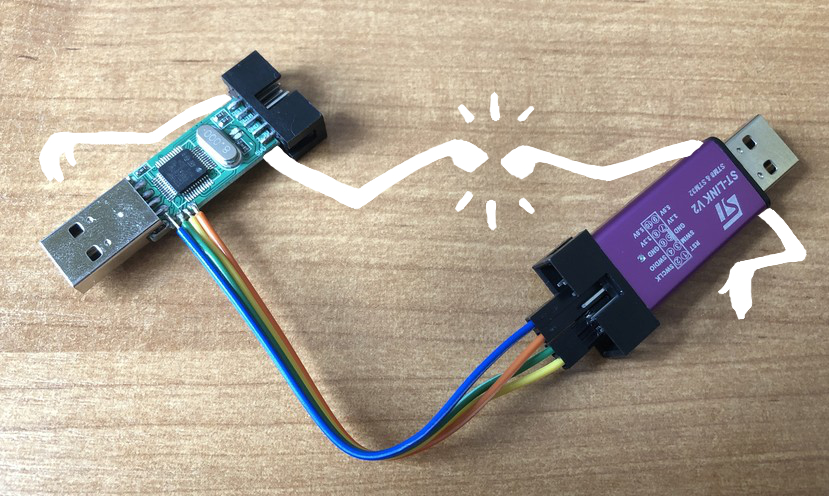
Open the ST-Link v2 programmer and connect the SWD pins as shown below:
Clone Blackmagic git:
```
git clone https://github.com/blacksphere/blackmagic.git
```
Build it!
```
cd blackmagic
make
cd src
make clean
make PROBE_HOST=stlink
```
Unlock the memory before the programmer is flashed
```
openocd -f interface/stlink-v2.cfg -f target/stm32f1x.cfg \
-c "init; reset halt; stm32f1x unlock 0; reset halt; exit"
```
Erase the flash memory
```
st-flash erase
```
Update actual Black Magic Probe:
```
st-flash write blackmagic.bin 0x8000000
```
Write Firmware
```
st-flash --reset write blackmagic.bin 0x8002000
```