https://github.com/emd4600/enhancedcolorpickermod
Spore mod that adds a color wheel to the editor
https://github.com/emd4600/enhancedcolorpickermod
cpp modapi spore spore-mod
Last synced: 9 months ago
JSON representation
Spore mod that adds a color wheel to the editor
- Host: GitHub
- URL: https://github.com/emd4600/enhancedcolorpickermod
- Owner: emd4600
- Created: 2023-06-08T22:37:12.000Z (about 3 years ago)
- Default Branch: main
- Last Pushed: 2023-06-13T09:27:49.000Z (about 3 years ago)
- Last Synced: 2025-04-03T11:44:37.575Z (over 1 year ago)
- Topics: cpp, modapi, spore, spore-mod
- Language: C++
- Homepage:
- Size: 74.2 KB
- Stars: 6
- Watchers: 2
- Forks: 0
- Open Issues: 1
-
Metadata Files:
- Readme: README.md
Awesome Lists containing this project
README

Does Spore not have that one color you wanted? Tired of having awkwardly-grouped brightness/saturation variants? This mod is for you!
This mod adds a color wheel to the editor, which lets you select the precise color you want instead of relying on preset colors. Watch the mod in action:
[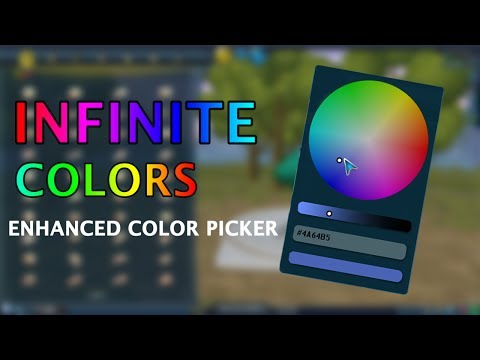](https://www.youtube.com/watch?v=5-_8yVw1_Rk)
## Installation
This mod requires the Galactic Adventures and the [ModAPI Launcher Kit](https://davoonline.com/sporemodder/rob55rod/ModAPI/Public/).
1. If you don't have it yet, install the [ModAPI Launcher Kit](https://davoonline.com/sporemodder/rob55rod/ModAPI/Public/).
2. Download the `EnhancedColorPicker.sporemod` file from the [releases page](https://github.com/emd4600/EnhancedColorPickerMod/releases/latest).
3. Execute the  **Easy Installer**. It will show a file chooser dialog, find the `EnhancedColorPicker.sporemod` file you just downloaded.
4. Done!
Remember you have to use the `Spore ModAPI Launcher.exe` to launch the game, otherwise the mod will not show.
## Notes about the mod
- You can use the mouse wheel to change the brightness of the color while you change the hue and saturation on the color wheel.
- You can use color hex codes in the text field. The `#` at the beginning is required.
## Implementation details
The first step in this mod was designing the chooser UI in the SPUI Editor, with [SporeModder FX](https://emd4600.github.io/SporeModder-FX/). We assigned a unique `ControlID` to every important window, so that it can be used from the code.
The `ColorWheelSwatchUI` class is an extension of a `Palettes::ColorSwatchUI` object and it's used to control the created SPUI. It basically stores the
color as **HSV** (hue, saturation, value) instead of the usual red, green, blue, and uses UI messages to change that color. In the color wheel, the
distance from the center is the *saturation*, the angle is the *hue*, and the bar below the wheel represents the *value*.
Knowing how to change the color required some reverse engineering; you will see that the method that does it directly calls addresses in code that
haven't been exposed by the SDK yet. When the player releases the mouse the mod sends a `ColorChangedMessage` so that the editor adds undo/redo actions.
To add the button that displays the color wheel we've had to detour the `ColorPickerUI::Load` method. Unfortunately we cannot call the original implementation,
as we need the rest of buttons to be slightly smaller to fit the new button. So what you see is a copy of the Spore code that generates those buttons.
The code that detects when that button is pressed and decides to show the wheel is also copied from what Spore does with the other buttons.