https://github.com/emingenc/soundviewer
sound to image, image to sound python package
https://github.com/emingenc/soundviewer
Last synced: over 1 year ago
JSON representation
sound to image, image to sound python package
- Host: GitHub
- URL: https://github.com/emingenc/soundviewer
- Owner: emingenc
- License: gpl-3.0
- Created: 2022-02-13T08:56:51.000Z (over 4 years ago)
- Default Branch: master
- Last Pushed: 2022-03-04T20:14:56.000Z (over 4 years ago)
- Last Synced: 2025-02-25T14:46:18.050Z (over 1 year ago)
- Language: Python
- Size: 87.9 KB
- Stars: 0
- Watchers: 1
- Forks: 1
- Open Issues: 0
-
Metadata Files:
- Readme: README.md
- License: LICENSE
Awesome Lists containing this project
README
# Soundviewer
Python package for converting sound to image and image to sound.
for longer sounds try to split them into smaller parts.

## Installation
```bash
pip3 install 'git+https://github.com/emingenc/soundviewer.git'
# Or, to install it from a local clone:
git clone +https://github.com/emingenc/soundviewer.git
pip3 install -e soundviewer
```
### Linux post-install
On a base linux install you may be missing `libsnd`.
On Ubuntu and Debian this can be fixed via:
```
sudo apt-get install libsndfile1-dev
```
## Getting Started
### Run from local clone
```bash
cd soundviewer
pip3 install -r requirements.txt
python3 -m soundviewer.sound2image --input sample_data/thermo.wav
or
python3 soundviewer/sound2image.py --input sample_data/thermo.wav
```
with `--output` flag you can specify custom name and spesific path
image to sound
```bash
python3 -m soundviewer.image2sound --input sample_data/thermo.png --output sample_data/thermo.wav
or
python3 soundviewer/image2sound.py --input sample_data/thermo.png --output sample_data/thermo.wav
```
this will save thermo.wav to your working directory if --output is not specified
### use it on your python script
```python3
import soundviewer
sound_path = 'sample_data/thermo.wav'
soundviewer.souund_to_image(sound_path)
```
this will save thermo.jpg to your working directory
if you want you can specify the output path and image name `soundviewer.sound2image.save_image_from_sound(sound_path,output='./test.jpg')`
image to sound
```python3
import soundviewer
sound_path = 'sample_data/thermo.png'
soundviewer.image_to_sound(sound_path)
```
here is the output image for sample data thermo.wav
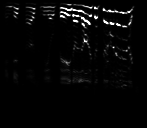
wav source : https://people.math.sc.edu/Burkardt/data/wav/thermo.wav