https://github.com/emnetdegafe/cool-bro-server
https://github.com/emnetdegafe/cool-bro-server
Last synced: about 2 months ago
JSON representation
- Host: GitHub
- URL: https://github.com/emnetdegafe/cool-bro-server
- Owner: Emnetdegafe
- Created: 2020-07-06T09:14:08.000Z (about 6 years ago)
- Default Branch: master
- Last Pushed: 2022-12-22T17:20:25.000Z (over 3 years ago)
- Last Synced: 2025-03-04T18:46:16.950Z (over 1 year ago)
- Language: JavaScript
- Size: 447 KB
- Stars: 0
- Watchers: 1
- Forks: 0
- Open Issues: 13
-
Metadata Files:
- Readme: README.md
Awesome Lists containing this project
README
# Server template
This is a simple server template to for my students to start projects quickly.
## Table of contents:
- **[Setup](#setup-how-to-use-this-template)**
- **[Endpoints](#endpoints)**
- **[Sample requests with axios](#sample-requests-with-axios)**
- **[Sample requests with httpie](#sample-requests-with-httpie)**
- **[History of this project (pullrequests)](#history-of-this-project)**
## SETUP How to use this template
1. Create a new project based on this template using the `Use this template` button
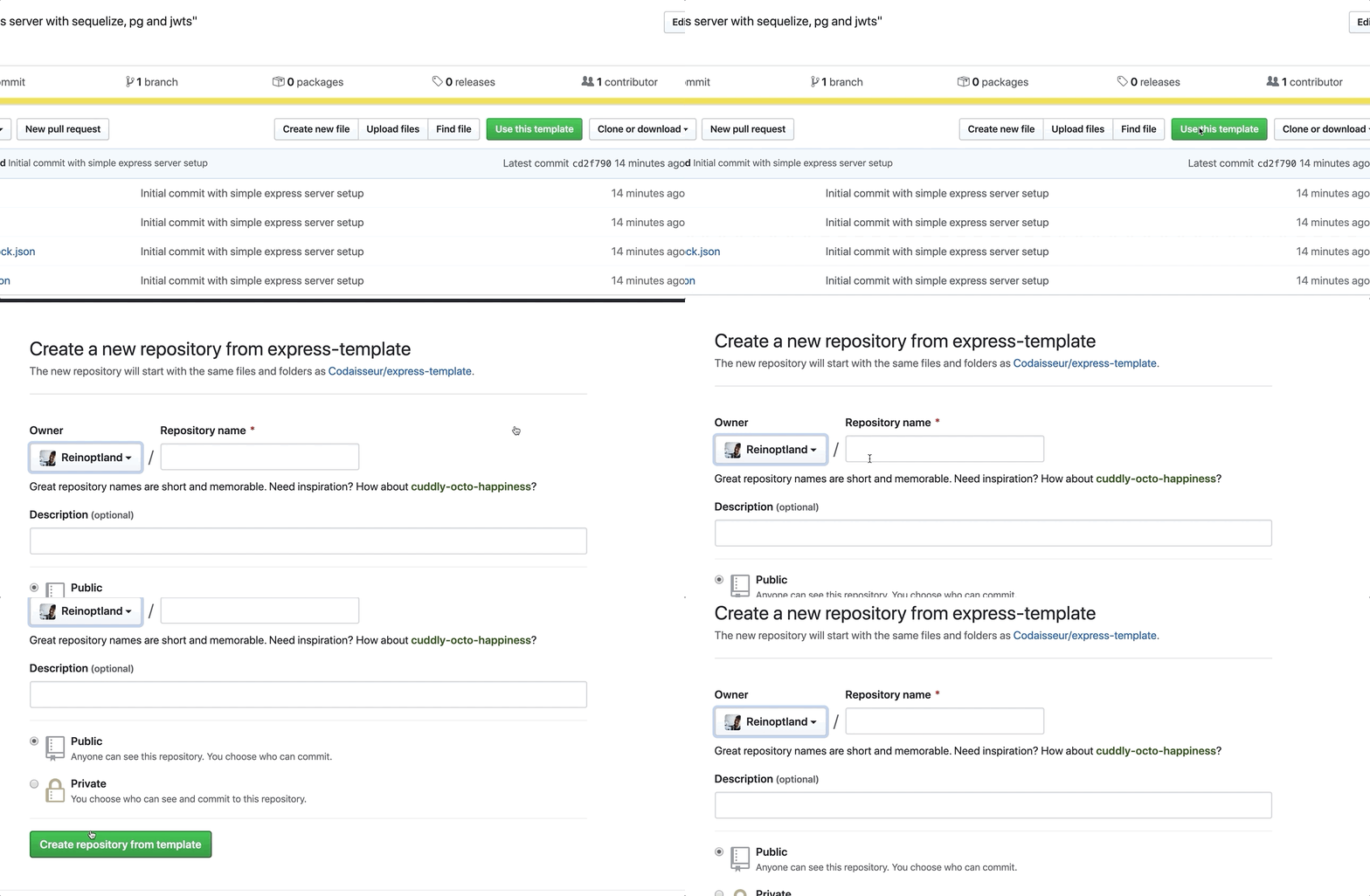
2. Clone the app
```
git clone git@github.com:YOUR_GITHUB_NAME/YOUR_PROJECT_NAME.git
```
3. cd into your project
```
cd YOUR_PROJECT_NAME
```
4. install dependencies
```
npm install
```
5. Configure your database in `config/config.json`
Default config is setup for usage with an ElephantSQL database instance, you need to provide the DB Url on the "url" key of the config.json file, key development.
```json
// config/config.json
{
"development": {
"url": "YOUR_ELEPHANTSQL_URL_HERE",
"dialect": "postgres",
"operatorsAliases": "0"
},
}
```
If planning to use this template with a docker database the config object should be changed to:
```json
// config/config.json
{
"development": {
"username": "postgres",
"password": "secret",
"database": "YOUR_PROJECT_NAME_HERE_development",
"host": "localhost",
"dialect": "postgres",
"operatorsAliases": "0"
}
}
```
And you must revert the changes on this line in models/index.js: https://github.com/Codaisseur/express-template/commit/ada7711c8b19c8f240bc61f94743213efe4a77d2#diff-18c449caa39363f82bacb4f7489e7783L15
6. Create database, run migrations & seed data
`package.json` contains a script for this
```bash
npm run initdev
```
Or run the commands seperately
```bash
npx sequelize-cli db:create
npx sequelize-cli db:migrate
npx sequelize-cli db:seed:all
```
7. start server with `nodemon` (recommended for development)
```
npm run dev
```
8. or start normally
```
npm start
```
## Endpoints
| Method | Path | Purpose | required parameters | auth |
| ------ | -------------------------- | ----------------------------------- | --------------------- | ---- |
| GET | '/' | Test if your server is running | none | no |
| POST | '/echo' | Test POST requests | none | no |
| POST | '/signup' | Create a new user and get a token | email, name, password | no |
| POST | '/login' | Get a token with email & password | email, password | no |
| GET | '/me' | Get information of this user | none | yes |
| POST | '/authorized_post_request' | Test POST requests (token required) | none | yes |
## Sample requests with axios
To demo making request to this server, some small script are included that make requests using `axios`
The scripts can be found in [/sampleRequests](./sampleRequests)
1. Make sure to follow the the setup in this readme first
2. cd sampleRequests
3. Run example requests
```
node hello.js
node echo.js
node signup.js
node login.js
node me.js
node authorizedPost.js
```
## Sample requests with httpie
To demo making request to this server, bash commands are included that make requests using `httpie`
They can found in [./sampleRequests/httpie.md](./sampleRequests/httpie.md)
## History of this project
- [Setup of the server](https://github.com/Codaisseur/express-template/commit/cd2f790fbab6c561300163466a074fd09a35f704)
- [Adding a README](https://github.com/Codaisseur/express-template/pull/1)
- [Setting up the Database](https://github.com/Codaisseur/express-template/pull/2)
- [Signup, Login & auth middleware](https://github.com/Codaisseur/express-template/pull/3)
- [Configure cors](https://github.com/Codaisseur/express-template/pull/4)
- [Seed using models & add delay middleware](https://github.com/Codaisseur/express-template/pull/5)