https://github.com/enaium/jimmer-example-bookstore
A modern, full-stack bookstore application built with Spring Boot, Jimmer ORM, and Vue.js. This project demonstrates a complete e-commerce solution with user authentication, book management, social features, and a responsive web interface.
https://github.com/enaium/jimmer-example-bookstore
bookstore demo example fullstack jimmer jsx jwt naive-ui springboot springsecurity tsx vue
Last synced: 12 months ago
JSON representation
A modern, full-stack bookstore application built with Spring Boot, Jimmer ORM, and Vue.js. This project demonstrates a complete e-commerce solution with user authentication, book management, social features, and a responsive web interface.
- Host: GitHub
- URL: https://github.com/enaium/jimmer-example-bookstore
- Owner: Enaium
- License: mit
- Created: 2025-07-13T13:33:40.000Z (12 months ago)
- Default Branch: master
- Last Pushed: 2025-07-13T14:39:54.000Z (12 months ago)
- Last Synced: 2025-07-13T16:23:58.390Z (12 months ago)
- Topics: bookstore, demo, example, fullstack, jimmer, jsx, jwt, naive-ui, springboot, springsecurity, tsx, vue
- Language: TypeScript
- Homepage:
- Size: 183 KB
- Stars: 4
- Watchers: 0
- Forks: 1
- Open Issues: 0
-
Metadata Files:
- Readme: README.md
- License: LICENSE
Awesome Lists containing this project
README
# Jimmer Example Bookstore
[](https://openjdk.org/)
[](https://kotlinlang.org/)
[](https://www.typescriptlang.org/)
[](https://vuejs.org/)
[](https://spring.io/projects/spring-boot)
[](https://www.postgresql.org/)
[English](README.md) | [中文](README.zh-CN.md)
A modern, full-stack bookstore application built with Spring Boot, Jimmer ORM, and Vue.js. This project demonstrates a complete e-commerce solution with user authentication, book management, social features, and a responsive web interface.
## 🚀 Features
### Core Functionality
- **Book Management**: Browse, search, and manage books with detailed information
- **Author System**: Comprehensive author profiles and book-author relationships
- **Publisher/Issuer Management**: Track book publishers and their catalogs
- **User Authentication**: Secure JWT-based authentication system
- **User Profiles**: Personal profiles with contact information
### Social Features
- **Comments & Reviews**: Multi-level comment system for books, authors, and publishers
- **Voting System**: Like/dislike functionality for various content types
- **Favorites**: Save and organize favorite books, authors, and publishers
- **Tagging System**: Categorize books with custom tags
### Content Management
- **Image Upload**: Support for book covers and comment images
- **Announcements**: System-wide announcements and notifications
- **Moderation**: Role-based access control (User/Moderator)
### User Experience
- **Responsive Design**: Modern UI built with Naive UI components
- **Real-time Updates**: TanStack Query for efficient data fetching
- **Type Safety**: Full TypeScript support with generated API types
- **Modern Styling**: WindiCSS utility classes for consistent design
## 🛠 Tech Stack
### Backend
- **Spring Boot 3.x**: Core application framework
- **Jimmer ORM**: Type-safe SQL with Kotlin DSL
- **PostgreSQL**: Primary database
- **Spring Security**: Authentication and authorization
- **JWT**: Token-based authentication
- **Kotlin**: Primary programming language
## 🔧 Jimmer ORM
**Jimmer** is a revolutionary ORM (Object-Relational Mapping) framework that brings type-safe SQL to Kotlin and Java applications. This project showcases Jimmer's powerful features:
### Key Features
- **Type-Safe SQL**: Write SQL queries with full compile-time type checking
- **Kotlin DSL**: Natural Kotlin syntax for building complex queries
- **Auto-Generated Types**: Automatic TypeScript client generation for frontend integration
- **Spring Boot Integration**: Seamless integration with Spring Boot applications
- **Database Agnostic**: Support for PostgreSQL, MySQL, Oracle, and more
### Jimmer in This Project
The bookstore application leverages Jimmer's capabilities:
```kotlin
// Example: Type-safe query with Jimmer
val books = sqlClient
.createQuery(Book::class) {
where(table.price gt 50.0)
orderBy(table.name.asc())
select(table)
}
.execute()
```
### Code Generation
Jimmer automatically generates:
- **TypeScript Types**: Full type definitions for frontend consumption
- **API Clients**: Type-safe HTTP client code
- **OpenAPI Documentation**: Interactive API documentation
### Benefits
- **Developer Experience**: IntelliSense support and compile-time error detection
- **Performance**: Optimized SQL generation and execution
- **Maintainability**: Type-safe queries reduce runtime errors
- **Productivity**: Auto-generated code reduces boilerplate
### 🛠️ JimmerBuddy IntelliJ Plugin
To further enhance the Jimmer development experience, we strongly recommend installing the **JimmerBuddy** IntelliJ plugin
### Frontend
- **Vue 3**: Progressive JavaScript framework
- **TypeScript**: Type-safe development
- **Naive UI**: Component library
- **TanStack Query**: Data fetching and caching
- **Vue Router**: Client-side routing
- **Pinia**: State management
- **WindiCSS**: Utility-first CSS framework
- **Vite**: Build tool and dev server
### Development Tools
- **Gradle**: Build system for backend
- **Vite**: Frontend build tool
- **Prettier**: Code formatting
- **TypeScript**: Static type checking
## 📋 Prerequisites
Before running this project, ensure you have:
- **Java 21+**: For Spring Boot backend
- **Node.js 18+**: For Vue.js frontend
- **PostgreSQL 12+**: Database server
- **Git**: Version control
## 🚀 Quick Start
### 1. Clone the Repository
```bash
git clone
cd jimmer-example-bookstore
```
### 2. Database Setup
1. **Install PostgreSQL** and create a database:
```sql
CREATE DATABASE postgres;
CREATE SCHEMA bookstore;
```
2. **Run the DDL script** to create tables:
```bash
psql -d postgres -f api/src/main/resources/ddl.sql
```
### 3. Backend Setup
1. **Navigate to the API directory**:
```bash
cd api
```
2. **Configure database connection** in `src/main/resources/application.properties`:
```properties
spring.datasource.url=jdbc:postgresql://localhost:5432/postgres?currentSchema=bookstore
spring.datasource.username=your_username
spring.datasource.password=your_password
```
3. **Run the Spring Boot application**:
```bash
./gradlew bootRun
```
The backend will start on `http://localhost:8080`
### 4. Frontend Setup
1. **Navigate to the web directory**:
```bash
cd web
```
2. **Install dependencies**:
```bash
bun install
```
3. **Start the development server**:
```bash
bun run dev
```
The frontend will start on `http://localhost:5173`
## 📁 Project Structure
```
jimmer-example-bookstore/
├── api/ # Backend Spring Boot application
│ ├── src/main/kotlin/
│ │ └── cn/enaium/bookstore/
│ │ ├── controller/ # REST API controllers
│ │ ├── service/ # Business logic services
│ │ ├── model/ # Entity models and DTOs
│ │ ├── config/ # Configuration classes
│ │ ├── error/ # Custom error handling
│ │ └── utility/ # Utility classes
│ └── src/main/resources/
│ ├── application.properties
│ └── ddl.sql # Database schema
├── web/ # Frontend Vue.js application
│ ├── src/
│ │ ├── view/ # Page components
│ │ ├── layout/ # Layout components
│ │ ├── common/ # Shared components
│ │ ├── composables/ # Vue composables
│ │ ├── store/ # Pinia stores
│ │ └── router/ # Vue Router configuration
│ └── src/__generated/ # Auto-generated API types
└── README.md
```
## 🔧 Configuration
### Backend Configuration
Key configuration options in `api/src/main/resources/application.properties`:
```properties
# Database
spring.datasource.url=jdbc:postgresql://localhost:5432/postgres?currentSchema=bookstore
spring.datasource.username=root
spring.datasource.password=root
# JWT
jwt.secret=your-secret-key
jwt.expiration=86400000
# Jimmer ORM
jimmer.show-sql=true
jimmer.pretty-sql=true
jimmer.client.ts.mutable=true
# File uploads
bookstore.image.dir=images
```
### Frontend Configuration
The frontend automatically connects to the backend API. Update the API base URL in `web/src/common/Api.ts` if needed.
## 🎯 API Documentation
Jimmer automatically generates comprehensive API documentation and client code. Once the backend is running, you can access:
- **OpenAPI Documentation**: `http://localhost:8080/docs/openapi.html` - Interactive API explorer
- **TypeScript Client**: `http://localhost:8080/docs/ts.zip` - Download auto-generated TypeScript types
- **OpenAPI Spec**: `http://localhost:8080/docs/openapi.yml` - Raw OpenAPI specification
### Generated Code
The `web/src/__generated/` directory contains all the auto-generated code from Jimmer:
- **API Services**: Type-safe HTTP client methods
- **Type Definitions**: Complete TypeScript interfaces
- **Error Handling**: Typed error responses
- **Request/Response Models**: Full type safety for API communication
## 🧪 Development
### Backend Development
```bash
cd api
./gradlew bootRun # Run server
./gradlew test # Run tests
./gradlew build # Build JAR
```
### Frontend Development
```bash
cd web
bun run dev # Start dev server
bun run build # Build for production
```
### Code Generation
The project uses Jimmer's code generation for TypeScript types:
```bash
cd web
./scripts/generate.ps1 # Generate API types
```
## 🗄 Database Schema
The application uses a comprehensive database schema with the following main entities:
- **Books**: Core product information with editions and pricing
- **Authors**: Author profiles with gender and name information
- **Issuers**: Publisher/publishing company information
- **Accounts**: User authentication and profiles
- **Comments**: Multi-level comment system
- **Votes**: Like/dislike functionality
- **Favourites**: User favourite system
- **Tags**: Categorization system
- **Images**: File management for book covers and comments
## 🔐 Authentication
The application uses JWT-based authentication with two user roles:
- **USER**: Standard user with basic permissions
- **MODERATOR**: Administrative user with additional privileges
## 🎨 UI Components
The frontend uses a consistent design system with:
- **Naive UI**: Professional component library
- **WindiCSS**: Utility-first styling
- **Vue Icons**: Fluent icon set
## 📦 Deployment
### Backend Deployment
1. Build the JAR file:
```bash
cd api
./gradlew build
```
2. Run the application:
```bash
java -jar build/libs/jimmer-example-bookstore-0.0.1-SNAPSHOT.jar
```
### Frontend Deployment
1. Build the production bundle:
```bash
cd web
bun run build
```
2. Deploy the `dist` folder to your web server
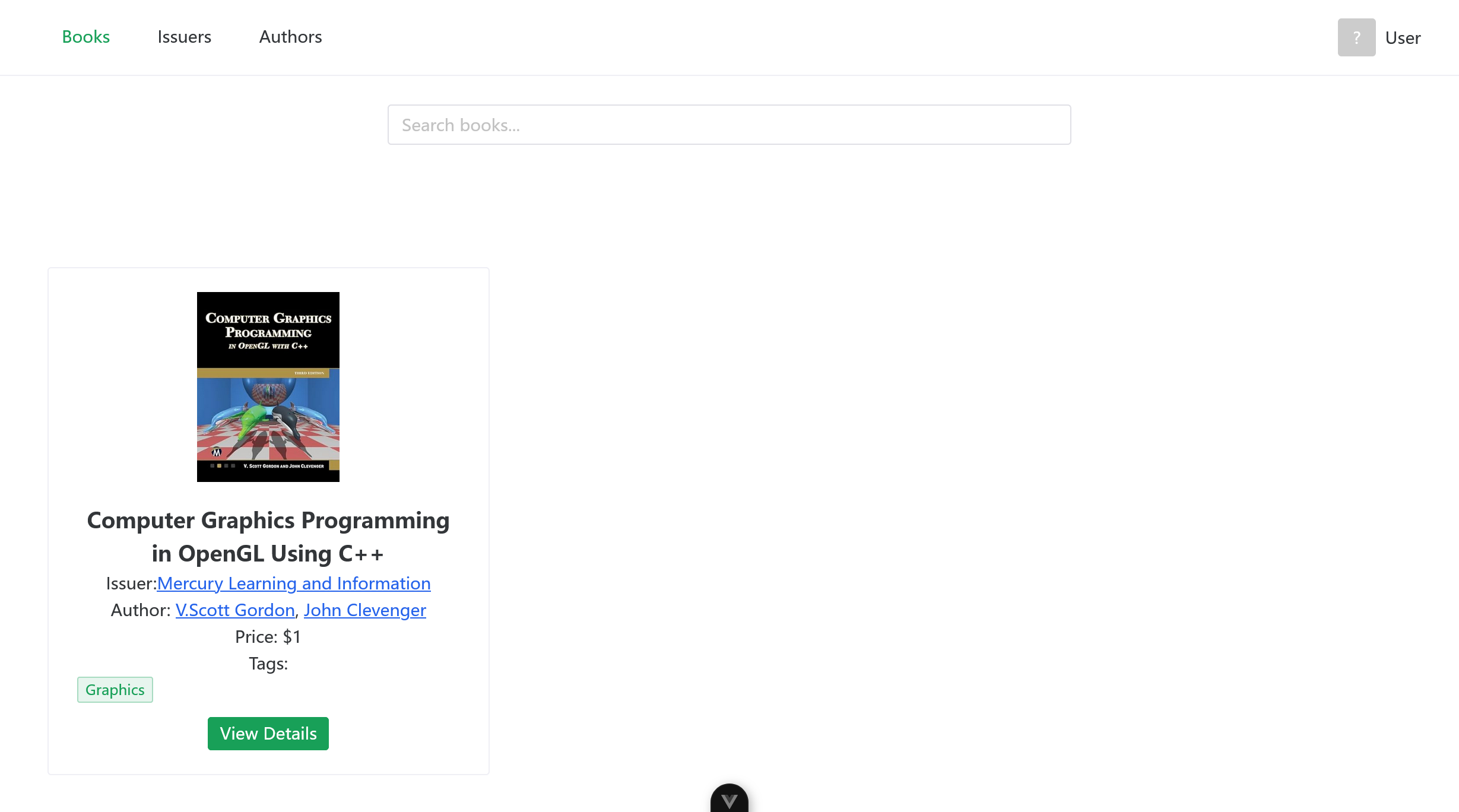
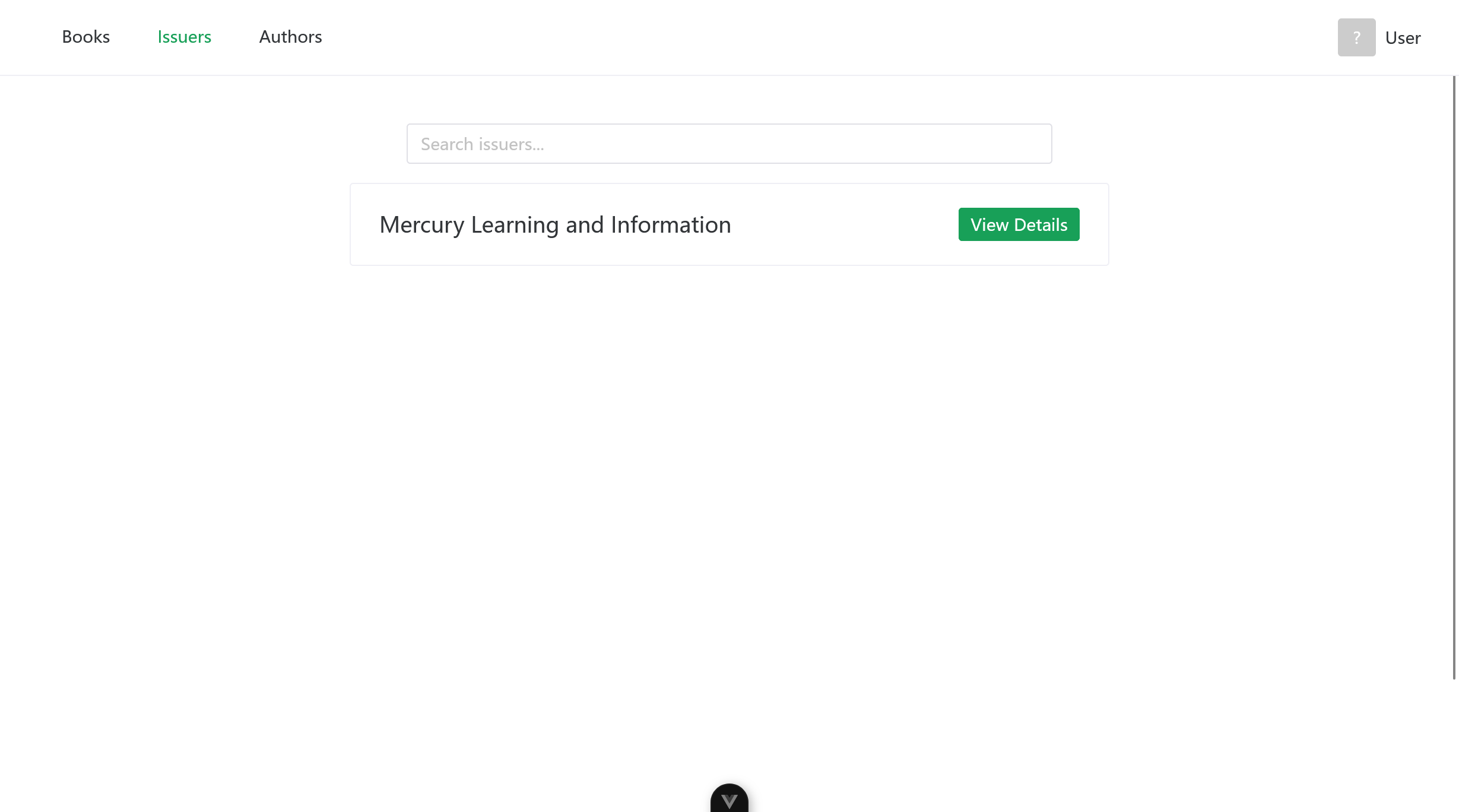
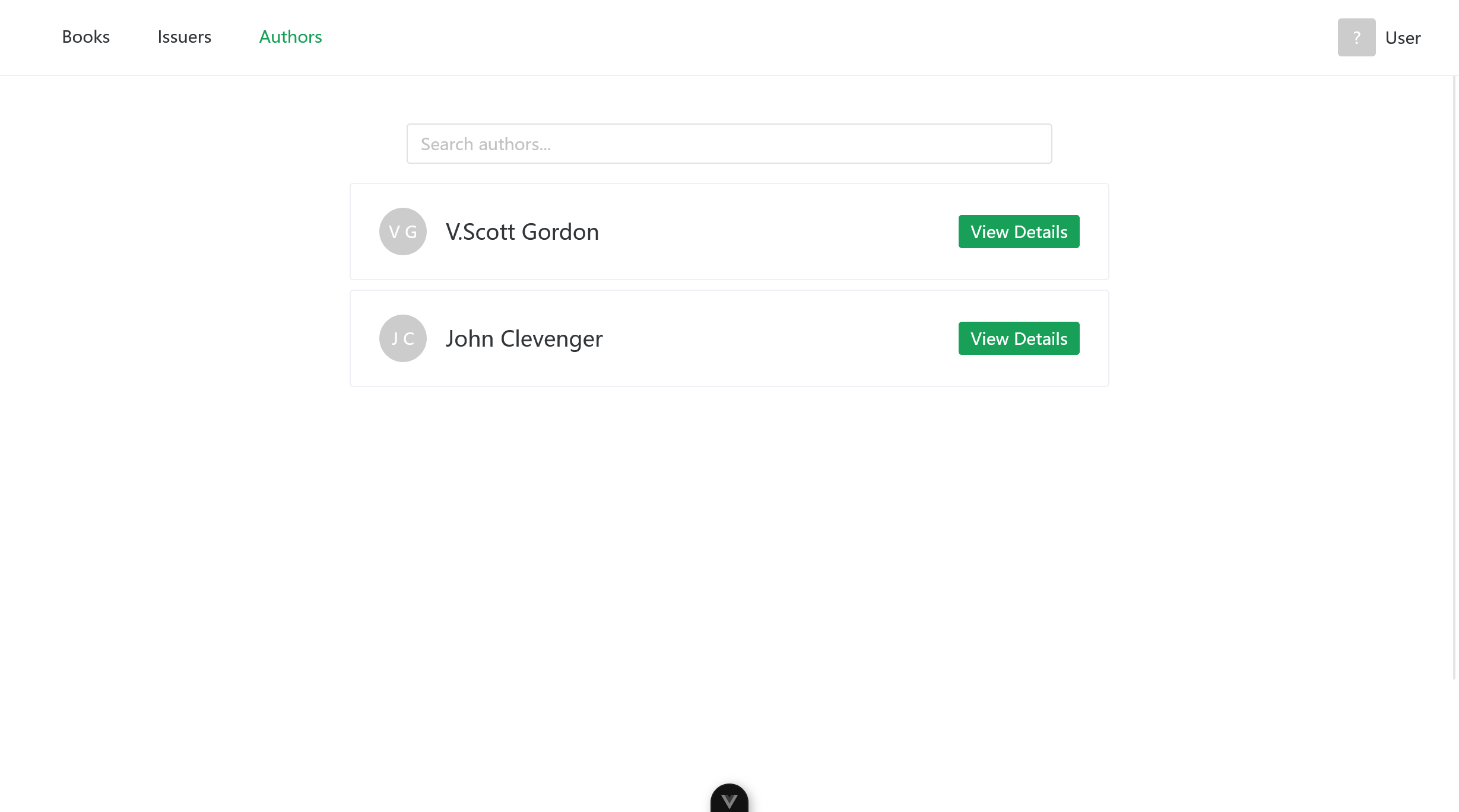
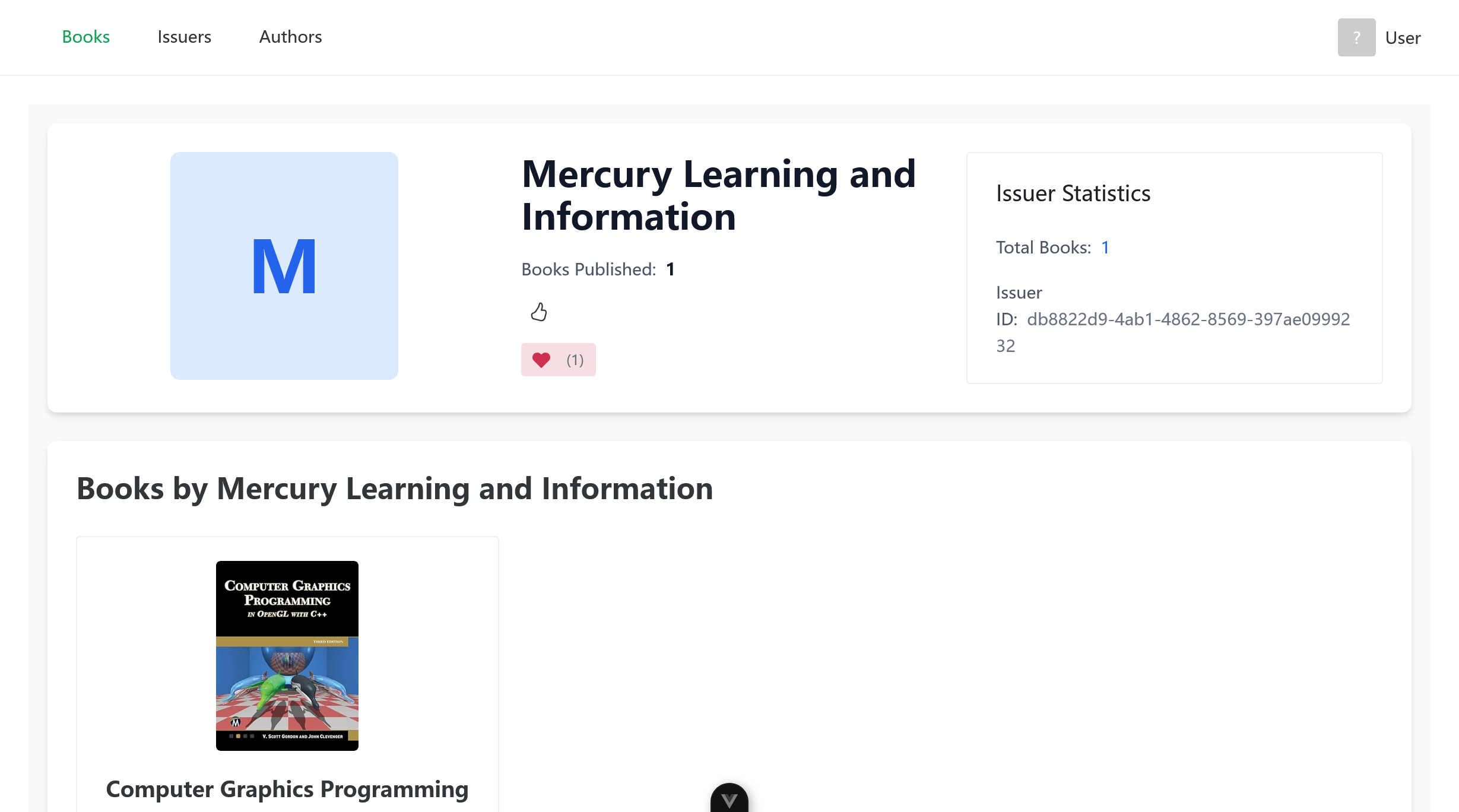
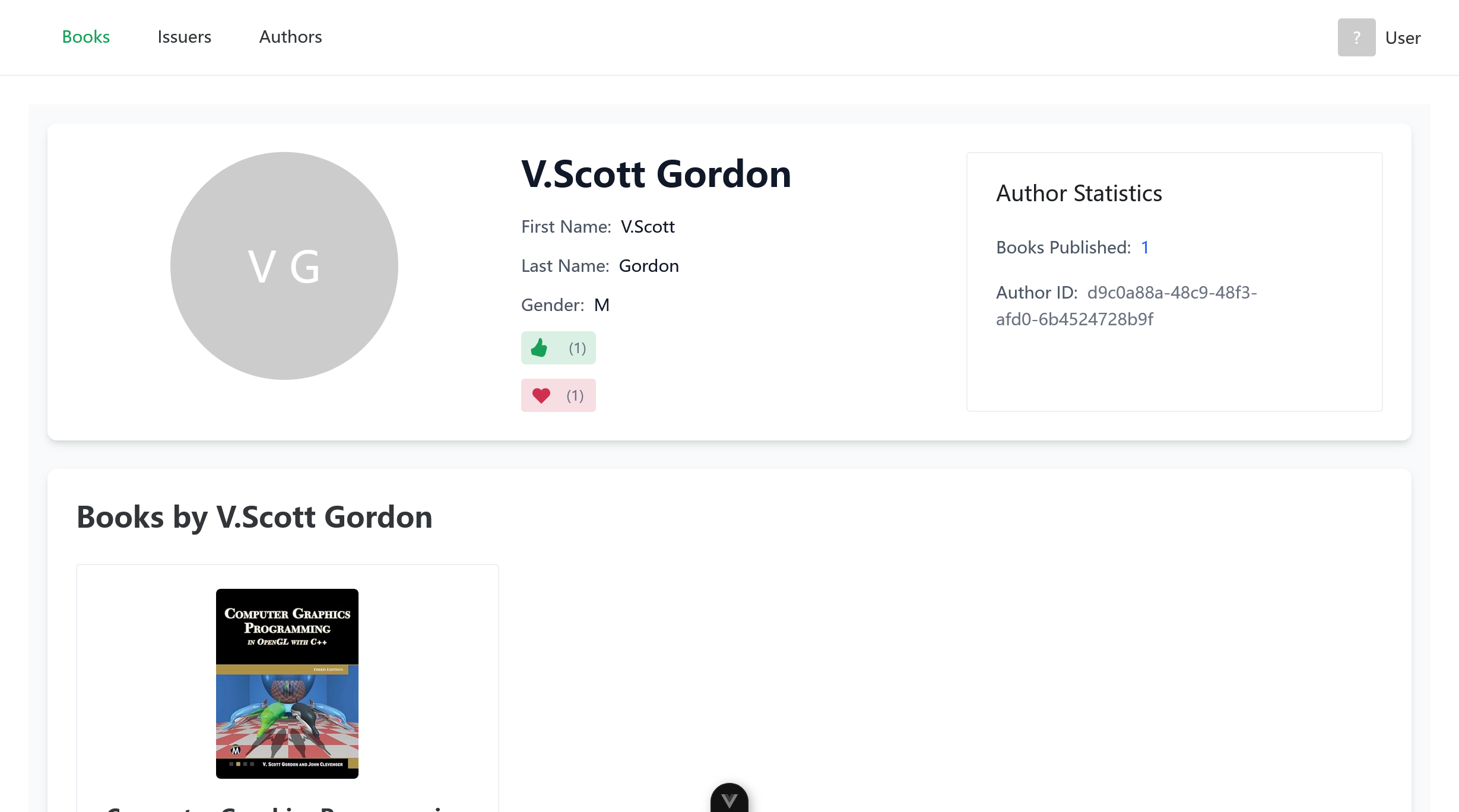
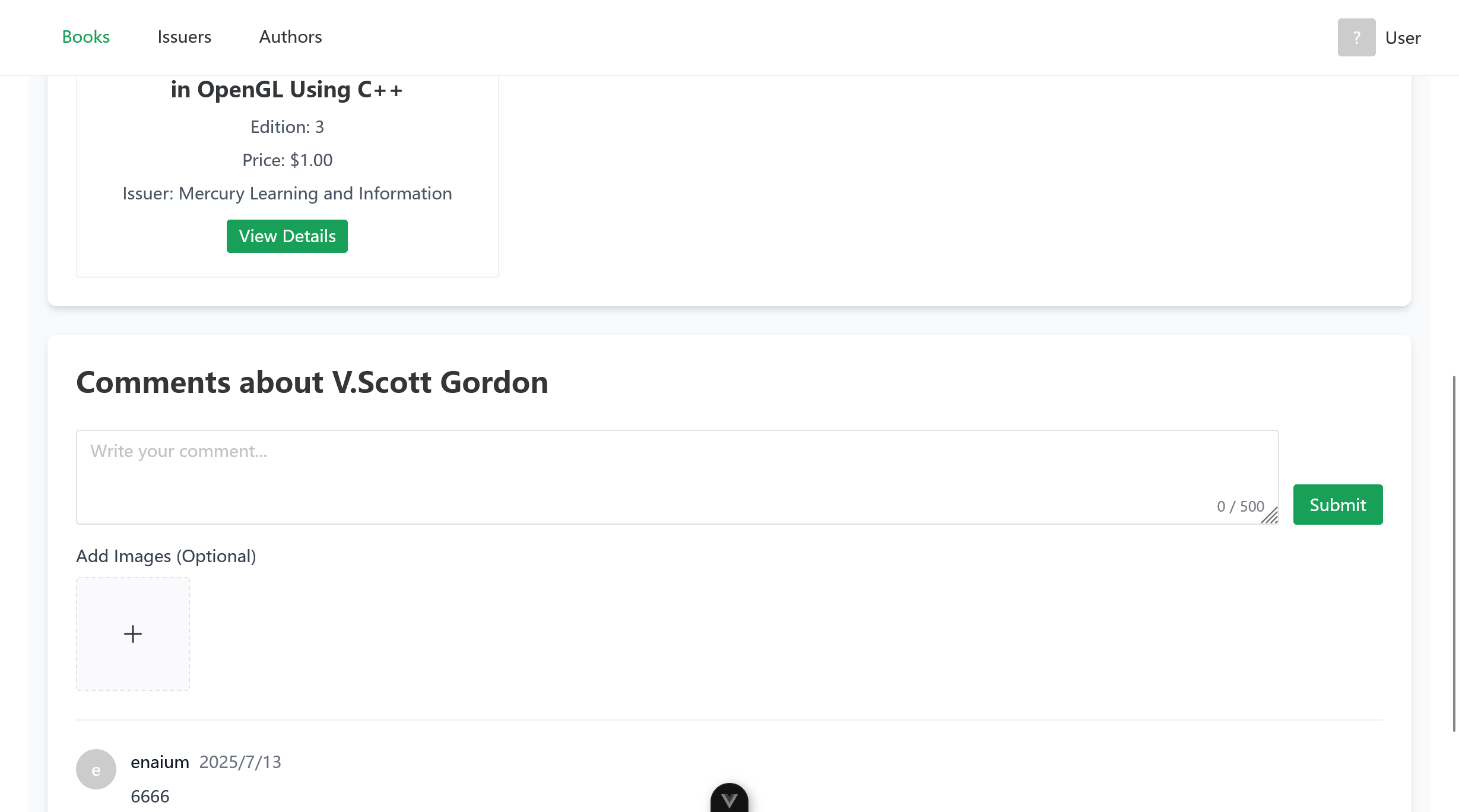
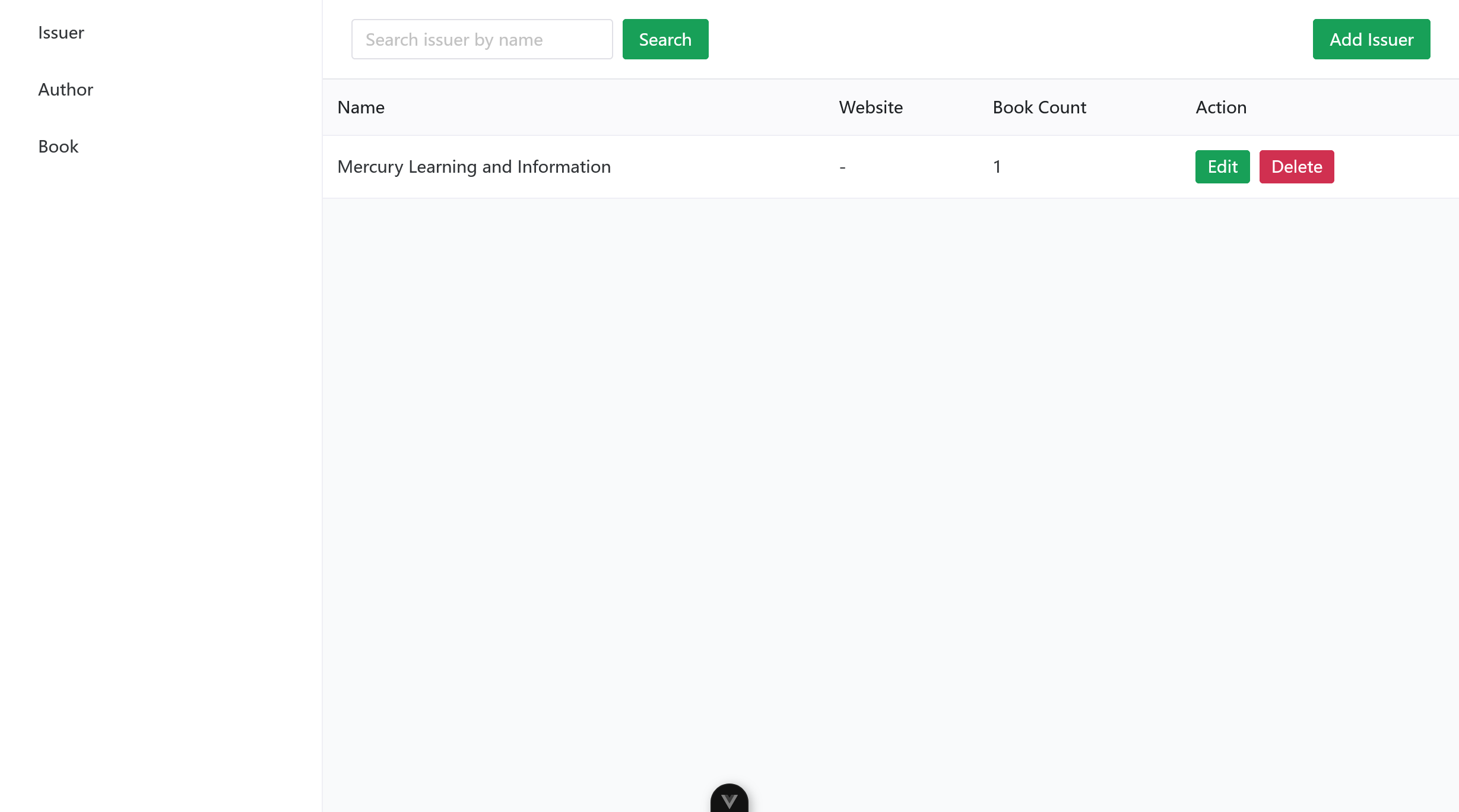
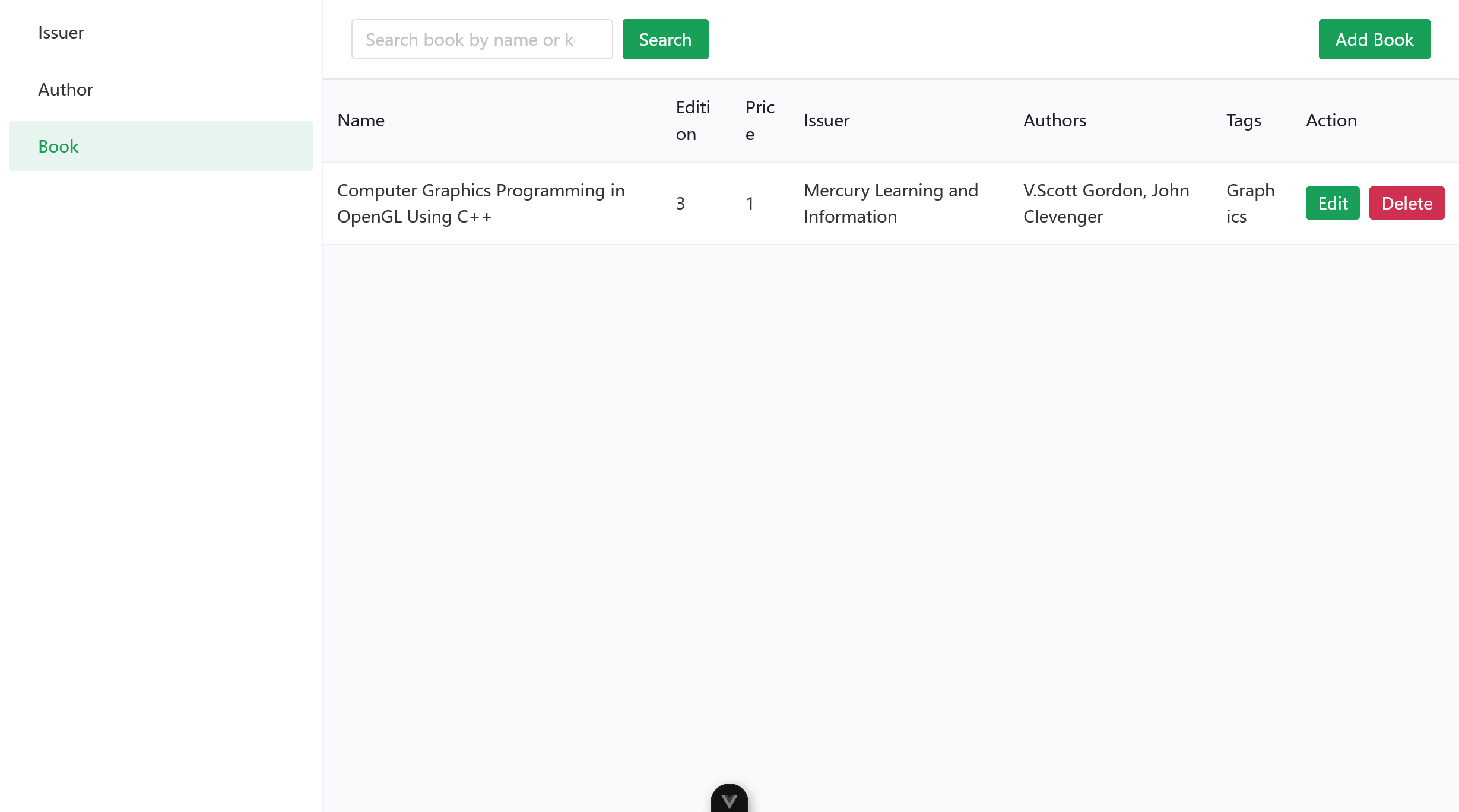
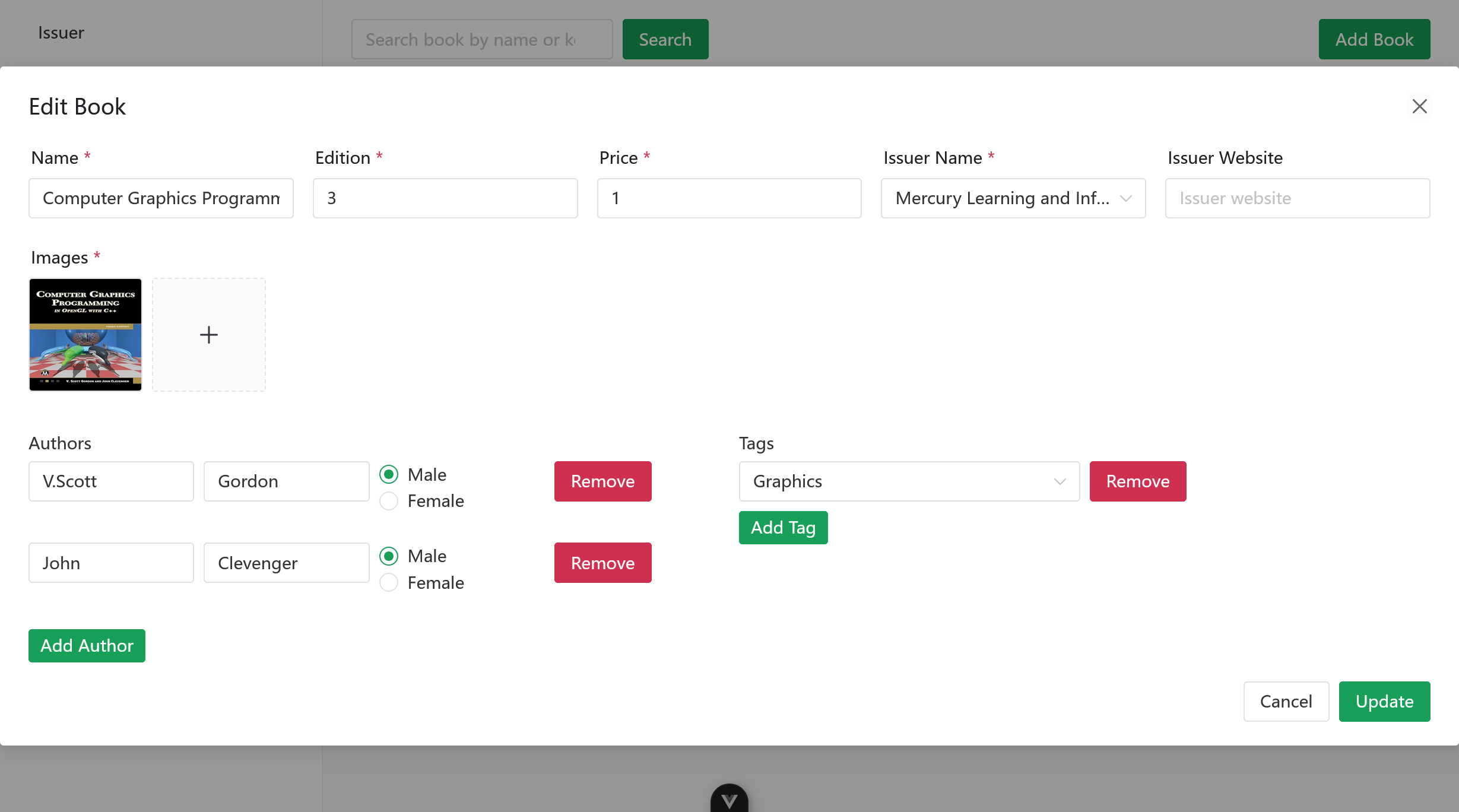
## Screenshots
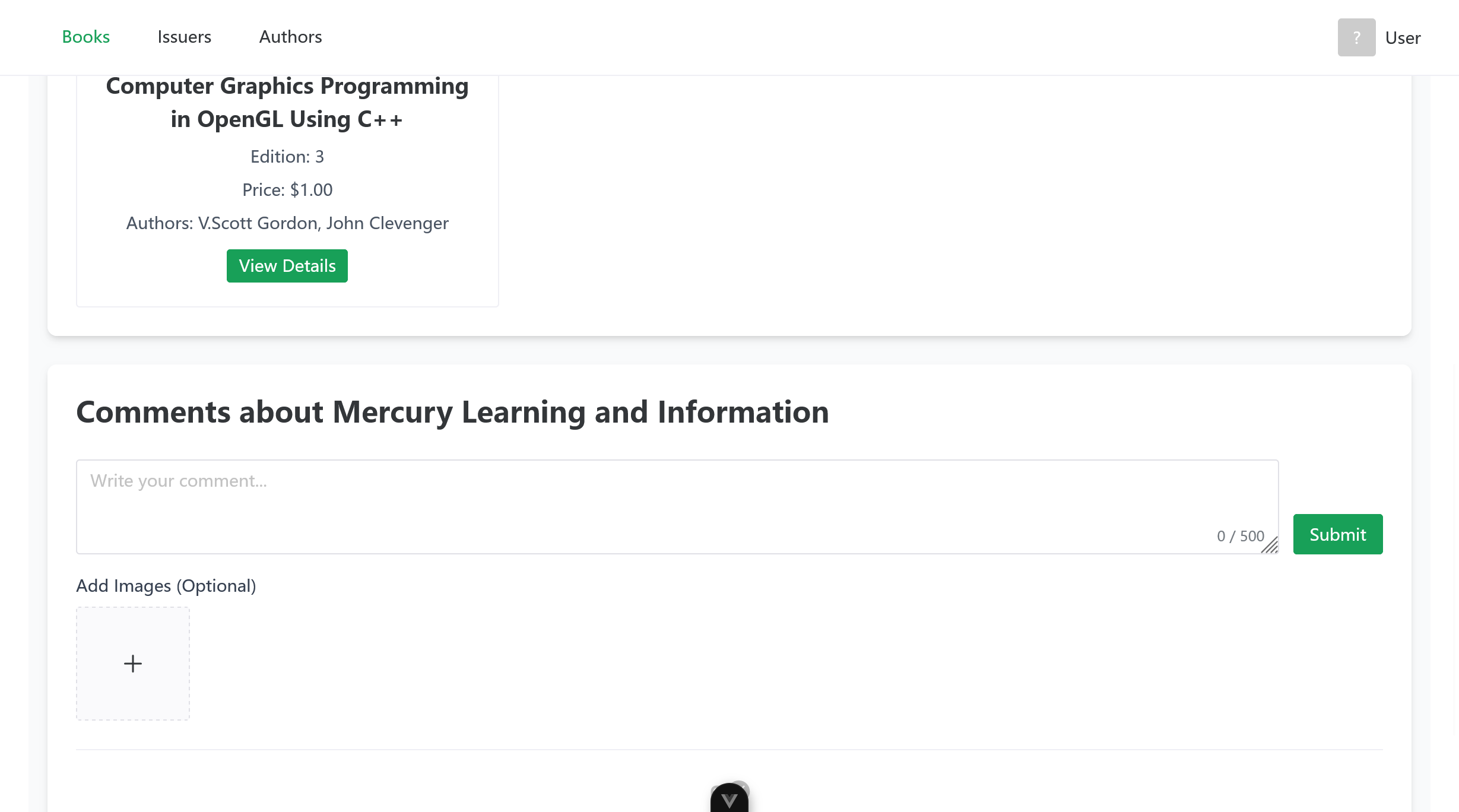
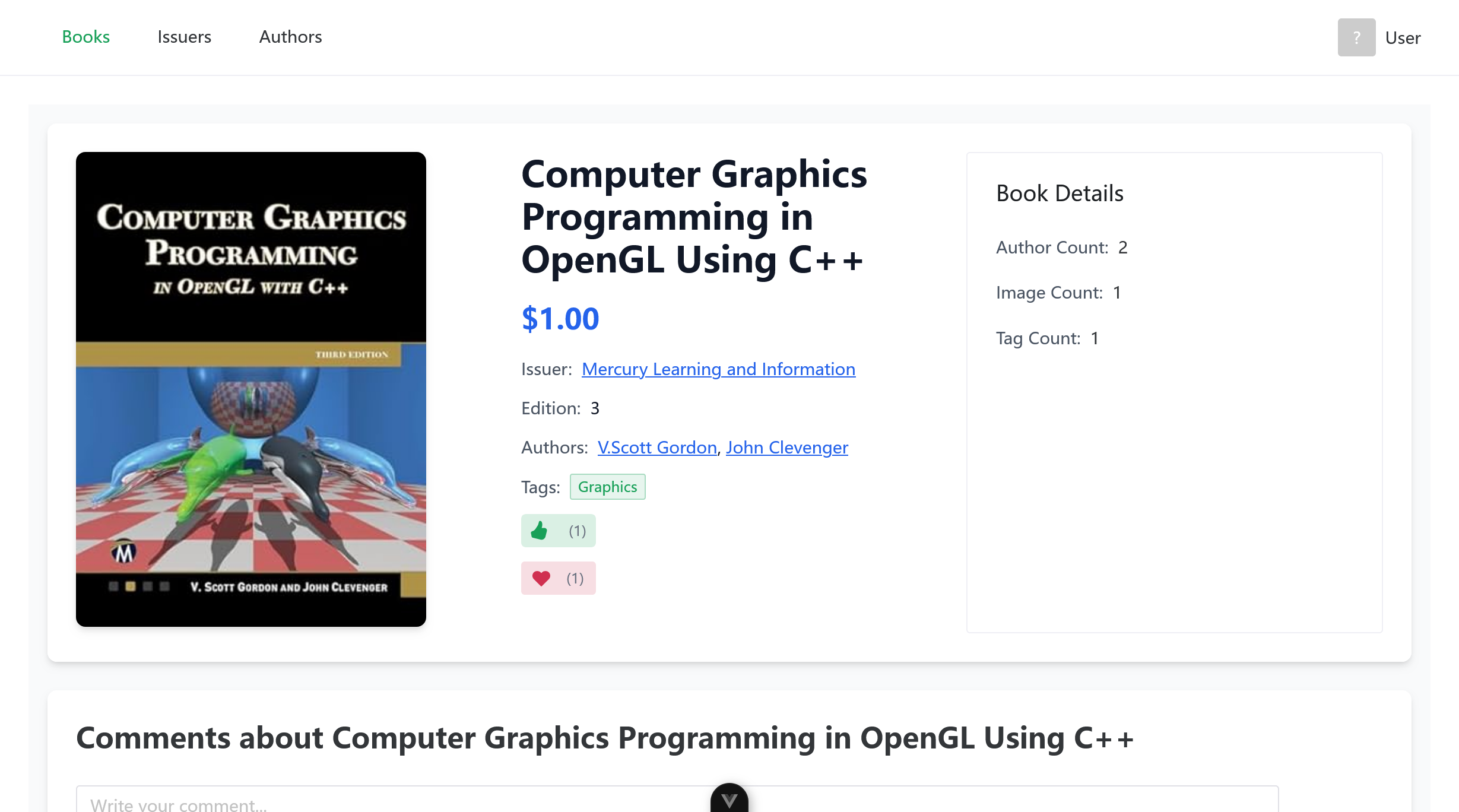
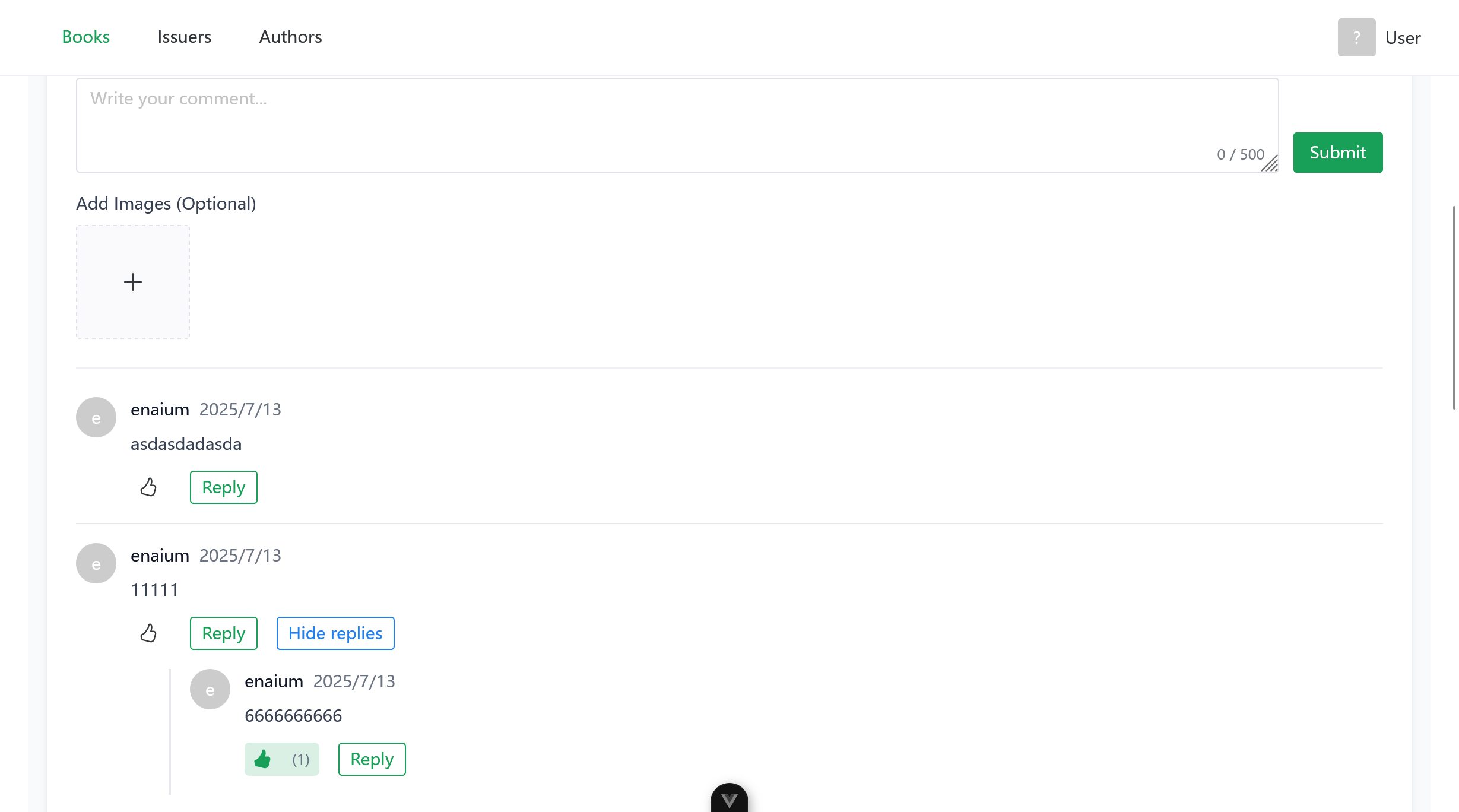
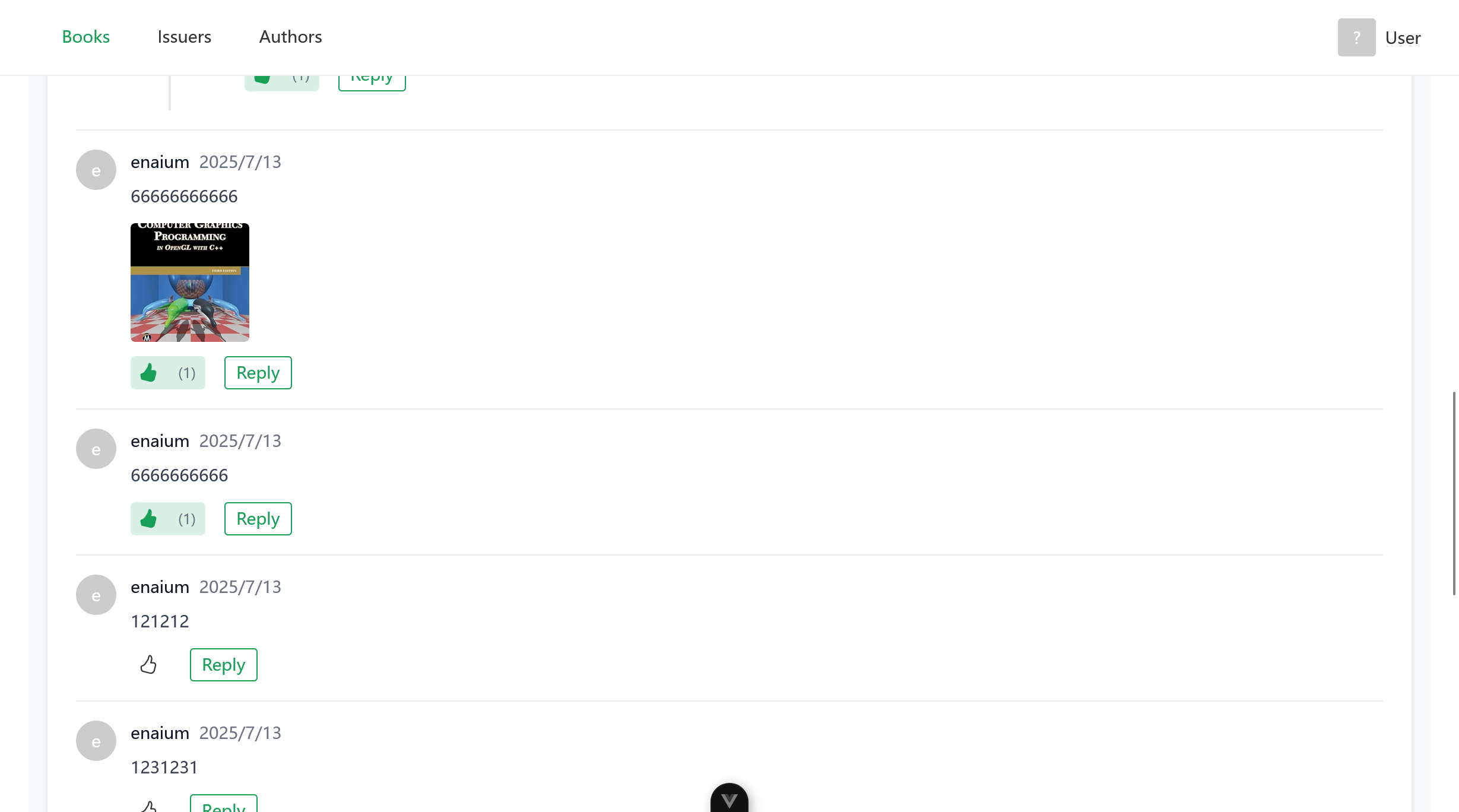

## 📄 License
This project is licensed under the MIT License - see the [LICENSE](LICENSE) file for details.
## 🙏 Acknowledgments
- **Jimmer ORM**: For type-safe SQL with Kotlin
- **Spring Boot**: For robust backend framework
- **Vue.js**: For progressive frontend framework
- **Naive UI**: For beautiful UI components
---
**Happy coding! 📚✨**