https://github.com/enesusta/react-ityped
react-ityped is a react component that wraps https://www.npmjs.com/package/ityped package
https://github.com/enesusta/react-ityped
ityped react react-component-library
Last synced: 11 months ago
JSON representation
react-ityped is a react component that wraps https://www.npmjs.com/package/ityped package
- Host: GitHub
- URL: https://github.com/enesusta/react-ityped
- Owner: enesusta
- Created: 2020-08-14T12:51:41.000Z (almost 6 years ago)
- Default Branch: master
- Last Pushed: 2024-02-01T06:01:16.000Z (over 2 years ago)
- Last Synced: 2025-07-21T08:12:01.756Z (11 months ago)
- Topics: ityped, react, react-component-library
- Language: JavaScript
- Homepage: https://ityped.surge.sh/
- Size: 160 KB
- Stars: 4
- Watchers: 1
- Forks: 2
- Open Issues: 2
-
Metadata Files:
- Readme: README.md
Awesome Lists containing this project
README
`react-ityped` is a react component that wraps https://www.npmjs.com/package/ityped package

[](https://www.codefactor.io/repository/github/enesusta/react-ityped)


[](https://standardjs.com)
## 🕺 Install
by using `npm`:
```bash
$ npm i react-ityped
```
by using `yarn`:
```bash
$ yarn add react-ityped
```
## ⚜️ How does react-ityped looks like?
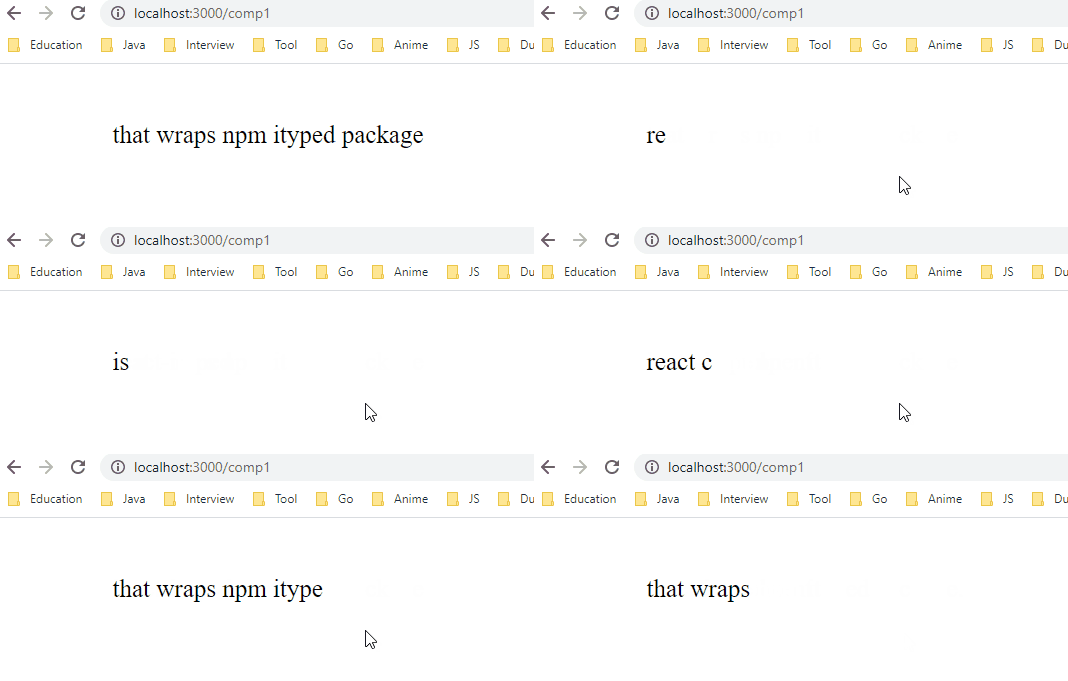
## ☕️ Features
Original ityped package already has support for React applications. But it uses DOM directly with html-id.
This situation might be appropriate for react applications `that doesn't use Reach Hook API.` But if you're using react **v16.8 or higher**, you should use `useRef` hook instead of direct DOM access.
What do I mean?
> This example has taken from ityped package.
If you want to check. [link](https://github.com/luisvinicius167/ityped#use-with-reactjs)
```jsx
import React, { Component } from 'react'
import { init } from 'ityped'
export default class Hello extends Component {
componentDidMount() {
const myElement = document.querySelector('#myElement')
init(myElement, { showCursor: false, strings: ['Use with React.js!', 'Yeah!'] })
}
render() {
return
}
}
```
With `useRef()` hook, we don't require to specify any id on our component. `useRef()` hook does it for us.
In this regards `react-ityped` uses **useRef()** hook to access native DOM element.
## 🎆 Example
```jsx
import React from 'react';
import ITyped from 'react-ityped';
import './index.css';
const Example = () => {
const strings = ['react-ityped', 'is a', 'react component', 'that wraps npm ityped package.']
return (
);
}
export default Example;
```
If you want to check more detail about styling, check that [link](https://github.com/luisvinicius167/ityped#css)
```css
// index.
.ityped-cursor {
font-size: 2.2rem;
opacity: 1;
-webkit-animation: blink 0.3s infinite;
-moz-animation: blink 0.3s infinite;
animation: blink 0.3s infinite;
animation-direction: alternate;
}
@keyframes blink {
100% {
opacity: 0;
}
}
@-webkit-keyframes blink {
100% {
opacity: 0;
}
}
@-moz-keyframes blink {
100% {
opacity: 0;
}
}
.container {
text-align: left;
font-size: 25px;
align-self: center;
margin-left: 3%;
margin-top: 3%;
}
```
## 🔧 Props
Common props you may want to specify include:
| Name | Type | Discription | Default |
| :--: | :--: | :--: | :--: |
| strings | string[] | An array with the strings that will be animated | `['Put your strings here...', 'and Enjoy!']`
| cursorChar | string | Character for cursor | `"|"`|
| typeSpeed | number | Type speed in milliseconds | 100 |
| backSpeed | number | Type back speed in milliseconds | 50 |
| startDelay | number | Time before typing starts | 50 |
| backDelay | number | Time before backspacing | 500 |
| loop | boolean | The animation loop | false |
| showCursor | boolean | Show the cursor element | true |
| disableBackTyping | boolean | Disable back typing for the last string sentence | false |
See the [props documentation](https://github.com/luisvinicius167/ityped#customization) for complete documentation on the props that `react-ityped` supports.
## 📦 Build
- [Rollup](https://rollupjs.org/) for build process
- [Babel](https://babeljs.io/) for transpilation
## 📜 License
MIT © [Enes Usta](https://github.com/enesusta)