https://github.com/enpitsulin/react-nodegui-vite-starter
⚡️ React based NodeGui Vite Starter Template
https://github.com/enpitsulin/react-nodegui-vite-starter
desktop gui native nodejs qt react vite
Last synced: 4 months ago
JSON representation
⚡️ React based NodeGui Vite Starter Template
- Host: GitHub
- URL: https://github.com/enpitsulin/react-nodegui-vite-starter
- Owner: enpitsuLin
- License: mit
- Created: 2022-03-21T15:22:32.000Z (over 4 years ago)
- Default Branch: master
- Last Pushed: 2022-04-21T02:21:31.000Z (about 4 years ago)
- Last Synced: 2025-06-20T10:12:37.170Z (about 1 year ago)
- Topics: desktop, gui, native, nodejs, qt, react, vite
- Language: TypeScript
- Homepage:
- Size: 230 KB
- Stars: 6
- Watchers: 2
- Forks: 0
- Open Issues: 0
-
Metadata Files:
- Readme: README.md
- License: LICENSE
Awesome Lists containing this project
README
# react-nodegui-vite-starter
A React NodeGui starter template ⚡️ powered by Vite rather than webpack
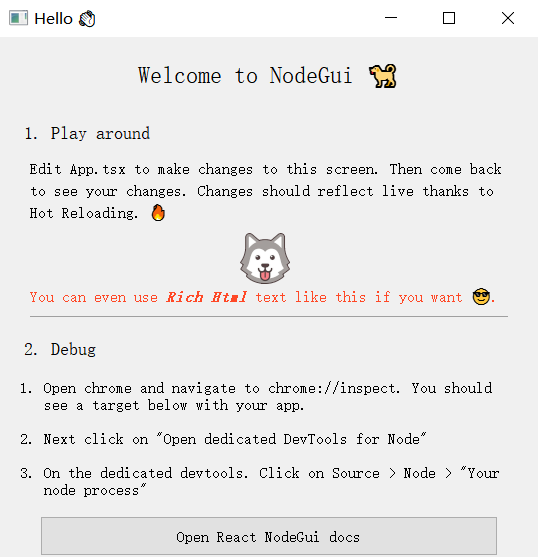
## Use the Template
### GitHub Template
[Create a repo with this template on GitHub](../../generate)
## Usage
### Development
Run the dev server
```bash
pnpm dev
```
### Packaging app as a distributable
In order to distribute your finished app, you can use [@nodegui/packer](https://github.com/nodegui/packer)
#### Step 1: init your app
```bash
npx nodegui-packer --init AppName
```
This will produce the deploy directory containing the template. You can modify this to suite your needs. Like add icons, change the name, description and add other native features or dependencies. Make sure you commit this directory.
#### Step 2: (Run this command every time you want to build a new distributable)
Next you can run the pack command:
```bash
pnpm build
```
This will produce the js bundle along with assets inside the `./dist` directory
```bash
pnpm deploy
```
This will build the distributable using @nodegui/packer based on your build products
# License
MIT