https://github.com/epos-eric/epos-opensource
EPOS OpenSource CLI to deploy on Docker and Kubernetes
https://github.com/epos-eric/epos-opensource
cli deployment-automation docker-compose kubernetes self-hosted
Last synced: 3 months ago
JSON representation
EPOS OpenSource CLI to deploy on Docker and Kubernetes
- Host: GitHub
- URL: https://github.com/epos-eric/epos-opensource
- Owner: EPOS-ERIC
- License: gpl-3.0
- Created: 2025-06-18T13:33:07.000Z (about 1 year ago)
- Default Branch: main
- Last Pushed: 2026-04-01T17:24:24.000Z (3 months ago)
- Last Synced: 2026-04-02T02:34:46.702Z (3 months ago)
- Topics: cli, deployment-automation, docker-compose, kubernetes, self-hosted
- Language: Go
- Homepage: https://epos-eric.github.io/opensource-docs/documentation/installation
- Size: 405 KB
- Stars: 1
- Watchers: 0
- Forks: 0
- Open Issues: 0
-
Metadata Files:
- Readme: README.md
- License: LICENSE
Awesome Lists containing this project
README
# EPOS Open Source CLI
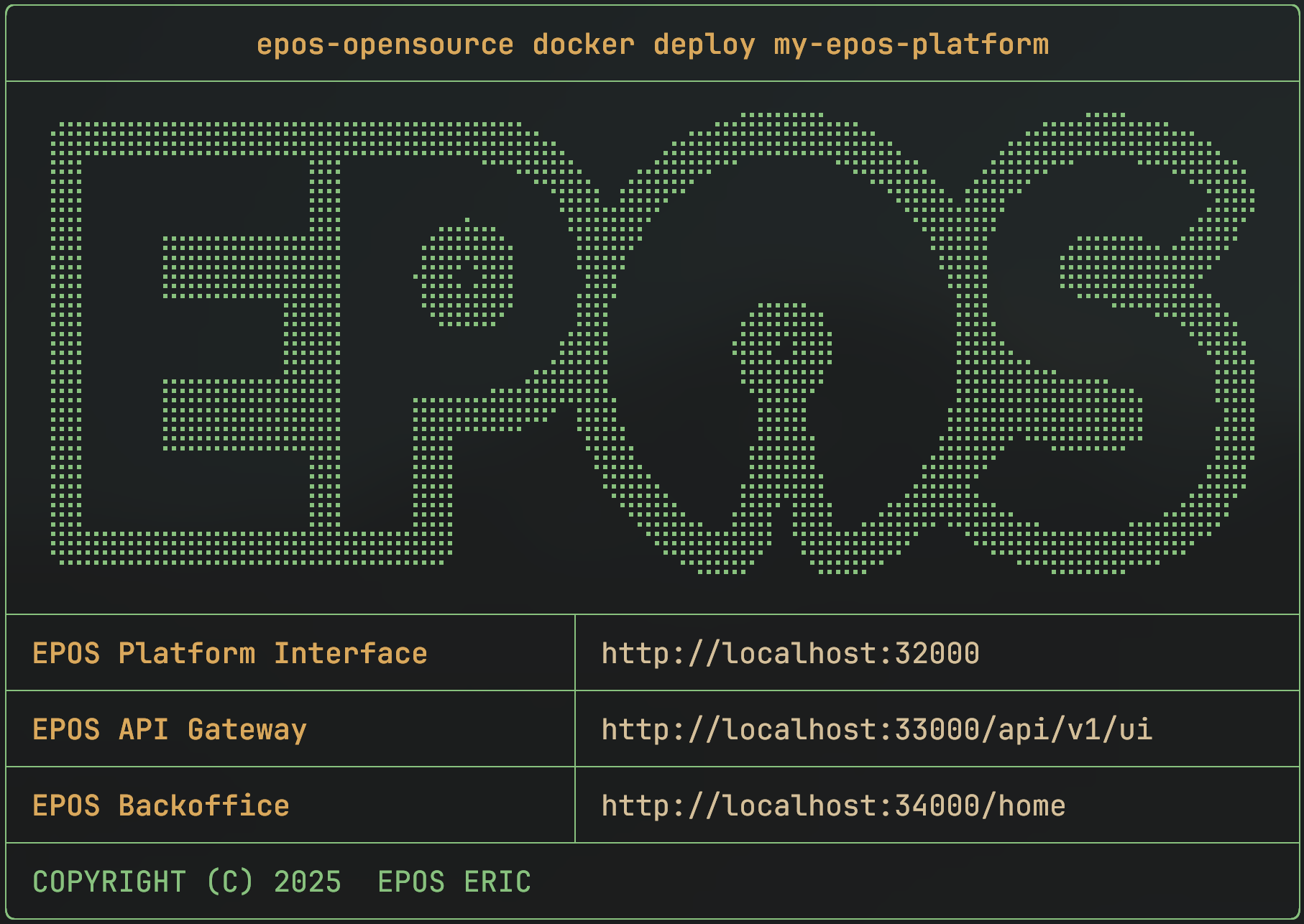
A command-line tool for deploying the EPOS Platform locally using Docker Compose or K8s.
---
## 🚀 Quick Start
Run the CLI without arguments to launch the interactive TUI, or use subcommands for CLI operations.
**Install the CLI (Linux/macOS/WSL):**
```bash
curl -fsSL https://raw.githubusercontent.com/EPOS-ERIC/epos-opensource/main/install.sh | bash
```
**Check installation:**
```bash
epos-opensource --version
```
---
## Terminal User Interface (TUI)
For an interactive experience, just run
```
epos-opensource
```
to launch the TUI. This provides a menu-driven interface for managing environments, equivalent to CLI commands but with intuitive navigation and visuals.

---
**Deploy a local environment with Docker Compose:**
```bash
epos-opensource docker deploy myenv
```
**Populate it with your own data:**
```bash
epos-opensource docker populate myenv /path/to/ttl/files
```
---
## What is EPOS Open Source CLI?
A command-line tool to deploy and manage EPOS Platform environments on your computer or in a cluster, using Docker Compose (rendered from Go templates) or K8s (deployed from an embedded Helm chart).
## Usage Requirements
- **Docker** and **Docker Compose** (for Docker-based setups)
- **kubectl** and access to a K8s cluster (for K8s-based setups)
---
## Installation
### Easiest: Installation Script
```bash
curl -fsSL https://raw.githubusercontent.com/EPOS-ERIC/epos-opensource/main/install.sh | bash
```
_This script works on Linux, macOS, and WSL. It will update the CLI if already installed._
> [!IMPORTANT]
> ALWAYS REVIEW SCRIPTS YOURSELF BEFORE EXECUTING THEM ON YOUR SYSTEM!
### Using Go
```shell
go install github.com/EPOS-ERIC/epos-opensource@latest
```
_Make sure `$GOPATH/bin` or `$HOME/go/bin` is in your `$PATH`._
### Pre-built Binaries
1. Download the appropriate archive from the [releases](https://github.com/EPOS-ERIC/epos-opensource/releases).
2. Make the binary executable and move it to your `$PATH`:
```shell
chmod +x epos-opensource-{your version}
mv epos-opensource-{your version} /usr/local/bin/epos-opensource
```
3. Verify the installation:
```shell
epos-opensource --version
```
### Build from source
Build using `make` with Go 1.25.4 or later:
```shell
make build
```
---
## Commands
The CLI is organized into two main commands: `docker` and `k8s`. Each has its own set of subcommands for managing environments. These commands work in both CLI and TUI modes.
### Docker Commands
| Command | Description |
| :--------- | :------------------------------------------------------------------ |
| `deploy` | Create a new environment using Docker Compose. |
| `populate` | Ingest TTL files from directories or files into an environment. |
| `clean` | Clean the data of an environment. |
| `delete` | Stop and remove Docker Compose environments. |
| `export` | Export default Docker config (`docker-config.yaml`) to a directory. |
| `get` | Get the currently applied Docker environment configuration. |
| `list` | List installed Docker environments. |
| `render` | Render `.env` and `docker-compose.yaml` from configuration. |
| `update` | Recreate an environment with new settings. |
**Example:**
```shell
# Deploy a new Docker environment named "my-test"
epos-opensource docker deploy my-test
# Populate it with data
epos-opensource docker populate my-test /path/to/my/data
```
### K8s Commands
| Command | Description |
| :--------- | :---------------------------------------------------------------- |
| `deploy` | Create and deploy a new K8s environment in a dedicated namespace. |
| `populate` | Ingest TTL files from directories or files into an environment. |
| `clean` | Clean the data of an environment. |
| `delete` | Remove K8s environments and all their namespaces. |
| `export` | Export default K8s config (`k8s-config.yaml`) to a directory. |
| `get` | Get the currently applied K8s environment configuration. |
| `list` | List installed K8s environments. |
| `render` | Render Kubernetes manifests from embedded Helm templates. |
| `update` | Update and redeploy an existing K8s environment. |
**Example:**
```shell
# Deploy a new K8s environment named "my-cluster"
epos-opensource k8s deploy my-cluster
# Populate it with data
epos-opensource k8s populate my-cluster /path/to/my/data
```
### Getting Help
For more details on any command, use the `--help` flag:
```shell
epos-opensource --help
epos-opensource docker --help
epos-opensource k8s deploy --help
```
### Config-First Workflow
Use this flow when you want to customize environments before deployment:
```shell
# 1) Export default config templates
epos-opensource docker export ./out
epos-opensource k8s export ./out
# 2) Edit generated files
# - ./out/docker-config.yaml
# - ./out/k8s-config.yaml
# 3) Render output without deploying
epos-opensource docker render my-docker -c ./out/docker-config.yaml -o ./rendered/docker
epos-opensource k8s render my-k8s -c ./out/k8s-config.yaml -o ./rendered/k8s
# 4) Deploy using your config
epos-opensource docker deploy my-docker --config ./out/docker-config.yaml
epos-opensource k8s deploy my-k8s --config ./out/k8s-config.yaml
```
Use `get` to inspect and export the currently applied config:
```shell
epos-opensource docker get my-docker --output ./applied-docker.yaml
epos-opensource k8s get my-k8s --output ./applied-k8s.yaml
```
---
## Troubleshooting & Tips
- **Docker/K8s not found:** Make sure Docker and/or kubectl are installed and running.
- **Environment/Directory already exists:** Use a new name, or delete the old environment first.
- **Problems with `.ttl` files:** Make sure the directory exists and contains valid `.ttl` files and that their paths are valid (no spaces, weird symbols, ...).
- **Environment not found/Does not exist:** Make sure you run commands as the same user. The CLI uses a user-level SQLite database to store environment information.
If you get stuck, run with `--help` for more info, or feel free to [open an issue](https://github.com/EPOS-ERIC/epos-opensource/issues).
---
## Development
Follow these steps to set up your local development environment and enable the shared Git hooks.
### Prerequisites
- **Go 1.25.4+**
- **Make**
- **golangci‑lint**
### Clone & Enter the Repo
```bash
git clone https://github.com/EPOS-ERIC/epos-opensource.git
cd epos-opensource
```
### Install the Shared Git Hooks
We include a set of pre‑commit hooks under `.githooks/` that will automatically run your Makefile checks before each commit:
```bash
git config core.hooksPath .githooks
```
### Makefile Targets
Our `Makefile` provides common commands for development like:
- **`make build`**
Compile the CLI binary.
- **`make test`**
Run all tests.
- **`make lint`**
Execute linters (using `golangci-lint`).
### Workflow
1. **Edit code** in your favorite editor.
2. **Run** your chosen `make` targets to verify everything passes.
3. **Commit:** the pre‑commit hook will automatically invoke `make lint test`.
4. **Push** your changes when you're ready.
---
## Contributions Welcome
We welcome all contributions, including bug reports, feature ideas, documentation, or code changes.
If you have questions or are unsure how to get started, feel free to [open an issue](https://github.com/EPOS-ERIC/epos-opensource/issues). We are happy to assist!
## Contributing
1. Fork the repository and clone it locally.
2. Create a new branch from `main` or `develop`.
3. Make your changes and follow the existing code style.
4. Add or update tests and documentation as needed.
5. Commit your changes using clear, present-tense messages.
6. Push your branch and open a pull request.
Before submitting:
- Pull the latest changes from upstream.
- Squash commits if needed.
- Ensure all tests pass.
After submitting:
- Address any feedback on your pull request.
- Update your branch until it is approved and merged.
Thank you for your contribution!