https://github.com/equinor/flownet
FlowNet - Data-Driven Reservoir Predictions
https://github.com/equinor/flownet
data-assimilation data-driven petroleum-engineering reduced-order-models reservoir-simulation
Last synced: about 1 year ago
JSON representation
FlowNet - Data-Driven Reservoir Predictions
- Host: GitHub
- URL: https://github.com/equinor/flownet
- Owner: equinor
- License: gpl-3.0
- Created: 2020-03-05T15:06:10.000Z (over 6 years ago)
- Default Branch: master
- Last Pushed: 2022-12-22T11:20:57.000Z (over 3 years ago)
- Last Synced: 2024-10-31T09:09:19.391Z (over 1 year ago)
- Topics: data-assimilation, data-driven, petroleum-engineering, reduced-order-models, reservoir-simulation
- Language: Python
- Homepage:
- Size: 145 MB
- Stars: 63
- Watchers: 5
- Forks: 29
- Open Issues: 87
-
Metadata Files:
- Readme: README.md
- Changelog: CHANGELOG.md
- Contributing: CONTRIBUTING.md
- License: LICENSE
- Codeowners: .github/CODEOWNERS
Awesome Lists containing this project
README

FlowNet: Data-Driven Reservoir Predictions





_FlowNet_ aims at solving the following problems:
* Create data-driven reduced physics models - directly from the data
* Train the model
* Assure model predictiveness
* Use the models to efficiently optimize and make decisions
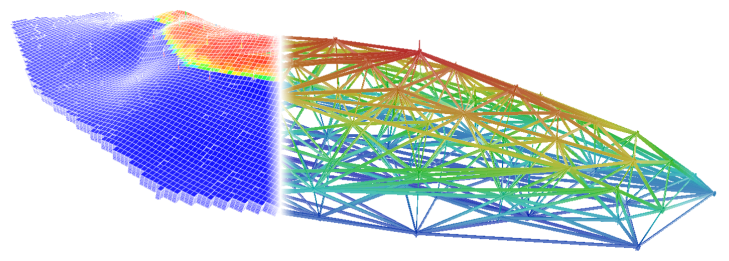
For documentation, see [the GitHub pages](https://equinor.github.io/flownet/) for this repository.
## Contributing
Please check out our [contribution guidelines](CONTRIBUTING.md) if you want to contribute to FlowNet.
## Installation
_FlowNet_ is a Python package. All required dependencies are automatically installed
together with FlowNet, except for the [_OPM-Flow_](https://opm-project.org/?page_id=19)
reservoir simulator binaries which you will need to install separately.
If your Flow installation is not located at `/usr/bin/flow` you should set an
environment variable `FLOW_PATH` with path to your Flow executable prior to running
FlowNet.
### Install FlowNet
The easiest and recommended approach is to install FlowNet from PyPI by running
```
pip install flownet
```
If you want to install and try out the latest unreleased code you can do
```bash
git clone git@github.com:equinor/flownet.git
cd flownet
pip install -e .
```
Omit the `-e` flag if you want a standard installation.
> :warning: Do you want to run FlowNet through the LSF queue?
To be able to have the ERT process, that will be called by FlowNet,
run jobs via LSF correctly you will need to update your default shell's
configuration file (`.cshrc` or `.bashrc`) to automatically source your
virtual environment.
### Running FlowNet
You can run _FlowNet_ as a single command line:
```
flownet ahm ./some_config.yaml ./some_output_folder
```
Run `flownet --help` to see all possible command line argument options.
### Running webviz to check results
Before running `webviz` for the first time on your machine, you will need to to create a localhost `https` certificate by doing:
```bash
webviz certificate --auto-install --force
```
### License
FlowNet is, with a few exceptions listed below, [GPLv3](./LICENSE).
- The [Norne test data](./tests/data/norne.tar.gz) is available under the [Open Database License](http://opendatacommons.org/licenses/odbl/1.0/)
- The [FlowNet logo](./docs/_static/flownet_logo.png) is [CC BY-NC-ND 4.0](https://creativecommons.org/licenses/by-nc-nd/4.0/)