https://github.com/erikjuhani/brewp
Brewp interactive package upgrader for Homebrew
https://github.com/erikjuhani/brewp
cli gum homebrew shell
Last synced: about 2 months ago
JSON representation
Brewp interactive package upgrader for Homebrew
- Host: GitHub
- URL: https://github.com/erikjuhani/brewp
- Owner: erikjuhani
- License: mit
- Created: 2022-12-10T22:50:04.000Z (over 3 years ago)
- Default Branch: main
- Last Pushed: 2023-03-26T19:23:23.000Z (over 3 years ago)
- Last Synced: 2026-01-03T01:05:05.977Z (6 months ago)
- Topics: cli, gum, homebrew, shell
- Language: Shell
- Homepage:
- Size: 289 KB
- Stars: 2
- Watchers: 1
- Forks: 0
- Open Issues: 0
-
Metadata Files:
- Readme: README.md
- License: LICENSE
Awesome Lists containing this project
README
# brewp
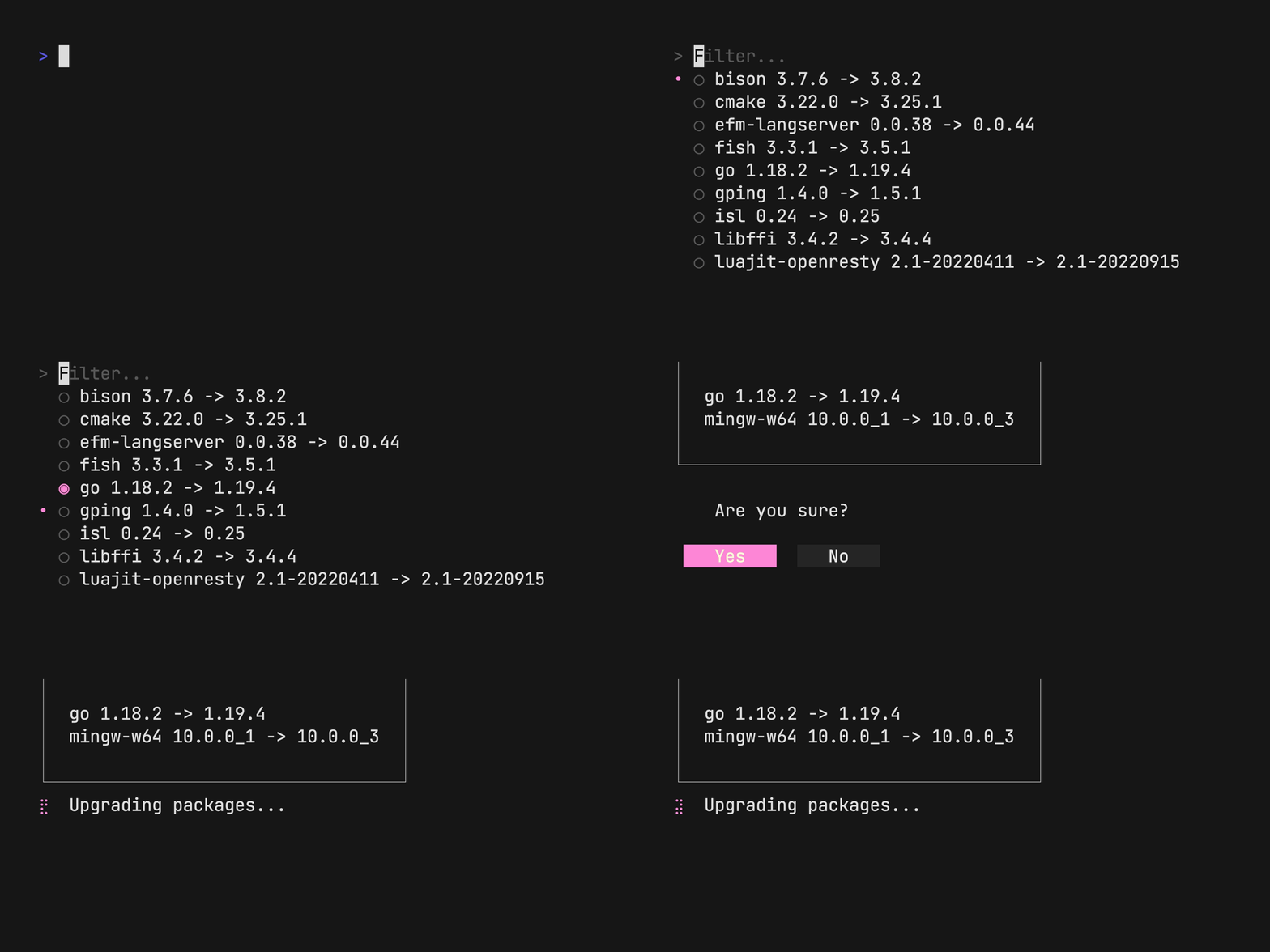
A simple interactive shell script to manage outdated brew packages.
## Required dependencies
- [brew](https://brew.sh)
- [gum](https://github.com/charmbracelet/gum)
## Installation
Easiest way to install `brewp` is with this oneliner. You can also just
download `brewp.sh` and place it in desired directory.
```sh
curl -sSL https://raw.githubusercontent.com/erikjuhani/brewp/main/install.sh | sh
```
By default the install script assumes that executable scripts are found under
`$HOME/bin` folder. The script will automatically create such folder if it does
not exist. However one should remember to add this location to `PATH`.
### Updating
`brewp` keeps track of HEAD commit hash as the version, which is annotated to
the `brewp` shell script file. To update `brewp` to latest version run the
install script again.
### Note
`brewp` expects that `brew` and `gum` are installed and found in the `PATH`.
```sh
/bin/bash -c "$(curl -fsSL https://raw.githubusercontent.com/Homebrew/install/HEAD/install.sh)"
brew install gum
```