https://github.com/erinnmclaughlin/mudblazor.htmleditor
A rich text editor component for MudBlazor
https://github.com/erinnmclaughlin/mudblazor.htmleditor
mudblazor
Last synced: about 1 year ago
JSON representation
A rich text editor component for MudBlazor
- Host: GitHub
- URL: https://github.com/erinnmclaughlin/mudblazor.htmleditor
- Owner: erinnmclaughlin
- License: mit
- Created: 2023-11-05T22:34:40.000Z (over 2 years ago)
- Default Branch: main
- Last Pushed: 2024-12-25T12:42:14.000Z (over 1 year ago)
- Last Synced: 2025-03-29T04:35:20.781Z (about 1 year ago)
- Topics: mudblazor
- Language: CSS
- Homepage: https://erinnmclaughlin.github.io/MudBlazor.HtmlEditor/
- Size: 8.94 MB
- Stars: 45
- Watchers: 1
- Forks: 9
- Open Issues: 7
-
Metadata Files:
- Readme: README.md
- License: LICENSE
Awesome Lists containing this project
README
# Tizzani.MudBlazor.HtmlEditor
A customizable HTML editor component for [MudBlazor](https://mudblazor.com/), powered by [QuillJS](https://quilljs.com/).




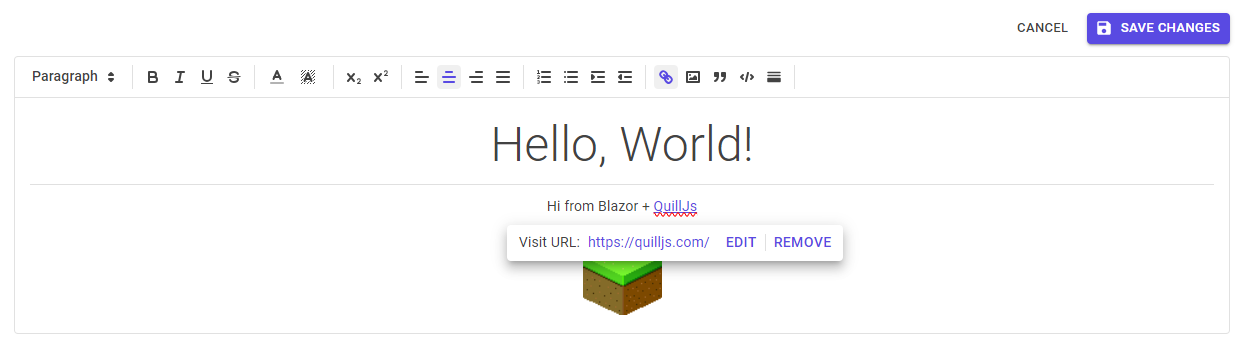
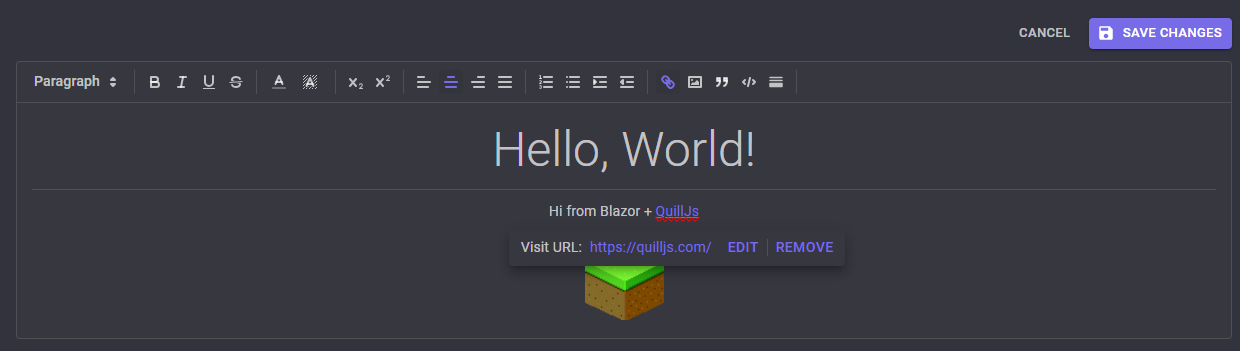
Works in dark mode, too!
## Installation
Download the [latest release](https://www.nuget.org/packages/Tizzani.MudBlazor.HtmlEditor) from NuGet:
```cmd
dotnet add package Tizzani.MudBlazor.HtmlEditor
```
Add references to the required CSS and JS to your main HTML file (e.g. `App.razor`, `index.html`, or `Page.cshtml` depending on your Blazor setup):
```html
```
Finally, add the following to your `_Imports.razor`:
```razor
@using Tizzani.MudBlazor.HtmlEditor
```
## Configuring Toolbar Options (available since v2.1)
There are several options available for customizing the HTML editor toolbar.
To customize options for a specific editor instance, define a `` inside the ``:
```razor
```
For all available options, see [here](./src/Tizzani.MudBlazor.HtmlEditor/MudHtmlToolbarOptions.razor.cs).
### Configuring Default Options
To configure default options for all instances of the HTML editor, you can wrap your razor content with ``.
#### App.razor or Routes.razor
```razor
```
Child components will inherit the default options, unless they override them with their own `` instance.
### Advanced Customization
For more advanced customization, you can define your own toolbar options inside of an individual `` component:
```razor
```
See the [QuillJS documentation](https://quilljs.com/docs/modules/toolbar/) for more information on customizing the toolbar.
## Migrating from v1.0 to v2.0
* Remove the `services.AddMudBlazorHtmlEditor();` call from your `Startup.cs` or `Program.cs` file.
* Remove the `` tag from the document body. The required JS is now included by default.