https://github.com/erizoat/captcha-scraping
How to Solve Captcha Problems in Web Scraping
https://github.com/erizoat/captcha-scraping
captcha captcha-solver captcha-solving solve-captcha web-scraping
Last synced: 5 months ago
JSON representation
How to Solve Captcha Problems in Web Scraping
- Host: GitHub
- URL: https://github.com/erizoat/captcha-scraping
- Owner: ERIZOAT
- Created: 2025-02-14T09:14:49.000Z (over 1 year ago)
- Default Branch: main
- Last Pushed: 2025-02-14T09:20:24.000Z (over 1 year ago)
- Last Synced: 2025-02-14T10:27:13.886Z (over 1 year ago)
- Topics: captcha, captcha-solver, captcha-solving, solve-captcha, web-scraping
- Homepage:
- Size: 6.84 KB
- Stars: 0
- Watchers: 1
- Forks: 0
- Open Issues: 0
-
Metadata Files:
- Readme: README.md
Awesome Lists containing this project
README
# Solving CAPTCHA in Web Scraping & Automation
CAPTCHA is one of the biggest challenges in web scraping and automation. While it helps websites block bots, it also creates barriers for developers working on legitimate automation tasks. This guide explains CAPTCHA types and effective ways to bypass them while ensuring compliance.
## 📌 What Is a CAPTCHA?
A **CAPTCHA** (Completely Automated Public Turing test to tell Computers and Humans Apart) is a security mechanism that distinguishes real users from bots. Websites use CAPTCHA to prevent spam, brute-force attacks, and automated scraping.
### 🔹 Why Websites Use CAPTCHA
- **Prevent bot abuse**: Stops automated spam, fake account creation, and mass data scraping.
- **Enhance security**: Protects login pages from brute-force attacks.
- **Protect valuable data**: Secures premium content from unauthorized scraping.
- **Mitigate DDoS attacks**: Helps filter out bot-driven denial-of-service attacks.
### 🔹 How CAPTCHA Works
1. **Triggering** – Websites detect suspicious activity (e.g., unusual requests, bad IP reputation) and trigger a CAPTCHA.
2. **Challenge Presentation** – Users must solve a challenge like image selection, text recognition, or behavioral verification.
3. **User Response** – The user completes and submits the CAPTCHA.
4. **Validation** – If the response is correct, access is granted; otherwise, a new challenge appears.
With advancements like **reCAPTCHA v3** and **Cloudflare Turnstile**, some CAPTCHAs analyze user behavior and assign a risk score, allowing legitimate users to pass without interaction.
## 🚀 Common Types of CAPTCHA
| Type | Description |
|------|------------|
| **Text-based CAPTCHA** | Users identify distorted letters or numbers (vulnerable to OCR). |
| **Image-based CAPTCHA** | Users select objects (e.g., traffic lights, buses). |
| **Slider CAPTCHA** | Users move a puzzle piece into place. |
| **Audio CAPTCHA** | Users type distorted speech (accessible for visually impaired users). |
| **Behavior-based CAPTCHA** | Analyzes mouse movements and typing speed. |
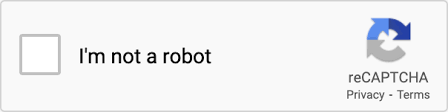
| **Risk-based CAPTCHA** | Uses AI to assign risk scores (e.g., reCAPTCHA v3). |
## 🔧 How to Solve CAPTCHA
### 1️⃣ Use a CAPTCHA Solving Service
Building an in-house solver is time-consuming. Instead, **third-party CAPTCHA-solving services** provide ready-to-use APIs.
**[CapSolver](https://www.capsolver.com/?utm_source=official&utm_medium=blog&utm_campaign=solve-captcha-problem)** supports reCAPTCHA, hCaptcha, and image CAPTCHAs.
#### ✅ Example: Solving CAPTCHA with CapSolver API
```python
import requests
def solve_captcha(api_key, site_key, url):
response = requests.post("https://api.capsolver.com/solve", json={
"apiKey": api_key,
"siteKey": site_key,
"url": url
})
return response.json().get("code")
captcha_token = solve_captcha("YOUR_API_KEY", "SITE_KEY", "https://example.com")
print("Captcha Solved Token:", captcha_token)
```
### 2️⃣ OCR for Text CAPTCHA
OCR (Optical Character Recognition) can decode text-based CAPTCHAs using **Tesseract OCR**.
```python
import pytesseract
from PIL import Image
image = Image.open("captcha_image.png")
text = pytesseract.image_to_string(image)
print("Extracted Captcha Text:", text)
```
⚠️ Modern CAPTCHAs use distortion and noise to make OCR less effective.
### 3️⃣ Machine Learning for Image CAPTCHA
Deep learning models trained on labeled CAPTCHA datasets can recognize patterns. However, training requires extensive data and resources.
### 4️⃣ Solving Slider CAPTCHA with OpenCV
Slider CAPTCHAs can be solved by detecting gaps in images using **OpenCV**.
```python
import cv2
import numpy as np
def find_gap(image_path):
image = cv2.imread(image_path, 0)
edges = cv2.Canny(image, 50, 150)
contours, _ = cv2.findContours(edges, cv2.RETR_EXTERNAL, cv2.CHAIN_APPROX_SIMPLE)
for cnt in contours:
x, y, w, h = cv2.boundingRect(cnt)
if w > 30: # Assuming a significant gap
return x
return None
```
Use **Selenium or Playwright** to automate slider movement.
### 5️⃣ Mimic Human Behavior for Behavioral CAPTCHAs
To bypass behavioral CAPTCHAs, scripts should simulate human-like interactions.
```python
from selenium.webdriver.common.action_chains import ActionChains
import random, time
def human_like_drag(driver, element, target_x):
action = ActionChains(driver)
action.click_and_hold(element)
current_x = 0
while current_x < target_x:
move_by = random.randint(1, 5)
action.move_by_offset(move_by, 0)
time.sleep(random.uniform(0.02, 0.1))
current_x += move_by
action.release().perform()
```
## 🏁 Conclusion
Solving CAPTCHA efficiently depends on the type:
- **OCR & Machine Learning** work for simple CAPTCHAs but struggle with obfuscation.
- **Human-like interaction** is useful for behavioral CAPTCHAs but difficult to scale.
- **Using a CAPTCHA-solving service** like [CapSolver](https://www.capsolver.com/) is often the most efficient solution for automation projects.
---
**🎁 Special Offer:** Redeem code `CAPT` on [CapSolver](https://www.capsolver.com/?utm_source=official&utm_medium=blog&utm_campaign=solve-captcha-problem) for a **5% bonus on every recharge, unlimited!** 🚀
