https://github.com/erman999/data-synchronizer
Data Synchronizer is a Node.js Electron application that synchronizes MySQL/MariaDB data from client to server using Socket.io for data transfer.
https://github.com/erman999/data-synchronizer
data data-synchronization database electron javascript mariadb mysql nodejs socket-io
Last synced: about 1 month ago
JSON representation
Data Synchronizer is a Node.js Electron application that synchronizes MySQL/MariaDB data from client to server using Socket.io for data transfer.
- Host: GitHub
- URL: https://github.com/erman999/data-synchronizer
- Owner: erman999
- License: apache-2.0
- Created: 2023-08-28T03:47:22.000Z (over 2 years ago)
- Default Branch: main
- Last Pushed: 2024-06-28T14:14:38.000Z (over 1 year ago)
- Last Synced: 2025-02-05T17:12:44.463Z (about 1 year ago)
- Topics: data, data-synchronization, database, electron, javascript, mariadb, mysql, nodejs, socket-io
- Language: JavaScript
- Homepage:
- Size: 4.66 MB
- Stars: 1
- Watchers: 2
- Forks: 0
- Open Issues: 0
-
Metadata Files:
- Readme: README.md
- License: LICENSE
Awesome Lists containing this project
README
# Data Synchronizer
Data Synchronizer is a Node.js Electron application that synchronizes MySQL/MariaDB data from client to server. The application uses Socket.io for connecting and emitting data, allowing for up to 5000 concurrent clients. The application structure involves clients connecting to the socket server through which they communicate with client-to-server or vice versa. The server receives the data and sends it to the client via data events.
## Screenshots
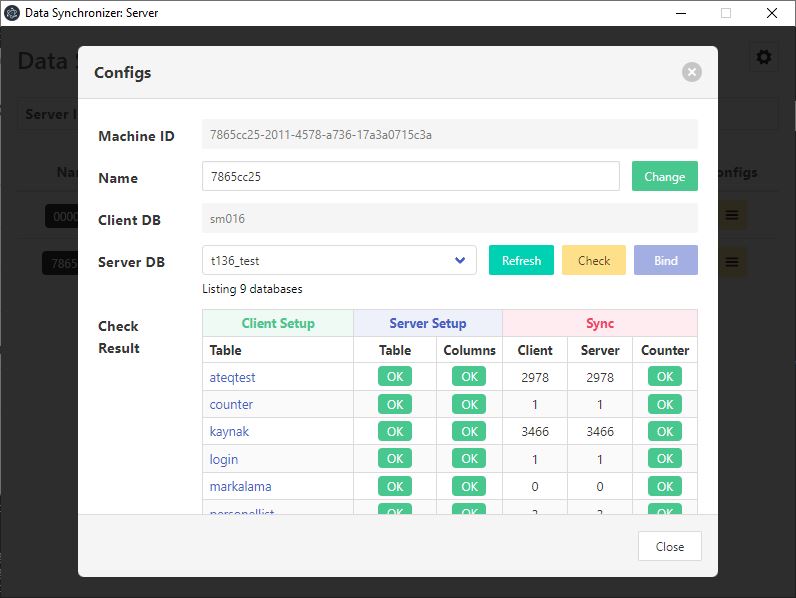
Here are some screenshots of the Data Synchronizer:
Figure 1: Main screen of the Data Synchronizer Client
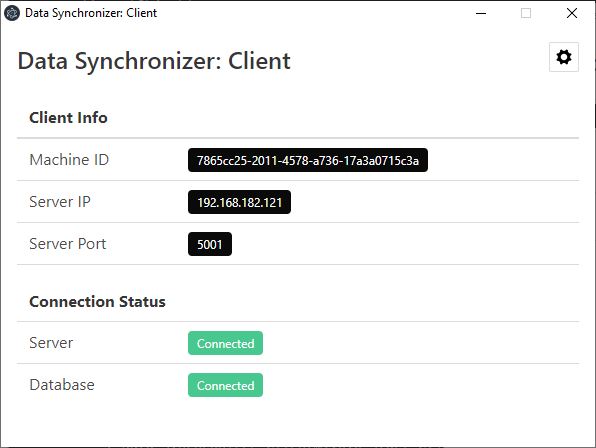
Figure 2: Main screen of the Data Synchronizer Server
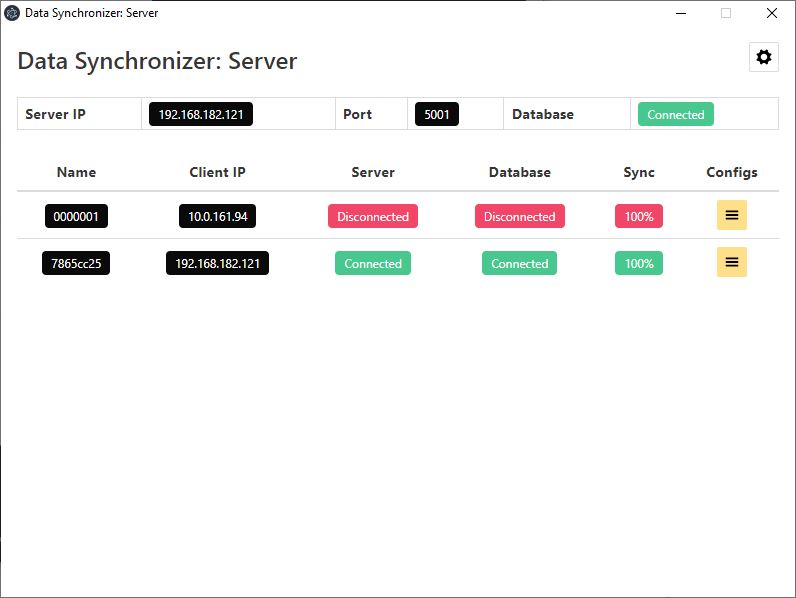
Figure 3: Configuration screen of the Data Synchronizer Server
## Installation
1. Clone the repository to your local machine
2. Install the required dependencies
3. Configure the application to connect to your client and server databases
## Usage
1. Run the application to synchronize your data
2. Monitor the synchronization process for any errors or issues
3. Troubleshoot any errors or issues as needed
## Contributing
Contributions are welcome! If you find a bug or have a feature request, please open an issue on the GitHub repository. If you would like to contribute code, please fork the repository and submit a pull request.
## License
This project is licensed under the Apache-2.0 License - see the [LICENSE](LICENSE) file for details.